From OTEL to SLMs: Distilling Frontier Model Behaviour from Production Telemetry

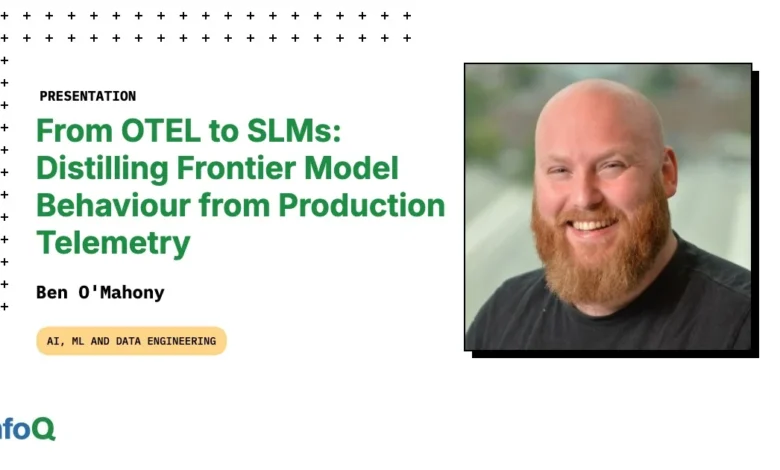
The evolving landscape of artificial intelligence is marked by a growing imperative for specialized, efficient, and controllable tools. At a recent InfoQ presentation, Ben O’Mahony, Principal AI Engineer with Thoughtworks, unveiled a compelling strategy for achieving this: distilling the sophisticated behavior of large, frontier AI models into smaller, more manageable Small Language Models (SLMs) by leveraging production telemetry, specifically OpenTelemetry (OTel), generated by AI agents. This innovative approach promises to reshape how developers interact with AI, moving towards a future of personalized, continuously improving, and cost-effective AI assistants.
The Paradigm Shift in AI Tooling: Shaping Our Digital Assistants
O’Mahony commenced his presentation by invoking John Culkin’s paraphrase of Marshall McLuhan: "We shape our tools, and thereafter our tools shape us." He posited that this adage has never been more relevant than in the era of AI. Building an AI tool, he argued, is not merely about functionality; it’s about creating something that fundamentally reconfigures workflows, habits, and even thought processes. The critical question, therefore, transcends mere efficacy to probe the deeper impact: "Does this make you a better person? What kind of person does this tool create?"
Drawing parallels to a developer’s meticulous customization of their environment—like shaping a Neovim editor with hundreds of lines of Lua and countless plugins—O’Mahony highlighted a crucial gap in current AI tool development. While developers can craft the "harness, agent, instructions, and interactions," the core "brain" of most AI tools, powered by frontier models, remains largely opaque and uncustomizable beyond model selection. This limitation, coupled with the significant operational costs associated with frequent API calls ("burning tokens"), spurred O’Mahony’s quest for a more controllable and efficient AI solution.
His own AI-powered Language Server Protocol (LSP) tool served as the crucible for this experimentation. Designed for semantic code analysis, inline hints, and intelligent suggestions, the LSP was proactive, sending data to an AI agent every time a file was saved. The continuous token expenditure from such persistent interaction underscored the economic necessity for an alternative. It was during this process that O’Mahony recognized the latent potential in the very data he was generating: OpenTelemetry, capturing every interaction—every accepted, dismissed, or regenerated suggestion—was inadvertently creating the ideal dataset for training a smaller, faster, and more personalized model.
The AI-Powered Language Server Protocol: A Case Study in Agentic Assistance
To ground his thesis, O’Mahony provided a foundational overview of the Language Server Protocol (LSP). As the backbone of modern editor intelligence, LSP enables consistent language features across various Integrated Development Environments (IDEs) like VS Code, Neovim, and Emacs. An editor acts as a client, requesting information from a separate language server that comprehends the programming language’s structure, not just its text. This enables functionalities such as documentation lookups, "go to definition," and diagnostics (errors, warnings). Traditional LSPs, like pyright or rust-analyzer, are rule-based, parsing code into Abstract Syntax Trees (ASTs) and checking against predefined language rules. While fast and precise for syntax and type inference, they lack semantic understanding. They cannot, for instance, discern if a function’s name accurately reflects its current operation or identify fragile error handling patterns.
This is precisely where O’Mahony’s AI LSP steps in. His innovation sought to embed AI suggestions directly into the developer’s workflow, making them proactive and truly "agentic" rather than confined to a separate chat panel. A significant advantage of this AI-driven approach is its language agnosticism; by relying on semantic understanding rather than AST parsing, it can analyze and suggest improvements across any code or even Markdown.
The practical implementation presented a highly detailed diagnostic experience. O’Mahony showcased a meta example where his AI LSP suggested improvements to its own codebase. These suggestions appeared contextually, much like standard linter errors, minimizing disruption to the developer’s "flow." This emphasis on "context engineering for the engineer" was a recurring theme, contrasting with often cumbersome AI outputs that lead to large, difficult-to-parse pull requests. Furthermore, the AI LSP offered code actions, providing multiple options for fixes and the ability to apply changes across different parts of the codebase, or even combine suggestions.
Crucially, O’Mahony recognized the need for explicit feedback mechanisms within the tool. Beyond simply accepting fixes, he integrated options to "dismiss" unwanted suggestions (strong negative signal) and "regenerate" alternatives (weak positive signal). These user actions, he realized, were not just workflow enhancements but invaluable sources of implicit and explicit training data. The continued presence of deterministic checkers alongside the AI LSP highlighted a hybrid approach, leveraging the strengths of both rule-based and AI-driven analysis.
OpenTelemetry: The Observability Backbone for Generative AI
Central to O’Mahony’s methodology is OpenTelemetry (OTel), the Cloud Native Computing Foundation (CNCF) project that has rapidly become the industry standard for observability. OTel provides a unified framework for collecting telemetry data—distributed traces, metrics, and logs—from applications and infrastructure. Its adoption is widespread across enterprises seeking deep insights into system performance and behavior.
For generative AI systems, O’Mahony argued, OTel’s value is even more pronounced. Distributed traces allow developers to follow a request’s journey across an entire system, through multiple services and agents, identifying precise actions and timings at each step (or "span"). OTel’s specification for generative AI specifically captures critical data points:
- Events: Inputs and outputs such as system, user, and assistant messages, or tool calls.
- Metrics: Crucial performance indicators like token usage, operation duration, request duration, time per output token, and time to first token. These are vital for debugging and platform management.
- Model and Agent Spans: Detailed records of operations like agent creation, workflow execution, chat completion, multi-modal generation, and tool execution.
O’Mahony emphasized that every AI agent should be instrumented with OTel from day one. He demonstrated how auto-instrumentation, widely available across various AI frameworks (e.g., Logfire, Pydantic AI, LangChain, LlamaIndex), simplifies this process, getting developers "99% of the way there." The true "gold" in this telemetry, however, lies in capturing user actions. By adding specific spans for actions like regenerate_fix or apply_fix, the system begins to generate a continuous stream of training signals, effectively labeling its own data through natural product usage. This paradigm shifts the burden of expensive, manual data labeling onto the users themselves, turning every interaction into a valuable data point.
The Data Flywheel: Turning Usage into Training Data
The concept of a "data flywheel" is the engine of O’Mahony’s distillation strategy. This flywheel posits that every user interaction with an AI system represents an opportunity to collect training data, creating a self-reinforcing loop of improvement. He illustrated this with a clear chronology:
- Day One: Initial configuration and natural coding yield a small number of interactions.
- End of Week One: Tens to hundreds of interactions accumulate, revealing nascent patterns of acceptance and dismissal.
- End of Month One: Hundreds, potentially thousands, of labeled interactions form a robust dataset suitable for fine-tuning.
This dataset, rich with behavioral feedback, becomes the foundation for Reinforcement Learning from Human Feedback (RLHF), a powerful technique for aligning AI models with human preferences. O’Mahony defined three critical feedback signals from his LSP:
- Accepted: A "strong positive signal" indicating the user not only found an issue but explicitly endorsed the proposed fix.
- Regenerated: A "weak positive signal" where the diagnostic was correct, but the solution was suboptimal, prompting the user to request an alternative.
- Dismissed: A "strong negative signal," particularly valuable as negative examples are notoriously difficult and expensive to gather in traditional machine learning pipelines.
This approach transcends simple "thumbs up/down" feedback by capturing implicit behavioral cues directly within the user’s workflow. The continuous generation of labeled data by users, effectively "labeling for free," radically inverts the traditional, resource-intensive data labeling process. The flywheel compounds: better models lead to increased usage, which generates more data, leading to even better models, creating a virtuous cycle of continuous, and potentially automatic, improvement.
Distilling Intelligence: From Frontier Models to SLMs
The mechanics of transforming OTel traces into actionable training data are surprisingly straightforward, O’Mahony explained. The first step involves exporting OTel traces to a processing backend, whether a commercial solution like Logfire, Honeycomb, or Datadog, or a local setup using an OTel Collector to write spans to disk as JSON. The subsequent extraction pipeline queries full traces containing user action spans, filtering out irrelevant data (e.g., ignored diagnostics) and focusing on accepted, regenerated, or dismissed actions. The output is a simple JSONL file, with each line serving as a training example, requiring minimal preprocessing.
With a dataset of several thousand examples, the next phase involves distillation. O’Mahony used frontier models (like Gemini) to initiate this process, leveraging their advanced capabilities to guide the fine-tuning of a smaller, more specialized Small Language Model (SLM). These SLMs, typically in the 7-13 billion parameter range, are chosen for their existing coding knowledge and then fine-tuned specifically to the user’s codebase, eccentricities, and preferred working style.
The training process itself, using frameworks like MLX, can take just a few hours locally. The key, O’Mahony stressed, is not to over-train or attempt to instill general code understanding from scratch. Instead, it’s about taking an already capable open-source model and precisely tuning it to specific behavioral patterns. The result is a local, cheaper, and faster model, often achieving 80-85% of the quality of a frontier model on complex evaluations, but offering significantly greater personalization and efficiency. Crucially, it learns to avoid suggestions that are consistently dismissed, further refining its utility over time. The benefits extend beyond cost and speed, enabling usage on client projects with stricter data privacy or external API restrictions.
Building AI Agent Platforms: A Scalable Approach
O’Mahony then generalized his personal project into a scalable framework for organizational adoption, outlining a set of platform capabilities. The core pattern remains consistent: instrument agents with OTel, capture user actions as training signals, distill model behavior into an SLM, deploy with safety rails, and iterate continuously.
For organizations with dozens of internal AI agents—ranging from customer support bots to code review assistants and data analysis tools—this approach offers immense potential. A shared instrumentation layer, a common extraction pipeline for converting traces into training data, and standardized fine-tuning and model-serving infrastructure can transform this into a powerful platform utility. This shared infrastructure ensures consistency, reduces redundant effort, and facilitates similar evaluation tooling across different agents.
The economic angle is particularly compelling. Traditional machine learning is heavily reliant on expensive, manually labeled data and extensive infrastructure. The data flywheel approach inverts this, making product usage itself the labeling process. Users become "labelers for free," generating a continuous stream of valuable data as a natural byproduct of their work. This non-linear investment in data collection fosters continuous improvement and innovation.
To make this accessible to engineers without deep ML expertise, O’Mahony suggested simplified interfaces. This could involve simple configuration files where teams define which OTel spans correspond to strong positive, weak positive, or strong negative feedback. Alternatively, platform-specific feedback SDKs or decorators could abstract away the complexity, allowing engineers to easily integrate feedback mechanisms into their agents. The emphasis is on making it "truly simple to get started," enabling widespread adoption and fostering an understanding of these powerful techniques across the engineering organization.
The Future of AI: Personalized, Local, and Continuously Learning
Looking ahead to "The Year of Agents"—or, as O’Mahony playfully amended, "more agents"—he envisioned a future where an organization’s internal AI tools continuously learn from production usage. Customer support bots, for example, could inform documentation generators with their understanding of product issues, and the interactions between various agents could provide rich data for multi-agent workflow optimization. This approach fosters a truly "learning organization" where AI tools evolve organically, adapting to specific contexts and needs.
O’Mahony quoted Andrej Karpathy, underscoring the permanence of AI agents. While current agents have limitations, the long-term trajectory points towards refinement and widespread integration. For O’Mahony, this evolution is fundamentally about control and agency. In a world where AI tools increasingly shape our workflows, the ability to configure, shape, and provide personal feedback to these tools is paramount. This distillation process, once the domain of research labs, empowers individual developers and organizations to imbue AI models with desired behaviors, ensuring that humans remain "in the driving seat."
He advocated for a future of "many different intelligences" rather than a singular AGI—specialized, personalized, and distilled AI tools that run locally, are portable, and continuously improve. This vision emphasizes staying in control, ensuring that AI enhances human capabilities without rendering them redundant.
Key Takeaways for Implementation
O’Mahony concluded with concrete, actionable takeaways for immediate application:
- Instrument All Agents with OpenTelemetry: This is a non-negotiable first step. Don’t wait for distillation; get OTel in place from day one to capture everything, especially user actions. Auto-instrumentation provides a significant head start.
- Design User Experience for Observable Decisions: This is the subtle but critical piece. If user interactions with AI tools don’t generate clear signals (e.g., "accept," "reject," "bookmark"), valuable data is lost. Integrating feedback mechanisms directly into the workflow amplifies their power tenfold.
- Embrace Distillation as an Accessible Tool: When sufficient data is collected, distillation is often cheaper and easier than perceived. The tooling has matured, making it accessible to more engineers. Starting small—instrumenting one agent, collecting a month’s data (a few hundred interactions), and attempting distillation—can yield surprisingly effective results, significantly enhancing personal workflows and driving broader AI adoption. It doesn’t require massive compute budgets or large ML teams; local fine-tuning of a 7-billion parameter model can take mere hours.
The future of AI tooling, O’Mahony asserted, is local, personalized, and continuously improving. The ultimate choice, he concluded, lies with the developer: to build tools that passively shape us, or to actively shape the tools that, in turn, enhance our capabilities and agency. The insights from his InfoQ presentation provide a clear roadmap for embracing the latter.