In the rapidly evolving landscape of digital project management, selecting the right software can significantly dictate team productivity and project delivery success. Among the myriad tools available to modern enterprises, GanttPRO has emerged as a prominent web-based solution tailored for planning, scheduling, and resource allocation. Developed by DPM Solutions—a software firm headquartered in Poland—the platform is engineered specifically for small and mid-sized teams seeking robust Gantt chart functionality at a competitive, scalable per-user cost structure.
As project methodologies adapt to remote and hybrid work environments, tools that offer transparent timelines and dynamic updates have become indispensable. GanttPRO has steadily gained traction in this market, claiming over one million project managers have utilized its interface to build and manage interactive schedules. This comprehensive review examines the core utility, feature availability, pricing dynamics, and limitations of GanttPRO as it stands in late 2026.
Core Functionality and Primary Use Cases
At its technical core, GanttPRO operates as an online, browser-based project planning application anchored by an interactive Gantt chart. The primary utility of the software lies in its ability to break down complex projects into manageable hierarchies of tasks and subtasks. Users can establish task dependencies, set milestone markers, and assign responsibilities to team members. When a schedule adjustment is made—such as extending the duration of a primary task—the platform automatically recalculates subsequent dates across the project lifecycle.
Teams predominantly leverage GanttPRO for several key operational workflows:
- Constructing master project schedules with clear visual milestones.
- Managing task interdependencies to foresee bottlenecks before they impact delivery.
- Tracking real-time progress as team members update their respective assignments.
- Sharing live project views securely with external stakeholders and clients via private web links.
While the platform excels in internal team synchronization, it presents specific operational boundaries. For instance, organizations that frequently exchange project files with external partners using Microsoft Project format (MPP) may encounter friction, as GanttPRO lacks native MPP export capabilities.

Feature Breakdown and Plan Differentiation
GanttPRO structures its capabilities across a tiered subscription model consisting of Core, Advanced, Business, and Enterprise plans. Essential scheduling mechanics are integrated into every tier, whereas advanced resource management, financial tracking, and portfolio-level overviews are sequestered in the higher-priced tiers.
The foundational Core plan provides the interactive Gantt chart, task dependencies with lag times, the critical path method, and baseline tracking. It also grants access to mobile applications for iOS and Android, ensuring that on-the-go team members can monitor schedule shifts.
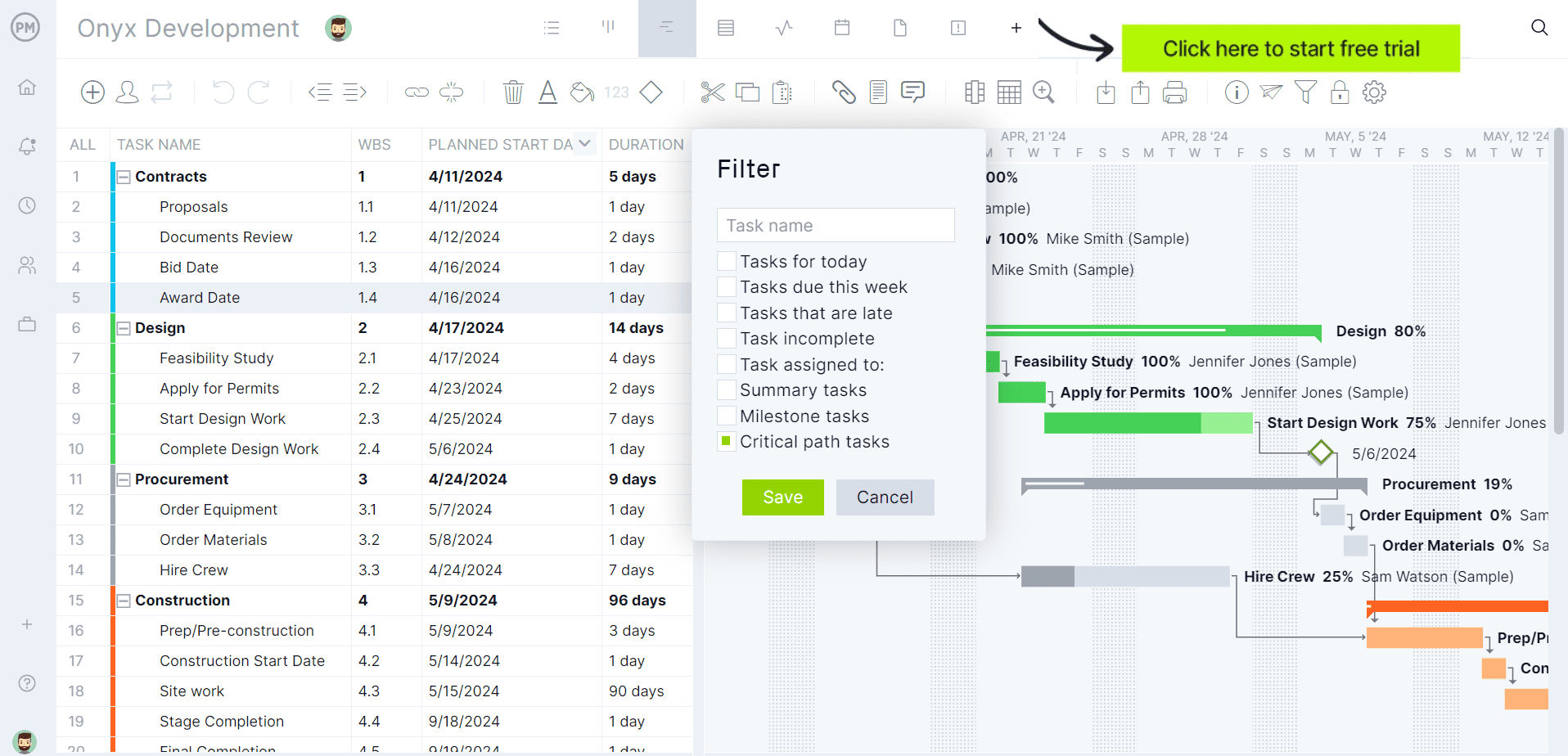
Stepping up to the Advanced tier introduces a calendar-level perspective, custom fields, advanced filtering tools, and project templates designed to accelerate initiation phases. Meanwhile, the Business tier addresses complex organizational demands by incorporating workload management, detailed time tracking, multi-project portfolio views, customizable reporting, and budget tracking metrics. The Enterprise tier rounds out the offering with single sign-on (SAML SSO), custom administrative roles, and priority technical support.
Comparative Pricing and Subscription Models
GanttPRO’s pricing strategy relies on a per-user-per-month metric that adjusts dynamically based on team size and billing frequency. To incentivize larger deployments, the per-user cost decreases as the total number of team members increases.
For teams ranging from one to fifteen members billed annually, the Core plan is priced at $8 per user per month, the Advanced plan at $12, and the Business plan at $19. For larger teams consisting of twenty or more members under annual billing, these rates drop to $7, $10, and $17, respectively. Organizations opting for monthly billing must meet a five-user minimum, with prices scaling to $9, $15, and $24 per user for Core, Advanced, and Business tiers.

Enterprise-level licensing is marketed at $25 per user per month when billed annually for a minimum of five users, positioned as a promotional reduction from a standard $35 rate. Prospective buyers can evaluate the software via a 14-day free trial that requires no credit card information upfront.
Ecosystem Integrations and File Interoperability
To fit within existing corporate tech stacks, GanttPRO supports a variety of native integrations. Communication workflows are augmented through integrations with Slack and Microsoft Teams, allowing teams to receive notifications and execute basic commands. Cloud storage connections with Google Drive and OneDrive enable users to attach relevant documentation directly to specific tasks.
Furthermore, the platform accommodates data migration via Jira Cloud integration for project imports, alongside Microsoft Project (MPP) and Excel (.xlsx, .csv) import capabilities. For custom enterprise environments, an open API is available to facilitate bespoke integrations with internal tools and databases.
Advantages and Limitations
An objective evaluation of GanttPRO reveals distinct operational strengths balanced by notable constraints.
Among its primary advantages is its intuitive interface, which lowers the adoption barrier for team members unfamiliar with complex project management methodologies. The inclusion of critical path analysis and baseline tracking across all pricing tiers—even the entry-level Core package—provides exceptional value for budget-conscious organizations prioritizing scheduling rigor. Additionally, the fluid handling of task dependencies and automatic date adjustments minimizes manual administrative overhead.
Conversely, limitations largely center around file exchange flexibility and plan restrictions. The inability to export projects back into native Microsoft Project MPP files remains a significant drawback for teams operating within strict client ecosystems that mandate Microsoft proprietary formats. Furthermore, locking essential functions such as workload distribution and time tracking exclusively behind the higher-priced Business tier may force smaller teams to compromise on resource visibility unless they upgrade.
Market Alternatives and Industry Context
Organizations seeking alternatives to GanttPRO often evaluate competing platforms based on pricing structures and export capabilities. Software such as TeamGantt offers an alternative pricing model by charging a flat rate per account rather than per user, though it typically imposes limits on active project counts. Other comprehensive enterprise solutions, such as ProjectManager, provide lossless import and export capabilities for Microsoft Project files, alongside built-in RAID (Risks, Assumptions, Issues, and Dependencies) logs for advanced risk mitigation.
Implications for Project Management Strategy
The sustained demand for web-based Gantt chart applications highlights a broader industry shift toward real-time collaboration and transparent timeline tracking. As organizations navigate tight economic conditions and distributed workforces, tools like GanttPRO offer a pragmatic balance between visual scheduling and cost-efficiency. However, decision-makers must carefully audit their interoperability requirements—particularly regarding file formats and resource allocation metrics—to ensure the chosen platform aligns seamlessly with both internal workflows and external stakeholder demands.
Related posts: