Mastering Project Efficiency: Essential Time Management Templates and Modern Software Solutions for Enterprise Success


Effective time management remains the cornerstone of modern project delivery, dictating whether initiatives succeed or fail within competitive corporate environments. Across industries ranging from construction to software engineering, organizations constantly seek methods to optimize resource allocation, budget control, and task scheduling. Recent industry data indicates that organizations wasting time through poor schedule management experience a 20% higher rate of project failure compared to their disciplined counterparts. To combat these inefficiencies, project managers increasingly rely on a mix of structured analog tools, customizable spreadsheet templates, and advanced software solutions to maintain productivity over a project’s life cycle.
The Historical Evolution of Project Scheduling and Time Tracking

The roots of modern project time management trace back to the early 20th century with the invention of the Gantt chart by Henry Gantt around 1910. Initially developed for complex manufacturing environments, these visual frameworks allowed industrial engineers to map out tasks against a horizontal time scale. Over the decades, project management evolved from manual paper-based tracking to computerized spreadsheets in the 1980s, and finally to cloud-based, real-time collaboration suites in the 21st century.
Despite the rapid adoption of sophisticated software platforms, basic scheduling frameworks continue to serve as fundamental educational stepping stones for professionals. Analysts note that while static tools lack the dynamic automation of enterprise systems, they remain vital for early-stage planning and daily individual workflow organization.
Anatomy of Effective Time Management Frameworks

To maintain high productivity and mitigate the psychological stress associated with procrastination, organizations deploy various structured document templates. These assets transform vague operational goals into concrete, actionable steps. Below are eight essential categories of time management assets utilized by high-performing project teams:
-
Daily Schedule Template
A daily schedule template maps out working hours before the business day commences, converting abstract objectives into rigid time blocks. This technique minimizes cognitive fatigue by eliminating the need to constantly decide which task to tackle next. Consistent usage fosters proactive time management, replacing detrimental reactive task-switching with disciplined execution. -
Weekly Schedule Template
Offering a comprehensive macro view of the upcoming week, this template assists department heads in balancing complex workloads, preparing for stakeholder briefings, and preempting critical deadlines. Surface-level scheduling conflicts are identified early, allowing supervisors to distribute tasks equitably and align individual outputs with broader corporate milestones.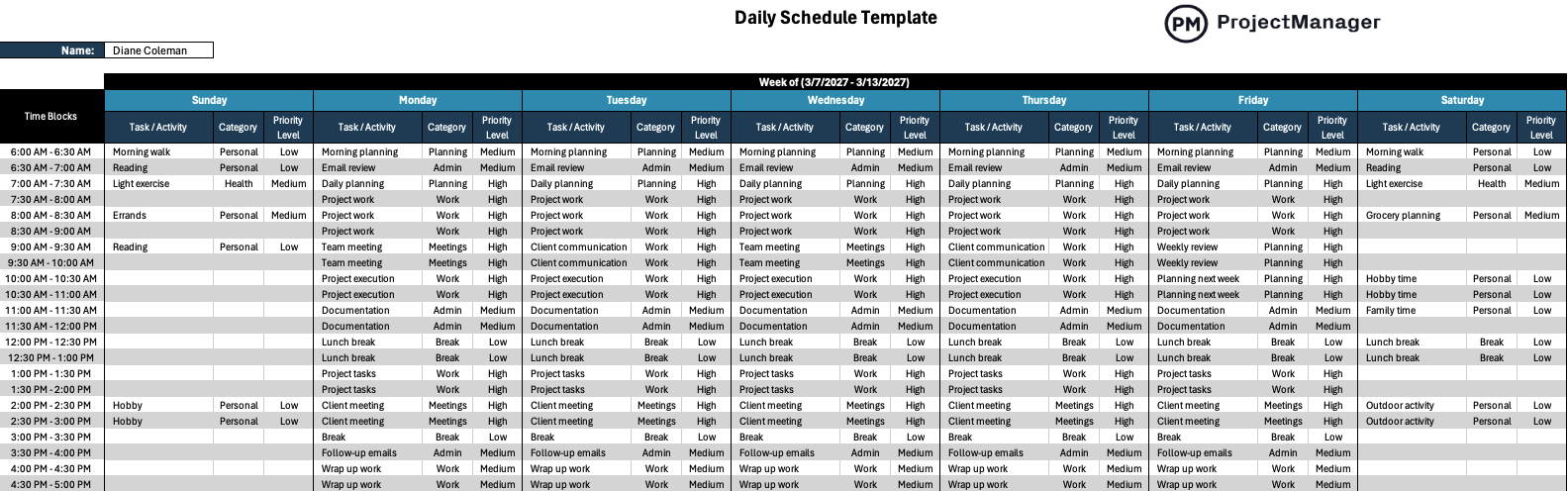
-
Work Schedule Template
Designed explicitly to manage human capital resources, a work schedule details employee locations, operational shifts, and individual responsibilities across daily, weekly, or monthly intervals. Enterprises dealing with variable consumer demand utilize this tool to adjust labor forces dynamically while preventing resource bottlenecks. -
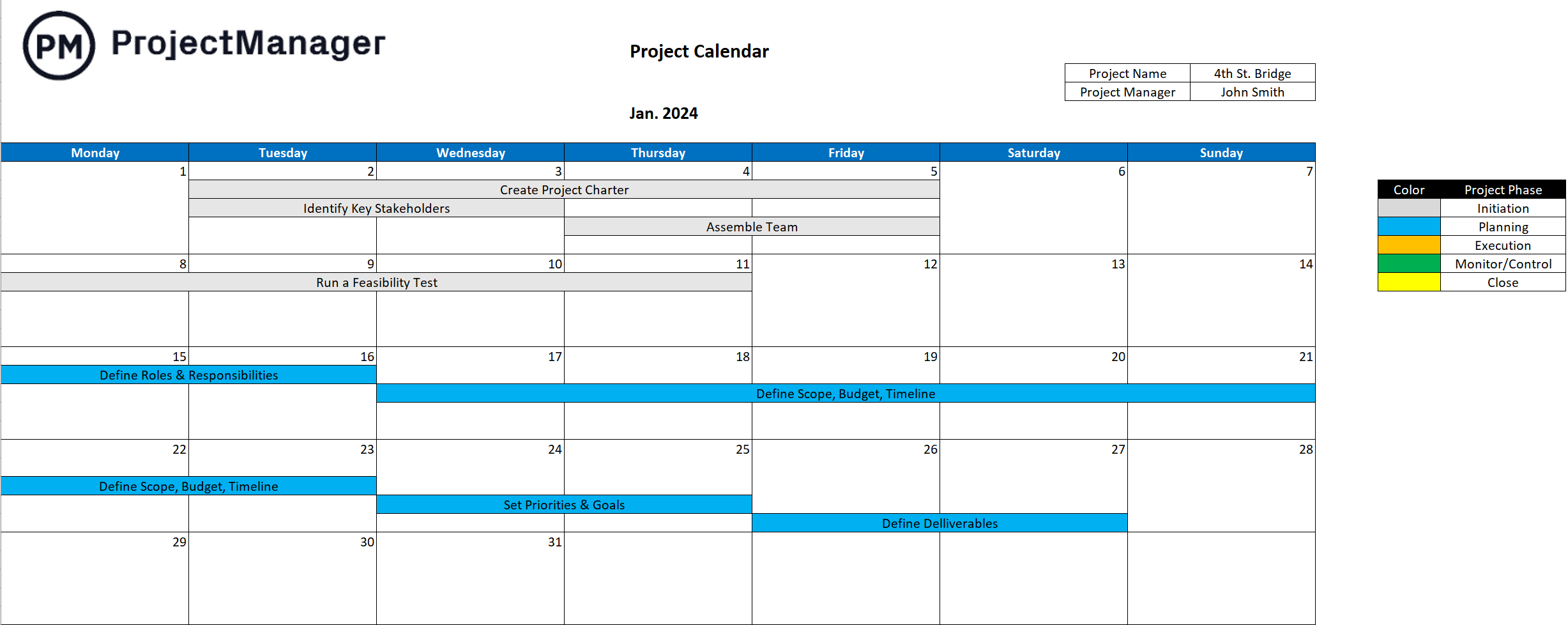
Project Calendar Template
By displaying monthly grids alongside critical deadlines and team availability, the project calendar functions simultaneously as a scheduling instrument and a master task list. Project coordinators utilize these matrices to track team member holidays, personal time off (PTO), and public holidays, thereby preventing unforeseen scheduling gaps. -
Project Timeline Template
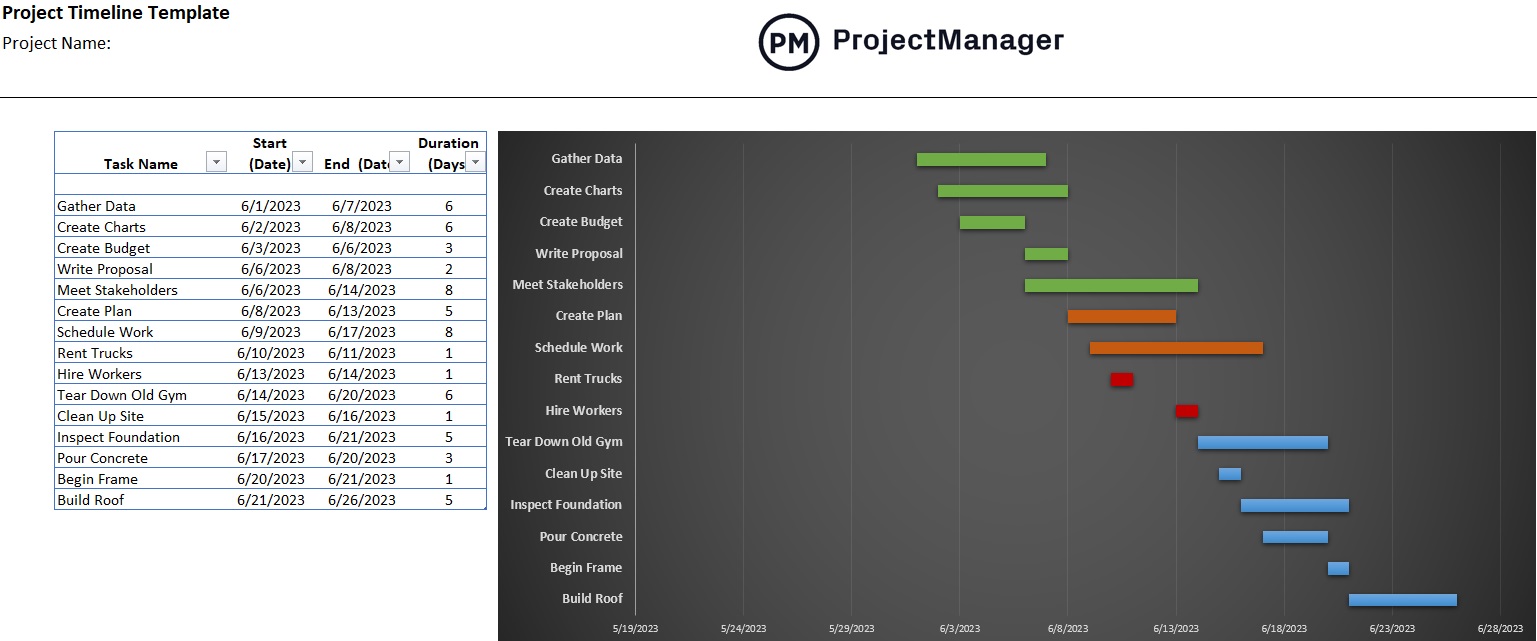
Built typically upon a Gantt chart architecture, a project timeline features a comprehensive data spreadsheet on the left paired with a visual progress bar schedule on the right. This dual-pane setup automatically populates task durations, enabling managers to visually separate project phases and communicate expectations clearly to external stakeholders.
-
Workload Analysis Template
Workforce burnout remains a primary driver of employee turnover and diminished work quality. A workload analysis template evaluates, measures, and balances the distribution of labor across a department. By analyzing historical seasonality and potential operational disruptions, managers can construct resilient strategic plans that accommodate unexpected absences without sacrificing output quality. -
Meeting Agenda Template
Unfocused corporate gatherings represent one of the most substantial hidden drains on organizational capital. Distributing a structured meeting agenda in advance ensures that participants arrive prepared, discussions remain strictly within designated timeframes, and post-meeting action items have clear accountability. -
30-60-90 Day Plan Template
Commonly integrated during employee onboarding cycles or significant strategic pivot initiatives, this medium-term template segments a ninety-day window into three distinct phases: learning, contributing, and leading. It establishes transparent accountability checkpoints that eliminate the need for intrusive micro-management.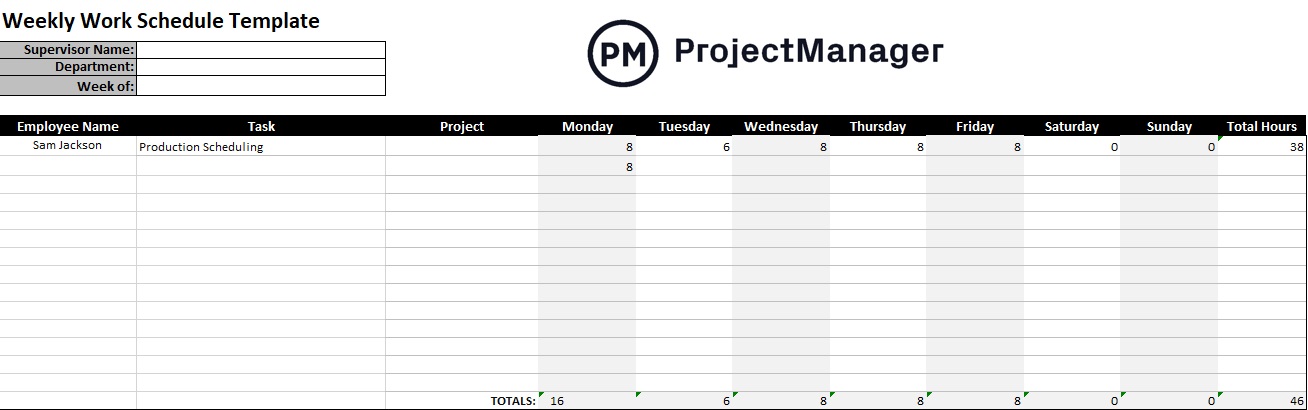
Evaluating the Pros and Cons of Spreadsheet-Based Planning
While spreadsheet templates offer undeniable accessibility and cost-efficiency for small teams and independent contractors, they inherently possess systemic limitations that can hinder enterprise-level expansion.
Advantages of Spreadsheet Worksheets
- Zero Financial Barrier: Free downloadable formats allow resource-constrained startups to implement basic organizational structures immediately without software subscription overhead.
- Universal Familiarity: Because millions of professionals already possess working knowledge of spreadsheet software, the onboarding curve for these templates is virtually nonexistent.
- Complete Customization: Users maintain total autonomy to modify formulas, alter column structures, and design bespoke visual themes tailored to niche workflows.
Disadvantages of Spreadsheet Worksheets
- Static Data Silos: Spreadsheets do not update dynamically, requiring manual data entry that frequently leads to outdated metrics and human error.
- Limited Collaboration: Traditional offline documents prevent simultaneous multi-user editing, creating version control conflicts and communication bottlenecks.
- Absence of Real-Time Analytics: Static files cannot generate automated alerts, live dashboard metrics, or critical path analyses required for complex, multi-phase corporate initiatives.
Transitioning From Static Files to Enterprise Software Solutions
Recognizing the operational ceilings imposed by basic office spreadsheets, modern enterprises are migrating toward comprehensive cloud-based project management ecosystems. Platforms such as ProjectManager exemplify this shift by integrating multifaceted scheduling views, automated reporting engines, and secure digital timesheets into a single unified interface.
Industry analysts observe that automated time-tracking capabilities significantly streamline payroll processing and minimize administrative overhead. Secure timesheet features enable distributed workforce personnel to log hours from any global location, ensuring accurate labor cost attribution. When these timesheets are archived, they supply invaluable historical datasets that empower project estimators to forecast future budgets with surgical precision.
Furthermore, advanced dashboard integrations offer executive leadership real-time visibility into project health through dynamic charts displaying live metrics on budgets, task completion rates, and resource allocation levels. Automated reporting capabilities allow managers to instantly generate granular status updates for internal teams or high-level summaries for board members.
Broader Industry Implications and Future Outlook

The continuous push toward hybrid and remote work models has permanently altered how enterprises view time management. As geographic boundaries dissolve, reliance on static paperwork has become increasingly untenable, prompting widespread digital transformation across traditional sectors like manufacturing, healthcare, and professional services.
Organizations that successfully bridge the gap between foundational time management principles and advanced automation tools consistently report higher employee satisfaction, reduced project variance, and healthier profit margins. Conversely, firms that cling exclusively to fragmented, manual scheduling methods risk falling behind competitors capable of executing complex deliverables with superior speed and accuracy.
As artificial intelligence and predictive analytics continue to integrate into project management software suites, the role of the project manager is shifting from manual data collation to strategic oversight. By leveraging automated scheduling tools, predictive timeline adjustments, and intelligent workload balancers, modern enterprises are better equipped than ever to navigate an unpredictable economic landscape, ensuring that every invested hour translates directly into measurable business value.