Microsoft Project, a long-standing titan in project management software, boasts a user base exceeding 35,000 companies globally. Despite its widespread adoption, this formidable presence does not automatically equate to it being the optimal tool for every organization. A growing number of businesses are actively seeking alternatives to Microsoft Project, driven by a desire for more effective collaboration, enhanced functionality, and ultimately, reduced operational costs. The landscape of project management has evolved dramatically, pushing the demand for sophisticated online tools from a luxury to an absolute necessity as projects grow in complexity and workforces become increasingly globalized. While Microsoft Project maintains a robust market position, its inherent challenges compel many to explore the diverse ecosystem of alternatives offering varied utilities and features.
The Evolving Landscape of Project Management Software
For decades, Microsoft Project served as the benchmark for project planning and control, particularly within organizations adhering to traditional waterfall methodologies. Its strength lay in detailed scheduling, resource allocation, and cost management, delivered primarily as an on-premise solution. However, the turn of the millennium ushered in a new era for project management. The rise of agile methodologies, distributed teams, and the burgeoning cloud computing paradigm fundamentally reshaped expectations for project tools. Companies began prioritizing real-time collaboration, intuitive user interfaces, flexibility across different methodologies, and seamless integration with other business applications. This shift created a fertile ground for innovation, leading to a proliferation of project management solutions designed to address the modern enterprise’s dynamic needs. The demand for cloud-based platforms, accessible from anywhere and on any device, became paramount, pushing traditional desktop-centric tools to adapt or risk obsolescence.
Reasons for Seeking Microsoft Project Alternatives
While Microsoft Project is undeniably capable of handling many aspects of project planning and control, it is far from a perfect solution for all. Users frequently cite several critical reasons for their dissatisfaction and subsequent search for alternatives:

- Steep Learning Curve and Complexity: Microsoft Project is known for its extensive feature set, which, while powerful, often translates into a steep learning curve. New users frequently require significant training, impacting adoption rates and initial productivity.
- High Cost of Ownership: Beyond the initial purchase, Microsoft Project often incurs substantial licensing fees, especially for larger teams or organizations requiring advanced features and enterprise-level support. These costs can quickly escalate, making it an expensive proposition.
- Limited Collaboration Capabilities: Compared to modern cloud-native solutions, Microsoft Project’s collaborative features are often perceived as less intuitive and real-time. Sharing project plans, gathering feedback, and co-editing documents can be cumbersome, hindering team synergy, particularly in remote or hybrid work environments.
- Platform Restrictions and Compatibility Issues: Historically, Microsoft Project has been a Windows-centric application. While some web-based versions exist, full functionality often requires a Windows environment, posing challenges for organizations utilizing Mac or Linux systems.
- Outdated User Interface (UI) and User Experience (UX): Many users find Microsoft Project’s interface to be less modern and engaging compared to newer, more aesthetically pleasing, and user-friendly alternatives. This can affect user satisfaction and adoption.
- Rigidity for Agile Methodologies: While Microsoft has introduced features to support agile, the core design of Project remains heavily geared towards waterfall planning. Teams practicing Scrum, Kanban, or other agile frameworks often find it less flexible and intuitive for their workflows.
- Integration Challenges: Integrating Microsoft Project with non-Microsoft applications or modern SaaS tools can sometimes be complex, limiting its utility within a broader tech stack.
- Resource Intensiveness: For large, complex projects, Microsoft Project can be demanding on IT infrastructure, requiring significant computing power and maintenance, which adds to operational overhead.
Fortunately, the market now offers a wealth of project management solutions that serve as excellent alternatives to Microsoft Project. These range from robust enterprise-grade platforms to lightweight, agile-focused tools, each catering to specific needs and preferences.
14 Leading Microsoft Project Alternatives (2026)
The following list explores 14 top Microsoft Project alternatives, encompassing free, freemium, cloud-based, and open-source options. Each offers a unique blend of features and capabilities, making the choice dependent on an organization’s specific requirements.

1. ProjectManager: The Comprehensive Solution for Diverse Teams
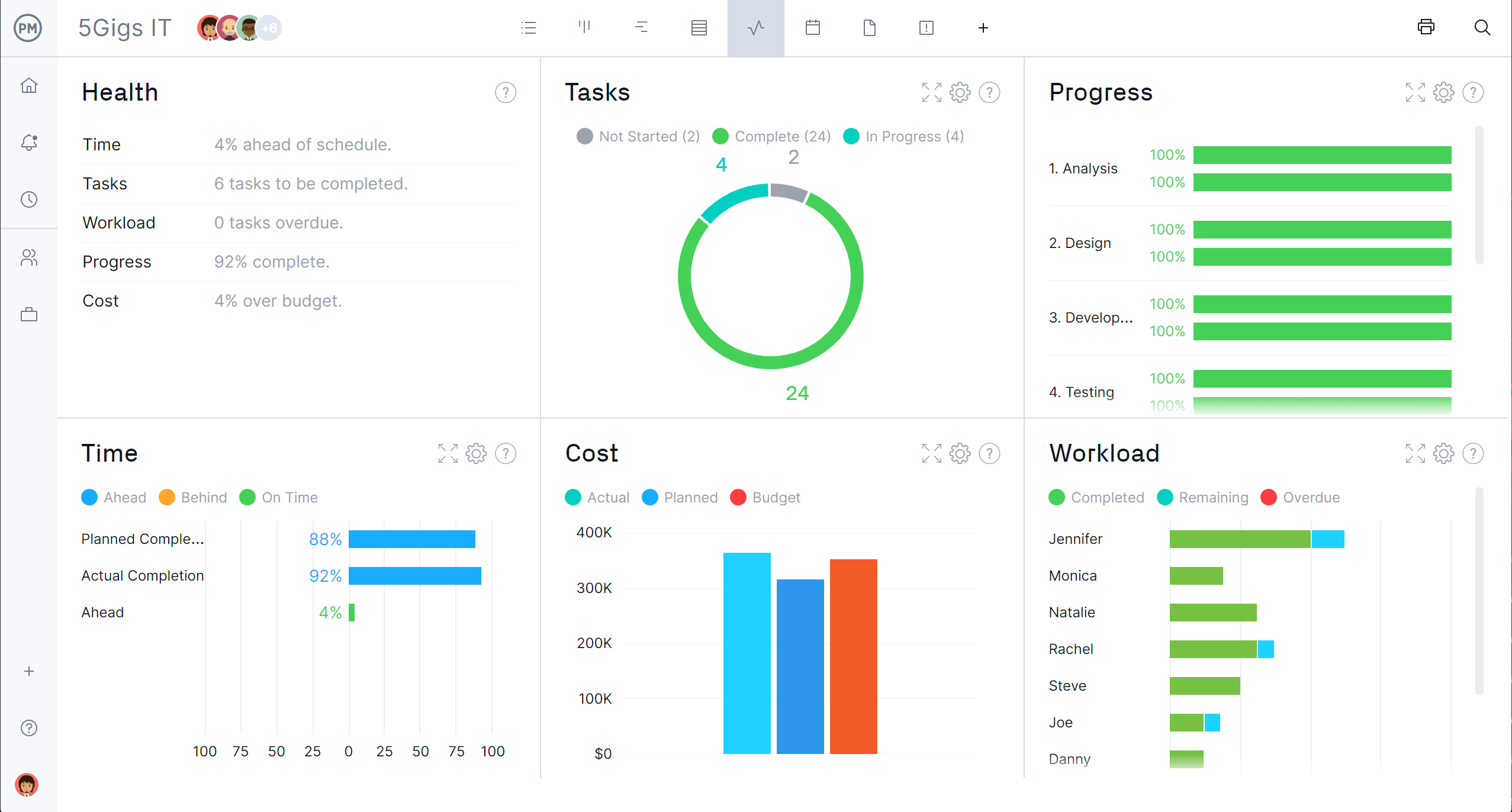
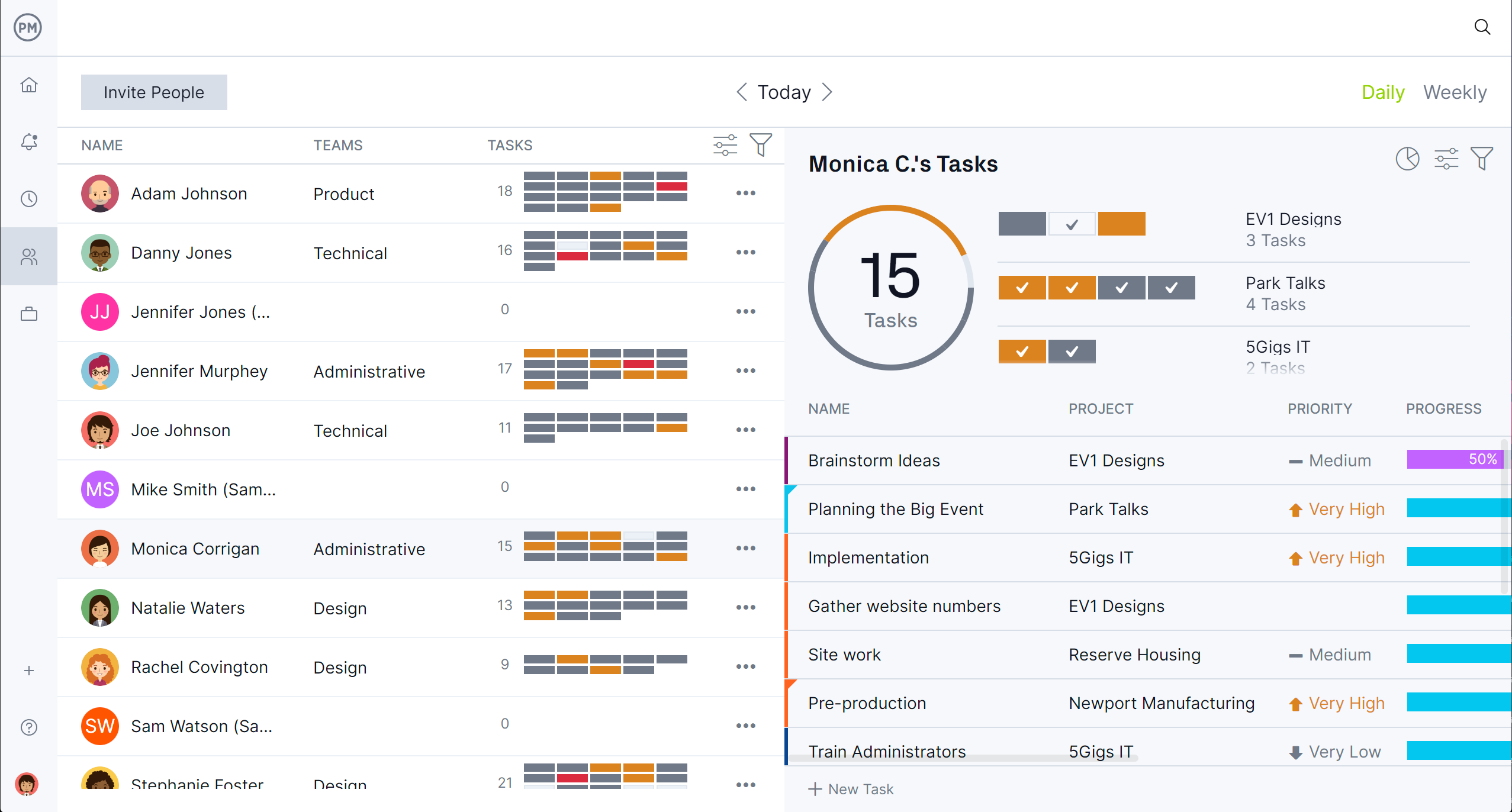
ProjectManager stands out as a leading online project and portfolio management software, topping this list due to its extensive project data capabilities, competitive pricing, and crucial compatibility with Mac devices. This robust MS Project alternative excels in project planning and scheduling, while simultaneously delivering real-time updates through dynamic live dashboards and powerful reporting tools. This combination enables continuous improvement in analysis and performance. A compelling 30-day free trial allows users to explore its full potential without commitment.
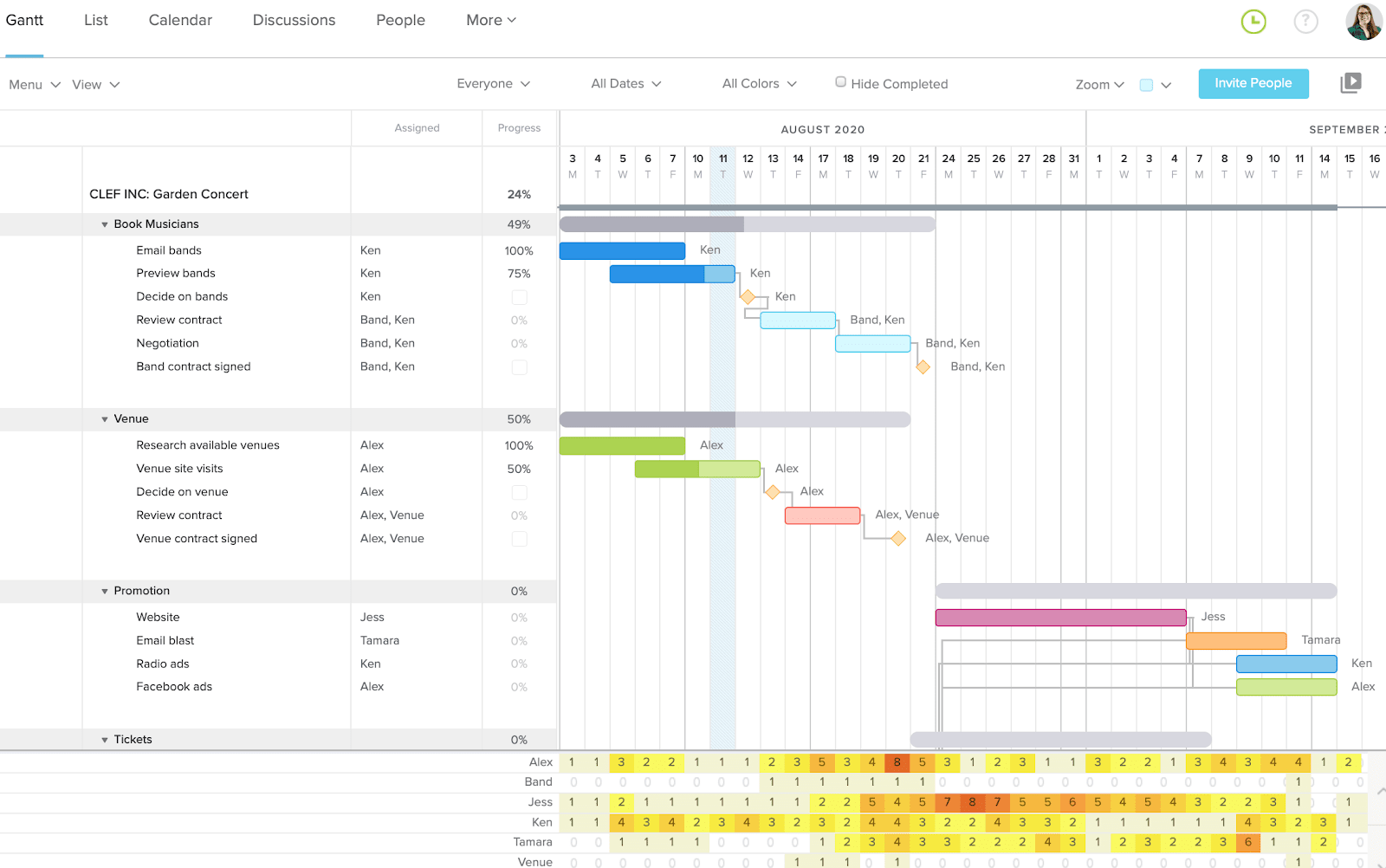
- Award-Winning Gantt Charts for Precise Planning: ProjectManager’s Gantt chart software is unparalleled in its class. Unlike many alternatives, it offers four types of task dependencies, comprehensive baseline tracking, real-time resource utilization data, and critical path filtering. Recognizing diverse team workflows, the platform provides five distinct project views: Gantt, Kanban, Task List, Sheet, and Calendar. As teams progress on their tasks—even via the dedicated mobile app—data updates instantly across the entire software, feeding into reliable dashboards and reports for immediate insights.
- Robust Features with Mac Compatibility: Beyond its full functionality on all Mac products, ProjectManager mirrors nearly all capabilities of MS Project, often with greater speed, simplicity, and at a more accessible price point. This positions it as a premier alternative. It facilitates seamless collaboration, enabling users to manage schedules, resources, workloads, and more, all without the cumbersome workarounds often associated with traditional tools. Its real-time dashboards automatically aggregate data, streamlining analysis and reporting processes, making project oversight more efficient than ever.
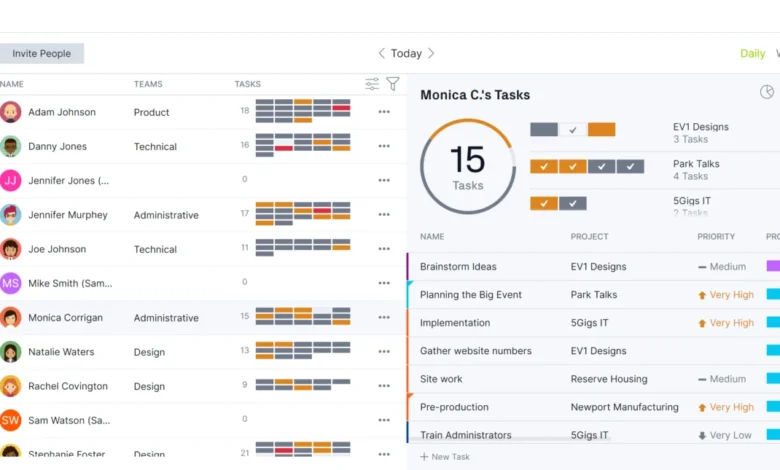
- Intuitive Resource Management: In addition to its top-tier project planning features, ProjectManager offers straightforward resource management. During task planning, real-time resource utilization is displayed, ensuring that workloads remain balanced and no team member is over- or under-allocated. Once a project is underway, the dedicated Team Page provides a centralized view of all team tasks. Managers can filter by team type, project, and timeframe to monitor progress effectively. Tasks can be updated or reallocated instantly with a single click, offering a level of dynamic team management and collaboration that Microsoft Project often lacks.
- Seamless MPP File Integration: A significant advantage of ProjectManager is its seamless import and export capabilities for MPP files. This feature is particularly beneficial for hybrid environments where some team members may still use Microsoft Project, simplifying collaboration on shared project files and plans. Its ease of use and powerful features often encourage a full transition from MS Project. ProjectManager prides itself on being the most powerful yet user-friendly software among the listed alternatives.
ProjectManager Advantages & Key Features:
- Comprehensive suite of project planning and execution tools.
- Real-time dashboards and robust reporting for instant insights.
- Exceptional Gantt chart functionality with advanced dependency types and baseline tracking.
- Intuitive resource management and workload balancing.
- Full compatibility with Mac, addressing a common MS Project limitation.
- Seamless MPP file import/export for smooth transitions.
- Multiple project views (Gantt, Kanban, Task List, Sheet, Calendar).
- Dedicated mobile app for on-the-go management.
ProjectManager Disadvantages & Limitations:
- While comprehensive, the initial setup might require some learning for new users unfamiliar with advanced PM concepts.
- Pricing is in USD only, which might require currency conversion for international users.
ProjectManager Pricing (USD):
- Team: $8.95 per user/month
- Business: $14.95 per user/month
- Enterprise: Custom pricing
ProjectManager Reviews:
- G2: 4.6/5 stars
- Capterra: 4.6/5 stars
- Gartner Peer Insights: 4.4/5 stars
Highlighted User Reviews:
- Users praise the real-time visibility and ease of collaboration.
- The intuitive interface and powerful reporting are frequently cited as major benefits.
- Many appreciate the robust Gantt chart features for complex scheduling.
- The ability to import/export MPP files is a critical advantage for transitioning teams.
Conclusion: Best Microsoft Project Alternative for Overall Project Management.
2. Celoxis: Enterprise-Grade Project & Portfolio Management

Celoxis is an enterprise-level project and portfolio management (PPM) platform meticulously designed for teams seeking to replace Microsoft Project without compromising on power or functionality. Trusted by organizations such as NASA, Deloitte, and Rolex, Celoxis covers the entire spectrum of project management. It offers robust Gantt charts with all four dependency types, critical path analysis, baseline tracking, sophisticated resource leveling, comprehensive portfolio dashboards, and advanced financial tracking. It stands as one of the most feature-rich MS Project alternatives available.
What truly distinguishes Celoxis is its remarkable balance of depth and user-friendliness. It natively supports multi-project and portfolio management, complete with customizable dashboards, integrated time tracking, detailed budget-versus-actual reporting, and efficient workload management – all without requiring a dedicated IT team for setup and maintenance. This makes it a strong contender for Project Management Offices (PMOs) and project managers who demand the rigor and capability of MS Project within a modern, cloud-based platform.
The primary trade-off with Celoxis is its price point; it is not an inexpensive solution, and smaller teams might find its extensive feature set overwhelming. However, for large organizations that have outgrown simpler tools and require genuine enterprise-grade project management capabilities, Celoxis consistently delivers.
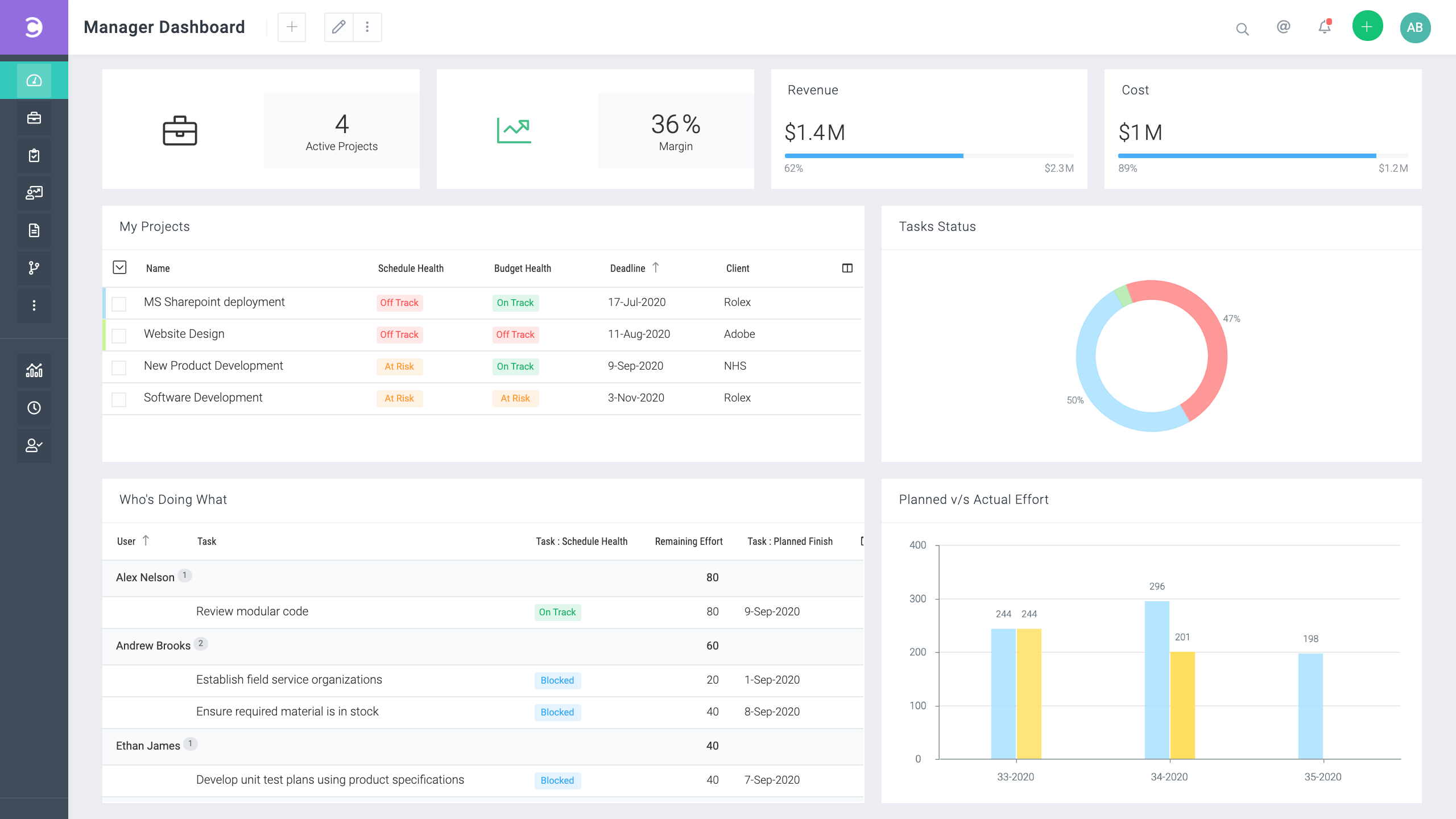
Celoxis Advantages & Key Features:
- Comprehensive enterprise-level PPM platform.
- Robust Gantt charts with all four dependency types, critical path analysis, and baseline tracking.
- Advanced resource leveling and workload management.
- Customizable portfolio dashboards and detailed financial tracking.
- Integrated time tracking and budget-versus-actual reporting.
- Native support for multi-project and portfolio management.
- User-friendly despite its depth, requiring minimal IT intervention.
Celoxis Disadvantages & Limitations:
- High cost, potentially prohibitive for small businesses.
- Steeper learning curve compared to simpler tools due to its extensive features.
- May be overkill for basic task management needs.
- Pricing is in USD only.
Celoxis Pricing (USD):

- Cloud: $27 per user/month (minimum 5 users)
- On-Premise: Custom pricing, one-time purchase.
Celoxis Reviews:
- G2: 4.4/5 stars
- Capterra: 4.5/5 stars
Highlighted User Reviews:
- Users commend its comprehensive features for complex projects and portfolios.
- The reporting and dashboard capabilities are highly valued for executive oversight.
- Its ability to handle large-scale projects with intricate details is a frequently praised aspect.
Conclusion: Best Microsoft Project Alternative for Enterprise-level PMOs.
3. Monday.com: The User-Friendly Collaboration Hub
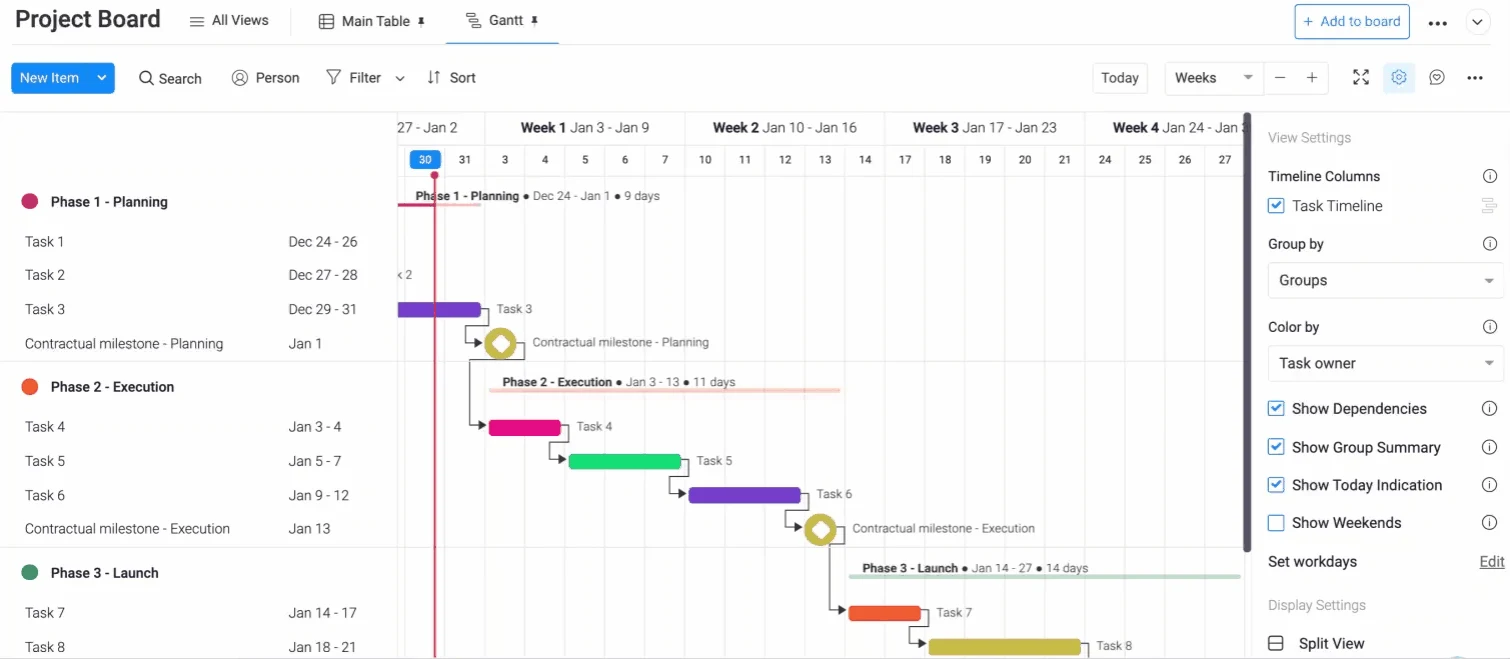
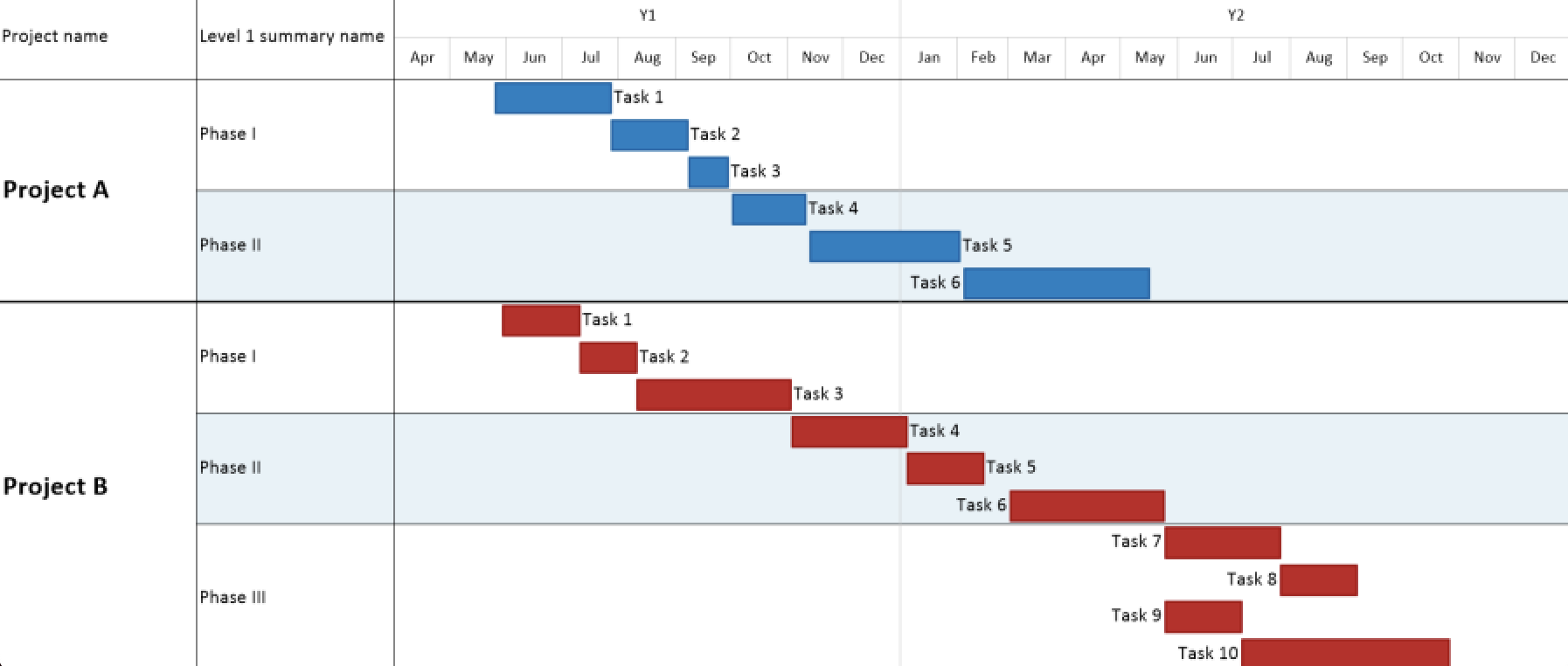
Monday.com presents a refreshing and engaging Microsoft Project alternative, offering an experience almost diametrically opposed to the traditional feel of Microsoft Project. This project management software doesn’t merely feel different; it fundamentally redefines how teams interact with their work. Workflows are highly customizable, and intelligent automations keep users informed as deadlines approach. Agile teams particularly appreciate its intuitive Kanban boards for task management and real-time dashboards that provide immediate progress visibility.
While Monday.com offers a robust platform for many, it’s essential to note its limitations when compared directly to the comprehensive project management capabilities of MS Project. Its trial version is limited to two weeks, and the free edition supports only two users, which might not be sufficient for a thorough evaluation by larger teams. Critics argue that Monday.com functions more as a collection of adaptable spreadsheets than a full-fledged project management solution. For instance, it lacks true Gantt charts; the "timeline" view provided is a simplified attempt to emulate their functionality. Crucially, it often misses essential features like task dependencies, which can lead to significant issues during project execution. However, for organizations seeking simple, highly visual, and collaborative MS Project alternatives, Monday.com often proves sufficient.
Monday.com Advantages & Key Features:
- Highly customizable workflows and intuitive interface.
- Strong focus on visual task management with Kanban boards.
- Real-time dashboards for progress tracking.
- Automation capabilities to streamline repetitive tasks.
- Excellent for team collaboration and communication.
Monday.com Disadvantages & Limitations:
- Lacks true Gantt chart functionality with full dependency support.
- Not ideal for complex project scheduling and critical path analysis.
- Limited free trial duration and restrictive free plan.
- Can become expensive for larger teams requiring advanced features.
- Pricing is in USD only.
Monday.com Pricing (USD):
- Free: Up to 2 users
- Basic: $9 per user/month
- Standard: $12 per user/month
- Pro: $19 per user/month
- Enterprise: Custom pricing
Monday.com Reviews:
- G2: 4.7/5 stars
- Capterra: 4.6/5 stars
Highlighted User Reviews:
- Users frequently praise its intuitive design and ease of use.
- The visual boards and customization options are highly valued for task organization.
- Its collaborative features and integrations are often cited as strong points.
Conclusion: Best Microsoft Project Alternative for User-Friendliness and Visual Task Management.

4. Primavera P6: The Enterprise Solution for Large-Scale Projects
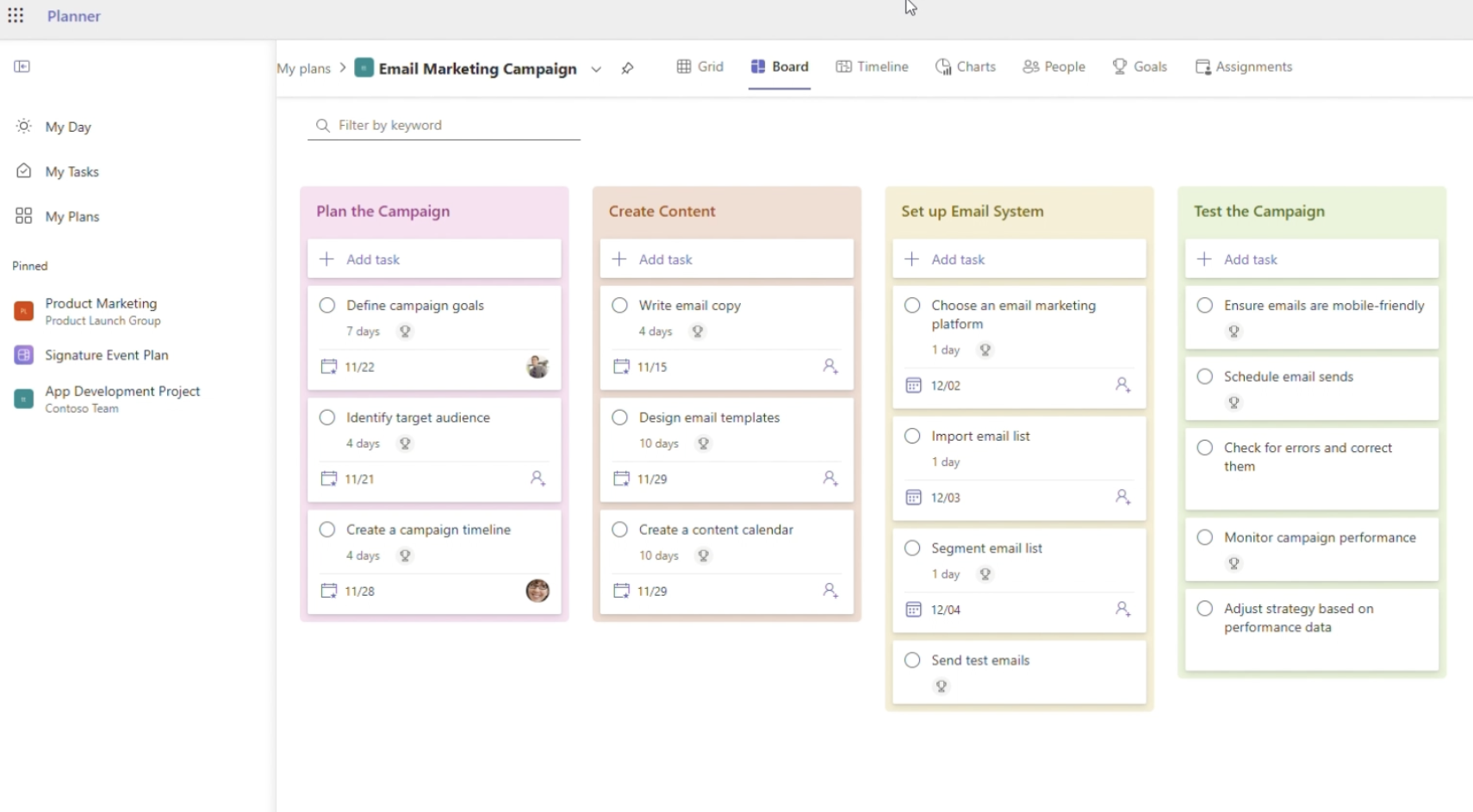
Primavera P6, developed by Oracle, is a powerful project management software designed specifically for enterprise portfolio management. This Microsoft Project alternative is ideally suited for large and complex projects, commonly found in industries such as construction, engineering, and manufacturing. It is invaluable for initiatives that demand extensive scheduling, meticulous resource management, and highly detailed reporting. For scheduling, the software offers advanced Gantt charts, Critical Path Method (CPM) analysis, and sophisticated earned value management. In terms of resource management, it provides capabilities for resource leveling, assignment, and comprehensive cost control.
The primary challenges associated with Primavera P6 lie in its inherent complexity and steep learning curve, especially for new users. Organizations should anticipate a significant investment in training time before teams can become proficient in project work. Furthermore, its high upfront cost is a deterrent for many; this alternative is considerably more expensive than most project management tools, involving additional licensing and implementation expenses. Primavera P6 is also resource-intensive, requiring robust IT infrastructure, substantial computing power, and ongoing maintenance.
Primavera Advantages & Key Features:
- Robust scheduling with advanced Gantt charts and CPM analysis.
- Comprehensive resource management, leveling, and cost control.
- Powerful for large, complex projects in construction, engineering, and manufacturing.
- Extensive reporting and earned value management.
- Enterprise-grade portfolio management capabilities.
Primavera Disadvantages & Limitations:
- Very steep learning curve and high complexity.
- Significant upfront and ongoing costs (licenses, implementation, maintenance).
- Resource-intensive, requiring robust IT infrastructure.
- Less intuitive for collaborative, agile workflows.
- Pricing is in USD only.
Primavera Pricing (USD):

- Desktop License: One-time purchase, typically $2,500+
- Cloud Subscription: Starting around $100 per user/month.
Primavera Reviews:
- G2: 4.0/5 stars
- Capterra: 4.2/5 stars
Highlighted User Reviews:
- Users praise its unparalleled power for complex, large-scale project scheduling.
- Its detailed resource and cost management capabilities are highly valued in heavy industries.
- The ability to handle intricate project structures is a significant advantage.
Conclusion: Best Microsoft Project Alternative for Enterprise-level Construction and Engineering Projects.

5. Microsoft Planner: Simplicity within the Microsoft Ecosystem
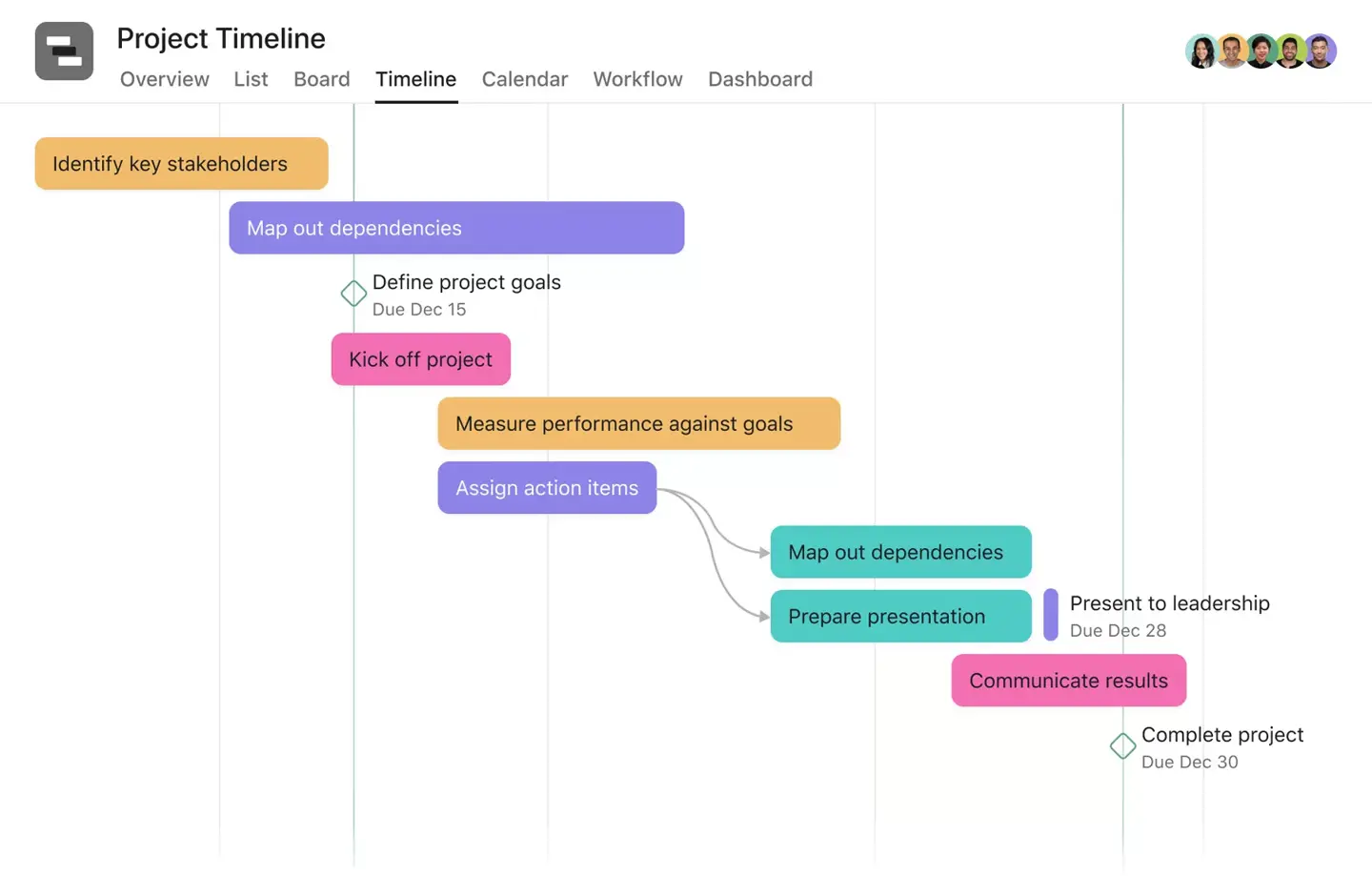
For those who are deeply integrated into the Microsoft software ecosystem but find Microsoft Project overly complex, Microsoft Planner offers a compelling, streamlined alternative. While it notably lacks Gantt charts—a core feature for traditional project management—it can be a valuable tool for teams where this isn’t a critical requirement. This Microsoft Project alternative functions as a lightweight task management tool, primarily focused on Kanban boards and task lists. It supports team collaboration through email notifications and integrated calendars, making it suitable for users who need a simple work management solution within their existing Microsoft 365 environment.
However, Microsoft Planner is significantly limited in its functionality compared to Microsoft Project. It lacks advanced planning and scheduling features, as well as comprehensive resource and portfolio management capabilities. If your needs extend beyond basic task organization and team communication, Planner might fall short. Nevertheless, for teams simply needing an online space to manage tasks collaboratively within the Microsoft ecosystem, it provides a user-friendly and accessible option.
Microsoft Planner Advantages & Key Features:
- Seamless integration with Microsoft 365 ecosystem (Teams, Outlook, SharePoint).
- User-friendly Kanban boards for visual task management.
- Simple task lists and calendar views.
- Email notifications and basic collaboration features.
- Ideal for teams already using Microsoft products for communication.
Microsoft Planner Disadvantages & Limitations:
- No Gantt charts or critical path analysis.
- Lacks advanced project planning and scheduling functions.
- No dedicated resource management or workload balancing.
- Limited reporting capabilities.
- Not suitable for complex projects or portfolio management.
- Pricing is in USD only.
Microsoft Planner Pricing (USD):

- Microsoft Planner Basic: Included with most Microsoft 365 Business and Enterprise subscriptions (e.g., Microsoft 365 Business Basic, Standard, Premium; Microsoft 365 E3, E5).
- Microsoft Planner Premium: May require specific add-on licenses or higher-tier subscriptions for advanced features, as it’s often part of a broader Microsoft Project for the web or Microsoft Project Plan offering.
Microsoft Planner Reviews:
- G2: 4.2/5 stars
- Capterra: 4.4/5 stars
Highlighted User Reviews:
- Users appreciate its integration with other Microsoft products and ease of use.
- It’s frequently praised for simple task organization within small teams.
- The straightforward interface is a big plus for non-project management professionals.
Conclusion: Best Microsoft Project Alternative for Microsoft Ecosystem Users needing simple Task Management.
6. ClickUp: The All-in-One Productivity Platform
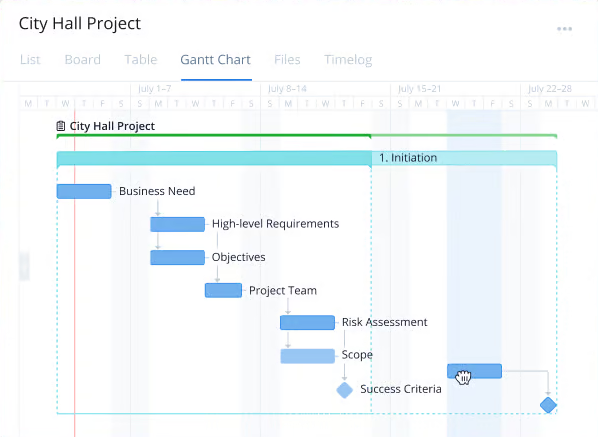
ClickUp is an all-in-one project management platform that caters to diverse teams across marketing, product development, engineering, and more. It offers a comprehensive suite of tools, including Gantt charts, Kanban boards, task lists, and customizable dashboards. Beyond core project management, ClickUp integrates document editing, instant messaging, and email management into a single platform. One of ClickUp’s most significant advantages is its vast array of third-party integrations, allowing teams to tailor the tool precisely to their specific workflows and existing tech stacks.
However, ClickUp was not developed exclusively as a project management tool, and this can be apparent in certain areas. Its Gantt charts, for instance, do not track project costs and do not support all four types of task dependencies, which can be a limitation for complex projects requiring precise scheduling. Furthermore, its feature-rich interface, while powerful, can sometimes be overwhelming for new users, requiring a learning period. Nevertheless, for teams seeking a versatile, affordable platform that covers most of what MS Project offers, along with extensive team collaboration features, ClickUp is hard to beat in its price segment.

ClickUp Advantages & Key Features:
- All-in-one platform with project management, document editing, and communication tools.
- Offers Gantt charts, Kanban boards, task lists, and custom dashboards.
- Extensive third-party integrations for workflow customization.
- Highly flexible and adaptable to various team needs and methodologies.
- Good value for its wide range of features.
ClickUp Disadvantages & Limitations:
- Gantt charts lack full dependency support and cost tracking.
- Can be overwhelming for new users due to its extensive features and customization options.
- Some advanced project management features might require workarounds.
- Pricing is in USD only.
ClickUp Pricing (USD):

- Free: Basic features
- Unlimited: $7 per user/month
- Business: $12 per user/month
- Enterprise: Custom pricing
ClickUp Reviews:
- G2: 4.7/5 stars
- Capterra: 4.7/5 stars
Conclusion: Best Microsoft Project Alternative for All-in-One Team Productivity.
7. Asana: Streamlined Task and Workflow Management
Asana stands as an excellent Microsoft Project alternative, renowned for its ability to organize work across all teams and maintain high levels of productivity. It excels in collaborative environments, meticulously tracking tasks and workflows, making it an ideal tool for comprehensive task management. Asana’s flexibility is a significant draw, offering some of the best communication tools in this list, including the ability to share video messages with the team. It also provides multiple project views, such as Kanban boards, lists, and calendars, catering to various work styles.
Despite its impressive array of features and integrations, Asana is not a fully-equipped Microsoft Project alternative in all aspects. There are notable gaps in its platform. For instance, it lacks dedicated resource management, comprehensive budgeting, and detailed cost tracking—functions that project managers often expect from a robust project management solution. Teams involved in extensive design work may also encounter limitations, as Asana does not inherently support markups or approvals for visual content. Nevertheless, its intuitive design and inherent flexibility continue to attract many users seeking alternatives to Microsoft Project, particularly those prioritizing task-centric workflows and team communication.
Asana Advantages & Key Features:

- Excellent for task management and workflow organization.
- Strong collaborative features, including video messaging.
- Flexible with multiple project views (Kanban, List, Calendar).
- Intuitive design and user-friendly interface.
- Good for tracking progress and managing individual tasks.
Asana Disadvantages & Limitations:
- Lacks comprehensive resource management.
- No built-in budgeting or detailed cost tracking.
- Limited support for visual content markups and approvals.
- Gantt chart functionality is less robust than dedicated PM tools.
- Pricing is in USD only.
Asana Pricing (USD):
- Basic: Free
- Premium: $10.99 per user/month
- Business: $24.99 per user/month
- Enterprise: Custom pricing
Asana Reviews:

- G2: 4.3/5 stars
- Capterra: 4.5/5 stars
Highlighted User Reviews:
- Users commend its clean interface and ease of organizing tasks.
- The collaborative features and ability to track individual progress are highly valued.
- Many appreciate its flexibility for different team workflows.
Conclusion: Best Microsoft Project Alternative for Task and Workflow Management.
8. Wrike: Agile Planning and Collaboration for Growing Teams
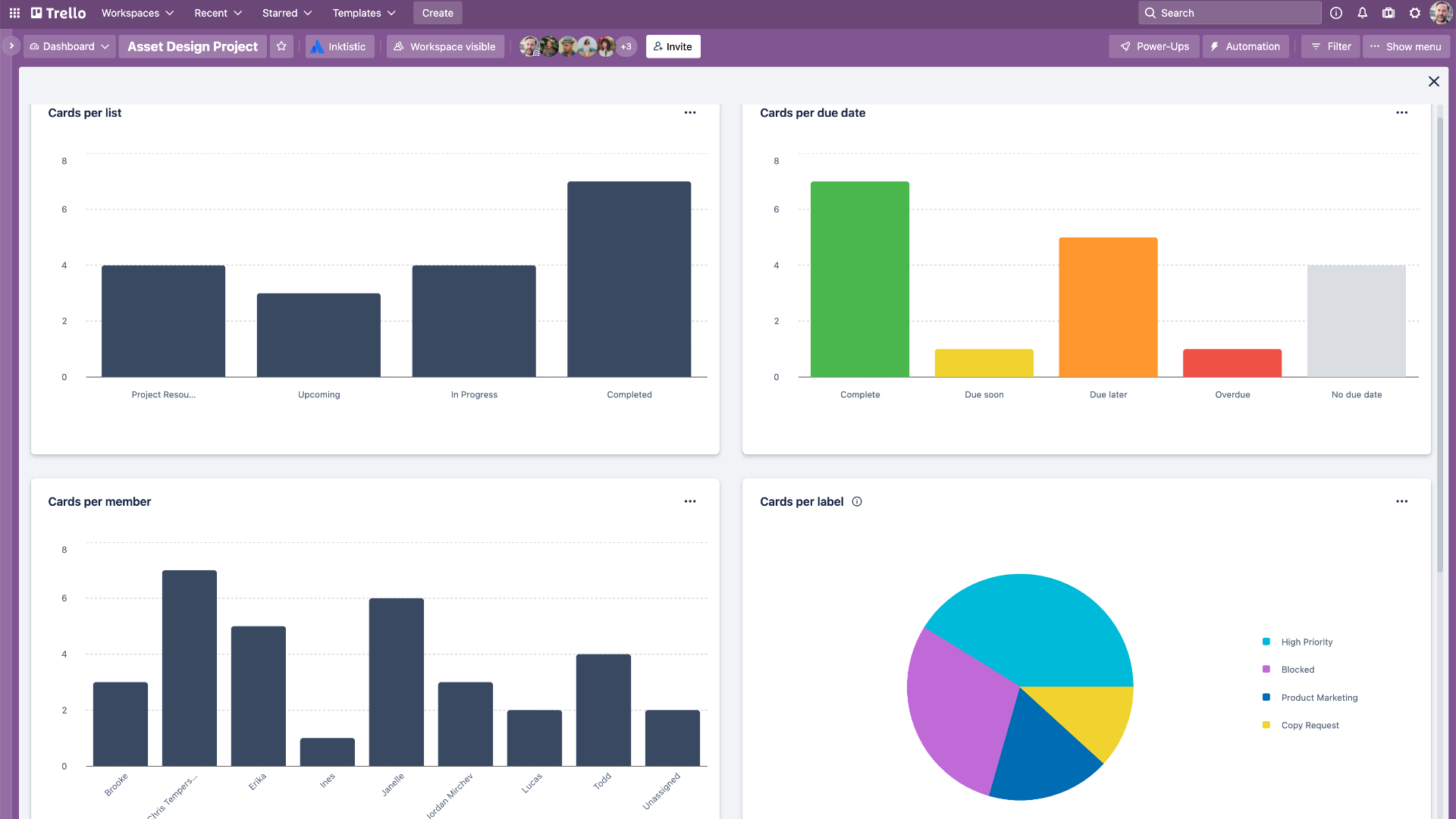
Wrike earns its place on this list as a Microsoft Project alternative due to its relative ease of use for planning, tracking, and analyzing projects compared to Microsoft’s offering. It stands out as significantly more collaborative than MS Project, a characteristic shared by most modern alternatives. A notable benefit is the ability to invite freelancers, contractors, clients, and cross-departmental teams into the tool at no additional cost, fostering broader engagement.
While Wrike’s planning and collaboration features are robust, users should anticipate a learning curve to become fully proficient. This necessitates allocating training time within projects to ensure all team members are on the same page. It’s not that Wrike is inherently difficult to use, but rather that navigating its various pricing plans and industry-specific versions can be confusing. Furthermore, Wrike is positioned as a more expensive project management tool, often requiring minimum user counts, which might deter some smaller organizations from exploring it.
Wrike Advantages & Key Features:
- Easier to use for planning, tracking, and analysis than MS Project.
- Highly collaborative, allowing free invites for external stakeholders.
- Offers robust planning and scheduling functionalities.
- Supports various project views (Gantt, Kanban, Table).
- Customizable workflows and automation options.
Wrike Disadvantages & Limitations:
- Can have a steep learning curve for full utilization.
- Complex pricing structure with many tiers and industry-specific versions.
- Higher cost compared to some alternatives, often with minimum user requirements.
- Pricing is in USD only.
Wrike Pricing (USD):
- Free: For small teams
- Team: $9.80 per user/month
- Business: $24.80 per user/month
- Enterprise: Custom pricing
- Pinnacle: Custom pricing
Wrike Reviews:

- G2: 4.2/5 stars
- Capterra: 4.3/5 stars
Highlighted User Reviews:
- Users praise its flexibility and comprehensive features for diverse projects.
- The ability to invite external users for free is a significant advantage for collaboration.
- Many appreciate its robust reporting and customizable dashboards.
Conclusion: Best Microsoft Project Alternative for Agile Planning and Collaboration.
9. Jira: The Cornerstone for Software Development
Jira, an Atlassian product, serves as a powerful Microsoft Project alternative primarily focused on project management and issue tracking, particularly within the software development lifecycle. While not an exact like-for-like comparison with MS Project, it offers analogous functionalities such as task tracking, workflow management, and project planning. Jira is highly customizable and integrates seamlessly with a multitude of other tools, making it exceptionally useful for teams employing agile methodologies. Furthermore, it provides extensive reporting and dashboard capabilities, crucial for monitoring development progress.
However, this Microsoft Project alternative is not ideally suited for projects strictly adhering to the waterfall methodology. A key reason for this limitation is the absence of native Gantt charts—the standard tool for traditional project management. While some add-ons provide Gantt-like views, they often lack the depth of dedicated solutions. Additionally, some users find its user interface and certain features, like Kanban boards, less intuitive to operate than expected. The cost can also become a concern for larger teams requiring numerous licenses. Users have also reported occasional performance issues when managing very large projects, which can impede productivity.
Jira Advantages & Key Features:
- Excellent for issue tracking and bug management.
- Highly customizable workflows for software development.
- Strong support for agile methodologies (Scrum, Kanban).
- Extensive reporting and dashboards for development metrics.
- Seamless integration with other development tools.
**Jira Disadvantages &
Related posts: