Unlocking the Full Potential of Xteink E-readers: A Comprehensive Guide to Customization and Enhanced Reading Experiences Beyond Amazon’s Ecosystem

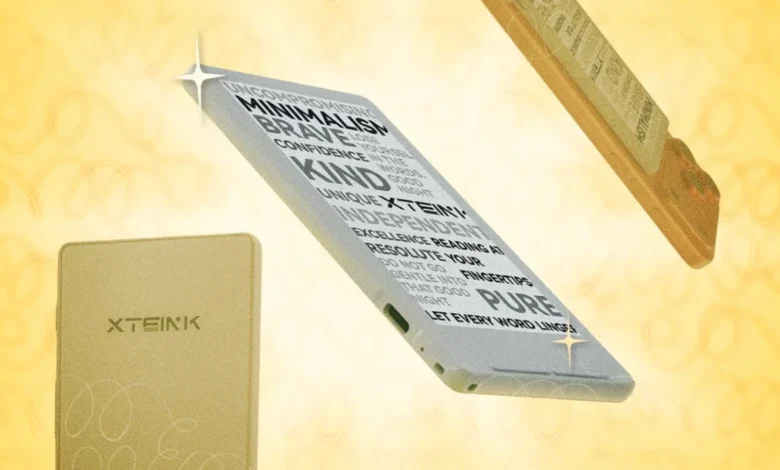
For a growing segment of digital reading enthusiasts, the standard offerings from industry giants like Amazon’s Kindle often fall short of desired flexibility and customization. This has paved the way for niche manufacturers, among them the Chinese tech company Xteink, whose compact e-readers, despite their unassuming name, have cultivated a dedicated following. Devices like the Xteink X3, X4, and the newer X4 Pro present a compelling alternative for those willing to venture beyond proprietary ecosystems, offering a uniquely portable and distraction-free reading experience that can be significantly enhanced through community-driven modifications and advanced software tools. While initially perceived as somewhat finicky due to their default operating systems, these e-readers possess an inherent hackability that, once mastered, unlocks a world of personalized digital reading.
The Niche Appeal of Xteink E-readers in a Dominant Market
In an e-reader market largely dominated by Amazon’s Kindle and, to a lesser extent, Kobo, Xteink has carved out a distinct niche. These devices are primarily characterized by their compact form factor, often smaller than a typical smartphone, and their reliance on a more open, albeit rudimentary, software platform. This openness stands in stark contrast to the closed ecosystems of major players, where content acquisition and device functionality are tightly controlled. Users are drawn to Xteink for several key reasons: unparalleled portability, the singular focus on reading without the distractions of a smartphone, and the inherent promise of an e-ink display that mimics the experience of reading on paper, reducing eye strain. The global e-reader market, while not expanding at the pace of general consumer electronics, consistently shows demand for specialized reading devices, particularly those that offer unique features or greater user control. Industry reports indicate that while mainstream devices cater to convenience, a significant minority of readers prioritize device longevity, format compatibility, and customization, areas where Xteink, through its community, truly shines.
Navigating the Xteink Ecosystem: Initial Challenges and Solutions
Upon acquiring an Xteink device, users might encounter a slightly clunky interface and a basic feature set that doesn’t immediately inspire confidence. The stock operating system, running on efficient ESP32 processors, is functional but lacks the polish and advanced features found in more mature e-reader platforms. A primary concern for many early adopters revolves around e-book formatting. While the devices support standard EPUB files, the native software struggles with precise rendering. Common issues include inconsistent paragraph spacing, missing indents, and a complete inability to display stylistic elements like bold or italicized text, let alone embedded images or complex charts. This limitation can significantly detract from the reading experience, especially for aesthetically conscious readers or those engaging with non-fiction titles.
The Technicalities of XTC Conversion
A foundational solution to these formatting woes lies in converting e-books to Xteink’s proprietary XTC format. Unlike EPUB, which is essentially a reflowable text document, an XTC file functions as a series of bitmap images, meticulously preserving the original layout, font choices, and any embedded graphics or stylized headers. This conversion ensures that the visual integrity of the e-book, as intended by its publisher, is maintained on the Xteink display. The trade-off, however, involves file size and potential crispness. An XTC file can be substantially larger—often exceeding 50MB, compared to a typical 2MB EPUB—and the bitmap rendering, while accurate, might appear marginally less sharp than native text rendering.
The process of converting EPUBs to XTC has been streamlined by community efforts. Online web converters, such as the one found at x4converter.rho.sh, provide an accessible platform for this transformation. These tools empower users to customize various aspects of the conversion, including font selection, page orientation, and text alignment, before generating a downloadable XTC file ready for sideloading onto the e-reader. This method offers a user-friendly entry point for new Xteink owners looking to immediately enhance their reading aesthetics without delving into more complex modifications.
The Rise of Custom Firmware: CrossPoint Reader and Community Innovation
For users seeking a more profound transformation of their Xteink e-reader, the path often leads to custom firmware. The devices’ ESP32 architecture is notably open, allowing for the replacement of the stock firmware without the need for complicated "jailbreaking" procedures. This inherent hackability has fostered a vibrant online community, particularly evident on platforms like Reddit, where tech enthusiasts and tinkerers have coalesced around the Xteink X4 and its siblings. This community has been instrumental in the development of CrossPoint Reader, a custom firmware designed specifically to address the limitations of the factory software.
CrossPoint Reader represents a significant leap in user experience for Xteink devices. Its development timeline has been remarkably swift; within a year of the Xteink X4’s release, the firmware had matured to offer a substantially improved interface. The flashing process itself has been simplified to a remarkable degree, with dedicated websites offering single-click tools to overwrite the stock firmware, making it accessible even to less technically inclined users. (It is worth noting that while widely available for the X3 and X4, support for the newer X4 Pro is often in active development, reflecting the continuous evolution of the open-source community.)
The Benefits of CrossPoint Reader
Upgrading to CrossPoint Reader immediately transforms the Xteink experience. Users are greeted with more intuitive menus, streamlined navigation options, and a host of enhancements to the core e-reading functionality. These improvements include a significantly wider selection of fonts, offering greater aesthetic choice, and advanced controls for customizing margins, line spacing, and text justification. This level of granular control allows readers to tailor their reading environment precisely to their preferences, a feature often absent in mass-market e-readers. The shift to CrossPoint effectively elevates the Xteink from a basic e-reader to a highly personalized reading companion, showcasing the power of open-source development in enhancing consumer electronics.
Exploring CrossPoint Forks
The innovation within the Xteink community doesn’t stop with CrossPoint Reader. The open-source nature of the firmware has led to the development of numerous "forks"—variations built upon the CrossPoint platform but offering unique tools, custom features, and specialized optimizations. These forks cater to specific user needs or preferences, ranging from experimental display modes to enhanced battery management or alternative user interfaces. Flashing these custom forks involves a slightly more advanced but still manageable process: users typically download the .bin files directly from GitHub repositories and then utilize the "Custom .bin" option within the CrossPoint Flash Firmware page. This ecosystem of forks provides an unparalleled degree of personalization, allowing users to continuously evolve their device’s capabilities. Resources like readme.club/firmware offer comprehensive lists of available firmware versions, allowing users to explore and select the iteration that best suits their individual requirements.
Optimizing E-book Files with Calibre: A Seamless Integration
Even with the enhanced capabilities of custom firmware like CrossPoint, optimizing e-book files for perfect display on Xteink devices can still present challenges. This is where Calibre, a robust and widely-used open-source e-book management program, becomes indispensable. Calibre allows users to organize, convert, and edit their e-book libraries on a computer before transferring them to their device. Recognizing the specific needs of the Xteink and CrossPoint community, developers have created dedicated plugins for Calibre that automate the optimization process, ensuring a superior reading experience.

Step-by-Step Calibre Plugin Installation and Usage
To leverage these powerful tools, users first need to install the relevant Calibre plugins. The "EPUB Workflow" plugin, available on GitHub, is particularly useful. The installation process is straightforward:
- Download the plugin’s .zip file from its GitHub page (e.g., github.com/kxrz/calibre_workflow).
- Open Calibre and navigate to
Preferences > Advanced > Plugins > Load plugin from file. - Select the downloaded .zip file and complete the installation.
- Restart Calibre to activate the plugin.
- To add the plugin to the toolbar for easy access, go to
Preferences > Interface > Toolbars & menus.
Once installed, the EPUB Workflow plugin can be used to process one or multiple EPUB files. Users select their desired books in Calibre, then click the "EPUB Workflow" button in the toolbar. This opens a dialogue box with various optimization options, including shrinking images to reduce file size without compromising visual quality, removing extraneous or problematic HTML code, and repairing common errors within the e-book file structure. This automated optimization ensures that e-books are perfectly formatted and perform efficiently on the Xteink’s e-ink display.
Direct Device Transfer Capabilities
Beyond optimization, Calibre also facilitates direct file transfer to Xteink devices running CrossPoint. Another essential plugin, found on the CrossPoint Reader Calibre plugins GitHub page (github.com/crosspoint-reader/calibre-plugins/releases), enables this functionality. The installation follows the same steps as the EPUB Workflow plugin. Once installed, users can establish a direct wireless connection between Calibre and their Xteink e-reader. On the Xteink device running CrossPoint, connect to the same Wi-Fi network as the computer, then navigate to File transfer > Connect to Calibre library. The device will then appear within Calibre, allowing users to utilize the "Send to device" button to effortlessly load optimized e-books onto their e-reader. This seamless integration eliminates the need for manual file transfers via USB, streamlining the content management process considerably.
Cross-Device Reading: Syncing Progress with KOReader
For many avid readers, the convenience of continuing a book across different devices is paramount. Xteink devices excel as portable companions, but users might prefer a larger screen or a different e-ink tablet for home reading. KOReader, a free and open-source application specifically engineered for e-ink displays, offers a robust solution for syncing reading progress across multiple devices. KOReader’s flexibility extends beyond Xteink; it natively syncs with Kobo devices and can be sideloaded onto Android devices, including smartphones or dedicated e-ink Android tablets like the Boox Palma. For iPhone users, the Readest app, available on the App Store, provides a KOReader sync plugin, broadening its reach. While a direct, easy sync-to-Kindle option remains elusive without jailbreaking Amazon’s proprietary devices, the KOReader ecosystem provides extensive cross-compatibility for other open platforms.
The KOsync Ecosystem: Account Creation and Authentication
The process of syncing reading progress via KOReader is designed to be user-friendly. The fundamental requirement is to have the same EPUB file loaded on all devices intended for syncing, and for each device to be logged into the same KOsync account and server. The CrossPoint Reader website provides a dedicated page (crosspointreader.com/kosync) for creating a KOsync login. Users simply choose a username and password, typically leaving the server setting at its default.
Once a KOsync account is established, users log into KOReader Sync on their various devices. The exact steps may vary slightly depending on the specific Android device or iOS app being used, but the core principle remains consistent. On the Xteink device, navigating to Settings > System > KOReader Sync allows users to enter their KOsync credentials. After successful authentication, syncing progress becomes a simple matter of revisiting this menu on the Xteink device and selecting "Authenticate," which triggers a data exchange with the KOsync server, updating the reading position across all linked devices. This seamless synchronization ensures that readers can pick up exactly where they left off, regardless of which compatible e-reader they are using.
Sourcing Quality Content: Beyond DRM
One of the most significant advantages of Xteink devices is their open platform, which liberates users from the constraints of a single retailer’s ecosystem. However, this freedom comes with a common challenge: finding content. Major e-book retailers like Amazon and Barnes & Noble typically embed Digital Rights Management (DRM) software in their e-book files, preventing them from being loaded onto unauthorized devices. This "DRM problem" is a recurring theme in the digital content landscape, often limiting consumer choice and interoperability. While there are legitimate sources for buying DRM-free books, a highly accessible and legal alternative is to explore titles in the public domain.
The Pitfalls of Standard Public Domain Sources
While public domain books are freely available, their quality and formatting can vary wildly. Project Gutenberg, for instance, a venerable source for public domain e-books, often provides files with rudimentary formatting that can appear outdated or poorly structured on modern e-readers. These files might lack proper paragraph breaks, consistent typography, or clean layouts, sometimes resembling plain text documents or early 1990s web pages. For readers accustomed to professionally typeset books, this can detract from the immersive reading experience. The sheer volume of public domain works available, estimated to be hundreds of thousands, underscores the importance of quality curation in this space.
Recommended Sources for Enhanced Public Domain E-books
Fortunately, several platforms have emerged to curate and reformat public domain e-books to a higher standard, making them aesthetically pleasing and functionally superior on e-ink displays. These sources invest in better typography, clean layouts, and often include features like active tables of contents and optimized images, ensuring that classics don’t look like they’re worth what you paid for them (i.e., nothing). While specific recommendations can evolve, a few types of sources consistently offer improved quality:
- Independent Publishers Specializing in Public Domain: Several small presses focus on re-publishing public domain works with modern typography and design, often selling them DRM-free.
- Community-Curated Archives: Online communities dedicated to e-reading sometimes maintain archives of high-quality, community-edited public domain texts.
- Open-Source E-book Projects: Similar to CrossPoint Reader, certain projects focus on meticulously formatting public domain texts for optimal e-reader display.
Exploring these alternatives ensures that readers can enjoy the vast literary heritage of public domain works with the same level of comfort and aesthetic pleasure as contemporary publications.
The Broader Implications: User Empowerment and the E-reader Market
The phenomena surrounding Xteink e-readers—from their inherent hackability to the thriving open-source community that enhances them—carry significant implications for both user empowerment and the broader e-reader market. In an era where digital devices are increasingly locked down by proprietary software and restrictive content ecosystems, Xteink’s approach, whether intentional or not, champions user control. The ability to replace stock firmware, optimize files with external tools, and sync across diverse platforms empowers consumers to tailor their devices to their exact preferences, rather than being dictated by manufacturer limitations. This stands as a powerful counter-narrative to the dominant models of technology consumption.
From a market perspective, the success of Xteink and its community highlights a demand for more open and customizable hardware. While they may not compete directly with the sales volumes of Kindles, they demonstrate that a segment of the market values flexibility and community support over sheer brand recognition or a vast, integrated storefront. This could potentially influence larger players to consider more open approaches, or at least acknowledge the niche but passionate user base that prioritizes technical freedom. The rapid development cycle of community firmware like CrossPoint Reader also showcases the agility and innovation possible within open-source projects, often outstripping the slower, more cautious updates from commercial entities. However, users engaging in these modifications must be aware of potential implications, such as voiding warranties or encountering rare software instabilities, though the robust community support often mitigates these risks. Ultimately, the Xteink story is a testament to the enduring appeal of hands-on customization and the power of a dedicated community to transform a modest piece of hardware into a truly exceptional and personalized reading machine.