Telecommuting Essentials During Coronavirus Crisis
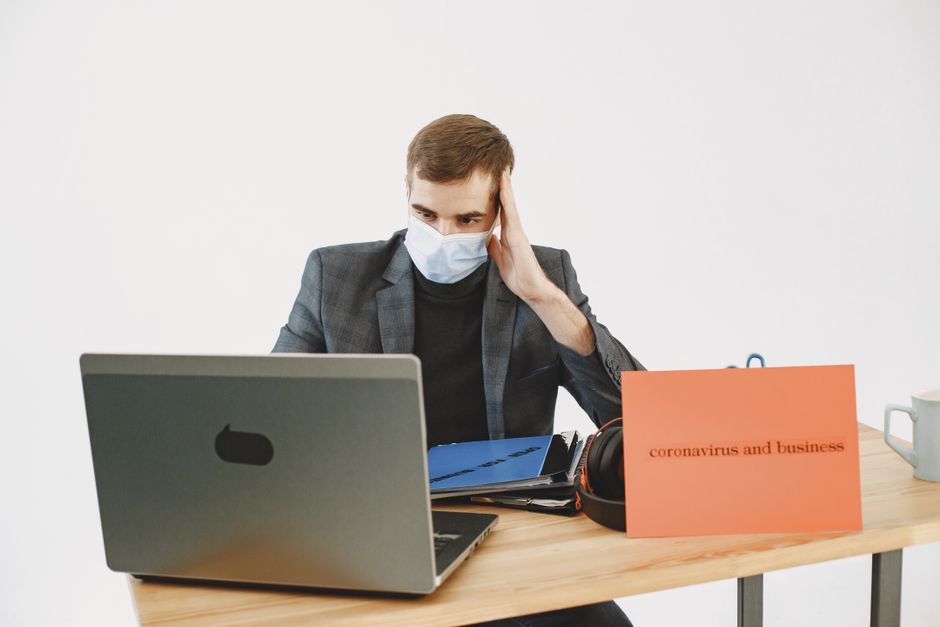
Telecommuting Essentials During the Coronavirus Crisis: A Comprehensive Guide
The unprecedented global health crisis brought on by the coronavirus pandemic has fundamentally reshaped the modern workplace, forcing an immediate and widespread adoption of telecommuting. This shift, while necessary for public health and business continuity, presents unique challenges and requires a deliberate approach to establishing effective remote work environments. Prioritizing telecommuting essentials is paramount for maintaining productivity, employee well-being, and operational efficiency during this period of disruption.
Establishing a Dedicated Workspace: The Foundation of Remote Productivity
The cornerstone of successful telecommuting lies in the creation of a dedicated workspace. This is not simply a matter of convenience; it is a critical step in demarcating professional boundaries between work and personal life, which can become blurred when working from home. A dedicated space signals to both the individual and those they live with that work is happening, fostering focus and minimizing distractions. Ideally, this space should be a separate room with a door that can be closed, offering physical separation and a reduction in ambient noise. However, not all living situations permit a dedicated room. In such cases, a specific corner of a living room, bedroom, or even a quiet nook can be repurposed. The key is to make it distinct and consistently used for work activities. This area should be equipped with a comfortable and ergonomically sound desk and chair. Prolonged periods of sitting in unsuitable furniture can lead to musculoskeletal issues, impacting both health and productivity. Investing in adjustable chairs and desks that promote good posture is a long-term strategy for well-being. Furthermore, adequate lighting is crucial. Natural light is preferred, but if unavailable or insufficient, task lighting should be implemented to prevent eye strain and headaches. Clutter should be minimized, as a disorganized workspace can contribute to a disorganized mind and hinder concentration. Storage solutions, such as shelves, drawers, and file organizers, can help maintain order. Finally, ensuring a stable internet connection within this designated area is non-negotiable, as it forms the backbone of all remote communication and collaboration.
Technological Infrastructure: The Lifeline of Remote Operations
Robust technological infrastructure is indispensable for effective telecommuting. This encompasses reliable internet connectivity, appropriate hardware, and essential software. High-speed internet with sufficient bandwidth is the absolute prerequisite. Without it, video conferencing will lag, file sharing will be agonizingly slow, and communication will be consistently interrupted. Businesses should assess their employees’ current internet capabilities and consider offering subsidies or stipends to upgrade to faster plans if necessary. For hardware, each remote employee requires a functional computer or laptop equipped with the necessary processing power and memory to run essential business applications. This often includes a reliable webcam and a high-quality headset with a microphone. These peripherals are vital for clear audio and video communication during virtual meetings, minimizing background noise and ensuring participants can be seen and heard effectively. In terms of software, a comprehensive suite of collaboration tools is essential. This typically includes video conferencing platforms like Zoom, Microsoft Teams, or Google Meet for real-time interactions. Project management software such as Asana, Trello, or Jira facilitates task delegation, progress tracking, and team coordination. Cloud-based document storage and sharing services like Google Drive, Dropbox, or OneDrive enable seamless collaboration on shared files and ensure data accessibility from any location. Secure communication channels, such as encrypted messaging apps or VPNs (Virtual Private Networks), are crucial for protecting sensitive company information when employees are accessing networks outside the traditional office perimeter. Regular software updates and cybersecurity training are also vital to maintain the integrity of the technological ecosystem and protect against evolving cyber threats.
Communication Protocols and Etiquette: Bridging the Physical Divide
Effective communication is the linchpin of successful telecommuting, especially during a crisis that necessitates remote work. Establishing clear communication protocols and fostering appropriate etiquette are critical for maintaining team cohesion and operational flow. This begins with defining preferred communication channels for different purposes. For urgent matters, immediate messaging or a quick phone call might be appropriate. For discussions requiring more detail or asynchronous input, email or project management platforms are suitable. Video conferencing should be the standard for team meetings and one-on-one discussions to foster a sense of connection and allow for non-verbal cues. Setting expectations around response times is also important. Employees should understand when to expect replies to their messages and emails, and managers should communicate their availability clearly. Regular check-ins, both formal and informal, are essential for maintaining morale and addressing potential roadblocks. Daily stand-up meetings, even brief ones, can help teams stay aligned on priorities and identify any immediate issues. Beyond formal structures, fostering a culture of clear and concise communication is vital. This means being direct, avoiding ambiguity, and providing sufficient context in written communications. When using video conferencing, active listening, minimizing distractions, and muting microphones when not speaking are fundamental courtesies. Encouraging open and honest feedback, both positive and constructive, helps build trust and address challenges proactively. Furthermore, understanding different communication styles and adapting to them can significantly improve team dynamics.
Ergonomics and Well-being: Prioritizing Employee Health in a Remote Setting
The shift to telecommuting, particularly during a crisis, can inadvertently lead to neglect of employee well-being and ergonomic considerations. Prioritizing these aspects is crucial for preventing burnout and maintaining long-term productivity. As mentioned earlier, a dedicated and ergonomically sound workspace is fundamental. This includes investing in comfortable seating, proper desk height, and adequate lighting to prevent musculoskeletal strain. Regular breaks are equally important. Encouraging employees to step away from their screens for short periods to stretch, walk around, or engage in other activities can significantly reduce fatigue and improve focus. Implementing the Pomodoro Technique or similar time management strategies can help structure work and ensure regular breaks are taken. Mental health support is also paramount. The isolation and uncertainty associated with a pandemic can take a toll on individuals. Employers should promote mental health resources, such as Employee Assistance Programs (EAPs), and encourage open conversations about stress and anxiety. Creating virtual social opportunities, like online coffee breaks or team-building activities, can help combat feelings of isolation and foster camaraderie. Promoting healthy lifestyle habits, such as regular exercise and balanced nutrition, is also beneficial. Employers can share resources or organize virtual fitness challenges. Establishing clear boundaries between work and personal life is essential to prevent overwork and burnout. Encouraging employees to disconnect at the end of their workday and avoid checking emails and messages during non-work hours is vital for their mental and physical recovery.
Security Measures and Data Protection: Safeguarding Sensitive Information
In a telecommuting environment, the security of sensitive company data and intellectual property becomes a heightened concern. Implementing robust security measures and ensuring data protection is not merely a best practice; it is a critical necessity. This begins with reinforcing strong password policies and encouraging the use of multi-factor authentication (MFA) for all access points. Employees should be trained on the importance of securing their home networks and using strong, unique passwords for their Wi-Fi. Utilizing VPNs is crucial for employees accessing company networks and sensitive data. A VPN encrypts internet traffic, creating a secure tunnel and protecting data from interception, especially when employees are using public or unsecured Wi-Fi networks. Regular software updates for operating systems, applications, and antivirus programs are essential to patch vulnerabilities that could be exploited by cybercriminals. Antivirus and anti-malware software should be installed and kept up-to-date on all company-issued and personal devices used for work. Employees must be educated on cybersecurity threats, including phishing attempts, malware, and social engineering tactics. Comprehensive cybersecurity awareness training, conducted regularly, is a proactive measure that empowers employees to identify and report suspicious activities. Data encryption for files stored locally on laptops and for data transmitted over networks adds another layer of protection. Implementing clear data backup and recovery protocols ensures that critical information is not lost in the event of hardware failure or a security breach. Access control measures, ensuring that employees only have access to the data and systems they require for their roles, are also vital to limit the potential impact of a security incident.
Productivity Tools and Time Management Strategies: Maximizing Remote Output
While the inherent nature of telecommuting can present distractions, strategic use of productivity tools and effective time management strategies can significantly enhance output. Project management software, as previously mentioned, is invaluable for breaking down large tasks into smaller, manageable units, assigning responsibilities, and tracking progress. Task management applications like Todoist or Microsoft To Do can help individuals organize their daily workload and prioritize tasks. Time tracking tools, such as Toggl or Clockify, can provide insights into how time is being spent, allowing for better allocation and identification of time-wasting activities. Calendar management, both for individual schedules and team meetings, is crucial for ensuring punctuality and efficient use of scheduled time. Utilizing calendar blocking to dedicate specific time slots for focused work on particular tasks can be highly effective. Batching similar tasks, such as responding to emails or making phone calls, can minimize context switching and improve efficiency. Setting clear goals for each workday and week provides direction and a sense of accomplishment. Regular review of progress against these goals allows for adjustments and ensures accountability. Minimizing distractions is paramount. This involves turning off non-essential notifications on devices, closing unnecessary browser tabs, and communicating availability to household members. Developing a structured daily routine, mimicking a typical workday as much as possible, can foster discipline and productivity. Experimenting with different productivity techniques, such as the Pomodoro Technique (work for 25 minutes, break for 5), can help identify what works best for individual work styles and task types.
Virtual Collaboration and Team Cohesion: Maintaining Connection in Isolation
The physical separation inherent in telecommuting can pose challenges to team cohesion and collaboration. Implementing strategies to foster a sense of connection and facilitate seamless virtual collaboration is vital for maintaining morale and achieving collective goals. Regular virtual team meetings, beyond functional discussions, should incorporate opportunities for informal interaction. Virtual coffee breaks, team lunches, or even short social icebreakers at the beginning of meetings can help build rapport and strengthen interpersonal relationships. Utilizing collaborative document editing tools allows multiple team members to work on the same document simultaneously, fostering a sense of shared ownership and efficient progress. Video conferencing should be encouraged for all but the most trivial communications to allow for non-verbal cues and a more personal connection. Project management platforms serve as a central hub for team communication, task assignment, and progress updates, ensuring everyone is on the same page. Establishing clear roles and responsibilities within virtual teams can prevent confusion and ensure accountability. Encouraging peer-to-peer recognition and support can foster a positive and collaborative team environment. Virtual brainstorming sessions, facilitated by online whiteboarding tools, can be as effective as in-person ideation sessions. Creating dedicated channels for informal chat within communication platforms can simulate the casual conversations that occur in a physical office, helping to build camaraderie. Regular feedback mechanisms, both formal and informal, should be in place to address any challenges related to virtual collaboration and team dynamics. Leaders play a crucial role in setting the tone for virtual team cohesion by actively participating in social interactions and demonstrating empathy and understanding.
Adapting to the New Normal: Long-Term Telecommuting Strategies
While initially driven by crisis, the widespread adoption of telecommuting during the coronavirus pandemic has highlighted its potential as a sustainable and beneficial work model for many organizations. Developing long-term telecommuting strategies is crucial for capitalizing on these benefits and mitigating potential drawbacks. This involves evaluating the effectiveness of current remote work setups and identifying areas for improvement. Gathering feedback from employees regarding their experiences, challenges, and suggestions is essential for informed decision-making. Investing in ongoing training for both employees and managers on remote work best practices, technology utilization, and leadership in a virtual environment is critical. Rethinking traditional performance metrics to focus on outcomes rather than presenteeism is a key adaptation. Establishing clear policies and guidelines for telecommuting, covering aspects such as work hours, communication expectations, and equipment provision, provides a framework for consistent and equitable implementation. Exploring hybrid work models, where employees split their time between home and the office, can offer a balance between flexibility and in-person collaboration for roles that benefit from both. Continuously assessing and updating technological infrastructure to ensure it remains robust and secure is an ongoing requirement. Fostering a culture that embraces flexibility, trust, and autonomy is fundamental for the long-term success of telecommuting. The lessons learned during the crisis should inform a strategic evolution towards a more adaptable and resilient future of work, where telecommuting is a well-integrated and valued component.
