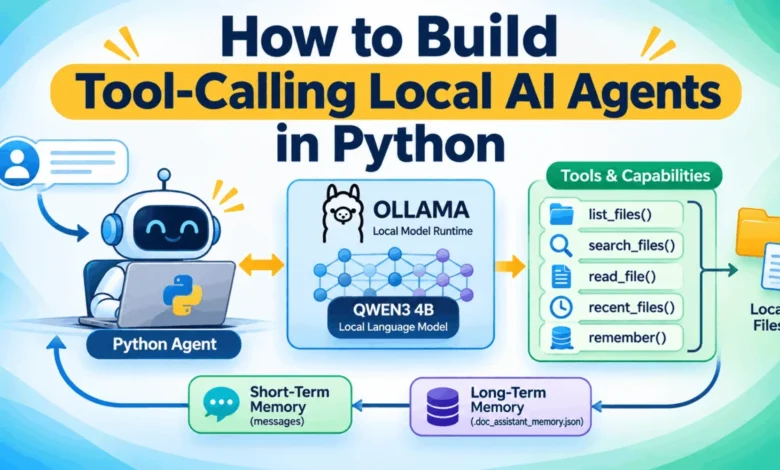
The integration of Large Language Models (LLMs) into local development environments has reached a significant milestone with the advent of robust tool-calling capabilities. By leveraging Ollama and the Qwen3 model, developers can now deploy autonomous AI agents capable of interacting with local file systems, maintaining persistent memory, and executing complex reasoning tasks without relying on external cloud APIs. This transition toward "local-first" AI development addresses growing concerns regarding data privacy, latency, and the cost associated with proprietary model usage.
The Evolution of Local AI Agents
For years, the utility of LLMs was largely constrained by their inability to interact with the physical environment. A model could analyze code but could not retrieve it; it could suggest an edit but could not apply it. The introduction of "tool calling"—a technical paradigm where a model outputs structured instructions for a function to execute—has bridged this gap. In the current landscape, an AI agent is defined not just by its ability to generate text, but by its capacity to exist within a feedback loop. When a model requests a file search, the system executes that search and feeds the result back into the model’s context, allowing the agent to "see" and "reason" based on real-time data.
The shift toward local execution is supported by hardware advancements and the optimization of models like Qwen3 (4B parameters). These models are specifically fine-tuned to handle function schemas, making them highly efficient for developers who require a secure, offline environment for sensitive project files.
Establishing the Local Infrastructure
The deployment of a local agent requires a structured environment to ensure security and resource management. The technical foundation relies on three pillars: the Ollama engine, a Python virtual environment, and a defined set of "safe" tools.
To begin, the installation of Ollama serves as the model runtime. Once the Qwen3 model is pulled, the system requires a dedicated directory to isolate the agent’s operations. The use of a virtual environment is essential to prevent dependency conflicts, specifically when utilizing the ollama Python client. This client manages the handshake between the Python script and the local server, which typically operates on localhost:11434.
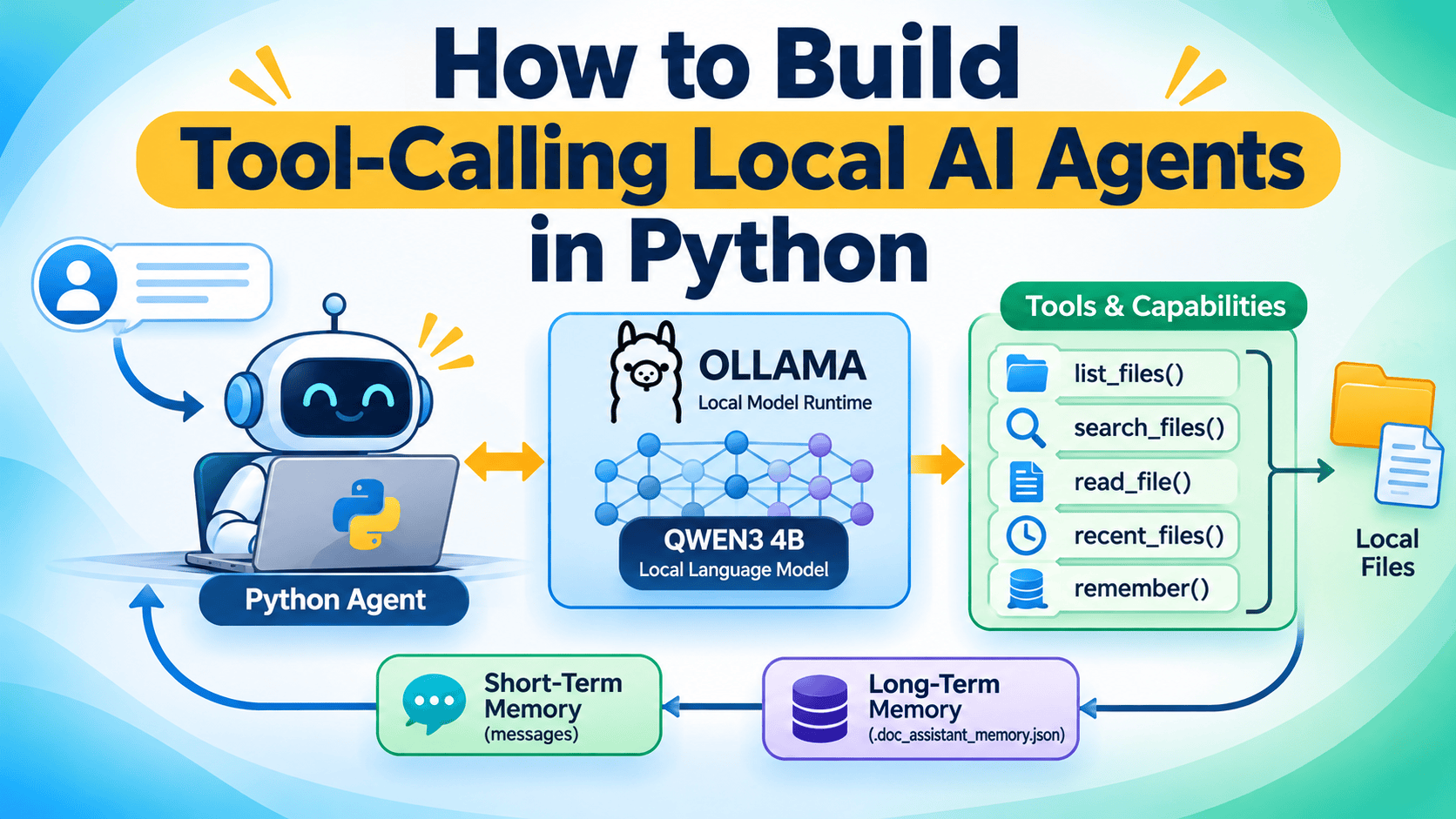
A critical aspect of system configuration is the management of the context window. As agents interact with multiple files and iterate through tool calls, the "context" (the working memory of the conversation) grows rapidly. Developers must configure the OLLAMA_CONTEXT_LENGTH to accommodate this data. For modern workstations, setting this to 32,000 tokens provides a sufficient buffer, though this requires careful monitoring of VRAM usage. If the model exhausts its context, it loses the thread of the conversation, underscoring the need for efficient "trimming" algorithms that prioritize essential historical data.
The Mechanics of the Tool-Calling Loop
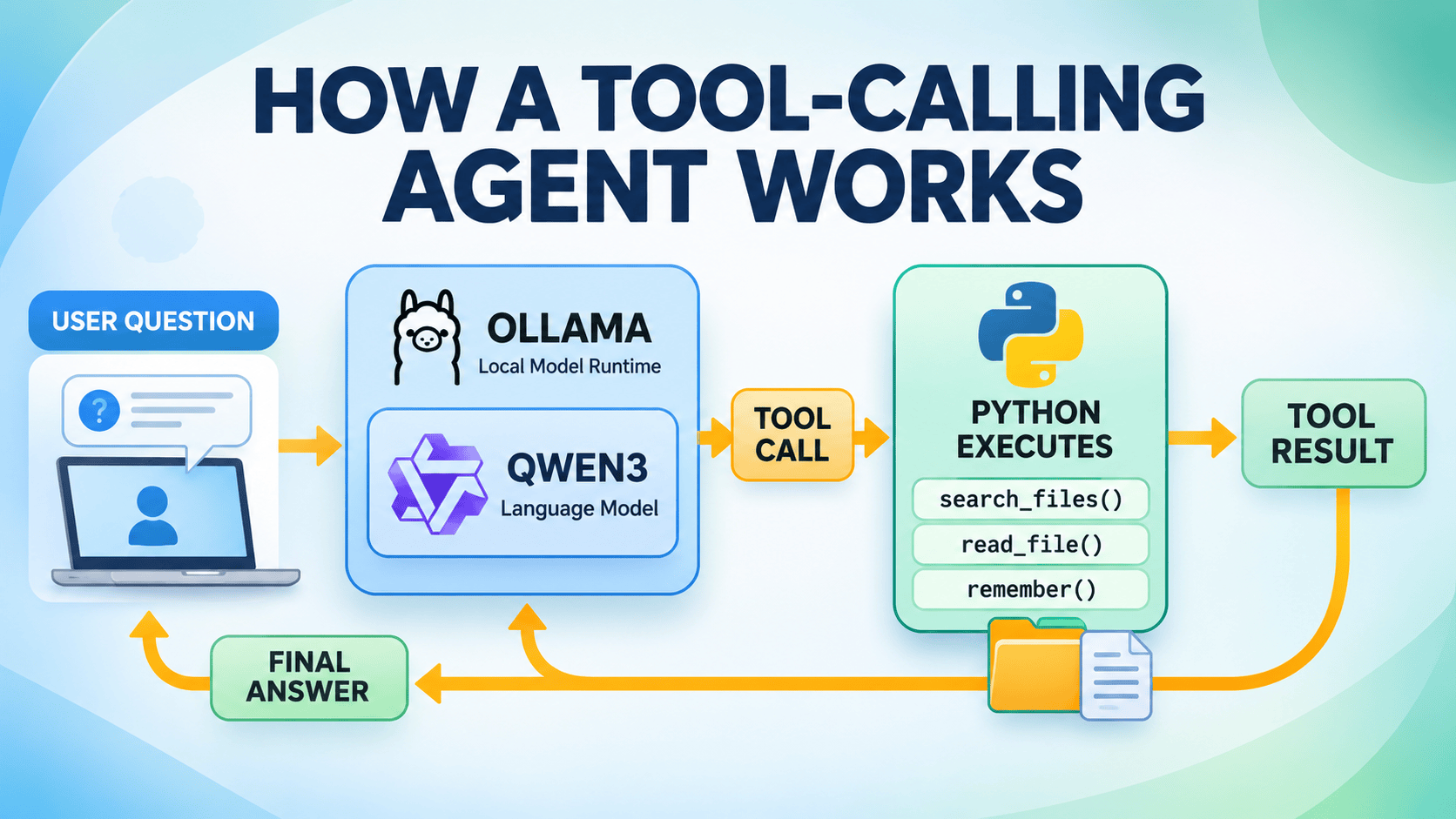
The interaction between the user and the agent follows a precise, four-stage communication protocol. The conversation roles are strictly defined:
- System: Defines the persona and constraints (e.g., "do not modify files outside the root").
- User: Initiates the query.
- Assistant: Analyzes the request and, if necessary, outputs a
tool_callrequest. - Tool: The code execution layer that returns the requested data back to the assistant.
This loop repeats until the assistant has sufficient information to provide a final, natural language answer. By setting the model’s temperature to 0, developers can ensure deterministic output, which is crucial for the stability of tool-calling. A non-deterministic model might hallucinate tool names or arguments, causing the agent to stall or crash.
Designing Secure and Functional Tools
When building an agent to navigate a file system, the primary concern is security. To prevent the agent from accidentally accessing sensitive system files or deleting critical data, developers must implement a "chroot-like" security layer.
The following tools are considered the minimum requirement for a functional project assistant:
- list_files: Provides a snapshot of the directory structure.
- search_files: A text-based search utility that retrieves specific lines from files, constrained by character limits to prevent context bloat.
- read_file: Allows the model to inspect specific line ranges.
- recent_files: Utilizes file metadata (mtime) to track user activity over time.
- remember: A persistence layer that writes facts to a JSON file in the user’s home directory, allowing the agent to "learn" about the user’s preferences across sessions.
These tools must be built with strict validation. The safe_path function, for instance, must resolve all paths and verify that they reside within the defined project root. Any attempt by the model to access a path outside this root must trigger a clear, informative error message, which the model can then interpret and correct.
Memory Management and Long-Term Retention
Memory in an AI agent is categorized into short-term (contextual) and long-term (persisted). Short-term memory is managed via the messages list. As the agent operates, the list of previous turns is passed back to the model. To prevent the context window from overflowing, a trim function is required. This function retains the initial system prompt and the most recent user-assistant interactions, effectively discarding older, less relevant data while maintaining the coherence of the current task.
Long-term memory is handled by the remember tool. By appending facts to a JSON file, the agent gains a "memory" that persists across different terminal sessions. During the initialization phase of the agent, the build_system_prompt function reads this file and injects the stored facts into the model’s system prompt. This allows the assistant to remember, for example, that "the user prefers to run tests using pytest -q," significantly enhancing the utility of the agent over time.
Broader Implications and Future Outlook
The ability to build and deploy these agents locally has profound implications for data privacy and intellectual property. Businesses that previously hesitated to use LLMs due to concerns over sending proprietary source code to third-party cloud providers can now implement similar workflows entirely on-premises.
The industry is seeing a shift toward "agentic workflows," where the AI acts as a collaborative colleague rather than just a chat interface. By keeping the entire stack local, developers gain total control over the data lifecycle. However, this also shifts the burden of maintenance to the developer. Ensuring that tools are performant, that the model correctly selects the right tool for the job, and that context is managed efficiently are all new skills required in the modern development stack.
Looking ahead, the next evolution for these agents will involve more complex multi-agent architectures, where one agent is responsible for planning while another handles file execution. As open-source models continue to narrow the performance gap with proprietary models, the barrier to entry for building high-functioning, autonomous, and private AI agents will continue to drop, ultimately democratizing access to sophisticated automation tools. For now, the implementation of a project assistant as described serves as the foundational architecture for the next generation of local, intelligent development environments.
Related posts: