Construction projects are inherently vast, intricate, and challenging to manage, grappling with regulatory mandates, critical safety protocols, equipment logistics, multi-team coordination, and numerous other complexities. To ensure a construction project remains on schedule and within budget, a robust and dynamic construction scheduling software is not merely beneficial but essential.

Understanding Construction Scheduling Software
Construction scheduling software comprises digital solutions designed to assist teams in creating, managing, and optimizing construction timelines. These platforms leverage tools such as Gantt charts, project calendars, task lists, and interactive dashboards to provide a comprehensive overview of project progress. The right software facilitates seamless task assignment, real-time progress tracking, efficient resource management, and precise logging of delays, consolidating all critical information into a single, accessible platform.
The Evolving Landscape of Construction Project Management
Historically, construction project management relied heavily on manual methods, including hand-drawn plans, paper-based schedules, and extensive spreadsheets. While early project management techniques like PERT (Program Evaluation and Review Technique) and CPM (Critical Path Method) laid the theoretical groundwork for structured planning, their practical application was often cumbersome and prone to error. The advent of digital tools marked a pivotal shift, transitioning from these laborious manual processes to more automated, integrated, and data-driven approaches.

Modern construction projects, characterized by their increasing scale, complexity, and demands for sustainability and technological integration (e.g., smart infrastructure, BIM), have amplified the need for sophisticated scheduling software. The industry has witnessed a steady migration towards cloud-based solutions, enhancing mobile accessibility for field teams and fostering real-time collaboration. This evolution reflects a broader trend in construction to leverage technology for greater efficiency, accuracy, and risk mitigation.
Criteria for Evaluating Top Construction Scheduling Software in 2026
Before presenting the leading construction scheduling software options for 2026, our team rigorously evaluated these tools based on concrete criteria. This assessment focused on the quality and depth of their functionalities across key areas: planning, scheduling, tracking, and collaboration. The following functionalities served as the benchmarks for comparing and ranking each tool:

- Advanced Scheduling Capabilities: Inclusion of Gantt charts, critical path analysis, dependency management, and baseline tracking.
- Resource Management: Tools for allocating and tracking labor, equipment, and materials, including workload balancing.
- Real-time Progress Tracking: Dashboards, automated updates, and integration with field operations.
- Collaboration & Communication: Features for team communication, document sharing, and stakeholder engagement.
- Cost Management: Integration with financial planning, budget tracking, and expense reporting.
- Reporting & Analytics: Customizable reports and predictive analytics for informed decision-making.
- Ease of Use & Scalability: User-friendly interface and ability to adapt to varying project sizes and complexities.
- Integrations: Compatibility with other construction software, BIM tools, and enterprise systems.
Ranking the Best Construction Scheduling Software for 2026
1. ProjectManager
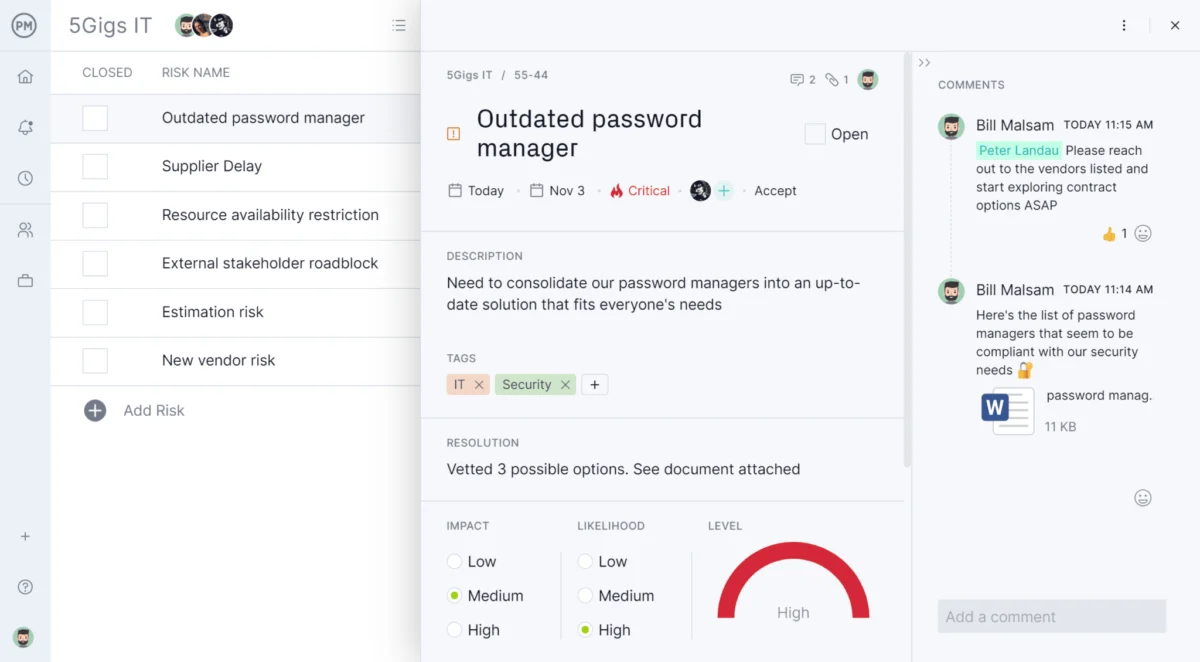
ProjectManager stands out as an award-winning online project management software, specifically engineered for teams requiring real-time planning, scheduling, and tracking capabilities. Construction teams widely adopt it to manage every facet of a project—from team assignments and task dependencies to resource allocation and cost monitoring—all within a single, accessible, cloud-based platform. ProjectManager further sweetens the deal with a 30-day free trial, allowing potential users to experience its full capabilities firsthand.
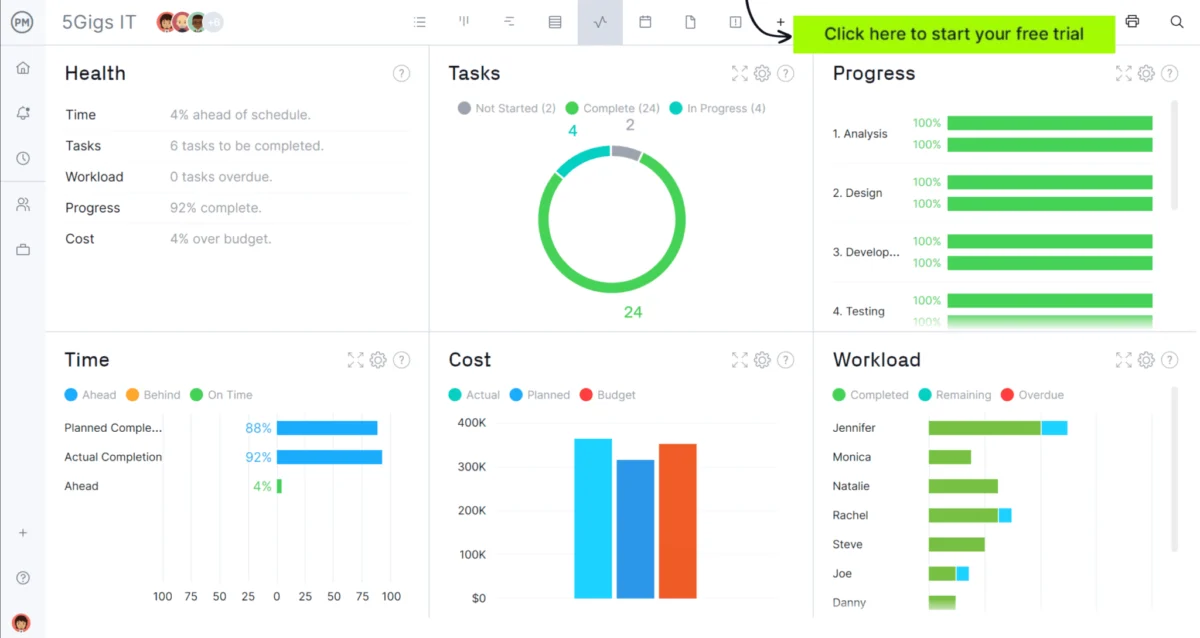
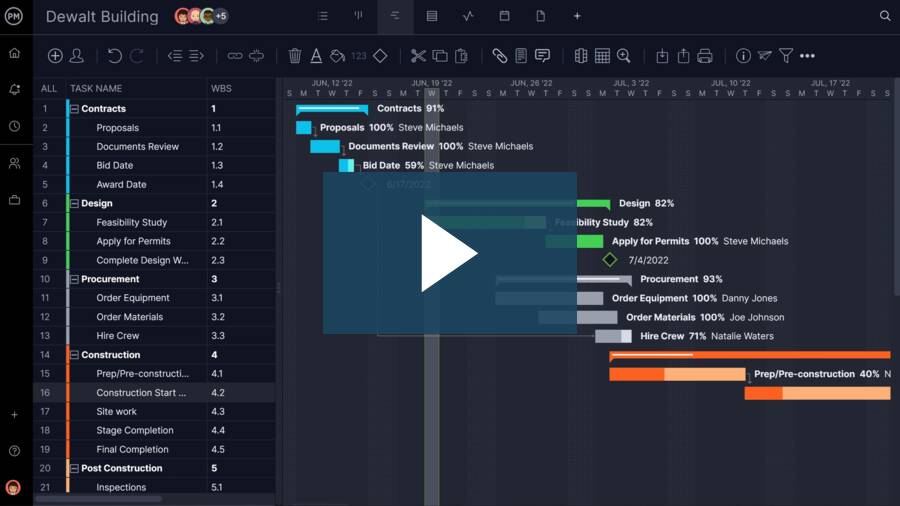
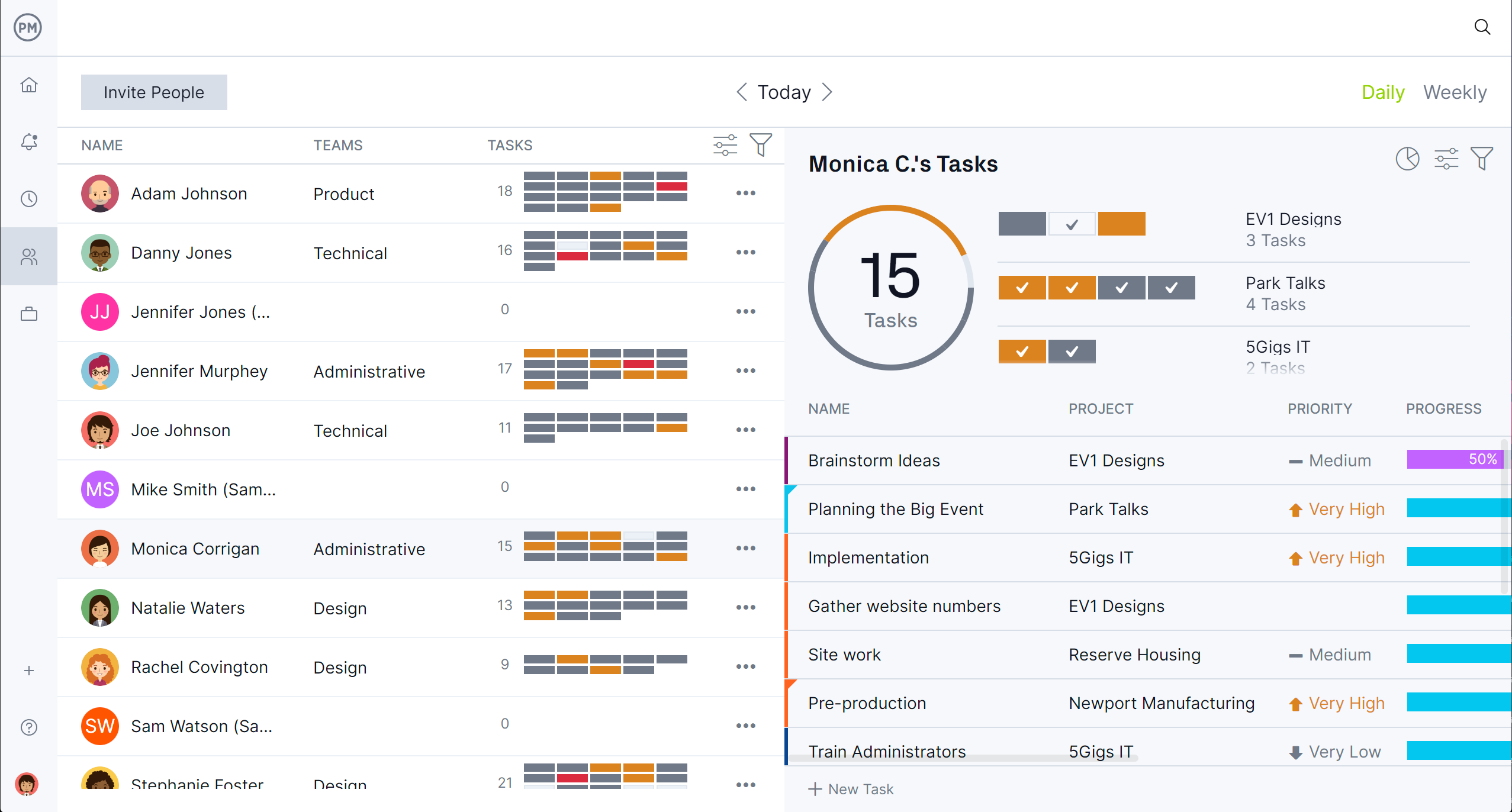
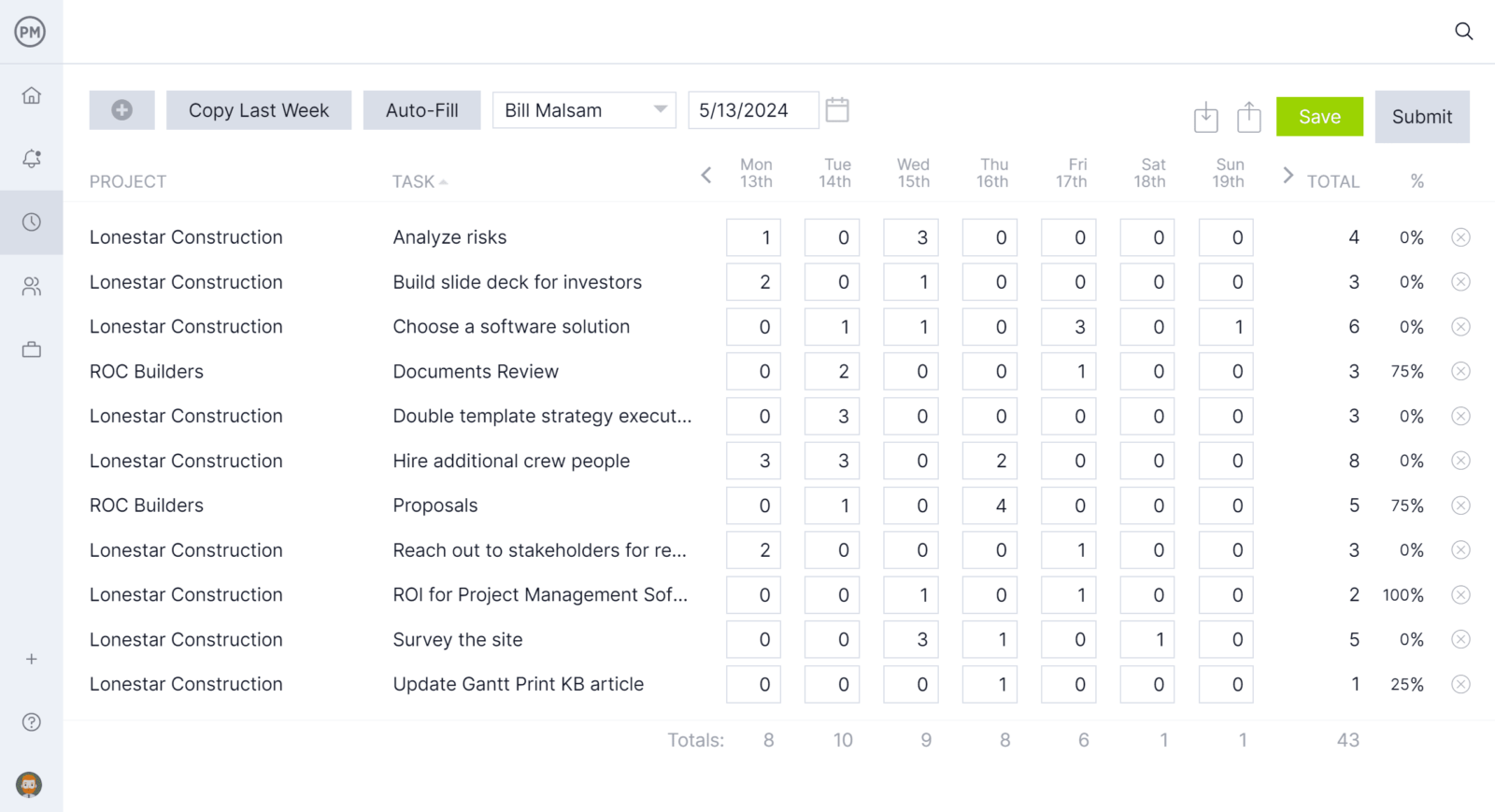
The online Gantt chart is central to ProjectManager’s robust scheduling prowess. Tasks are visually mapped on a timeline, featuring adjustable start dates, end dates, and durations through an intuitive drag-and-drop interface. Users can link dependent tasks to proactively avert bottlenecks, define milestones for crucial project phases, and activate automatic critical path detection to continuously identify activities that govern the overall schedule. Beyond scheduling, ProjectManager excels in resource management. Its tools allow project managers to visualize team availability, assign labor and equipment to specific tasks, and effectively balance workloads to prevent overloads before they escalate into problems. Once the schedule is established, the platform facilitates tracking team hours via timesheets updated directly from the field, which seamlessly integrate with project cost tracking. Real-time dashboards provide managers with a live overview of schedule performance, cost deviations, and progress against the baseline, eliminating the need for manual reporting.
Strengths: Comprehensive suite of planning, resource, and cost tracking tools; intuitive online Gantt charts with critical path detection; robust real-time dashboards; integrated timesheets for accurate cost tracking; excellent for collaborative environments.
Limitations: May require some initial training for teams new to integrated project management platforms; advanced features are most beneficial for medium to large-scale projects.
Pricing: Offers a range of subscription plans, with specific pricing details available upon inquiry, and a generous 30-day free trial.
User Reviews: Consistently high ratings on G2 and Capterra, with users highlighting its comprehensive features and real-time insights as key advantages.
Verdict: Best construction scheduling software for real-time project tracking and comprehensive management.
2. Procore
Procore is a cornerstone in the construction management software industry, widely utilized by major general contractors to oversee the entire project lifecycle, from bidding through to delivery. It centralizes project controls, documentation, field workflows, budgets, RFIs, change orders, and scheduling within a unified cloud platform.
As a construction scheduling software, Procore provides basic to intermediate planning functionalities, including Gantt charts, calendar views, and real-time task updates. While its scheduling capabilities are sufficient for most general contractors, it falls short of dedicated CPM (Critical Path Method) tools. Advanced resource leveling, variance analysis, and in-depth critical path analysis typically necessitate importing data from Microsoft Project or Primavera P6. Nevertheless, for large teams seeking an all-encompassing platform for comprehensive project management, Procore remains one of the most complete options available.
Strengths: Comprehensive platform for the entire construction lifecycle; strong document management and field integration; robust RFI and change order management; excellent for large general contractors.
Limitations: Scheduling capabilities are intermediate and may require integration with dedicated CPM tools for complex projects; steep learning curve; high cost, with pricing based on annual construction volume, making it less accessible for smaller firms.
Pricing: Custom pricing based on annual construction volume.
User Reviews: Users commend its functional richness but frequently cite a steep learning curve and high cost.
Verdict: Best construction scheduling software for large teams requiring an integrated platform.
3. Autodesk Construction Cloud
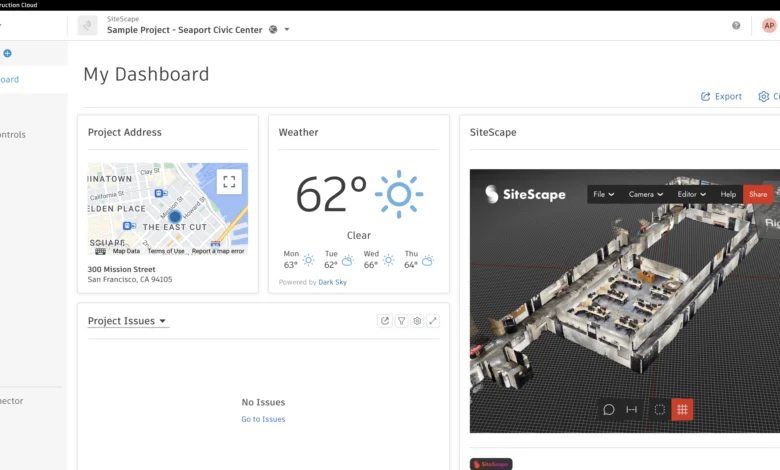
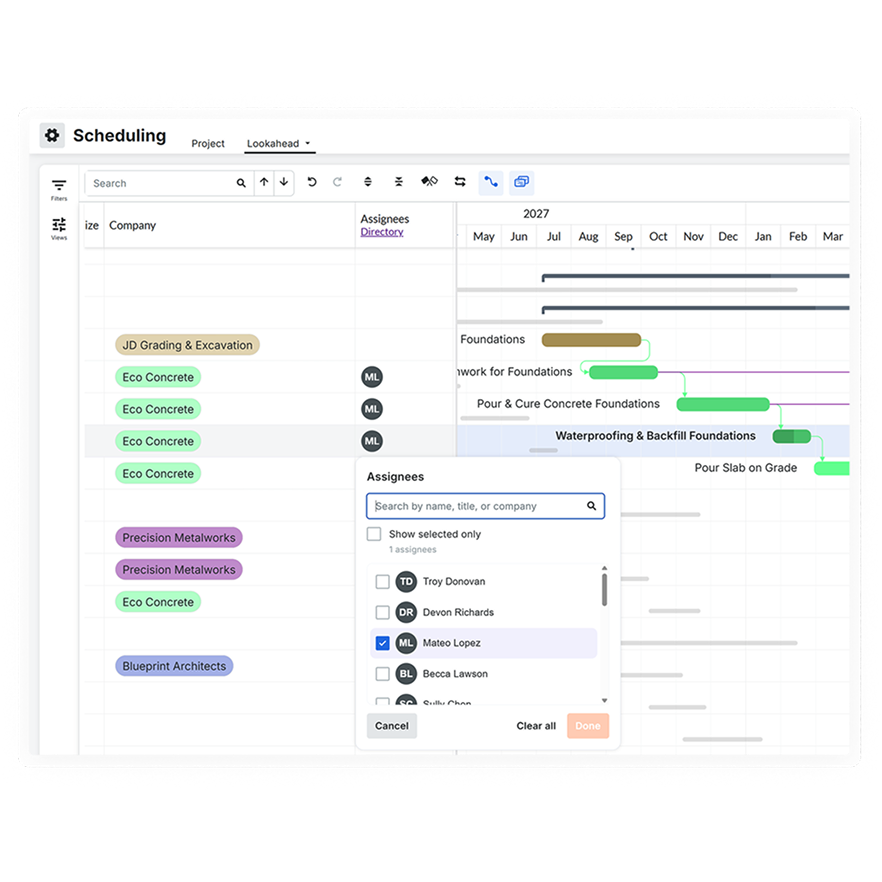
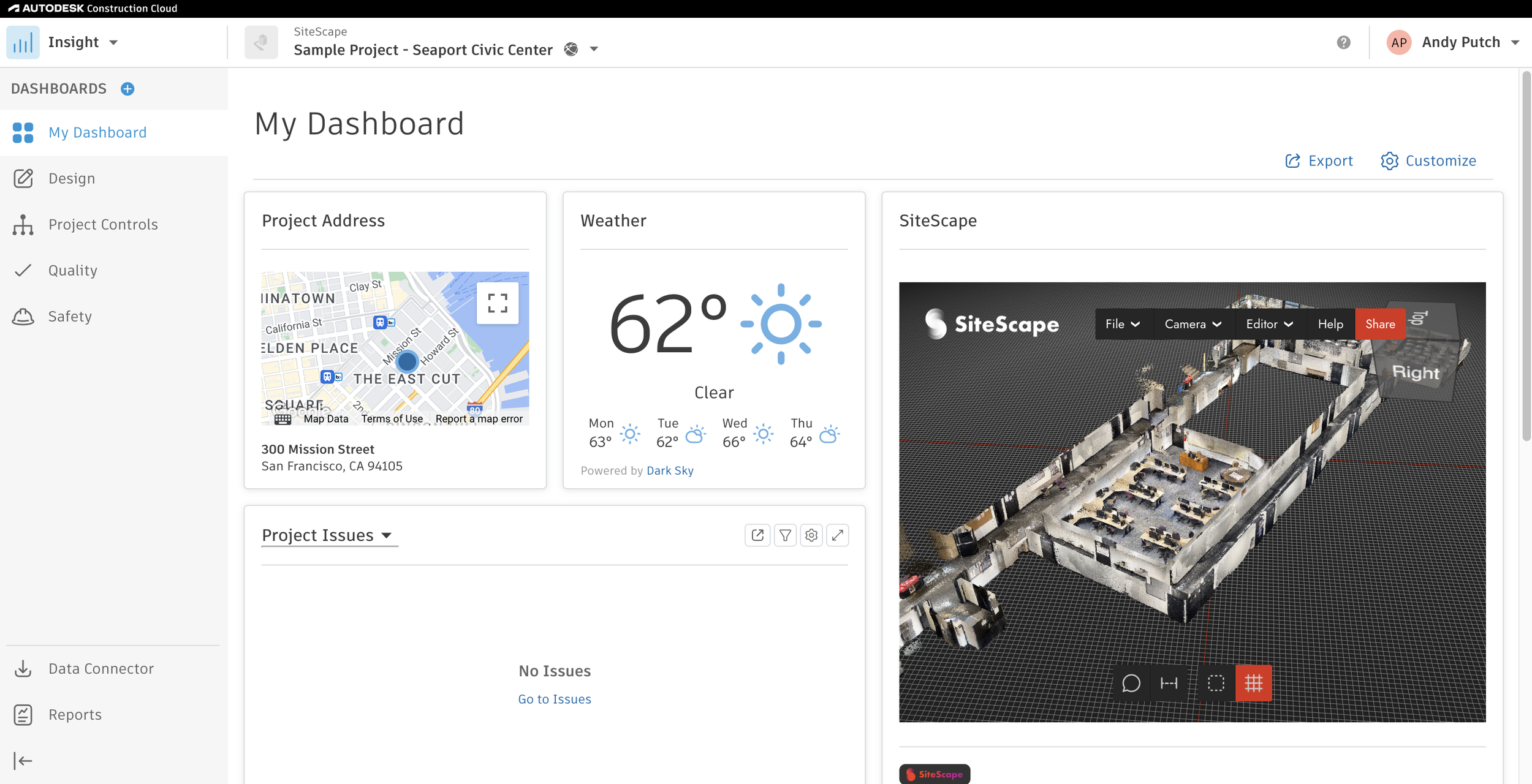
Autodesk Construction Cloud (ACC) is a cloud-based platform that seamlessly connects design, coordination, document management, field execution, and cost control across the entire construction lifecycle. It is widely adopted by general contractors, owners, and design-build teams who seek a unified environment for managing construction data from pre-construction to handover.
While ACC serves as a powerful hub, its scheduling functionality leans more towards task management and coordination rather than acting as a true scheduling engine. It lacks native CPM logic, advanced Gantt functionality, baselines, and resource-driven planning. Teams requiring serious CPM analysis often complement ACC with Primavera P6 or Microsoft Project. However, for large organizations already invested in the Autodesk ecosystem, ACC provides a robust platform for integrating design and field execution.
Strengths: Excellent integration with design (BIM) tools; strong document management and collaboration features; comprehensive field management capabilities; ideal for design-build workflows.
Limitations: Lacks native advanced CPM scheduling; steep learning curve; complex navigation; high cost, better suited for large organizations.
Pricing: Subscription-based, typically quoted per user or per module.
User Reviews: Users often mention a steep learning curve and complex navigation, though it is praised for its integrative capabilities within the Autodesk ecosystem.
Verdict: Best construction scheduling software for design-build projects and BIM integration.
4. Microsoft Project
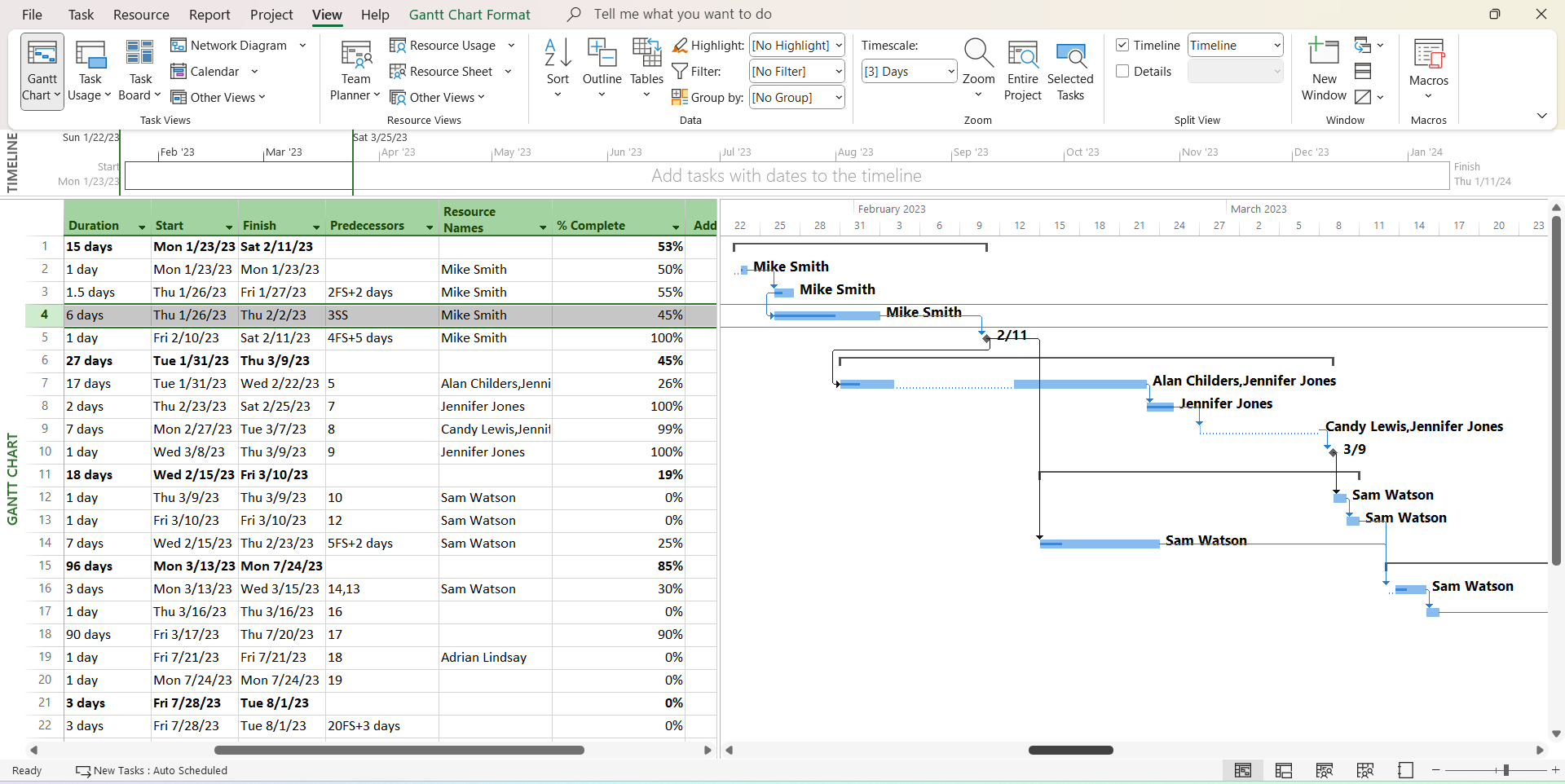
Microsoft Project is a professional-grade project management and planning tool used to create detailed schedules, manage tasks, resources, and costs, and apply CPM-based planning. It has been an industry benchmark for formal project planning for decades and continues to be widely used in construction, engineering, and infrastructure sectors.

As a construction scheduling software, Microsoft Project is exceptionally strong in traditional CPM planning, supporting dependencies, baselines, progress tracking, and resource management. Its limitations lie in its generalist design, a somewhat outdated desktop interface, and a lack of construction-specific field integration. While it offers powerful scheduling capabilities, its utility in a dynamic, on-site construction environment can be hampered by its traditional desktop-centric approach and limited real-time collaboration features compared to newer cloud-native platforms.
Strengths: Robust CPM scheduling engine; strong dependency management and baseline tracking; comprehensive resource management; widely adopted industry standard.
Limitations: Outdated user interface; limited real-time collaboration features for field teams; steep learning curve; lacks native construction-specific field integration.
Pricing: Available as a standalone desktop application or through Microsoft 365 subscription plans.
User Reviews: Users frequently report a steep learning curve and a desktop-centric interface that can be challenging for field collaboration.
Verdict: Best construction scheduling software for advanced schedule control and traditional CPM planning.
5. Primavera P6
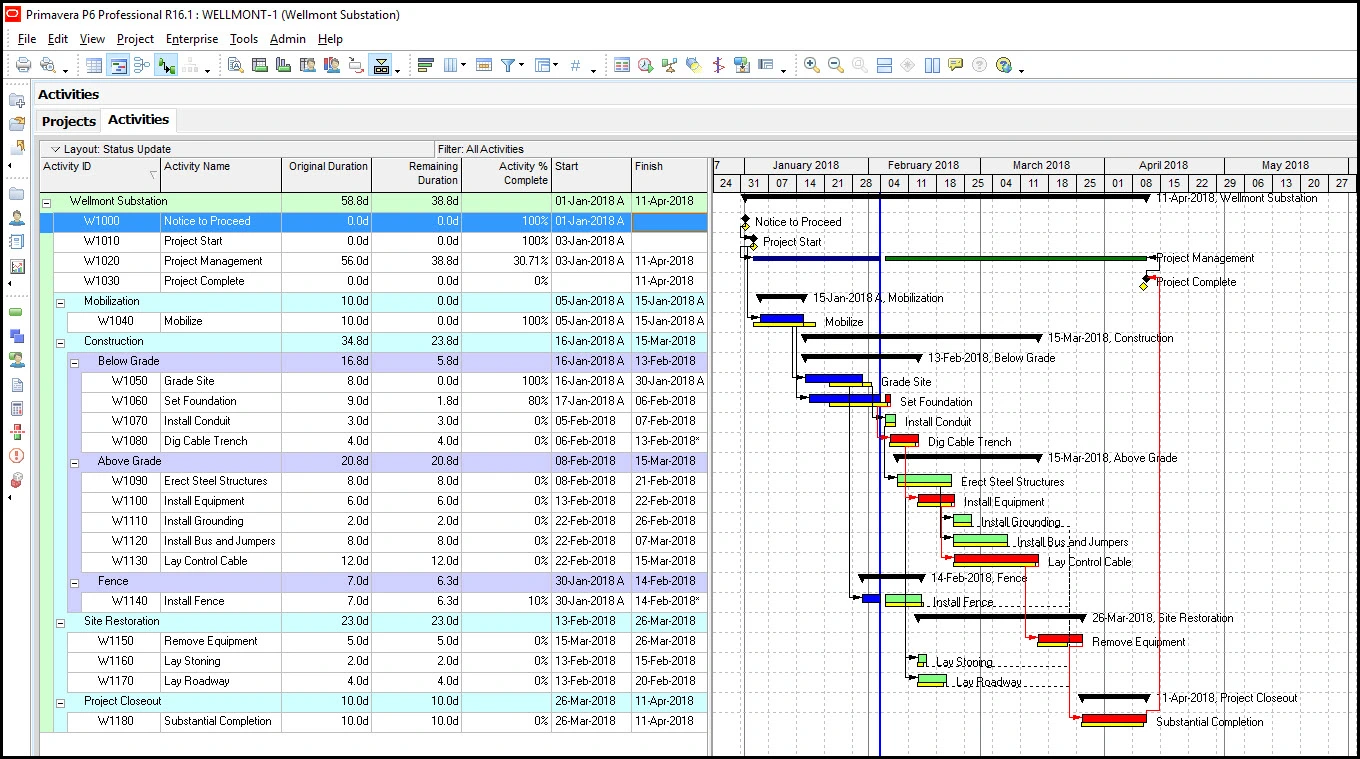
Primavera P6 is an enterprise-level scheduling and portfolio management tool extensively used in construction, engineering, and infrastructure. Developed for CPM planning, complex schedule modeling, and large-scale multi-project program control, it is often considered the gold standard for professional construction planners.
As construction scheduling software, Primavera P6 excels in CPM logic, dependency management, baselines, and portfolio planning. However, its strengths come with significant trade-offs: immense complexity, a steep learning curve, limited ergonomics, and a strong reliance on trained planners. For large infrastructure, oil and gas, or capital projects where schedule precision is paramount, it is difficult to surpass. For most construction companies, however, its complexity and resource requirements can be excessive.

Strengths: Industry-leading CPM engine; exceptional for complex schedule modeling and analysis; robust portfolio management; highly scalable for large-scale projects.
Limitations: Extremely complex and difficult to learn; outdated interface; high training requirements; expensive; not ideal for smaller projects or less experienced users.
Pricing: Enterprise-level pricing, typically quoted upon request, with significant investment in licenses and training.
User Reviews: Users consistently highlight its difficulty of use and high cost, often requiring dedicated planning teams.
Verdict: Best construction scheduling software for complex and large-scale project schedules.
6. Buildertrend
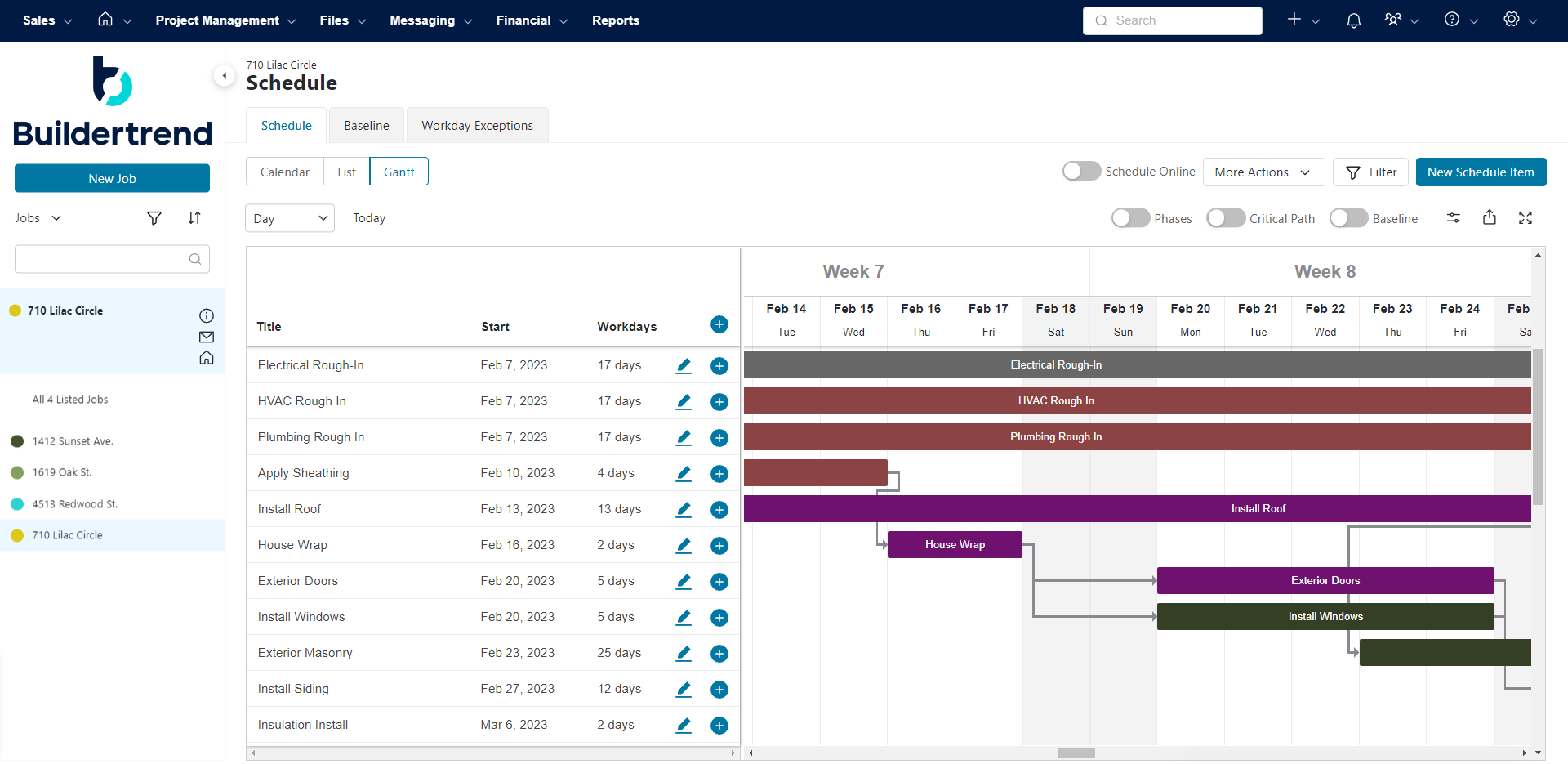
Buildertrend is a leading cloud-based construction management platform tailored for residential builders, remodelers, and specialty contractors. Used by over 20,000 contractors and prevalent in more than half of new residential construction in the US, it integrates scheduling, financials, client communication, daily logs, and documentation into a single platform.
As a construction scheduling tool, Buildertrend offers basic to intermediate planning features, including task dependencies, critical path visualization, templates, and multi-view functionalities (Gantt/Calendar). While it covers the essentials well for residential construction projects, it lacks advanced CPM capabilities such as comprehensive dependency types, in-depth variance analysis, cross-project resource visibility, and robust baseline tracking.
Strengths: Comprehensive platform for residential construction; strong client communication and financial management features; good for daily logs and documentation; includes basic critical path visualization.
Limitations: Lacks advanced CPM features for highly complex projects; some users report a complex interface and many manual inputs; can be costly for very small contractors.
Pricing: Tiered subscription plans, suitable for various sizes of residential contractors.
User Reviews: Users praise its extensive feature set and customer service but point out the complex interface and potential high cost for smaller operations.
Verdict: Best construction scheduling software for residential builders and remodelers.

7. Monday.com
Monday.com is one of the world’s most popular work management platforms, utilized by teams across all industries to plan projects, assign tasks, track progress, and automate workflows. With a dedicated construction use case, ready-made templates, and highly customizable project boards, it has become a preferred option for construction teams seeking flexibility without the complexity of traditional scheduling tools.
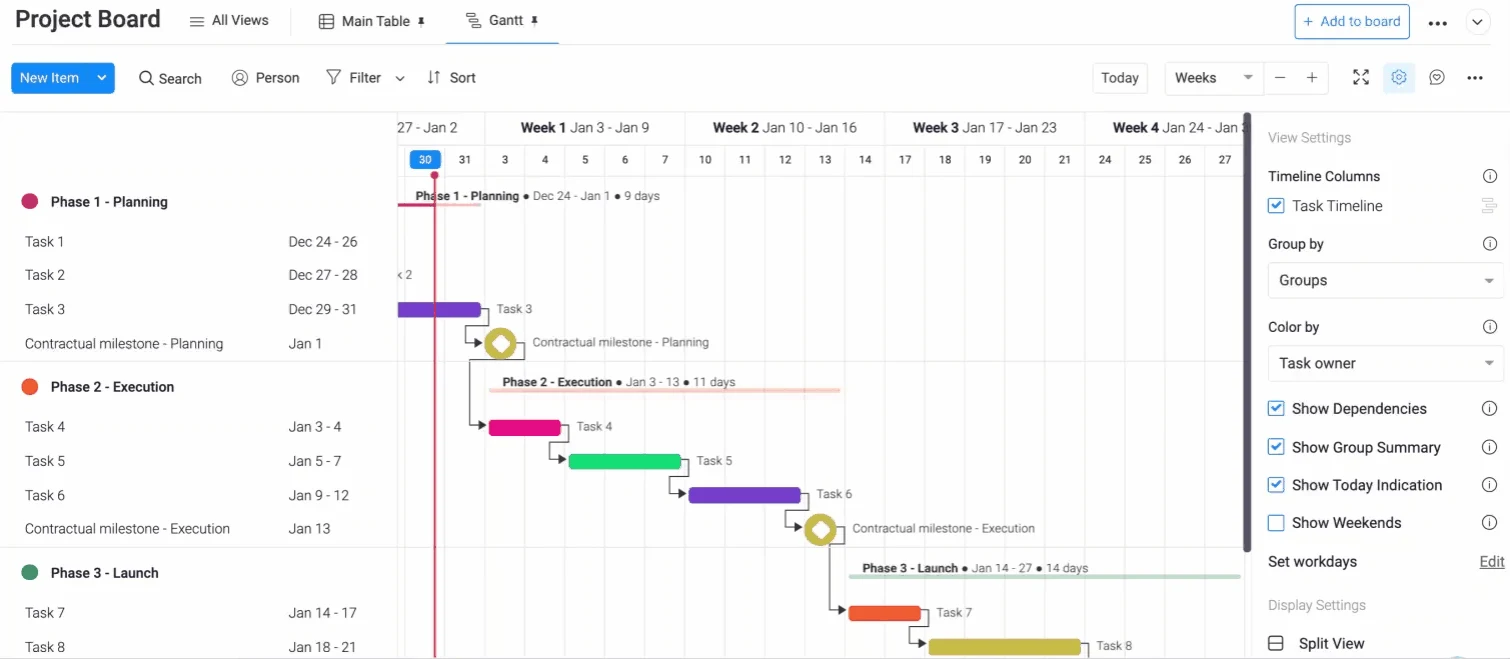
As a construction scheduling software, Monday.com offers Gantt-like timelines with drag-and-drop planning, task dependencies, critical path visualization, and baseline comparisons. It is not a dedicated CPM tool, lacking slack analysis, cost-loaded planning, and advanced resource management. However, for teams that prioritize ease of use and collaboration, it provides a solid and intuitive scheduling experience. Its visual interface and robust automation capabilities make it highly adaptable for various construction-related tasks, from pre-construction planning to daily site management.
Strengths: Highly customizable and intuitive interface; excellent for team collaboration and communication; visual Gantt-like timelines with dependencies; strong automation capabilities; good range of templates.
Limitations: Not a dedicated CPM tool, lacking some advanced analytical features; performance can degrade with very large boards; essential features may be locked behind higher-tier plans.
Pricing: Tiered pricing plans based on features and number of users.
User Reviews: Regularly praised for its clean interface, quick adoption, and flexibility, though some note performance issues with large boards.
Verdict: Best construction scheduling software for flexible team collaboration and visual planning.
8. Smartsheet
Smartsheet is a cloud-based work management platform utilized by over 85% of Fortune 500 companies. Inspired by spreadsheets but significantly more powerful, it is employed by construction, operations, and IT teams to plan projects, track tasks, report progress, and automate workflows.
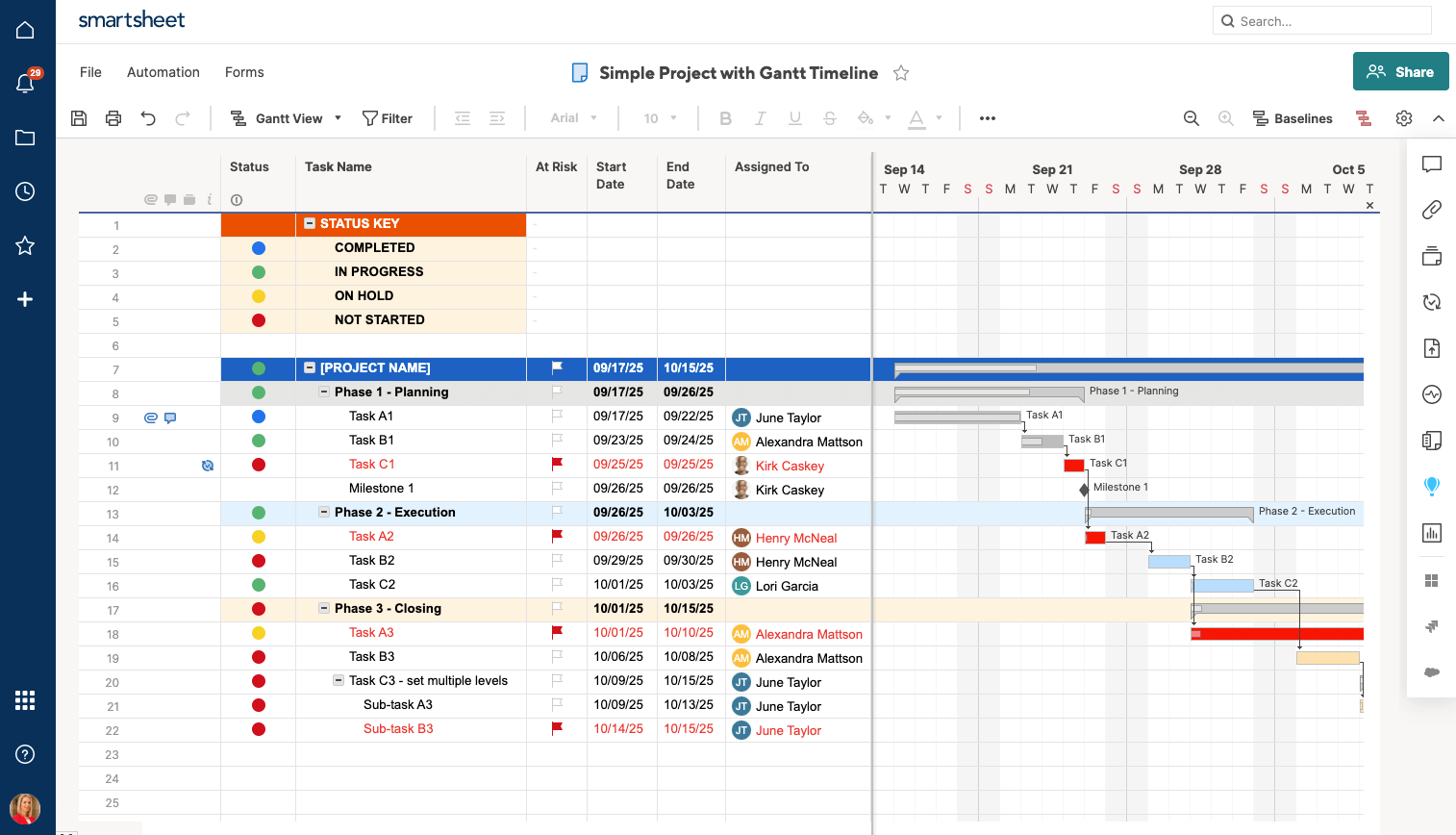
As construction scheduling software, Smartsheet offers intermediate spreadsheet-based planning with Gantt charts, dependencies, and baselines. It falls short of professional CPM tools, lacking slack visualization, advanced resource planning, and limited construction-specific cost integration. However, for teams migrating from Excel or requiring flexible project tracking, it offers an excellent entry point. Its familiar interface, combined with powerful automation and reporting, makes it a versatile tool for managing construction schedules without the steep learning curve of more specialized software.
Strengths: Familiar spreadsheet-like interface; robust Gantt chart and dependency management; strong reporting and automation features; good for flexible project tracking; integrates with many popular tools.
Limitations: Steep learning curve for advanced functionalities; performance issues with very large sheets; complex licensing model; lacks some deep CPM analytical tools.
Pricing: Offers various plans, including business and enterprise options.
User Reviews: Users often mention a steep learning curve for advanced features and performance drops with large sheets. Integrates with Procore, DocuSign, Google Workspace, and Microsoft 365.
Verdict: Best construction scheduling software for spreadsheet-based planning and flexible project tracking.
9. Fieldwire
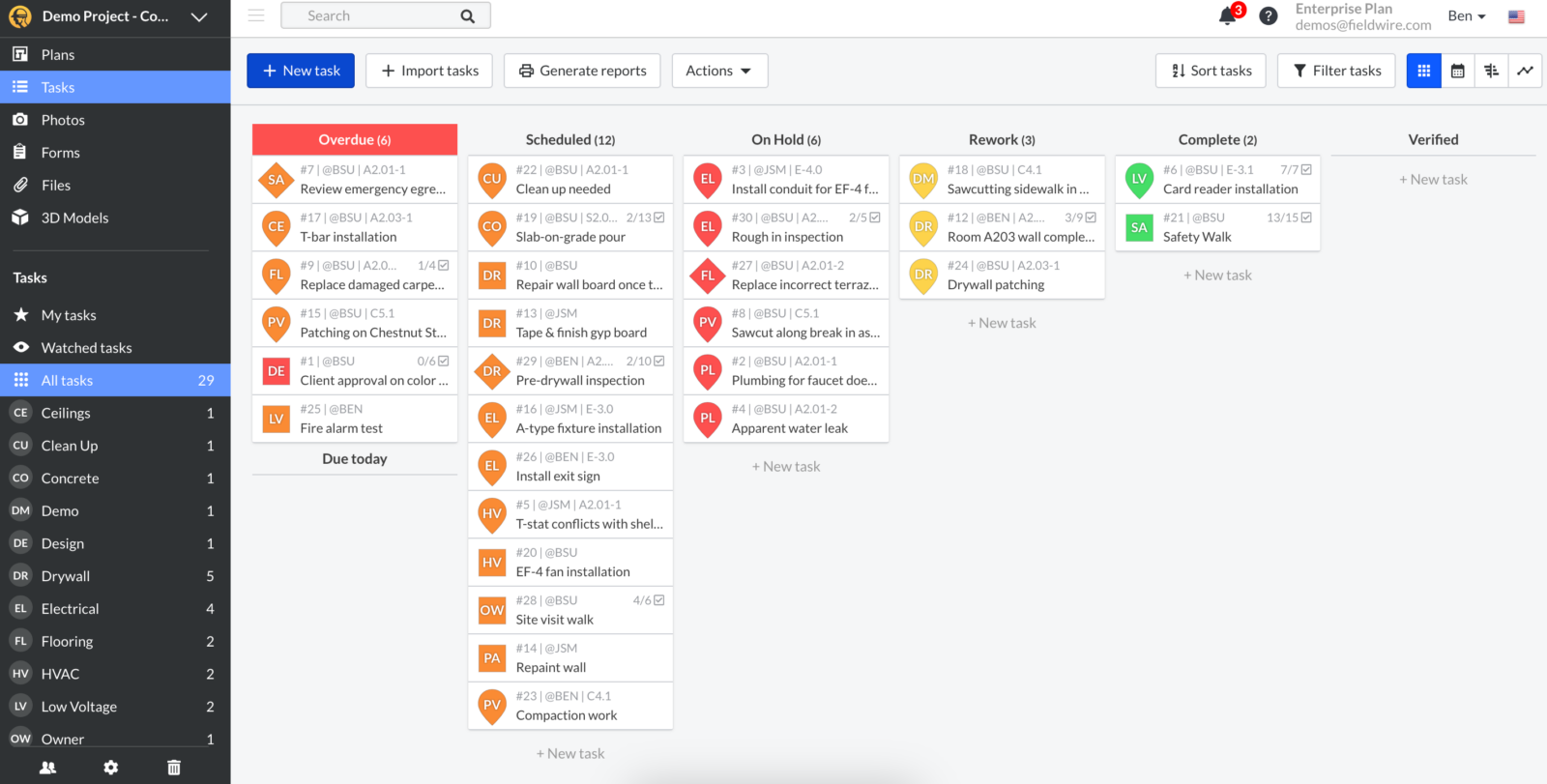
Fieldwire, now part of Hilti, is a field management platform for construction primarily used for task coordination, blueprint viewing, inspections, and job site checklists. It is designed to empower field teams to collaborate around blueprints, issues, and daily work execution.
As construction scheduling software, Fieldwire is not a true scheduling tool in the traditional CPM sense. While it supports task assignment and due dates, it lacks CPM logic, Gantt charts, baselines, dependency management, and schedule analytics. Planning in Fieldwire is task-oriented and operational—excellent for field coordination but not for building or managing formal construction schedules. Most teams use it as a complement to a dedicated scheduling tool, leveraging its strengths in on-site communication and task management.

Strengths: Excellent for field communication and task coordination; robust blueprint viewing and markup capabilities; easy to use for field teams; good for inspections and checklists.
Limitations: Not a formal scheduling tool (lacks CPM, Gantt charts, baselines); limited reporting depth; cost per user can add up for larger teams.
Pricing: Offers free and paid plans, with costs increasing for more users and advanced features.
User Reviews: Highly rated for blueprint viewing, real-time markup collaboration, and ease of use, though concerns are raised about per-user costs and limited reporting depth.
Verdict: Best construction scheduling software for field coordination and on-site task management.
10. Workyard
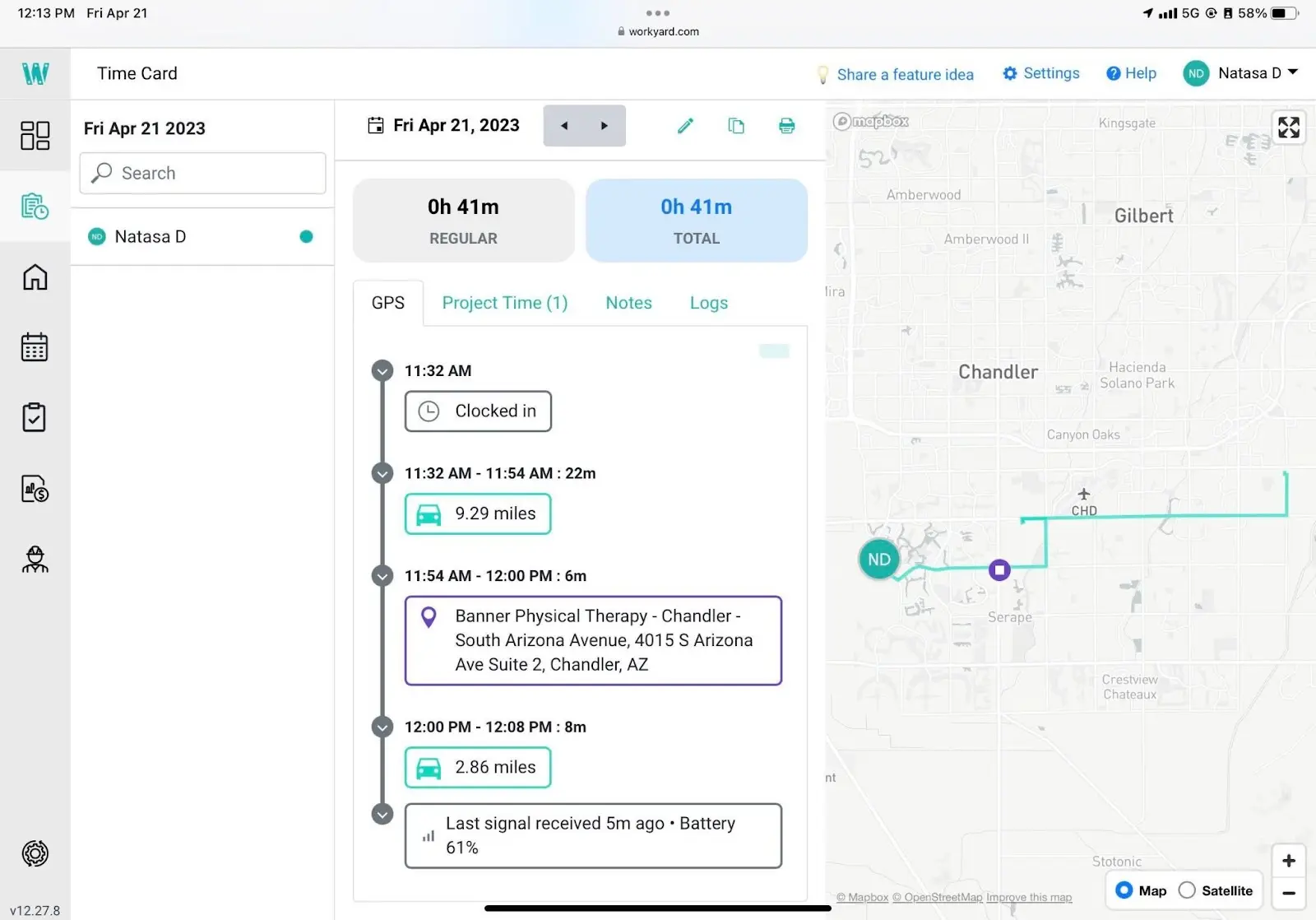
Workyard is a team management platform for construction focused on crew scheduling, GPS time tracking, and labor cost data capture. It is utilized by contractors to assign work, monitor real-time crew locations, and connect time and cost data from the field to the office.
As construction scheduling software, Workyard provides basic scheduling tools concentrated on crew assignment and personnel dispatch. It lacks formal CPM logic, Gantt visualization, baselines, and portfolio planning. Its scheduling is limited to field crew rosters and calendar views, not formal project schedule development. For contractors needing accurate labor cost tracking and GPS accountability, it addresses a genuine need but does not replace a comprehensive scheduling tool.
Strengths: Accurate GPS time tracking and crew location monitoring; strong labor cost data capture; easy for crew scheduling and dispatch; helps connect field data to the office.
Limitations: Lacks formal CPM scheduling, Gantt charts, and baselines; limited functionality beyond labor tracking and dispatch; some users report GPS issues.
Pricing: Subscription plans vary based on the number of users and features.
User Reviews: Praised for GPS accuracy, time tracking, and ease of use, with some users noting limited functional depth beyond labor tracking.
Verdict: Best construction scheduling software for labor tracking and crew management.
11. InEight
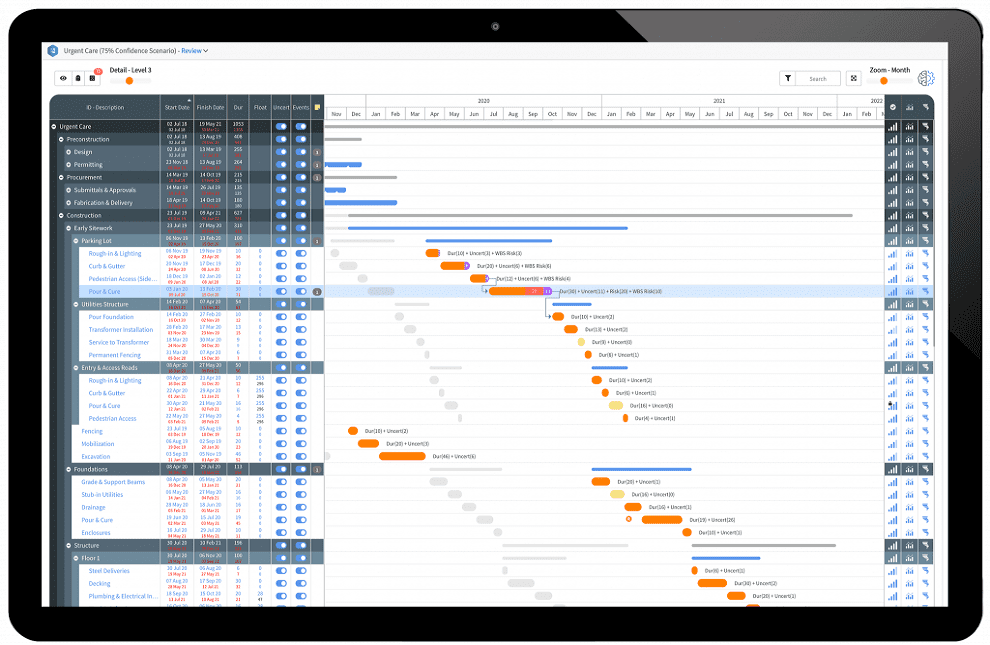
InEight is an enterprise construction project controls platform trusted by over 850 companies globally to manage more than $1 trillion in projects. Primarily designed for large contractors in infrastructure, transportation, energy, nuclear, and oil & gas sectors, it focuses on investment planning, cost management, estimating, schedule integration, risk, and performance controls.
As construction scheduling software, InEight is control-oriented rather than a standalone scheduling engine. It integrates imported schedules for forecasting, risk analysis, and performance monitoring but does not function as an autonomous CPM engine. It lacks native advanced Gantt modeling, full CPM authorship, and schedule creation workflows. Teams using InEight for cost controls will typically continue to use Primavera P6 or Microsoft Project for actual schedule development.

Strengths: Robust enterprise project controls; strong cost management and estimating capabilities; excellent for risk analysis and performance monitoring; highly scalable for large capital projects.
Limitations: Not a standalone CPM scheduling tool; high cost and long implementation cycles; steep learning curve; primarily designed for very large enterprises.
Pricing: Enterprise-level pricing, quoted upon request.
User Reviews: Frequent feedback points to high cost, lengthy implementation cycles, and a steep learning curve. Best suited for large enterprises.
Verdict: Best construction scheduling software for enterprise construction project controls and cost integration.
12. Jobber
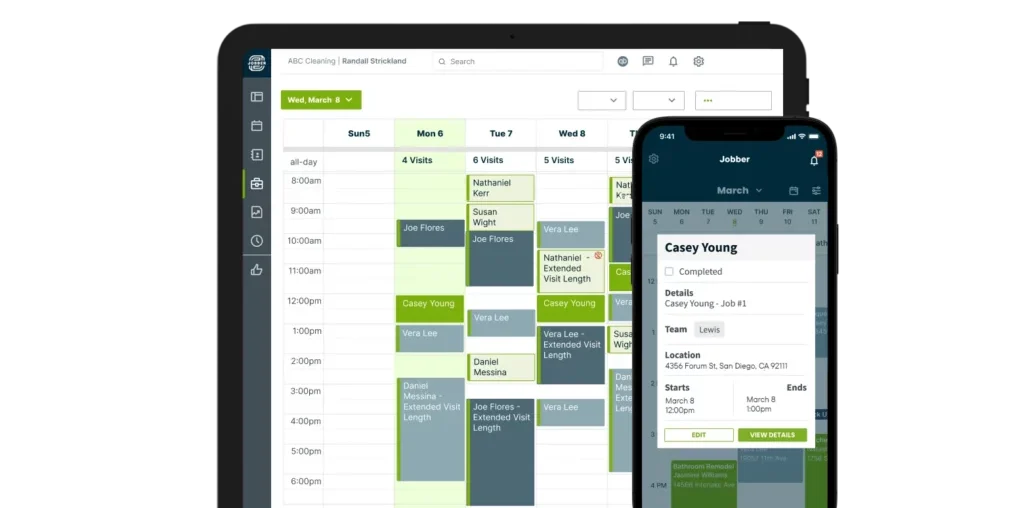
Jobber is a field service management platform used by over 250,000 service businesses, including plumbers, electricians, landscapers, and small construction contractors. It centralizes client communication, quoting, invoicing, dispatch, and basic work scheduling.
As a construction scheduling tool, Jobber is not designed for advanced project schedule management. Its scheduling module focuses on calendar views and appointment management rather than Gantt charts, critical path analysis, baselines, or resource-intensive planning. For simple assignments and team dispatch, it functions well. For multi-week construction schedules with complex projects, it is insufficient.
Strengths: User-friendly for field service management; excellent client communication and quoting features; good for invoicing and dispatch; simple calendar-based scheduling.
Limitations: Not suitable for complex construction project scheduling (lacks Gantt, CPM, baselines); limited scalability for growing construction companies; basic reporting.
Pricing: Tiered subscription plans based on features and number of users.
User Reviews: Positively reviewed for ease of use, client communication, and quoting, but concerns include scalability issues and limited advanced features for complex projects.
Verdict: Best construction scheduling software for field service contractors and appointment-based scheduling.

13. Contractor Foreman
Contractor Foreman is an affordable all-in-one construction management platform designed for small to medium-sized contractors. Starting from $49/month for the entire company, it combines scheduling, estimating, job costing, time cards, documentation, and client communication.
As construction scheduling software, Contractor Foreman offers basic to intermediate planning with Gantt charts, task dependencies, milestones, and progress tracking. While it lacks the depth of advanced CPM tools—such as slack visualization, robust baselines, and portfolio planning—it significantly exceeds expectations for small contractors needing reliable daily planning without enterprise pricing. Its comprehensive feature set at an accessible price point makes it a strong contender for growing businesses.
Strengths: Affordable all-in-one solution for small to medium contractors; includes Gantt charts and task dependencies; good for estimating and job costing; strong client communication.
Limitations: Lacks advanced CPM features (slack, robust baselines, portfolio planning); some users report a cluttered interface and learning curve; performance may degrade on larger projects.
Pricing: Highly competitive tiered pricing starting from $49/month for the entire company.
User Reviews: Consistently highly rated for value for money (4.5/5 on Capterra and G2), though some users mention a cluttered interface and learning curve.
Verdict: Best construction scheduling software for small to medium-sized construction companies seeking an affordable, comprehensive solution.
14. Microsoft Planner
Microsoft Planner is a lightweight task management tool included with Microsoft 365 subscriptions. It is primarily used for team task tracking, to-do lists, and simple work planning via boards, buckets, and due dates—not for formal project schedules. Its tight integration with Teams and Outlook makes it a natural first tool for organizations heavily anchored in the Microsoft ecosystem.

As construction scheduling software, Microsoft Planner falls significantly short of professional scheduling standards. It lacks CPM logic, Gantt charts, baselines, dependencies, and resource planning. For construction teams, it functions merely as a task list and a light collaboration aid, not a tool for building, analyzing, or managing comprehensive construction schedules. Its simplicity, while an advantage for basic task management, becomes a limitation for complex construction projects requiring detailed planning and oversight.
Strengths: Simple and easy to use; excellent integration with Microsoft 365 ecosystem (Teams, Outlook); good for basic task management and team collaboration; free with Microsoft 365 subscriptions.
Limitations: Lacks core scheduling features like Gantt charts, CPM, dependencies, and baselines; limited customization and reporting depth; quickly becomes restrictive for complex projects.
Pricing: Included with Microsoft 365 subscriptions.
User Reviews: Described as simple, clean, and good for light collaboration, but commonly criticized for limited customization and quickly becoming restrictive with increasing project complexity.
Verdict: Best construction scheduling software for simple task management and light collaboration within the Microsoft ecosystem.
15. Wrike
Wrike is a cloud-based work management and collaboration platform used across all industries to plan projects, manage tasks, track progress, and automate workflows. With a robust feature set including Gantt charts, dependencies, baselines, and resource management, it is popular among marketing, operations, and professional services teams, and can be adapted for construction scheduling with the right configuration.
As construction scheduling software, Wrike offers generalist planning rather than construction-level CPM. While it includes Gantt charts, dependencies, and baselines, it lacks the rigor of full CPM, slack visualization, advanced construction-specific resource planning, and cost integration. For versatile construction teams needing robust project tracking and reporting without a steep learning curve, Wrike is a solid option. Its flexibility allows it to be configured for various construction workflows, making it a powerful tool for teams that prioritize adaptability and comprehensive project oversight.

Strengths: Strong work management and collaboration features; includes Gantt charts, dependencies, and baselines; good resource management capabilities; highly customizable and adaptable.
Limitations: Not a dedicated CPM tool for construction (lacks advanced CPM rigor, slack visualization); complex setup; can generate excessive notifications; pricing scales quickly.
Pricing: Offers free, professional, business, and enterprise plans, with pricing scaling based on features and users.
User Reviews: Users frequently mention complex setup, excessive notifications, and a rapidly scaling pricing model. Consistently well-rated on G2 (4.2/5) and Capterra (4.4/5).
Verdict: Best construction scheduling software for versatile teams requiring robust project tracking and collaboration.
Types of Construction Scheduling Software
Construction scheduling software comes in various forms, tailored to different project sizes, complexities, and user requirements. Choosing the right type depends on your specific workflows, team structure, reporting needs, and the level of detail required for your schedules.
- Basic Task Managers: (e.g., Microsoft Planner) Ideal for small teams or simple tasks, focusing on to-do lists, assignments, and due dates without complex dependencies or resource allocation.
- Integrated Project Management Suites: (e.g., ProjectManager, Monday.com, Smartsheet) Offer a broader range of functionalities beyond just scheduling, including collaboration, document management, and basic resource tracking, suitable for various project sizes seeking a unified platform.
- Dedicated Construction Management Platforms: (e.g., Procore, Autodesk Construction Cloud, Buildertrend) Comprehensive solutions designed specifically for the construction industry, encompassing project controls, financials, field management, and client communication, in addition to scheduling.
- Advanced CPM Tools: (e.g., Microsoft Project, Primavera P6) Specialized software for large, complex projects that require rigorous Critical Path Method analysis, detailed resource leveling, and robust baseline management. These tools are often used by professional schedulers.
- Field Management Solutions: (e.g., Fieldwire, Workyard) Primarily focus on on-site operations, task coordination, daily reporting, and labor tracking, serving as a critical link between the office and the job site.
- Enterprise Project Controls: (e.g., InEight) Tailored for mega-projects and large organizations, integrating scheduling with advanced cost management, risk analysis, and performance control at a strategic, portfolio level.
How to Choose the Right Construction Scheduling Software
Selecting the appropriate construction scheduling software is a subjective decision, as no single tool fits all needs. To make an informed choice, begin by thoroughly evaluating your organization’s actual scheduling requirements before comparing functionalities or vendors. Consider the following crucial factors:
- Project Scale and Complexity: Determine if your projects are small residential builds, medium-sized commercial developments, or large-scale infrastructure projects. Tools vary significantly in their capacity to handle different levels of complexity and data volume.
- Core Functionalities Required: Identify essential features such as Gantt charts, critical path method (CPM) analysis, resource allocation, cost tracking, and collaboration tools. Ensure the software offers the specific scheduling and management capabilities vital for your operations.
- Integration Capabilities: Assess the software’s ability to integrate with your existing systems, including BIM software, accounting platforms, ERP systems, and communication tools. Seamless integration prevents data silos and enhances workflow efficiency.
- Ease of Use and Training: Consider the learning curve for your team. An intuitive interface and readily available training resources are crucial for high adoption rates and maximizing productivity, especially for field personnel.
- Mobile Accessibility: For construction, mobile applications are paramount. Field teams need to access schedules, update progress, and communicate from anywhere, anytime, ensuring real-time data flow.
- Pricing Model and Budget: Understand the pricing structure (e.g., per-user, per-project, subscription, enterprise licensing) and ensure it aligns with your budget. Factor in potential hidden costs like training, implementation, and ongoing support.
- Vendor Support and Updates: Evaluate the vendor’s reputation for customer support, regular software updates, and future development roadmap. Reliable support and continuous improvement are essential for long-term satisfaction.
- Specific Industry Needs: Some software is specialized for particular construction sectors (e.g., residential, heavy civil). Choose a tool that understands and addresses the unique challenges and requirements of your specific industry.
Frequently Asked Questions About Construction Scheduling Software
Choosing software to plan your construction projects is a significant decision. Here, we address
Related posts: