When a high-priority product page slips in search engine rankings, a competitor outranks your core content, or a client landing page fails to convert, digital marketers and site owners require rapid diagnostics. Historically, identifying these friction points necessitated running comprehensive, time-consuming site-wide crawls that generated massive spreadsheets of data before isolating the root cause of a ranking drop. Today, however, specialized browser-based extensions offer targeted triage capabilities that bypass traditional bottlenecks. Semrush’s free SEOquake Chrome extension allows professionals to audit any webpage for technical signals, on-page optimization, and linking strategies directly within the browser interface.

Understanding SEOquake and Its Diagnostic Architecture

Developed by digital marketing software giant Semrush, SEOquake functions as a versatile on-page analysis tool designed to streamline technical SEO research. Upon installing the extension from the Chrome Web Store and navigating to a target URL, users can activate the extension to execute instant evaluations. The tool is engineered to deliver results through color-coded reporting interfaces—utilizing green, orange, and red indicators—which allow optimization specialists to immediately prioritize critical technical fixes versus minor structural adjustments.

The extension is partitioned into two primary diagnostic layers: the Quick View pop-up window, intended for rapid 60-second triage, and the Full Report panels, which provide exhaustive data regarding keyword density, link health, and domain authority metrics. This dual-layered structure enables SEO professionals to transition seamlessly from a high-level overview to granular technical inspection without navigating away from the analyzed webpage.

Minute One: Rapid Triage Using the Quick View Pop-Up

The initial stage of a rapid page audit focuses on triage, answering a singular question within 60 seconds: Is there an obvious, critical failure impairing the page’s ability to rank or convert? The SEOquake Quick View pop-up organizes data across five distinct tabs, with the Page Info, Audit, and Content tabs serving as the primary focus areas for a rapid 20-second evaluation per section.

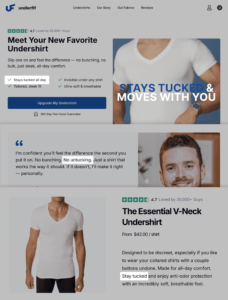
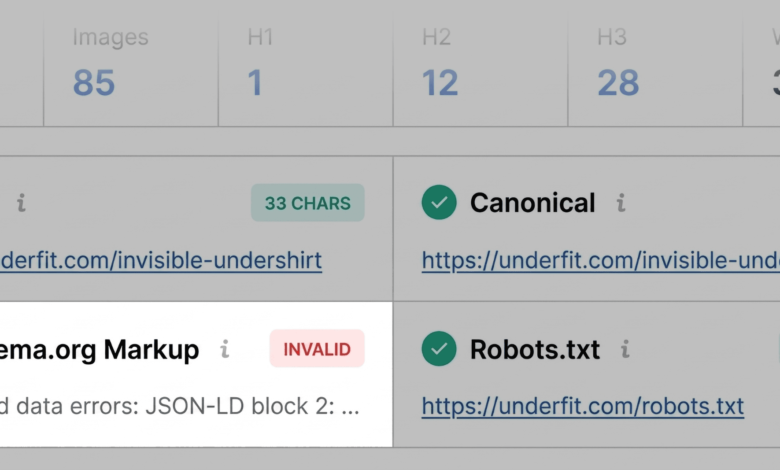
During the evaluation of a sample product page—such as an e-commerce storefront for apparel brand UnderFit—the Page Info tab provides immediate visibility into core SEO elements, including title tags, meta descriptions, canonical URLs, and meta robots directives. A rapid scan of these elements highlights whether metadata adheres to standard length guidelines and accurately targets primary user intent. In the case of the UnderFit product page, the initial automated scan flagged a critical issue concerning Schema.org structured data. The tool identified JSON-LD implementation errors marked in red, indicating that search engine bots might struggle to parse the structured data correctly. For an e-commerce product page, invalid schema markup represents a severe vulnerability, as it can disqualify the URL from capturing valuable product rich results, such as dynamic pricing, stock availability, and aggregate star ratings in search engine results pages (SERPs).

Moving to the Audit tab within the Quick View interface uncovers technical compliance metrics, such as mobile responsiveness, viewport settings, and protocol security (HTTPS). While green and orange indicators often suggest the absence of an immediate catastrophic failure, orange warnings necessitate informed technical judgment. For instance, minor flags regarding localized alternate language tags (hreflang) require contextual evaluation based on whether the brand operates multi-regional domains.

The final stop in the initial 60-second triage is the Content tab, which evaluates structural hierarchy, heading tag distribution (H1 through H6), and image optimization metrics. On the evaluated product page, the content analysis revealed significant structural anomalies: the primary H1 heading appeared lower down in the document body, and the heading hierarchy skipped levels—transitioning abruptly from an H1 directly to an H4. Furthermore, the image summary flagged 36 missing alt text attributes. Because product imagery heavily influences user engagement and conversion rates, missing alternative text not only diminishes accessibility compliance for visually impaired shoppers but also deprives search engines of contextual image signals.

Minutes Two and Three: Deep-Dive Diagnostics via the Full Report

Having established a preliminary list of anomalies during the first-minute triage, the auditor clicks "View Full Report" to access the comprehensive diagnostic panels. This phase shifts the workflow from identification to root-cause diagnosis, helping specialists determine whether the detected issues stem from isolated page elements or systemic site-wide errors.

The Full Report interface expands upon the initial findings by categorizing data into specialized panels: Audit, Keyword Density, Internal Links, External Links, Page Source, and Semrush Domain Metrics.

Investigating Technical Compliance and Schema Errors

Selecting the full Audit panel provides a granular breakdown of crawlability, indexation rules, sitemap integration, and structured data validation. Utilizing the navigation menu to isolate specific warnings, the auditor reviews the XML sitemap status. For the UnderFit domain, the audit confirmed that while the sitemap file existed at the standard root directory, it lacked prominent internal linking signals, potentially delaying discovery by search engine crawlers.

To address the JSON-LD schema errors flagged during triage, the auditor utilizes the integrated "Test in Rich Results" feature, which launches Google’s official Rich Results testing tool directly from the report interface. The subsequent analysis confirms multiple invalid items within the structured data block. This verification transforms a tentative warning into an actionable item for the development backlog: fix the JSON-LD syntax errors to restore eligibility for rich snippets.

Evaluating Topic Coverage and Keyword Distribution

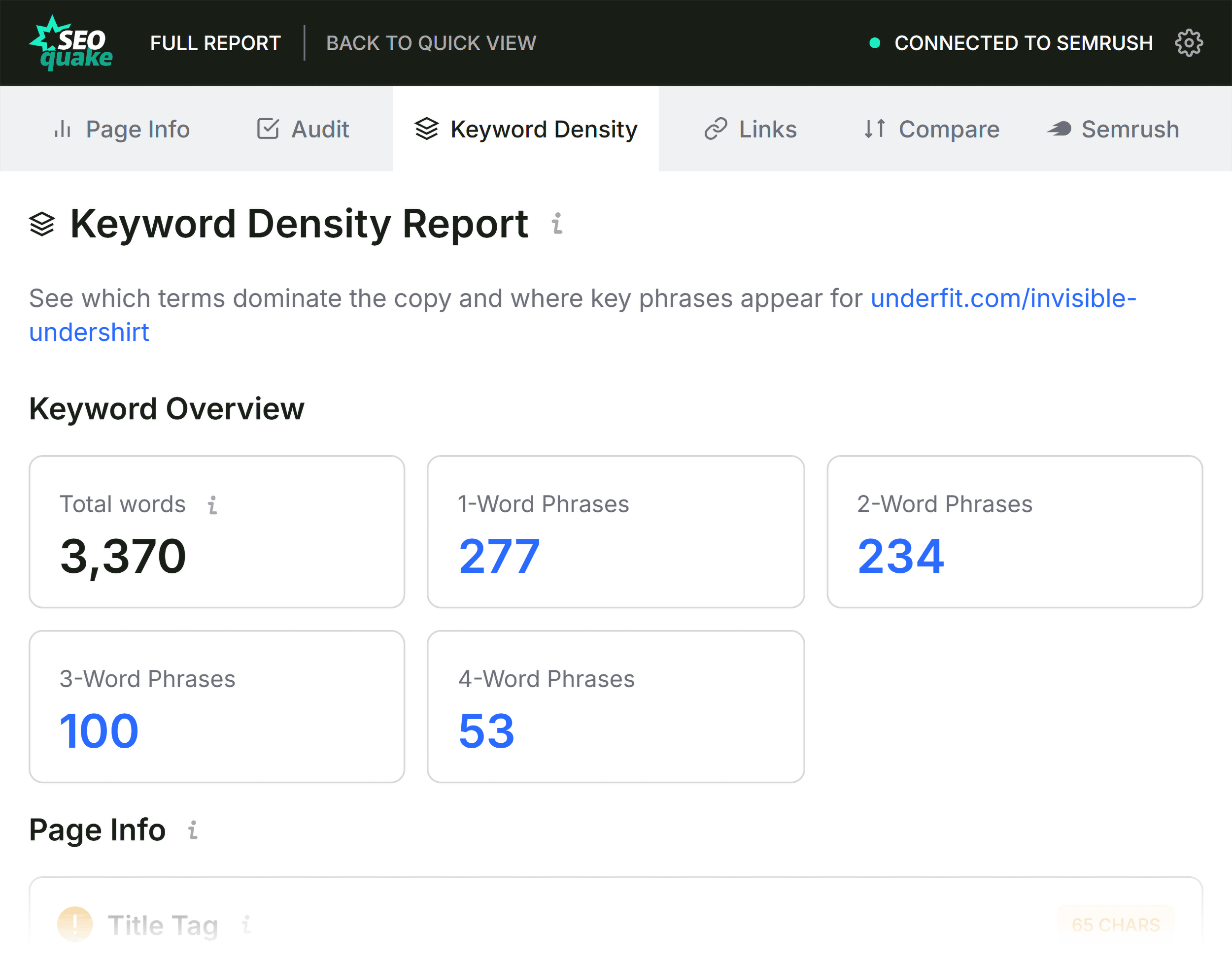
When a page underperforms despite a robust backlink profile, analyzing topical depth and keyword distribution becomes essential. The Keyword Density panel in SEOquake computes the frequency of single-word and multi-word phrases within the visible text and underlying HTML.

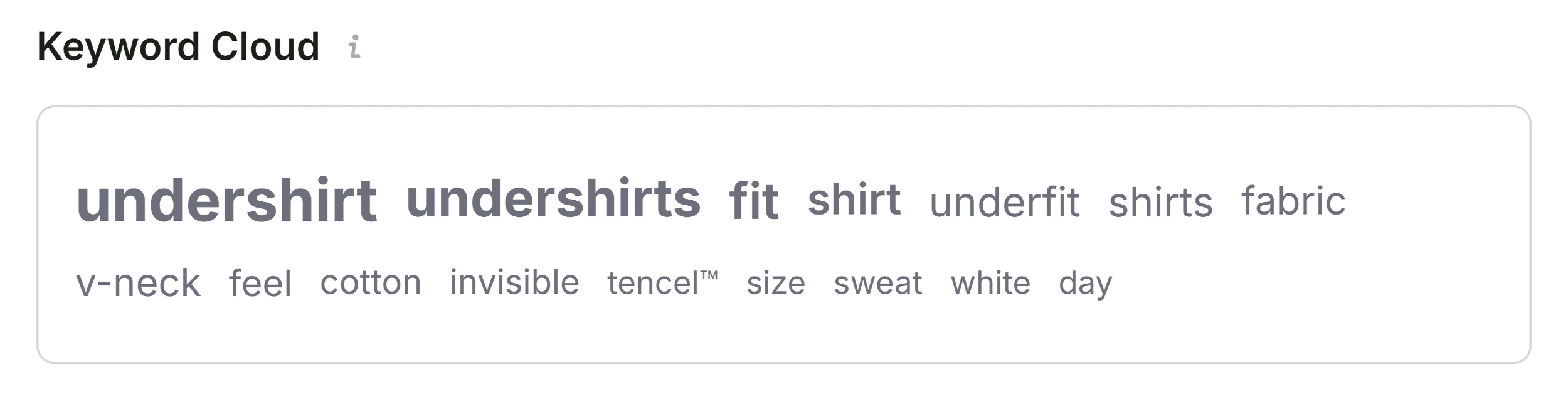
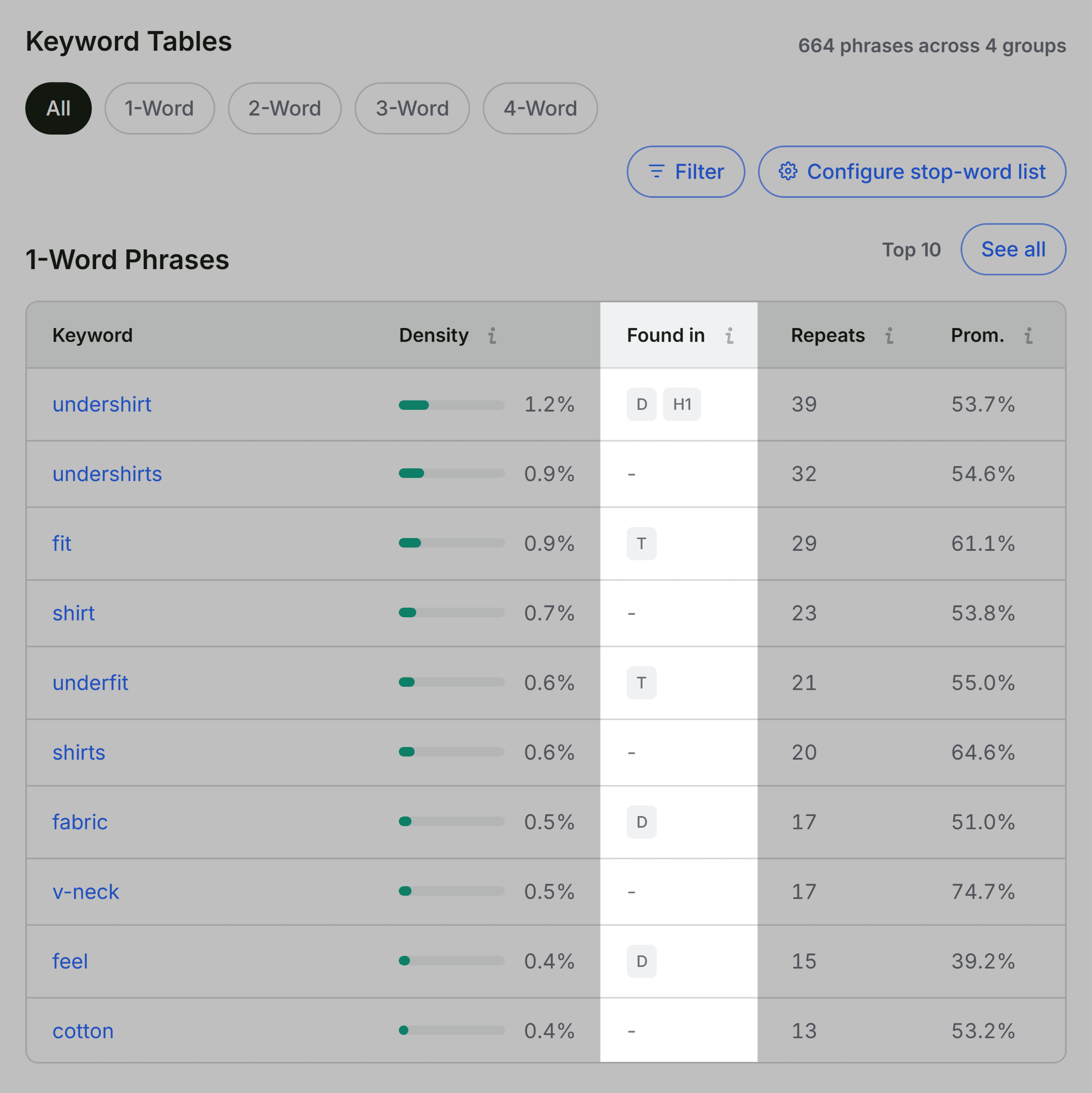
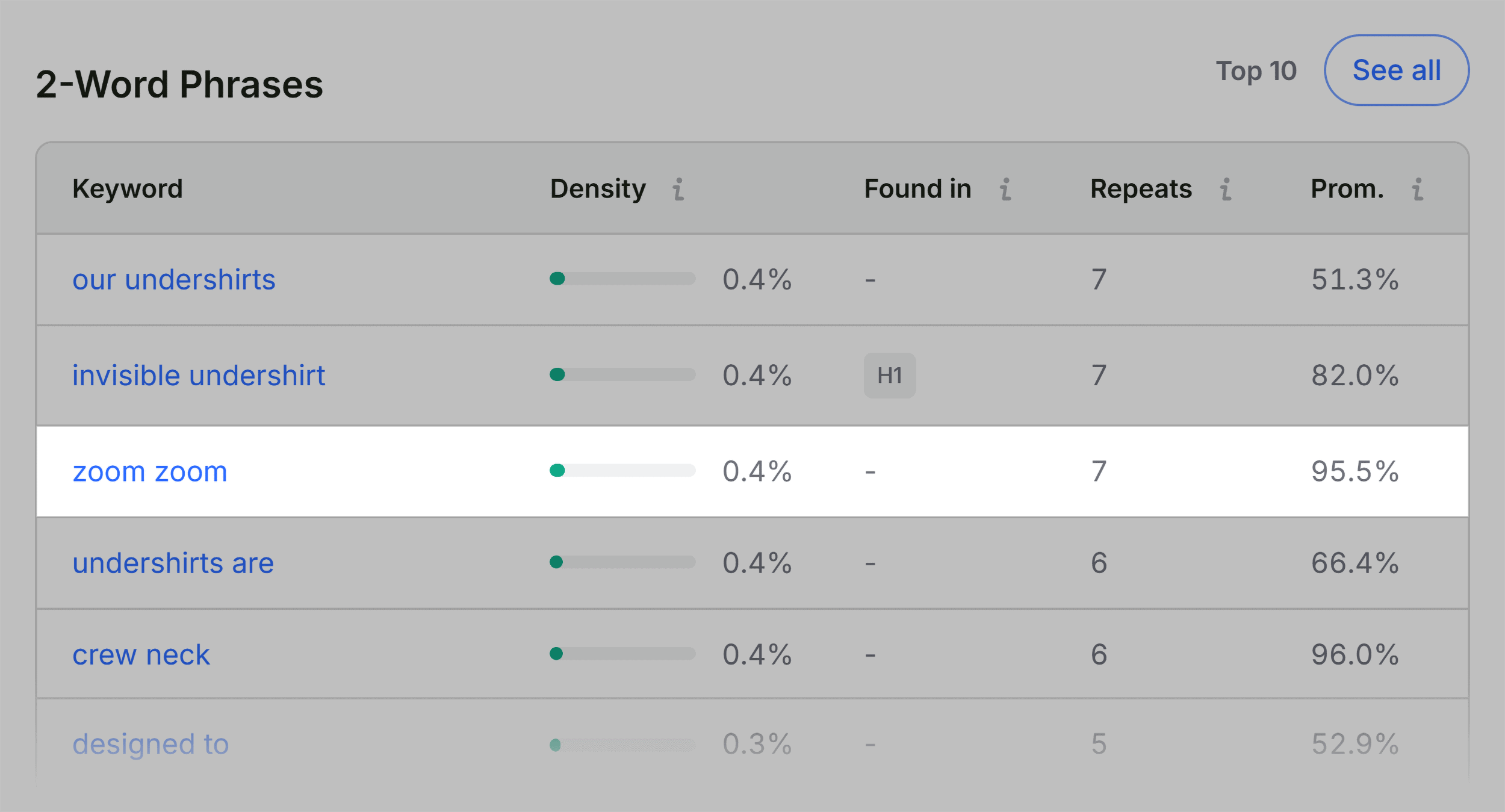
By reviewing the Keyword Cloud and phrase frequency tables, optimization specialists can verify whether the page adequately covers the target subject matter. For the analyzed product page, dominant terms such as "undershirt," "fit," "fabric," "v-neck," and "cotton" appropriately reflect the core product offering. Furthermore, the "Found in" column validates that primary keywords appear in high-value locations, such as the title tag, meta description, and H1 header. While occasional peripheral phrases—such as interface terms related to image zooming or interactive widgets—appear in the raw HTML data, they do not detract from the overall topical alignment of the core commercial copy.

Analyzing Link Health and Structural Integrity

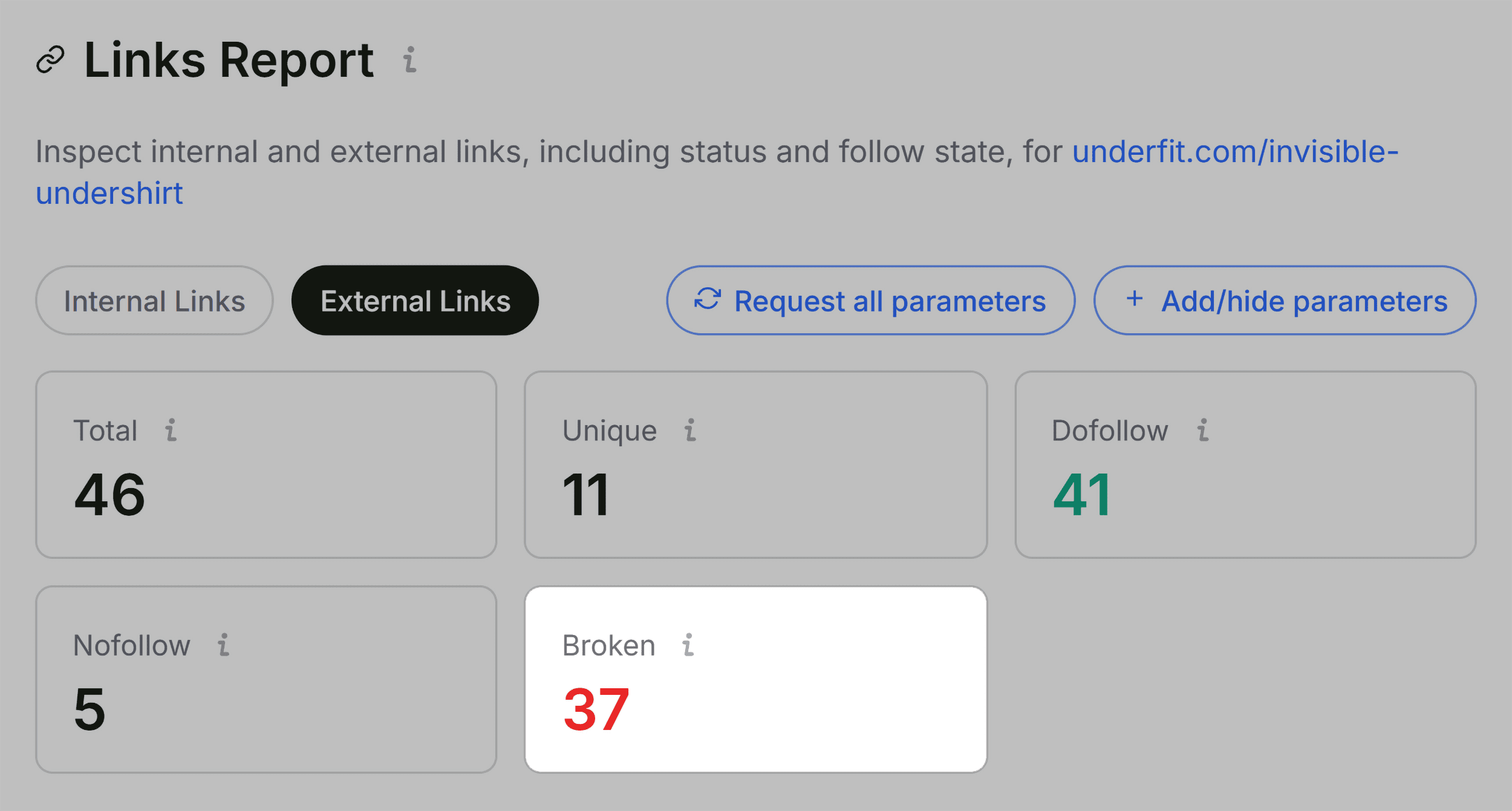
Broken, vague, or unmanaged links degrade both user experience and crawl efficiency. The Links panel in SEOquake aggregates all internal and external hyperlinks present on the webpage, detailing HTTP response codes, anchor text strings, and link attributes (dofollow versus nofollow).
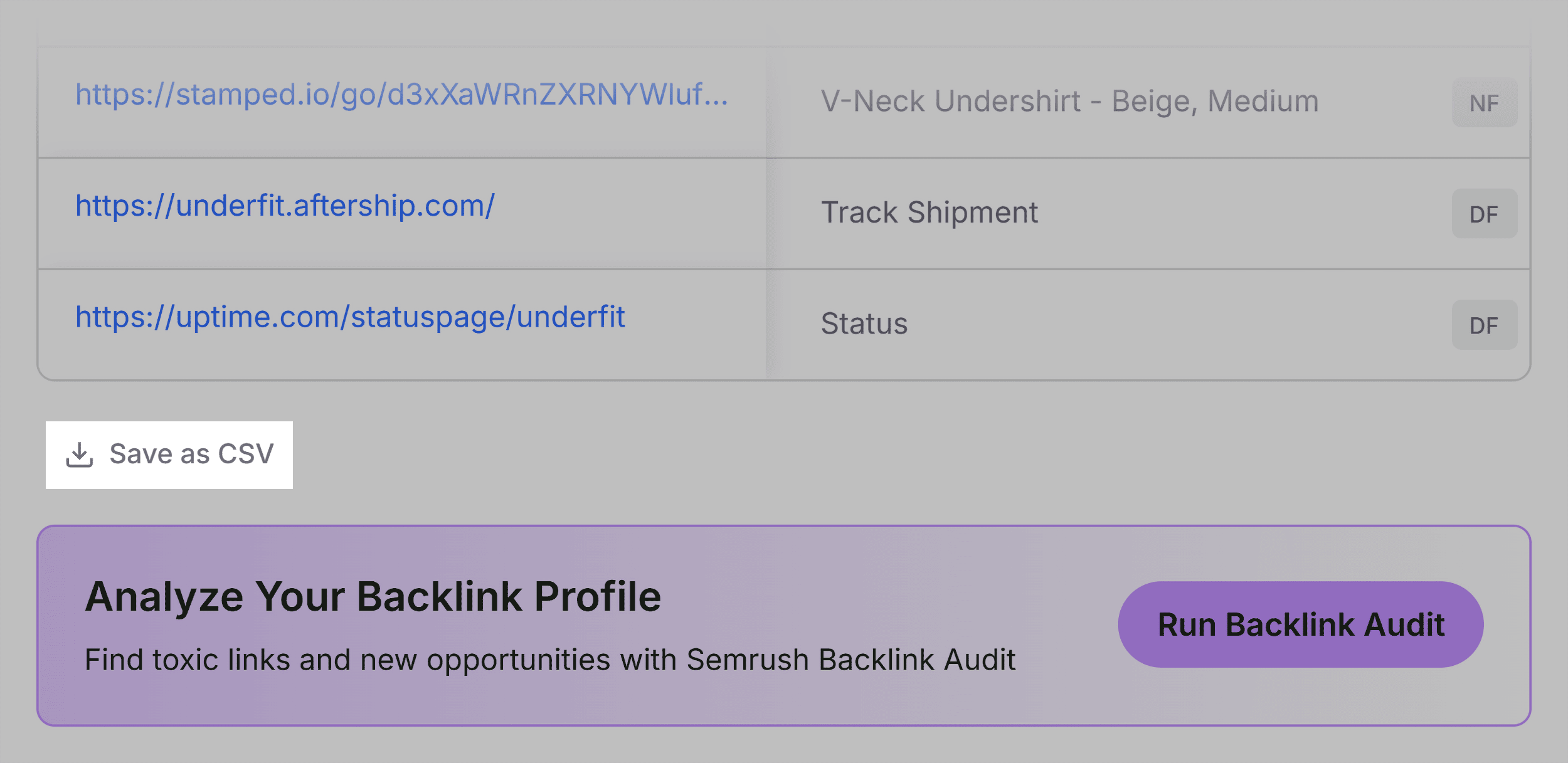
The link audit of the test page identified isolated broken internal paths alongside a series of broken external JavaScript-dependent links. Exporting this data to a CSV format allows developers to systematically review and purge dead references, ensuring that link equity flows smoothly and users do not encounter frustrating 404 error pages.
Contextualizing Performance with Semrush Domain Metrics
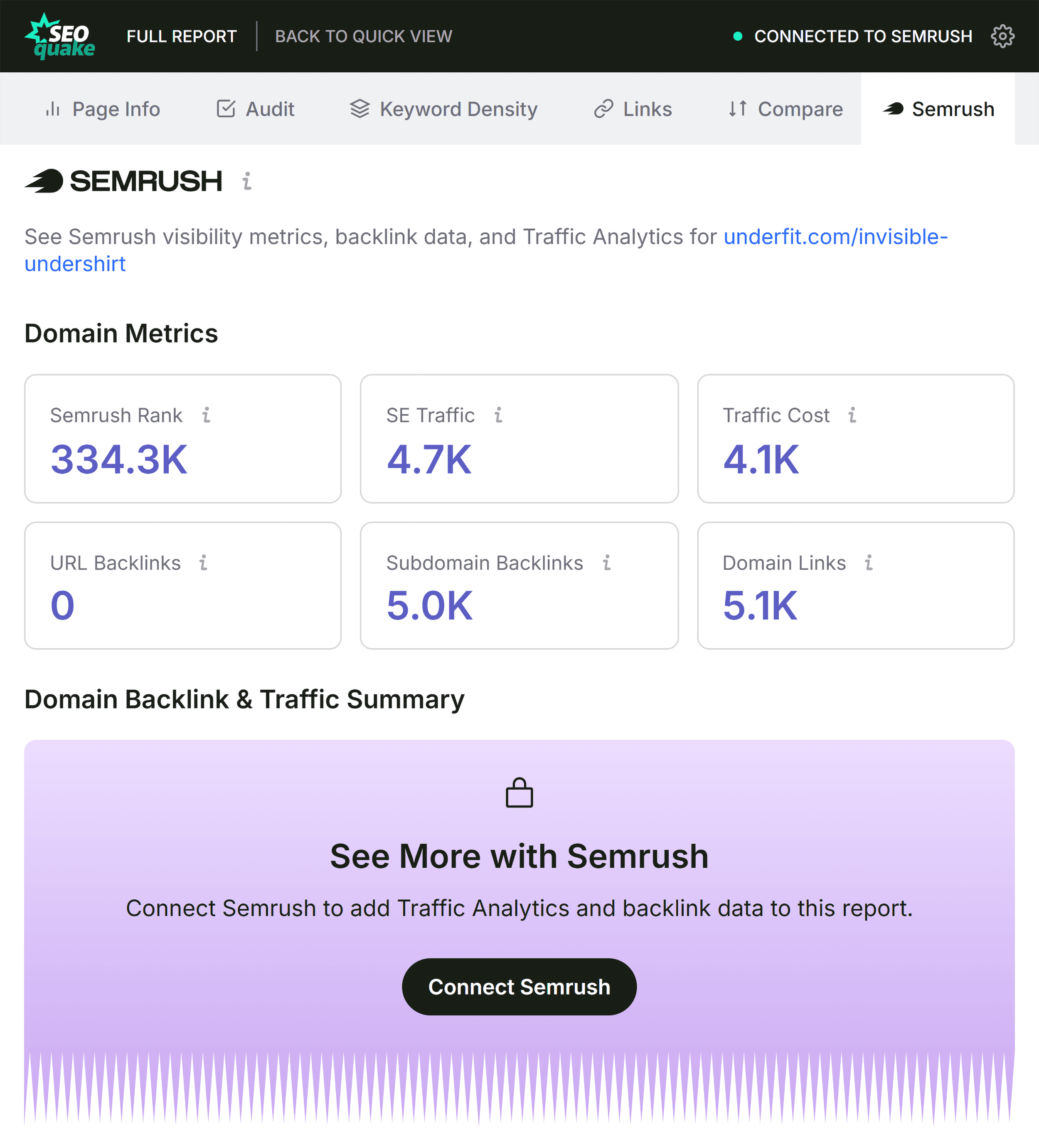
Before executing site-wide or page-level modifications, digital marketers must contextualize page-level data within the broader authority of the parent domain. The Semrush integration panel within SEOquake provides this critical macro-level perspective, displaying domain authority scores, organic search traffic estimations, total ranking keywords, and backlink profile volumes.
When a weak-performing URL resides on a high-authority domain backed by strong organic visibility and a healthy backlink profile, the diagnostic conclusion typically points toward on-page content relevance, technical optimization, or conversion rate optimization (CRO) issues rather than a lack of domain trust. Conversely, structural errors such as XML sitemap misconfigurations or recurring template-level JSON-LD schema failures require site-wide remediation rather than isolated page edits. For complex structural issues that exceed the scope of a single-URL browser extension, professionals transition to dedicated enterprise crawlers, such as the Semrush Site Audit tool, to execute comprehensive site-wide analyses across thousands of URLs.
Implications and Best Practices for Modern SEO Audits
The integration of browser-based diagnostic tools into daily workflows represents a fundamental shift in how digital marketing teams approach technical troubleshooting. By compressing the preliminary audit phase into a streamlined, three-minute process, professionals can rapidly triage client websites during live consultations, conduct competitive benchmarking on the fly, and isolate technical roadblocks without waiting for scheduled weekly crawler reports.
Ultimately, mastering the SEOquake workflow bridges the gap between high-level performance analytics and tactical, on-the-ground execution. Whether addressing missing image alt text, correcting hierarchical heading structures, repairing broken hyperlinks, or validating structured data markup, the ability to diagnose and prioritize web page health swiftly remains an indispensable competency in the modern search optimization landscape.