When a high-priority product page slips in search engine rankings, a competitor captures a coveted top spot, or a client asset fails to convert traffic into revenue, digital marketers require immediate diagnostic clarity. Traditionally, identifying such deficiencies necessitated executing comprehensive, site-wide crawls that consumed valuable hours. However, modern page-level diagnostic toolsets have streamlined this workflow, allowing optimization specialists to pinpoint technical failures, structural anomalies, and content gaps directly within the browser environment.

The SEOquake Chrome browser extension, developed by digital marketing platform Semrush, serves as an efficient solution for conducting rapid on-page audits. By leveraging this tool, search engine optimization (SEO) professionals can evaluate technical signals, analyze on-page factors, inspect link architectures, and review core domain metrics without navigating away from the target URL. This reporting mechanism utilizes a clear, color-coded interface to differentiate between optimized elements, minor warnings, and critical errors, enabling teams to prioritize remediation efforts effectively.

Understanding the Three-Minute Diagnostic Methodology

Executing an effective page-level audit requires a disciplined, time-tested framework. Rather than overwhelming an analyst with raw data, a structured three-minute protocol divides the investigation into two distinct phases: triage during the first sixty seconds, followed by comprehensive diagnosis over the subsequent two minutes. This systematic approach ensures that technical blockers, structural flaws, and semantic deficiencies are identified and categorized rapidly.

Phase One: Triage via the Quick View Pop-Up

The initial minute of the audit is dedicated to answering a fundamental question: Is there an obvious, high-level operational failure preventing the page from performing? By clicking the SEOquake browser icon upon landing on the target URL, an analyst activates the Quick View pop-up menu. This interface is organized into multiple tabs, with the Page Info, Audit, and Content sections providing the most immediate value.

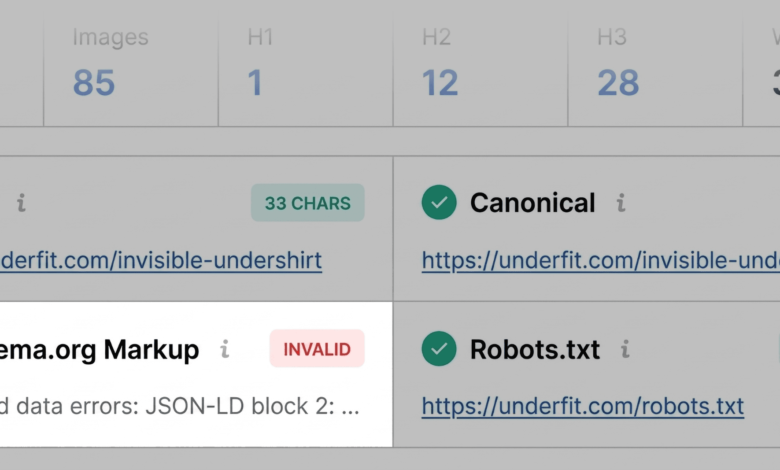
Within the Page Info tab, an evaluation of core SEO elements takes place. Analysts prioritize five critical components: the meta title tag, the meta description, the primary heading structure (H1), the URL canonicalization, and the presence of structured data. During a recent evaluation of a commercial e-commerce product page for UnderFit, the extension flagged the Schema.org markup in red, indicating a JSON-LD syntax error. For commercial web properties, invalid product schema carries severe implications, as it can render the page ineligible for rich snippets in search engine results pages (SERPs)—sacrificing valuable real estate displaying price, product availability, and user reviews.

Transitioning to the Audit tab within the Quick View menu reveals technical compliance metrics, including mobile responsiveness indicators, robots.txt directives, and canonical tags. While green and orange indicators dominate standard reports, orange warnings necessitate a contextual judgment call. For instance, an alert regarding international targeting configurations (hreflang) requires an understanding of whether the business operates multi-region sites or utilizes localized subdirectories.

Concluding the triage phase with the Content tab allows specialists to assess document structure and keyword distribution. An examination of the heading hierarchy on the UnderFit product page revealed a non-standard layout where the primary H1 tag appeared deep within the document body, interspersed with erratic heading level jumps (such as progressing directly from an H1 to an H4). Furthermore, the image summary highlighted that 36 distinct visual assets lacked alternative (alt) text. Because digital imagery drives user engagement and conversion on e-commerce platforms, missing alt tags represent both an accessibility barrier and a missed opportunity for image search optimization.

Phase Two: Deep Diagnosis Using the Full Report

Once the triage phase establishes a preliminary list of anomalies, the analyst transitions to the Full Report interface by selecting the "View Full Report" command. This action opens a comprehensive suite of analytical panels designed to uncover the root causes of the flagged issues and determine whether remediation requires page-level adjustments or broader technical interventions.

The Full Report includes specialized panels dedicated to audit metrics, keyword density, internal and external link health, and third-party domain authority indicators.

Investigating Technical and Structural Flaws

Selecting the Audit panel allows specialists to drill down into crawlability, indexation, and structured data validation. For the UnderFit product asset, the XML sitemap verification confirmed the physical existence of the sitemap file at the root domain, yet noted it was not clearly discoverable via standard internal linking structures. To validate the schema errors flagged during triage, analysts can utilize integrated testing links that bridge SEOquake directly with external diagnostic suites, such as Google’s Rich Results Test. In this instance, external validation confirmed three invalid items within the structured data, substantiating the initial warning and elevating it to a high-priority remediation task.

Evaluating Topic Coverage and Keyword Density

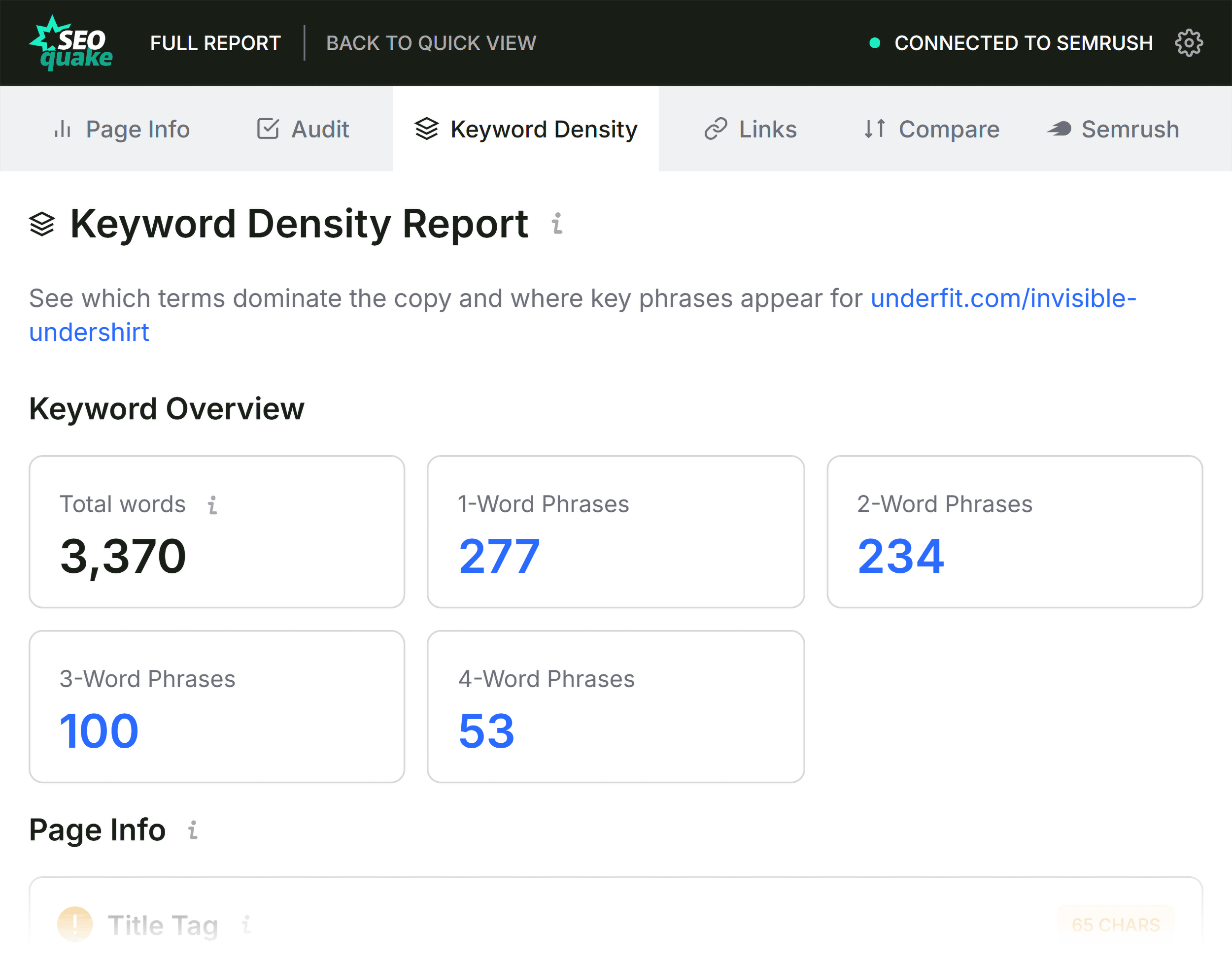
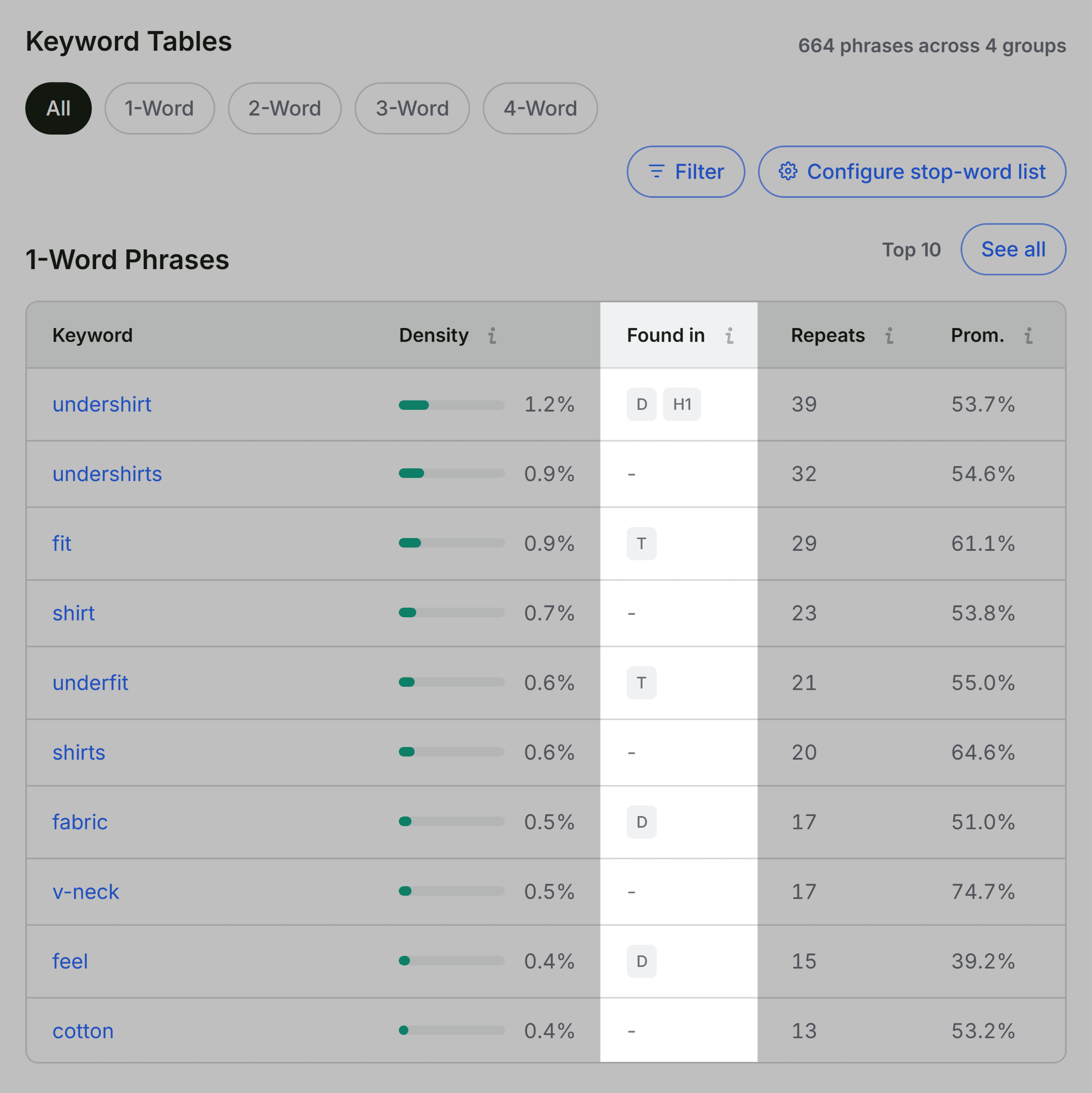
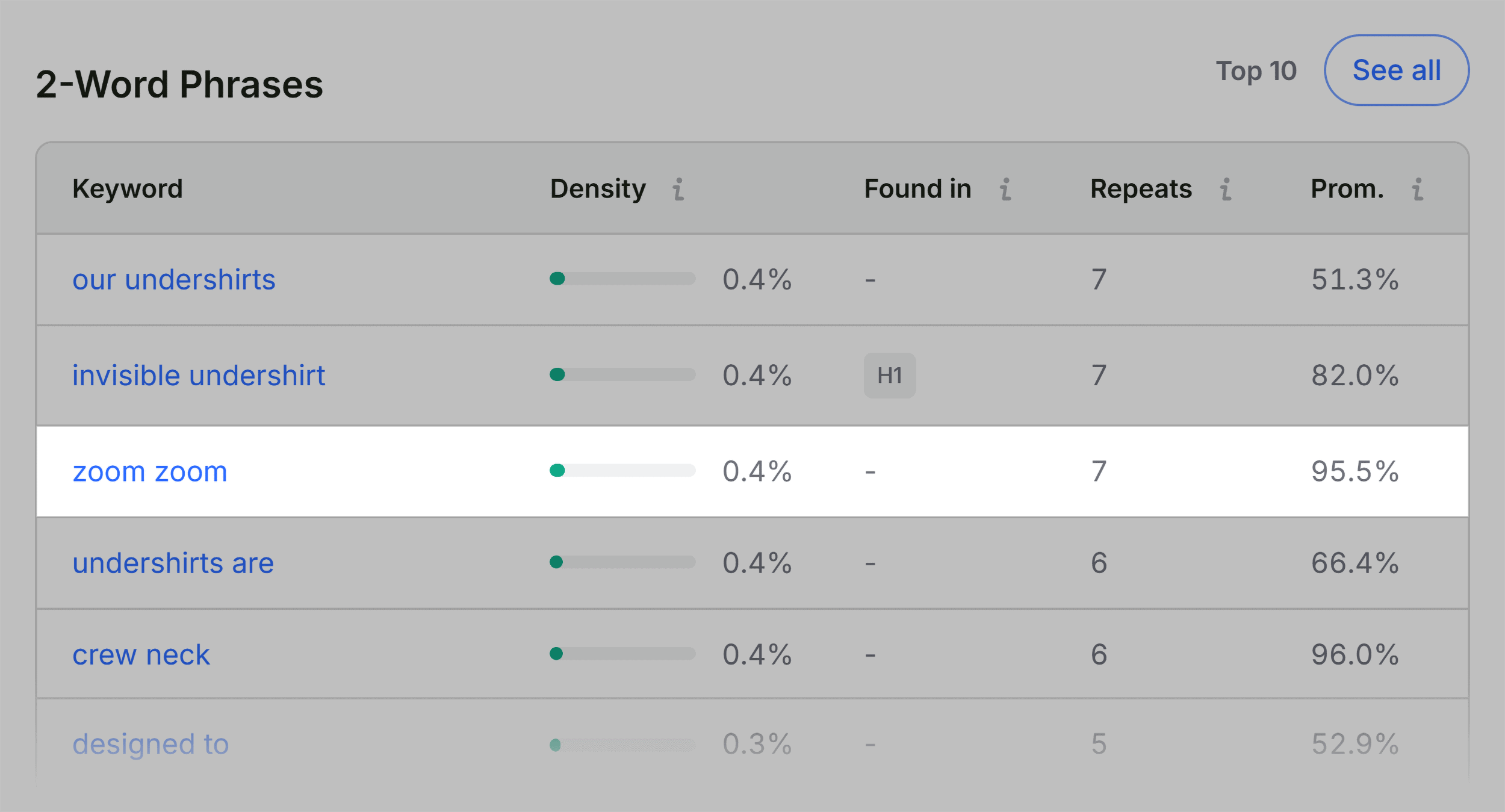
When a landing page underperforms despite a robust technical foundation, analyzing the Keyword Density panel provides critical insights into semantic relevance and topical authority. SEOquake generates a comprehensive keyword cloud and structured tables detailing single-word and multi-word phrases found within the visible text, title tags, and meta descriptions.

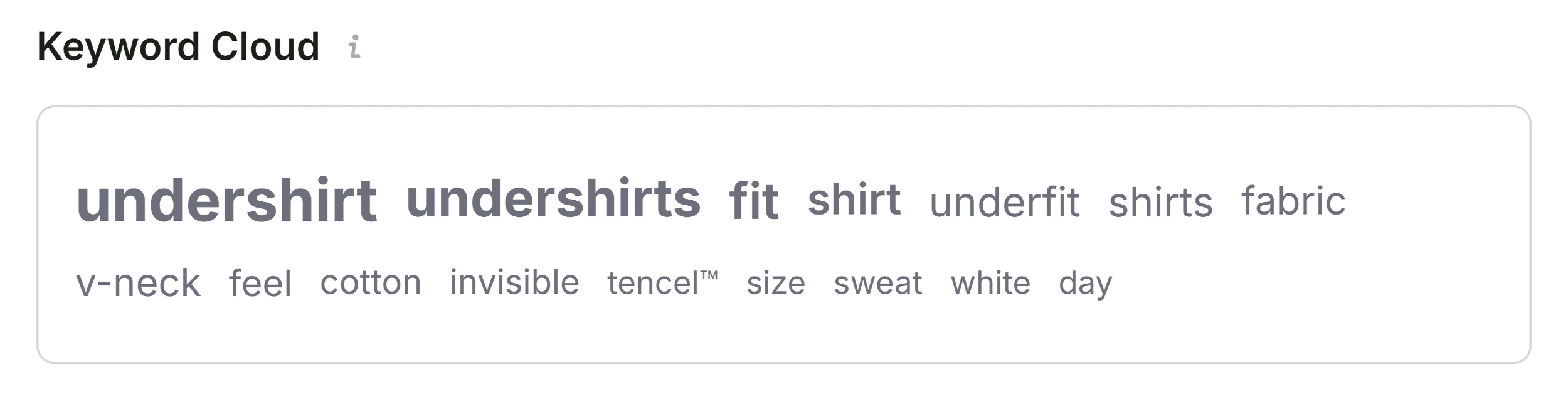
For the evaluated product page, the keyword cloud successfully highlighted core commercial terms—such as "undershirt," "fit," "fabric," "v-neck," and "cotton"—aligning precisely with the thematic expectations of a apparel product page. The analysis of multi-word phrases ("the invisible undershirt" and "v-neck undershirt") confirmed strong contextual reinforcement. While auxiliary tools occasionally register non-content text originating from JavaScript buttons, image labels, or navigation widgets (such as interface-specific commands like "zoom"), these minor noise elements do not detract from the broader semantic evaluation.

Assessing Link Integrity

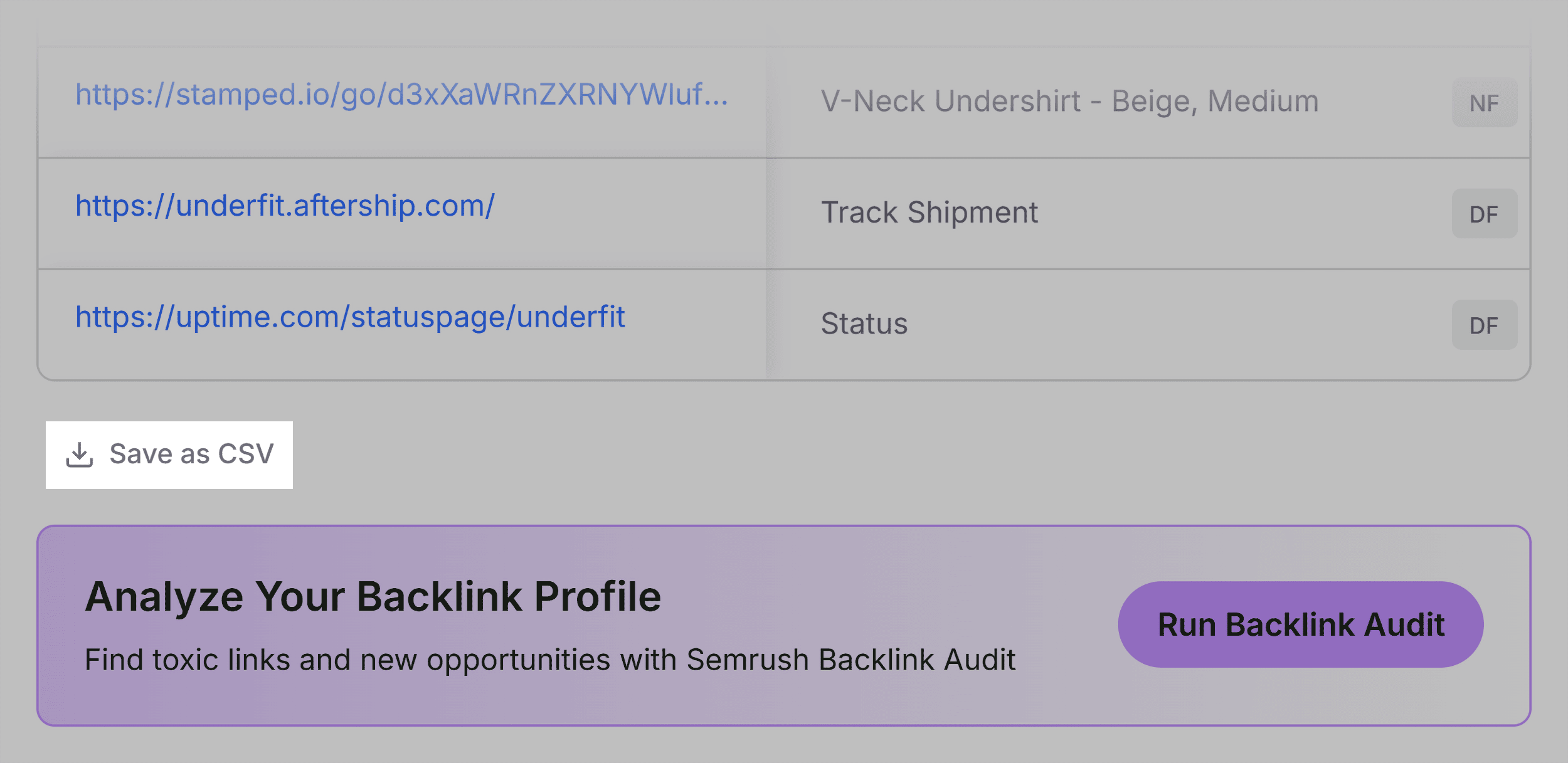
Broken or poorly configured hyperlinks disrupt user experience and hinder search engine bot crawl budgets. The Links panel inventories all internal and external paths, classifying them by HTTP response codes, anchor text usage, and link attributes (dofollow versus nofollow). The audit of the subject page uncovered multiple broken external links primarily tied to JavaScript-driven interactive elements. Specialists must cross-reference these findings to determine whether the links are genuinely broken or simply obscured by dynamic rendering technologies.

Determining the Scope of Remediation: Page-Level Fix vs. Site-Wide Audit
A critical responsibility of an optimization specialist is determining whether a discovered error is isolated to a single URL or systemic across the entire web architecture. The Semrush integration panel within SEOquake provides this essential macro-level context by displaying domain authority metrics, organic search visibility trends, and backlink profile strength.
A poorly performing page situated on a highly authoritative domain with a strong backlink profile—such as an established e-commerce brand—typically signals a localized content or on-page optimization deficiency. Conversely, technical anomalies such as XML sitemap disconnections or widespread JSON-LD syntax errors embedded within product templates usually indicate a systemic infrastructure failure. When such site-wide issues are detected, relying solely on page-level tools becomes insufficient, necessitating a comprehensive site crawl via platforms like Semrush Site Audit to execute a complete architectural overhaul.
Industry Implications of Rapid Diagnostic Toolsets
The proliferation of browser-based diagnostic extensions reflects a broader shift toward agile, efficiency-driven digital marketing operations. Historically, enterprise SEO audits required specialized engineers to configure crawlers, export massive CSV datasets, and spend hours parsing logs. Today, tools like SEOquake democratize technical data, allowing content creators, developers, and marketing managers to perform preliminary health checks in minutes.
Industry analysts note that while quick-audit extensions cannot entirely replace deep architectural crawlers for enterprise-level properties, they serve as an indispensable first line of defense. By reducing triage time from hours to minutes, marketing teams can accelerate troubleshooting cycles, minimize downtime for revenue-generating product pages, and maintain optimal search visibility in an increasingly competitive digital marketplace.