Jeff Atwood Unveils $50 Million Commitment to Rural Guaranteed Minimum Income Initiative, Expanding Philanthropic Efforts to Address Systemic Poverty

Jeff Atwood, co-founder of Stack Overflow and acclaimed technology blogger, has significantly expanded his philanthropic endeavors, announcing a $50 million pledge towards the newly launched Rural Guaranteed Minimum Income Initiative (RGMII). This substantial commitment forms the second phase of his "Share the American Dream" pledge, initiated a year prior, which sought to mobilize support for both immediate relief and long-term systemic change across the United States. Following an initial allocation of $21 million to various immediate-need charities, Atwood’s latest move focuses on addressing the root causes of poverty through direct cash transfers in overlooked rural communities, aiming to foster financial stability and re-envision the attainability of the American Dream for all citizens.
The Genesis of a Grand Vision: From Tech Success to Philanthropic Pledge
The roots of Atwood’s ambitious philanthropic journey trace back to the lucrative acquisition of Stack Overflow by Prosus in 2021 for a reported $1.8 billion. This momentous financial event prompted a profound personal introspection for Atwood and his family, encapsulated by the question he frequently posed: "When, exactly, is enough?" This period of reflection culminated in the formal launch of the "Share the American Dream" pledge in January 2025. The pledge outlined a dual approach: first, an immediate call to support organizations effectively aiding those in dire need across America; and second, a commitment within five years to dedicate public time or funds towards longer-term efforts designed to safeguard the American Dream for future generations.
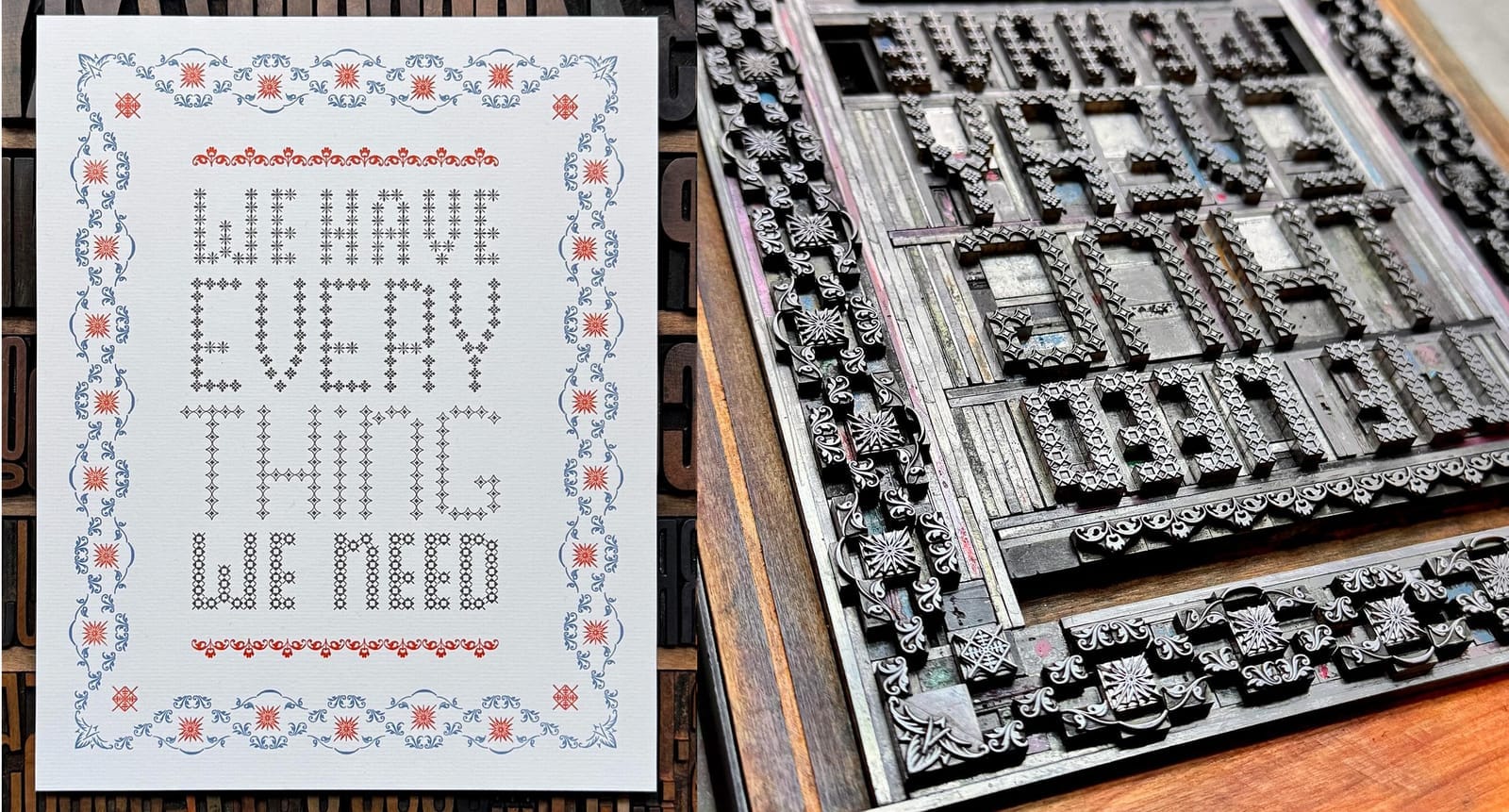
Atwood’s philosophy is heavily influenced by the powerful maxim, "From those to whom much is given, much is expected," attributed to Mary Gates. This principle, combined with his partner Betsy Atwood’s empathetic perspective—"We have everything we need; how do we make sure everybody has what they need?"—underpins the family’s decision to channel a significant portion of their wealth into public good. Betsy Atwood articulated a vision where basic necessities like comfortable housing, sufficient food, and healthcare are universal, forming the bedrock upon which everyone can build a fulfilling life. The family’s belief is that true prosperity lies not just in personal abundance but in ensuring collective well-being.
Immediate Action: Addressing Urgent Needs

In line with the first part of their pledge, the Atwoods quickly moved to address immediate societal needs. Initially, $1 million was distributed among eight nonprofit charities identified for their effective work in assisting vulnerable populations. However, the pressing urgency of various crises across the nation prompted a rapid reassessment. Within months, an additional $13 million was allocated, bringing their total immediate donations to $21 million. These funds were directed to organizations providing crucial services, ranging from food security to emergency housing, acting as a rapid response to acute hardships. While these immediate interventions provided vital relief, Atwood recognized that such reactive measures, while necessary, could not fundamentally alter the systemic issues perpetuating poverty. He likened it to "firefighting" without addressing the underlying conditions that spark the fires. This realization solidified their resolve to pursue a more profound, long-term strategy.
A Systemic Solution: Embracing Guaranteed Minimum Income
By March 2025, the Atwoods had crystallized their long-term vision, identifying Guaranteed Minimum Income (GMI) as the most promising avenue for systemic change. This decision followed an exploration of various models, including the establishment of a new organization akin to the RAND Corporation or Lever for Change, aimed at empowering experts to chart a realistic path toward preserving the American Dream. The eventual choice of GMI represents a targeted evolution of the more widely known Universal Basic Income (UBI) concept. Unlike UBI, which provides a baseline income to all citizens regardless of their economic status, GMI strategically directs financial aid to those who need it most, with a particular focus on families trapped in generational poverty. This approach maximizes the impact of every dollar, ensuring it reaches individuals and communities where it can make the most significant difference in achieving financial stability and improving quality of life.
The efficacy of direct cash transfers, a core component of GMI, is supported by a growing body of academic research and pilot programs worldwide. Studies have consistently demonstrated that providing unconditional cash grants to low-income individuals leads to improved health outcomes, better educational attainment for children, increased food security, and enhanced housing stability. Far from disincentivizing work, recipients often utilize these funds for essential investments like reliable transportation to jobs, vocational training, or starting small businesses, thereby fostering economic independence and community resilience. The flexibility of direct cash allows recipients to address their most pressing needs, whether it’s an unexpected car repair, medical expenses, or simply putting nutritious food on the table.
The Rural Frontier: Targeting Overlooked Communities
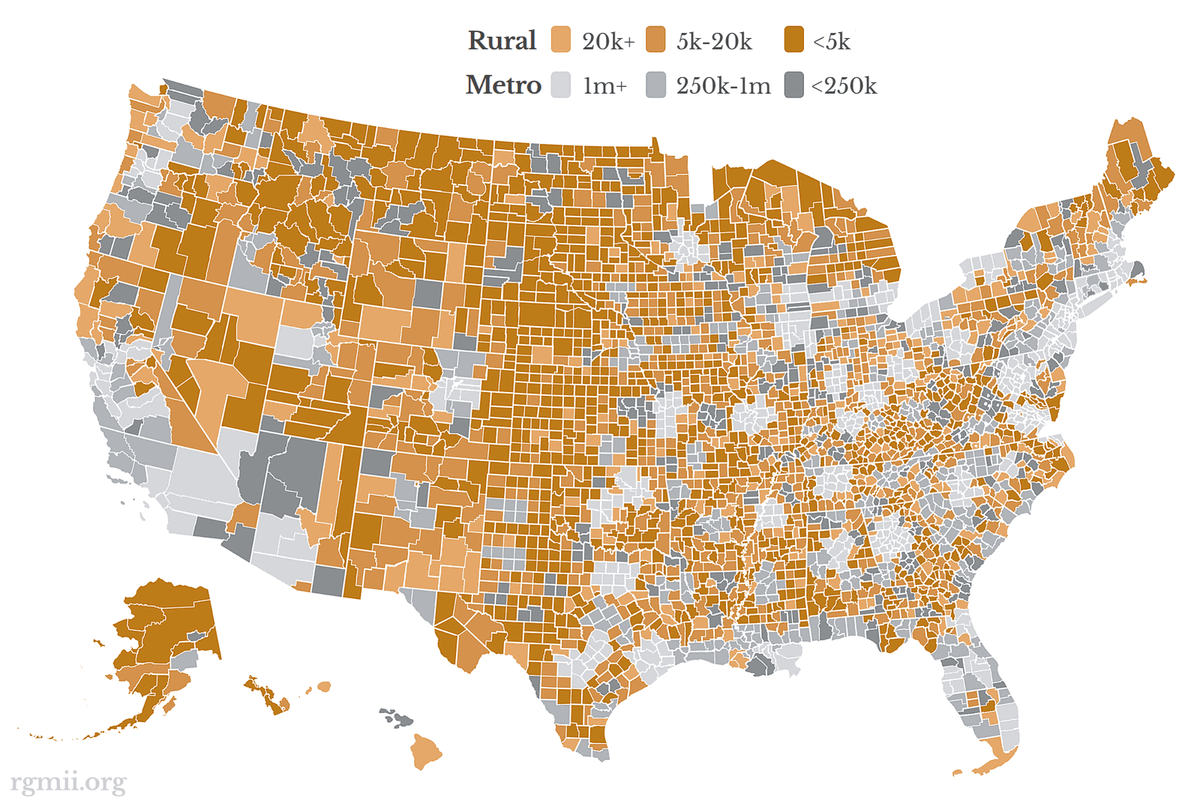
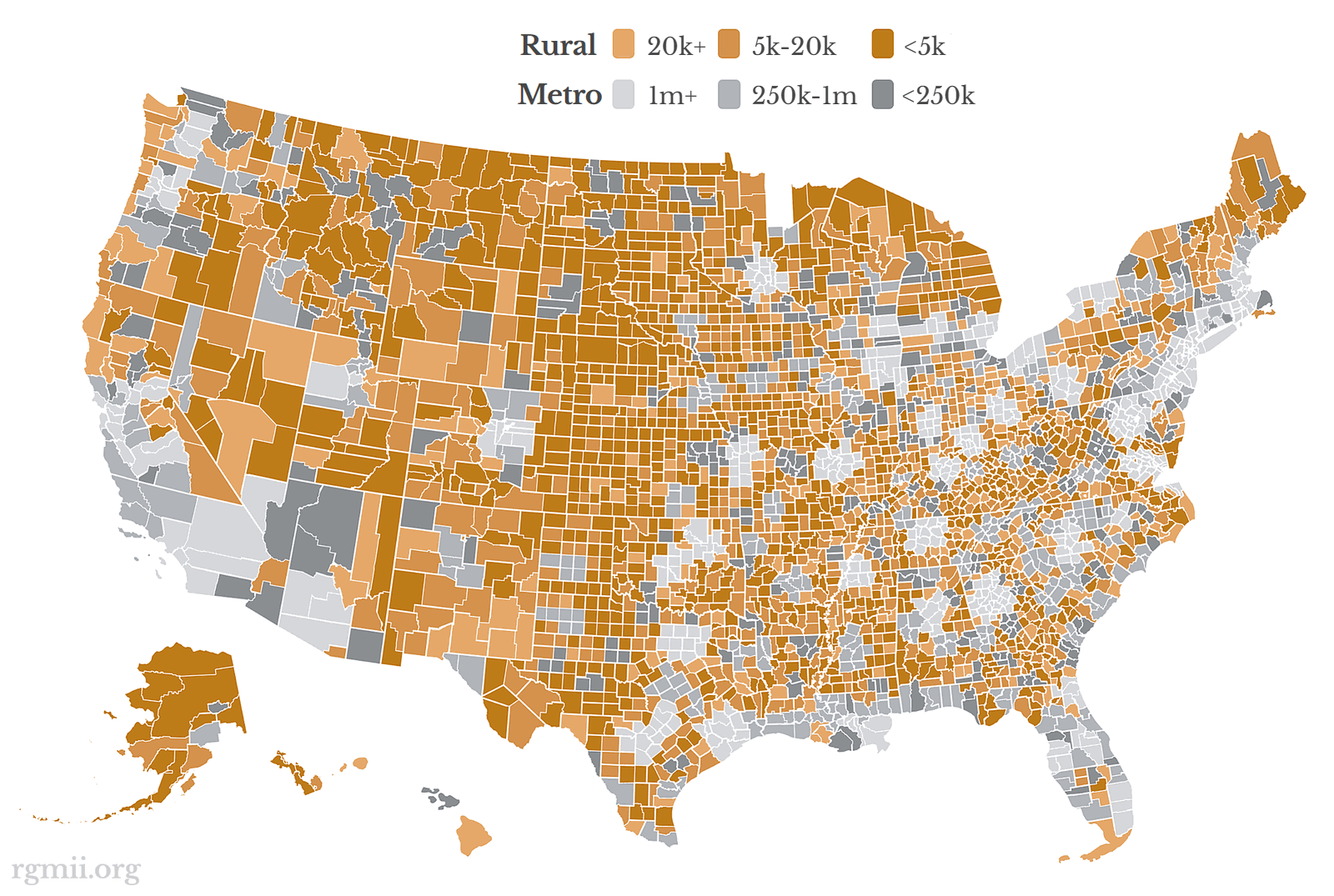
The Rural Guaranteed Minimum Income Initiative (RGMII), spearheaded by Atwood, adopts a strategic focus on rural counties across the United States. This deliberate choice is rooted in several key observations. Firstly, rural areas often exhibit higher rates of poverty and suffer from chronic underinvestment compared to their urban counterparts. The dollars distributed in these regions tend to stretch further due to a lower cost of living, thereby amplifying the impact of the cash transfers. Secondly, the smaller populations in rural counties offer ideal conditions for conducting rigorous, tightly controlled studies, allowing for a clearer understanding of GMI’s effects and the collection of robust data. Finally, Atwood, himself hailing from a rural background, emphasizes that these communities are frequently overlooked, yet possess immense, untapped talent and potential. By concentrating efforts here, the RGMII aims to shed light on and empower these often-marginalized segments of American society.

Rural communities face unique economic and social challenges that often exacerbate poverty. These include limited access to quality education and healthcare, fewer employment opportunities, inadequate infrastructure (such as broadband internet), and a dwindling tax base. The decline of traditional industries like manufacturing and agriculture has left many rural areas struggling, leading to outmigration and a cycle of poverty that is difficult to break. GMI, in this context, is envisioned not just as a safety net but as a catalyst for local economic revitalization, empowering residents to invest in their own futures and communities.
Pilot Programs and Real-World Impact
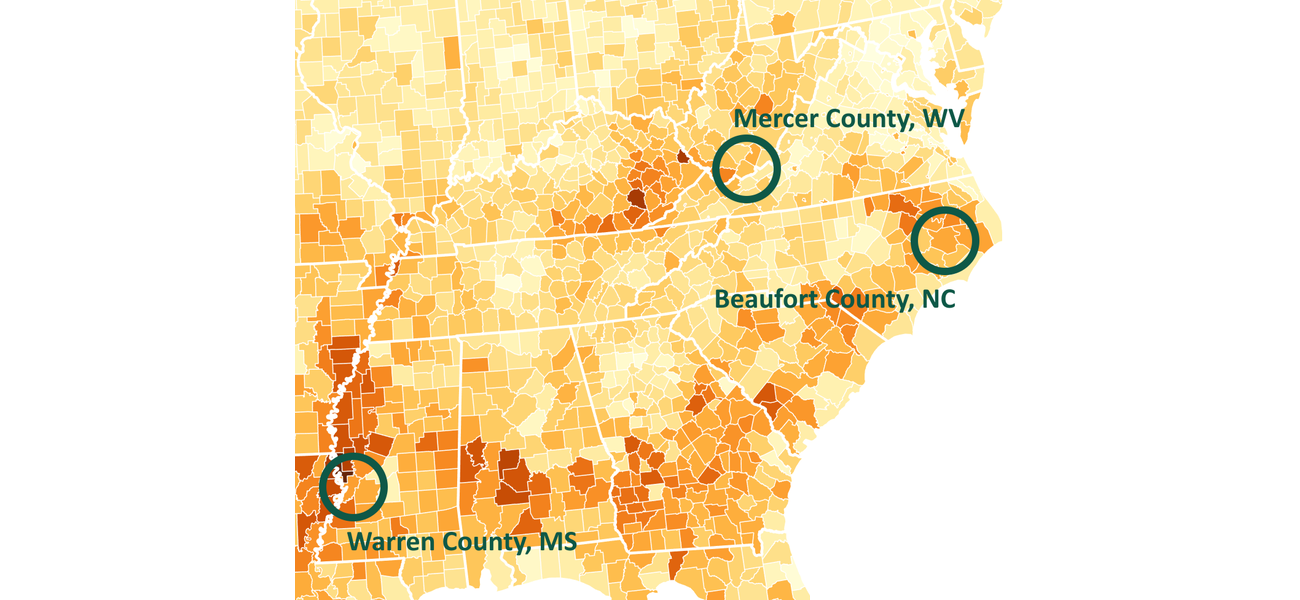
The RGMII has already initiated three county-level pilot programs in Mercer, West Virginia; Beaufort, North Carolina; and Warren, Mississippi. These geographically diverse locations represent various facets of rural American poverty. In Mercer County, WV, for example, the program addresses the economic challenges prevalent in former coal-mining regions. Beaufort County, NC, grapples with issues related to coastal communities and limited economic diversification. Warren County, MS, reflects the struggles of the Deep South, often marked by historical disadvantage and persistent poverty.

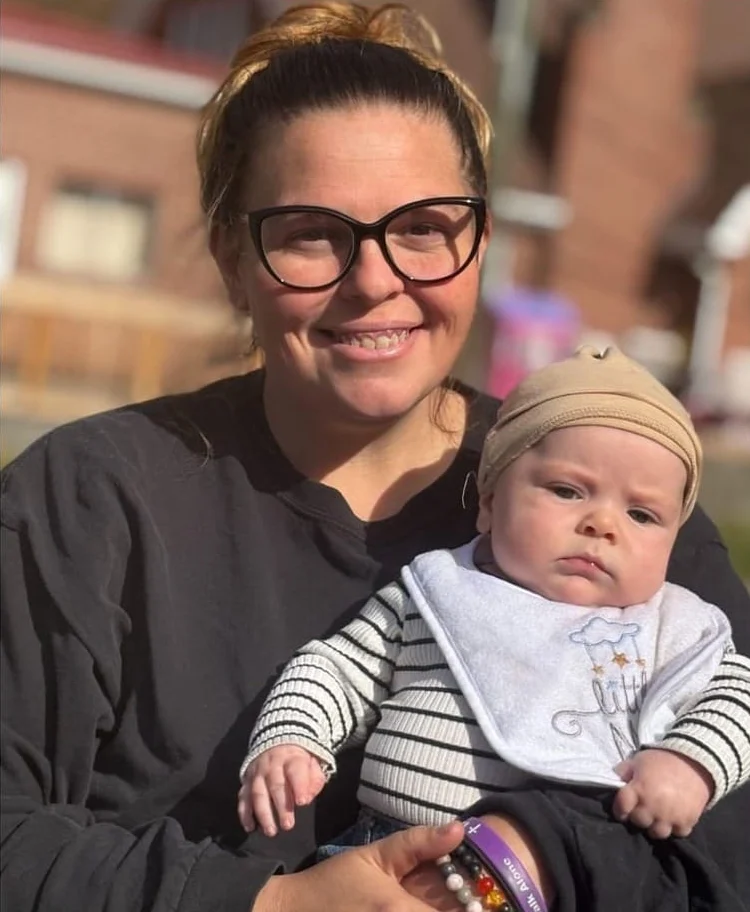
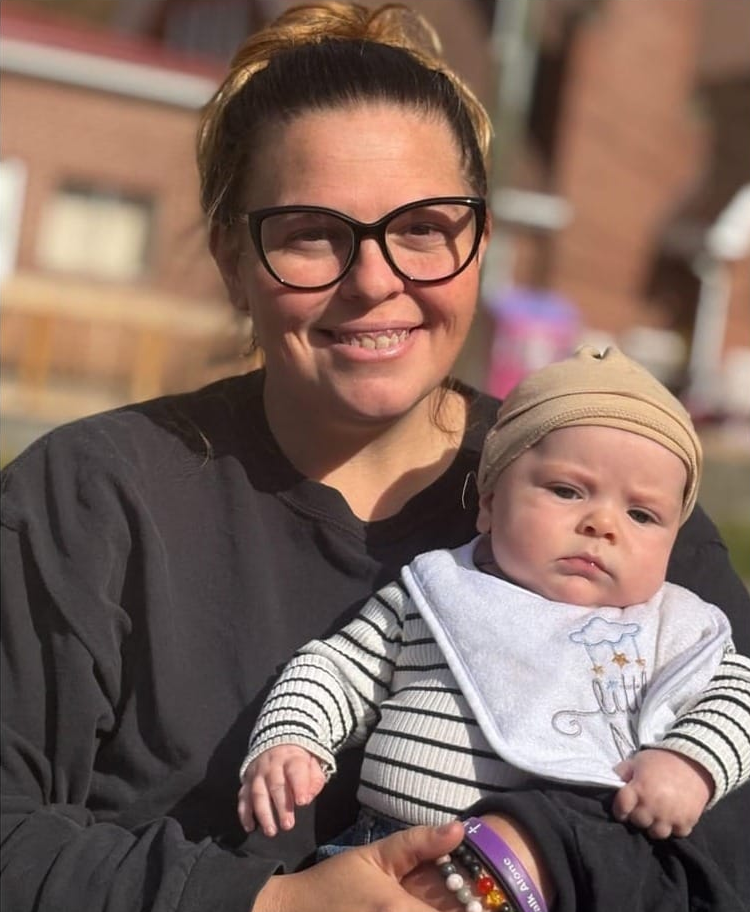
In these pilot counties, thousands of individuals and families will receive direct financial support for a period of 16 months. The data and results from these programs will be meticulously collected and openly shared with the world, contributing to the broader understanding of GMI’s effectiveness and its potential for broader implementation. The human impact of these initiatives is already evident, as illustrated by the testimony of Stacy D., a recipient from West Virginia. Her story underscores the immediate, life-altering relief GMI can provide. Stacy, a mother of five who had to stop working due to a high-risk pregnancy, found herself isolated and without the typical support networks. The GMI funds offered her the means to repair her family’s only vehicle, essential for transportation to work and vital medical appointments for her children. "You don’t know how hard it is to ask people, hey, can I get a ride to the grocery store?" she recounted, highlighting the dignity and independence restored by the program. "This is gonna… it’s going to do a lot!" Her experience is a powerful testament to how direct cash transfers can mitigate immediate crises, restore agency, and enable individuals to overcome significant barriers to self-sufficiency.
The Efficacy of Direct Cash Transfers: A Growing Body of Evidence
The RGMII’s commitment to GMI is not an untested hypothesis but builds upon decades of research and a growing number of successful pilot programs globally. Early experiments with "negative income tax" in the 1970s in the U.S. and Canada, though politically short-lived, provided valuable insights into the potential of unconditional income. More recently, programs like the Stockton Economic Empowerment Demonstration (SEED) in California, the Magnolia Mother’s Trust in Mississippi, and various UBI experiments in Finland and Canada have yielded compelling evidence.
These studies consistently show that recipients of direct cash transfers experience significant improvements across a range of indicators:
- Reduced Poverty and Financial Stress: Direct funds help families meet basic needs, reducing reliance on high-interest loans and predatory financial services.
- Improved Health Outcomes: Recipients often report better physical and mental health, with reduced stress and increased access to healthcare.
- Enhanced Child Welfare: Children in GMI households show improved academic performance, better nutrition, and reduced instances of poverty-related health issues.
- No Significant Work Disincentive: Contrary to common fears, studies largely indicate that GMI does not lead to a widespread reduction in work hours. Instead, individuals use the stability to pursue education, vocational training, or better job opportunities.
- Local Economic Boost: The money is typically spent locally on essential goods and services, injecting capital into small businesses and stimulating regional economies.
The RGMII’s focus on data collection and transparency aims to further solidify this evidence base, providing critical insights for policymakers and other philanthropic organizations considering similar interventions.
A Long-Term Commitment to National Transformation
Jeff Atwood characterizes the RGMII as his "third and final startup," signaling a profound and enduring commitment to this cause. This framing underscores the seriousness and long-term vision behind the initiative, suggesting that it is not a transient philanthropic project but a dedicated endeavor to fundamentally reshape economic opportunity in America. The ultimate goal is ambitious: to expand the GMI model to all 50 states, demonstrating its viability and advocating for its integration into broader public policy.
Atwood’s overarching philosophy, articulated in his previous writings, posits that "the path of love is the only survivable path." He acknowledges the immense difficulty and the lifelong dedication required for such work, but questions what other expenditure of wealth could yield a more meaningful or universally beneficial outcome. The RGMII embodies this belief, presenting direct cash transfer as a radical act of love and solidarity, aiming to ensure that the American Dream remains a tangible possibility for everyone, not just a privileged few.
Call to Action and Broader Implications
The Rural Guaranteed Minimum Income Initiative extends an open invitation for participation, recognizing that achieving its ambitious goals requires collective effort. Individuals are encouraged to engage by sharing the compelling results of GMI studies, delving into the rich and often surprising history of GMI and UBI, and actively communicating with their elected representatives to raise awareness and foster informed discussions. A significant number of people remain unfamiliar with these concepts or hold misconceptions about their mechanisms and effects. Educating the public is therefore a crucial component of the initiative’s outreach.
For "those to whom much is given," particularly philanthropists, foundations, and high-net-worth individuals, the RGMII offers a unique opportunity to directly sponsor county-scale GMI programs. By joining forces with Atwood, new donors can help expand the initiative’s reach, bringing GMI studies to additional rural counties and accelerating the journey toward covering all 50 states. This collaborative approach promises to generate even more open data, further substantiating the effectiveness of direct cash transfers in lifting thousands out of poverty.
The RGMII’s work holds significant implications for public policy. By generating robust, real-world data on the impact of GMI in diverse rural settings, the initiative aims to provide empirical evidence that can inform legislative debates and potentially pave the way for broader government adoption of direct cash transfer programs. In an era where economic inequality continues to widen, private philanthropic ventures like the RGMII serve as crucial incubators for innovative solutions, demonstrating what is possible when resources are strategically deployed to foster human dignity and economic justice.
Ultimately, Jeff Atwood’s journey from a tech entrepreneur to a committed philanthropist is driven by a profound conviction: that "dreams, like happiness, are only real when shared." Through the Rural Guaranteed Minimum Income Initiative, he and his family are not merely donating money; they are investing in the fundamental human right to live free from the crushing burden of poverty, striving to build a more equitable and compassionate America where the dream is truly accessible to all. The initiative can be explored further at rgmii.org and staygold.us.