The GitHub Actions Paths Filter Deadlock: Why Your Required Status Checks Are Hanging Forever

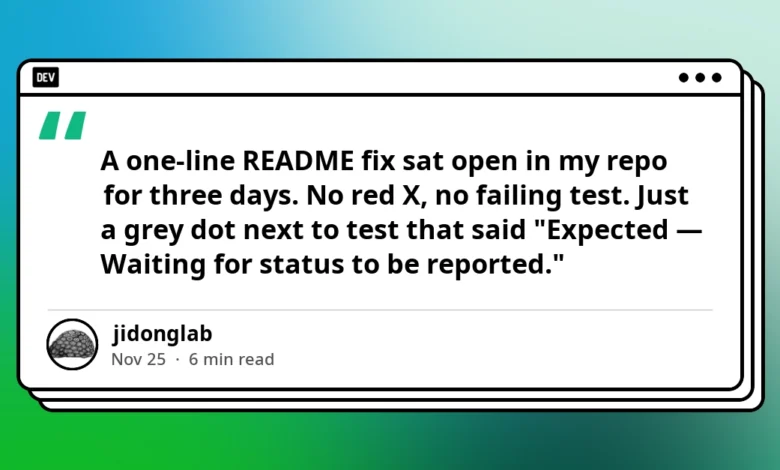
A seemingly trivial pull request—a one-line update to a README file—can inadvertently paralyze a development team’s entire CI/CD pipeline, leaving developers staring at a "Waiting for status to be reported" message for days. This phenomenon, while technically documented, remains one of the most frequent sources of frustration for engineers working within the GitHub Actions ecosystem. The issue arises when developers utilize the paths filter to optimize CI run times, only to find that these filters trigger a logic deadlock within GitHub’s branch protection rules.
The Mechanics of the Deadlock
The core of the issue lies in how GitHub interprets "required status checks" versus how it executes workflow triggers. When a repository owner enables branch protection, they often designate specific CI jobs as "required." These are the green checks that must appear before a pull request can be merged. From the perspective of GitHub’s backend, these checks are not merely indicators of success; they are contractual obligations that the repository expects to be fulfilled by a specific process.
When a workflow is configured with a paths or paths-ignore filter, GitHub evaluates the files changed in a pull request before any runner is ever provisioned. If the pull request modifies only files that fall outside the specified paths—such as a documentation update in a repository configured to only run tests on source code—the entire workflow is discarded. Because the workflow is never initialized, it fails to report a status back to the repository. The branch protection mechanism, which is waiting for a signal from the job, interprets this silence as an ongoing process that has not yet concluded, resulting in a permanent "Pending" state.
Chronology of a Failed Merge
The lifecycle of this specific CI failure usually follows a predictable, yet disruptive, pattern.
Day 1: The Trigger. A developer submits a documentation update. The workflow, constrained by a paths: ['src/**'] filter, observes that the change is in README.md. The workflow is suppressed. The pull request interface displays the "Required" check as "Expected," with no link to logs because no logs were generated.
Day 2: The Confusion. The developer assumes a transient network glitch or a delayed runner initialization. They may push a "no-op" commit—a trivial change to the README—hoping to nudge the CI into action. However, the result remains the same. The workflow continues to be ignored by the filter.
Day 3: The Workaround. The team reaches a state of operational friction. In many engineering organizations, this leads to a dangerous precedent: a developer with administrative privileges bypasses the branch protection rule, clicking the "Merge without waiting for requirements" button. While this solves the immediate bottleneck, it erodes the integrity of the CI process, creating a habit where developers ignore security and testing gates when they become inconvenient.
Comparative Analysis of Skip Strategies
The engineering community has identified a significant asymmetry in how different "skip" mechanisms are handled by GitHub’s infrastructure. Understanding these differences is essential for maintaining a healthy pipeline.
| Skip Mechanism | Check Run Created | Result for Required Check |
|---|---|---|
Workflow paths filter |
No | Pending Forever |
[skip ci] commit tag |
No | Pending Forever |
| Branch filter | No | Pending Forever |
Job-level if conditional |
Yes | Success |
The data indicates that the most robust way to manage resource consumption is to shift the logic from the workflow level to the job level. By removing the paths filter at the trigger stage and moving the decision-making process into a lightweight "gatekeeper" job, developers can ensure that a status is always reported. When a job is skipped via an if: conditional, GitHub registers the event as a "skipped" status, which the branch protection system interprets as a successful fulfillment of the requirement.
Implementing the Gatekeeper Pattern
To resolve this issue permanently, many senior DevOps engineers have shifted toward a "Gatekeeper" pattern. In this architecture, the workflow is triggered on every pull request. The initial job, often called changes or filter, runs a lightweight script—such as dorny/paths-filter or a simple git diff—to determine if the subsequent heavy-lifting jobs (like test or lint) need to execute.
This design pattern introduces a central "ci-ok" job that acts as the final arbiter. This job uses the always() function to ensure it runs even if preceding jobs fail. By requiring only this single ci-ok check in the repository’s branch protection settings, developers can add or remove complex testing suites in the future without ever having to modify the repository’s protected branch settings. This decoupling of the CI configuration from the branch protection rules is a cornerstone of scalable repository management.
The Problem with Renaming and Matrices
Beyond the paths filter, there are other hidden hazards that can trigger the "Waiting for status to be reported" error. A common culprit is the renaming of jobs. GitHub matches required checks by their exact name. If a developer renames a job from test to unit-test in the YAML file, the repository will continue to look for a check named test that no longer exists.
Furthermore, matrix-based jobs present a unique challenge. A matrix job named test that runs on ubuntu-latest and macos-latest will report two separate checks: test (ubuntu-latest) and test (macos-latest). If a developer modifies the matrix to include a new version, the old required check becomes a phantom requirement, effectively locking the pull request. The gatekeeper pattern mitigates this, as the branch protection only cares about the final, singular gate, rather than the internal mechanics of the job matrix.
Broader Implications for CI/CD Integrity
The reliance on administrative bypasses as a solution to CI deadlocks is more than a minor annoyance; it is a security risk. When developers become accustomed to overriding required status checks, they are more likely to bypass those same checks during high-stakes security incidents or critical hotfixes.
"The cost of running a few extra seconds of CI is significantly lower than the cost of losing trust in your testing infrastructure," notes a lead infrastructure engineer at a major cloud-native firm. "Once the ‘merge without waiting’ button becomes part of the daily workflow, the integrity of your codebase is compromised."
Best Practices and Recommendations
For organizations looking to harden their CI/CD pipelines against these deadlocks, the following strategies are recommended:
- Prefer Job-Level Conditions: Avoid using workflow-level
pathsfilters for any job that is designated as a "Required" check. Useifconditions within individual jobs instead. - Consolidate Gatekeeping: Implement a single "aggregate" job to act as the required status check. This prevents the need to update branch protection rules whenever the CI pipeline is expanded or refactored.
- Audit Required Checks: Periodically review the list of required status checks in repository settings to ensure that no stale, renamed, or matrix-orphaned checks are blocking merges.
- Avoid Administrative Bypassing: Treat the "Merge without waiting" permission as an emergency-only privilege. If the CI is consistently failing or deadlocking, it indicates a structural issue in the configuration that requires an engineering fix, not a procedural bypass.
By shifting toward this modular approach, teams can ensure that their CI processes remain both performant and reliable. While the initial setup of a gatekeeper job may require more effort than a simple paths filter, the long-term benefit is a pipeline that is resilient, predictable, and free from the phantom requirements that currently plague many high-velocity development teams. As GitHub continues to evolve its Actions platform, the move toward explicit, job-level control is likely to become the industry standard for maintaining high-integrity software delivery.