Construction projects, by their very nature, are sprawling, intricate, and fraught with managerial complexities. From navigating stringent regulatory landscapes and ensuring paramount safety protocols to coordinating vast fleets of equipment and multiple specialized crews, the challenges are immense. To successfully steer a construction project, meet critical deadlines, and stay within budget, a robust and dynamic construction scheduling software is no longer a luxury but an absolute necessity.
Understanding Construction Scheduling Software
Construction scheduling software refers to a category of digital solutions specifically engineered to empower construction teams in creating, managing, and optimizing project timelines. These platforms integrate essential tools such as interactive Gantt charts, detailed project calendars, task lists, and intuitive dashboards. The right software consolidates task assignment, progress tracking, resource management, and delay identification into a single, accessible platform, ensuring that project managers have a holistic view and precise control over every facet of a build. The adoption of such specialized software has seen a significant surge, with industry reports indicating that over 70% of construction firms are now leveraging digital tools for scheduling to combat common issues like project overruns and delays, which historically plague the sector.
Essential Features for Top-Tier Construction Scheduling Software in 2026
The selection of leading construction scheduling software for 2026 was predicated on a rigorous evaluation of their capabilities across critical management domains: planning, scheduling, tracking, and collaboration. The following functionalities were considered non-negotiable standards for comparison and ranking:

- Advanced Scheduling Tools: Including interactive Gantt charts with drag-and-drop functionality, critical path method (CPM) analysis, baseline management, and the ability to define various task dependencies (finish-to-start, start-to-start, finish-to-finish, start-to-finish).
- Resource Management: Tools to allocate and track labor, equipment, and materials, including resource leveling capabilities to prevent over-allocation and optimize utilization.
- Real-time Tracking and Reporting: Dashboards that provide live updates on project progress, cost variance, and performance against baselines, minimizing the need for manual reporting.
- Collaboration Features: Centralized communication, document sharing, and real-time updates to facilitate seamless teamwork among onsite and offsite personnel, subcontractors, and stakeholders.
- Cost Management Integration: The ability to link scheduling activities with financial data, including timesheets for labor cost tracking and budget adherence.
- Mobile Accessibility: Ensuring that field teams can access and update schedules, logs, and progress reports from any location via mobile devices.
- Risk Management: Features that help identify potential delays, bottlenecks, and risks within the schedule, allowing for proactive mitigation strategies.
Ranking the Best Construction Scheduling Software for 2026
1. ProjectManager: The Leader in Real-time Project Tracking
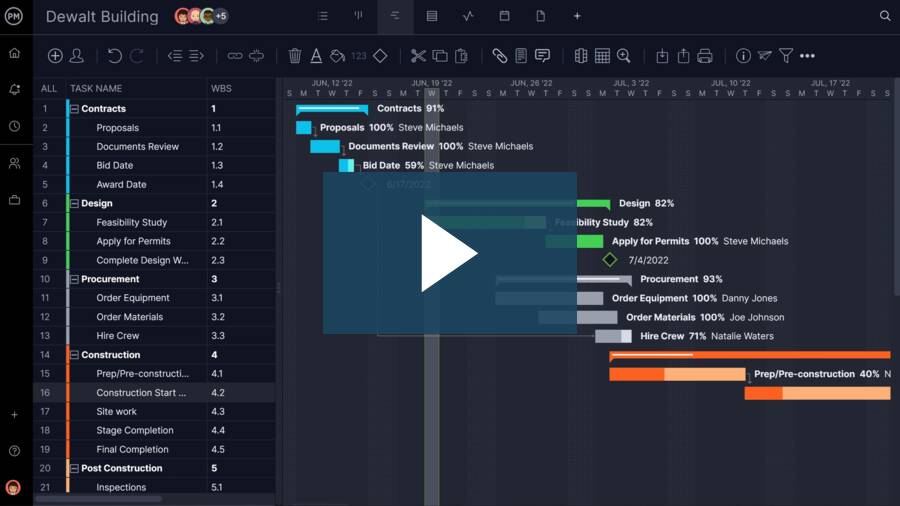
ProjectManager stands out as an award-winning online project management software meticulously crafted for teams that demand real-time planning, scheduling, and progress monitoring. Construction teams globally leverage ProjectManager to oversee every operational detail, from crew assignments and task dependencies to resource allocation and cost tracking, all from a unified, cloud-based platform accessible from anywhere. A 30-day free trial offers prospective users a comprehensive preview of its capabilities.
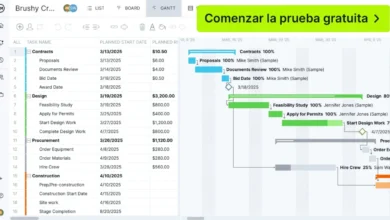
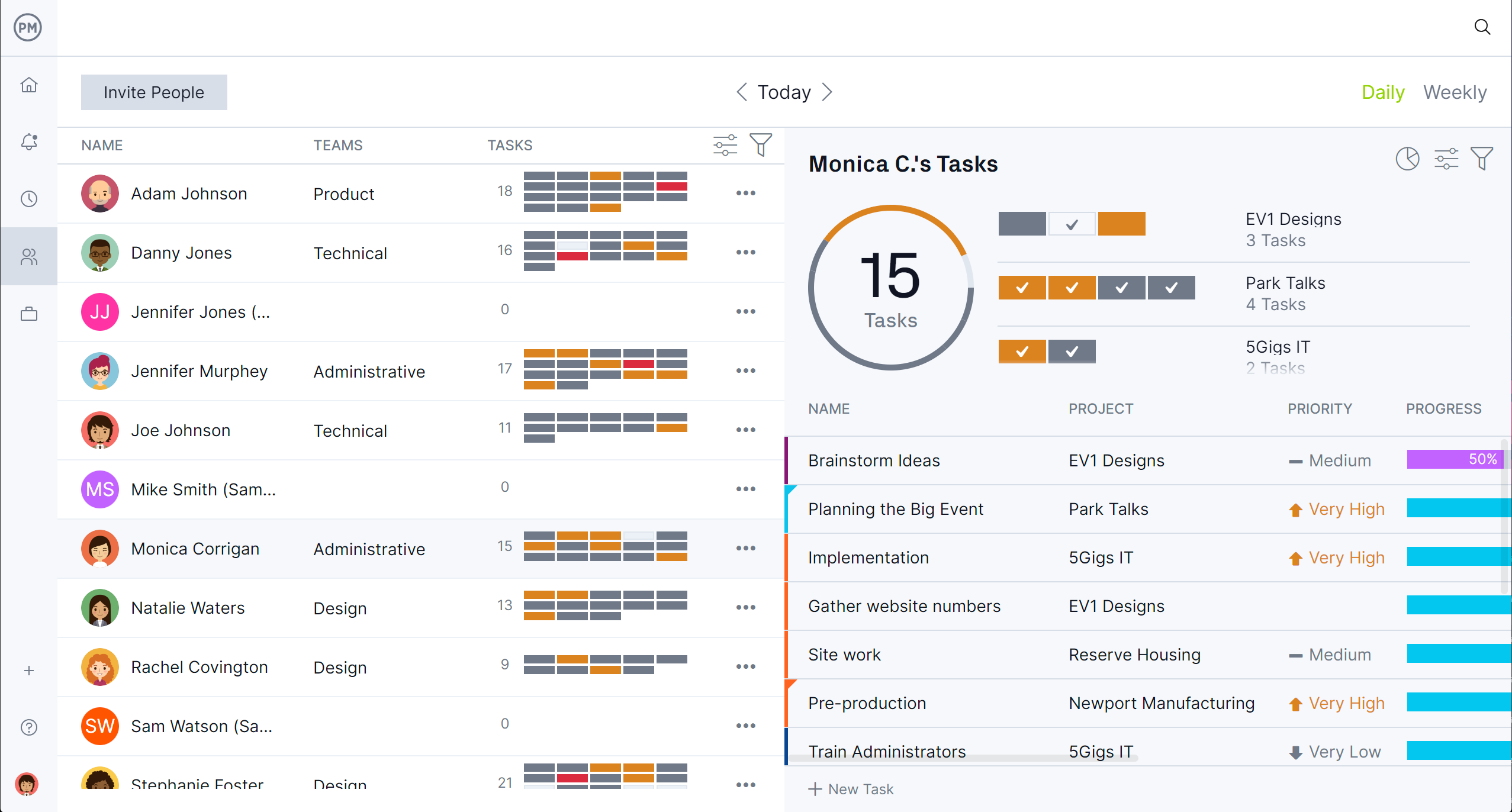
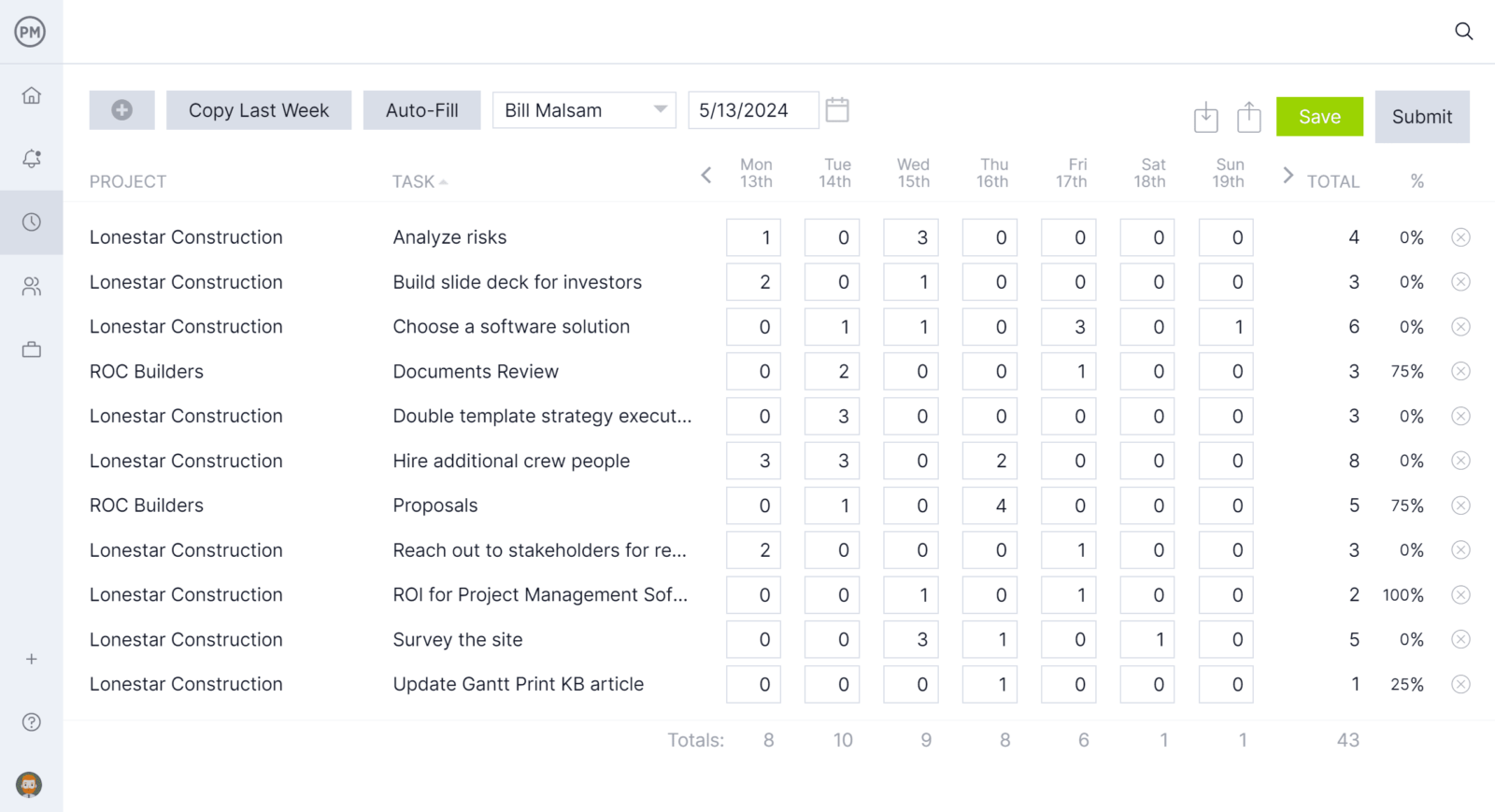
At the core of ProjectManager’s construction scheduling prowess is its intuitive online Gantt chart. Tasks are visually mapped onto a timeline, complete with adjustable start dates, end dates, and durations that can be modified with simple drag-and-drop actions. The platform allows users to establish dependent tasks, a crucial feature for preventing workflow bottlenecks. Furthermore, it incorporates automatic critical path detection, ensuring managers are always aware of the activities driving the project timeline. Beyond scheduling, ProjectManager excels in resource management. Its tools provide clear visualization of team availability, facilitate the precise assignment of labor and equipment to tasks, and enable workload balancing to proactively avert over-allocation. Once the schedule is established, the platform’s integrated timesheets allow field teams to update their hours, which directly feed into project cost tracking. Real-time dashboards offer project managers a live snapshot of schedule performance, cost variance, and progress against the baseline, eliminating the need for cumbersome manual reports.

Advantages and Key Features: Comprehensive Gantt charts with critical path analysis, robust resource management, integrated timesheets, real-time dashboards and reporting, extensive collaboration tools, customizable project templates, and integrations with popular business applications.
Disadvantages and Limitations: While highly versatile, some niche construction-specific integrations might require custom solutions, and advanced portfolio management features are more suited for mid-to-large enterprises.
Pricing: Offers tiered pricing plans, typically ranging from $15 to $50 per user/month, with enterprise options available upon request.
Reviews: Praised for its user-friendly interface and comprehensive features, consistently receiving high marks on major review platforms (e.g., G2, Capterra).
Verdict: Best Construction Scheduling Software for Real-time Project Tracking.
2. Procore: The Enterprise Standard for Construction Management
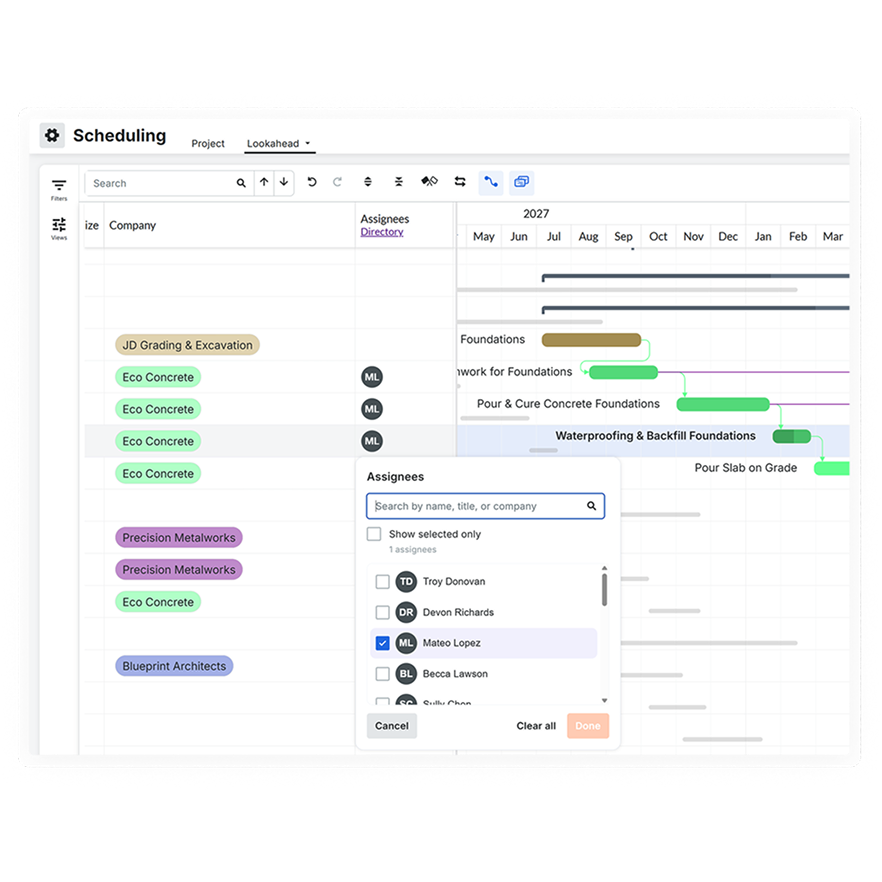
Procore is a dominant force in the construction management software landscape, trusted by large general contractors to manage the entire project lifecycle, from initial bidding to final closeout. It consolidates project controls, documentation, field workflows, budgeting, RFIs, submittals, and scheduling into a single, cloud-based ecosystem.
While a comprehensive construction management platform, Procore offers basic to intermediate scheduling capabilities primarily through Gantt charts, calendar views, and real-time task updates. Its native scheduling functions are adequate for many general contractors, though they might not match the depth of dedicated CPM tools. Advanced resource leveling, detailed variance analysis, and sophisticated critical path capabilities often necessitate importing schedules from specialized software like Microsoft Project or Primavera P6. Nevertheless, for large organizations seeking an all-encompassing platform, Procore remains the most complete solution on the market. Users frequently commend Procore for its extensive functionality, though many point to a steep learning curve and its premium cost, which is customized based on annual construction volume, making it less accessible for smaller firms.
Advantages and Key Features: Comprehensive project lifecycle management, robust document control, strong field management capabilities, centralized communication, and integration with a vast marketplace of third-party apps.
Disadvantages and Limitations: Limited native advanced CPM scheduling, high cost for smaller companies, steep learning curve, and can be overwhelming due to its breadth.
Pricing: Custom pricing based on annual construction volume.
Reviews: Highly rated for its breadth and industry-specific focus, though user feedback often highlights the cost and complexity.
Verdict: Best Construction Scheduling Software for Large Construction Teams.
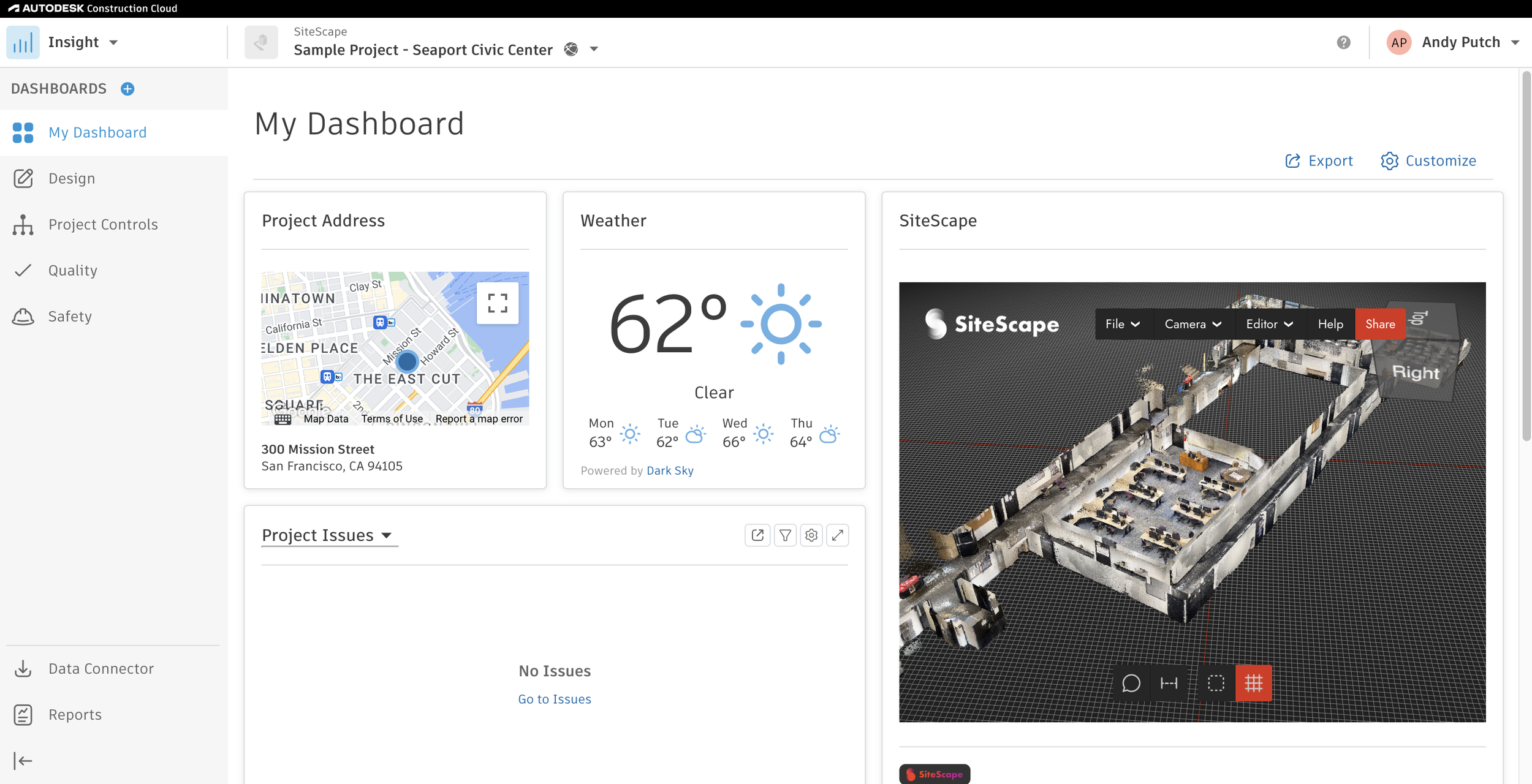
3. Autodesk Construction Cloud: Integrating Design with Execution
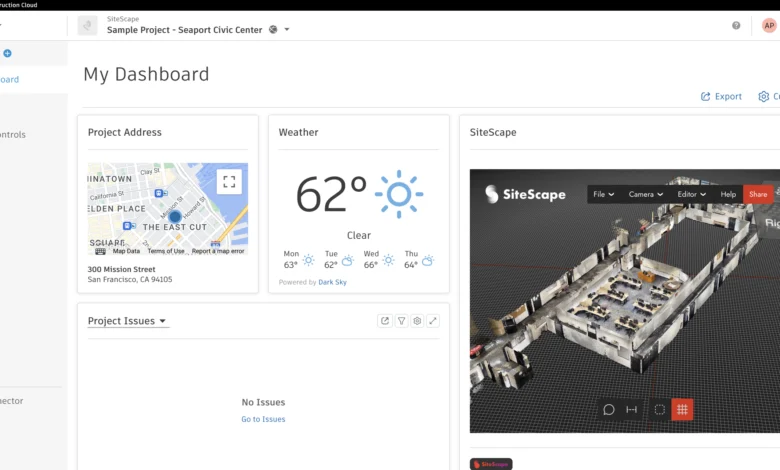
Autodesk Construction Cloud (ACC) is a powerful cloud platform that seamlessly connects design, coordination, document management, field execution, and cost control across the entire construction lifecycle. It is widely adopted by general contractors, owners, and design-build teams aiming for a unified environment to manage construction data from pre-construction to project closeout.
ACC primarily offers task management focused on coordination rather than a full-fledged scheduling engine. It lacks native CPM logic, deep Gantt functionality, baseline management, and resource-based scheduling. Teams requiring serious CPM planning often integrate ACC with Primavera P6 or Microsoft Project. However, for large organizations already invested in the Autodesk ecosystem, ACC serves as an exceptionally powerful hub for linking design models with field execution. Users frequently cite a steep learning curve, complex navigation, and high cost as common challenges. It is best suited for large enterprises, with smaller teams often finding it overwhelming.
Advantages and Key Features: Strong integration with Autodesk design tools (BIM), robust document management, field collaboration for issues and checklists, centralized data management, and extensive reporting.
Disadvantages and Limitations: Limited native CPM scheduling, steep learning curve, high cost, and better suited for larger, more complex projects.
Pricing: Subscription-based, often requiring multiple modules, with custom pricing.
Reviews: Praised for its integration with BIM and overall data centralization, but criticized for complexity and cost.
Verdict: Best Construction Scheduling Software for Design-Build Projects.
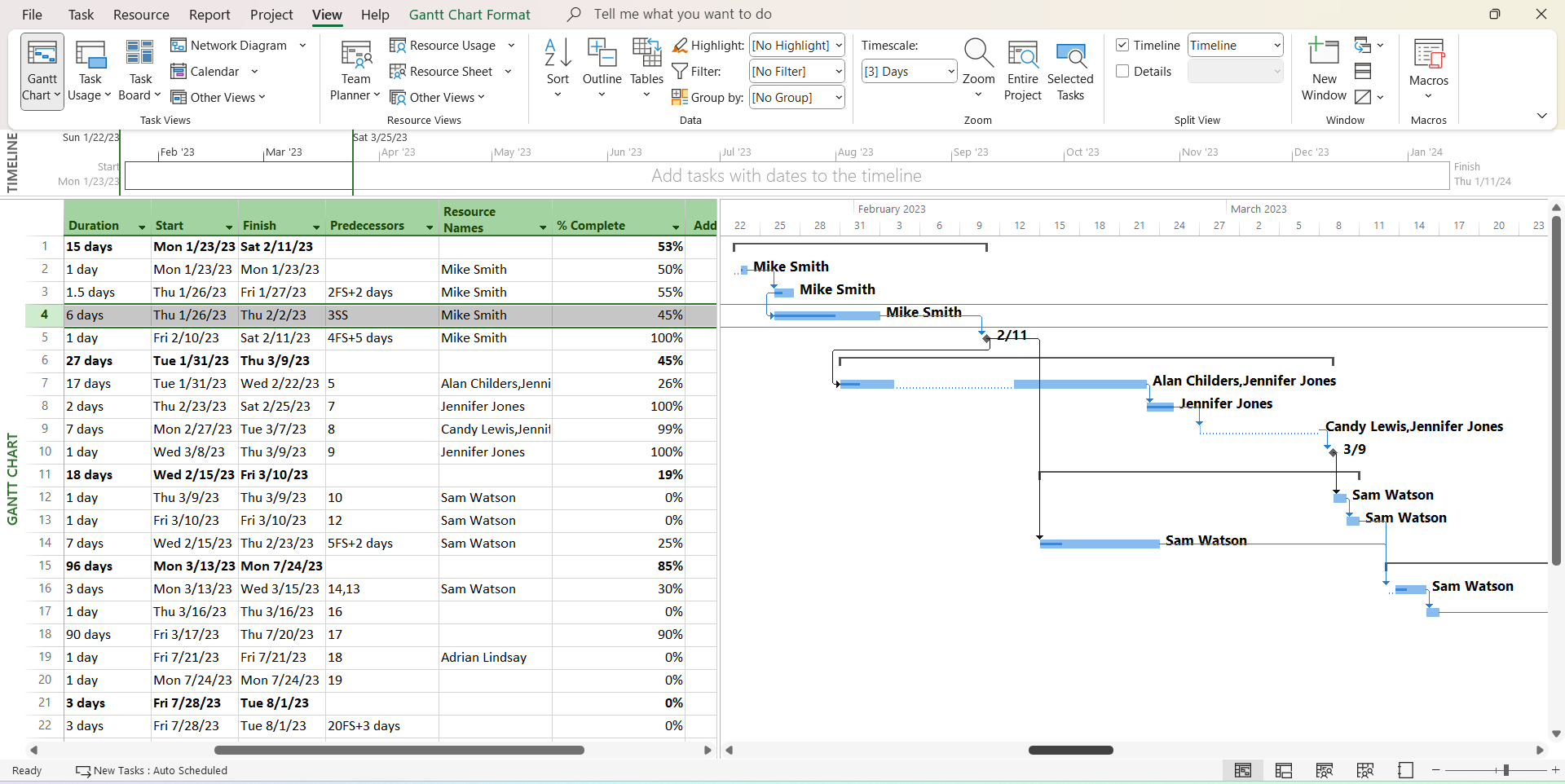
4. Microsoft Project: Advanced Schedule Control
Microsoft Project is a professional project management and scheduling tool used for creating detailed timelines, managing tasks, resources, and costs, and applying CPM-based planning. It has been an industry standard for formal project scheduling for decades and continues to be widely utilized in construction, engineering, and infrastructure sectors.
As construction scheduling software, Microsoft Project is robust in traditional CPM scheduling, supporting dependencies, baselines, progress tracking, and resource management. Its limitations stem from its general-purpose design, somewhat outdated interface, and lack of construction-specific field integration. For teams demanding rigorous CPM without the cost of enterprise-level tools, it remains one of the most capable options available. Common user feedback highlights a steep learning curve, an aging desktop interface, and limited collaboration capabilities for field teams. While powerful, Microsoft Project can feel rigid and disconnected from modern construction workflows.
Advantages and Key Features: Robust CPM scheduling, detailed resource management, baseline tracking, extensive reporting, and integration with the Microsoft ecosystem.
Disadvantages and Limitations: Steep learning curve, outdated user interface, limited cloud collaboration, not purpose-built for construction field operations, and can be expensive for full functionality.
Pricing: One-time purchase for desktop versions or subscription for cloud versions (ranging from $10 to $55 per user/month).
Reviews: Valued for its powerful scheduling engine but often critiqued for its complexity and interface.
Verdict: Best Construction Scheduling Software for Advanced Schedule Control.

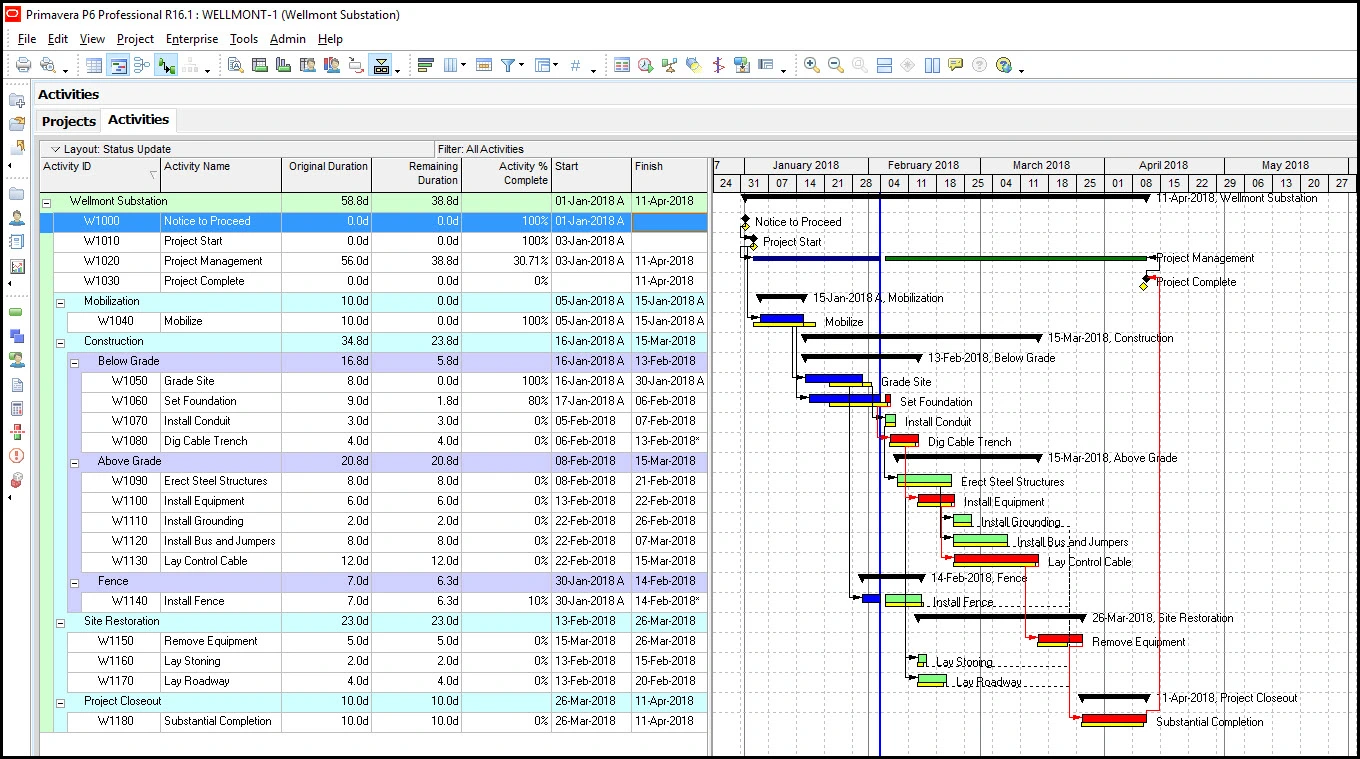
5. Primavera P6: For Complex Construction Schedules
Primavera P6 is an enterprise-level scheduling and portfolio management tool extensively used in construction, engineering, and infrastructure. It is designed for CPM-based planning, modeling complex schedules, and controlling large-scale programs with multiple projects, widely regarded as the gold standard for professional construction schedulers.
Primavera P6 excels in CPM logic, dependency management, baseline control, and portfolio scheduling. These strengths come with trade-offs: high complexity, a steep learning curve, challenging usability, and a heavy reliance on trained schedulers. For massive infrastructure, oil and gas, or capital projects where schedule precision is paramount, it is unparalleled. For most general contractors, however, it is often an overkill. Users frequently note Primavera P6’s difficulty of use and high cost. The interface often feels antiquated, training requirements are substantial, and productivity can suffer without a dedicated team of schedulers.
Advantages and Key Features: Industry-leading CPM scheduling, multi-project and portfolio management, robust resource and cost loading, detailed baseline management, and advanced risk analysis.
Disadvantages and Limitations: Extremely complex, steep learning curve, high cost, outdated user interface, requires specialized training, and not ideal for field collaboration.
Pricing: Custom pricing, typically a significant annual investment for enterprise licenses.
Reviews: Universally acknowledged for its power but widely criticized for its complexity and cost.
Verdict: Best Construction Scheduling Software for Complex Construction Schedules.
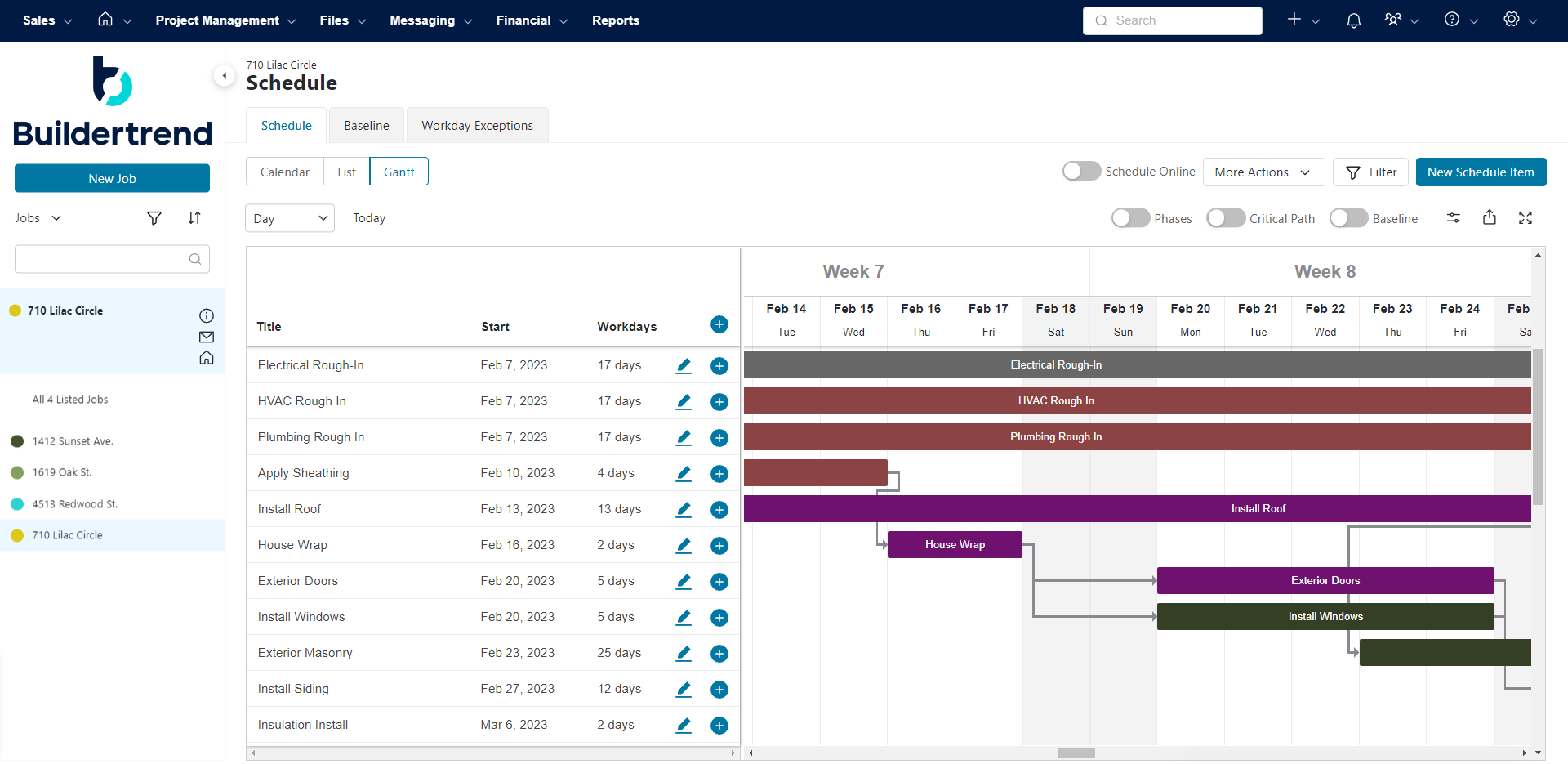
6. Buildertrend: Tailored for Homebuilders
Buildertrend is a leading cloud-based construction management platform specifically designed for homebuilders, remodelers, and specialty contractors. Trusted by over 20,000 contractors and utilized in more than half of all new home constructions in the U.S., it integrates scheduling, financials, client communication, daily logs, and project documentation into a single platform.

As a construction scheduling tool, Buildertrend offers basic to intermediate schedule management with task dependencies, critical path visualization, templates, and multiple viewing options (Gantt/Calendar). It may lack advanced CPM capabilities such as all dependency types, deep variance analysis, cross-project resource visibility, and robust baseline tracking, but for residential construction teams, it effectively covers the essentials. Users often praise Buildertrend for its comprehensive nature and customer service, though some highlight a complex interface, manual input requirements, and a high cost for smaller contractors.
Advantages and Key Features: Strong focus on residential construction, client communication portal, financial management tools (bidding, invoicing), daily logs, and sub-contractor management.
Disadvantages and Limitations: Limited advanced CPM scheduling, can be complex to navigate, manual data entry requirements, and potentially expensive for very small businesses.
Pricing: Tiered plans, typically starting around $300-$500 per month.
Reviews: Highly regarded by homebuilders for its integrated approach and customer support.
Verdict: Best Construction Scheduling Software for Homebuilders.
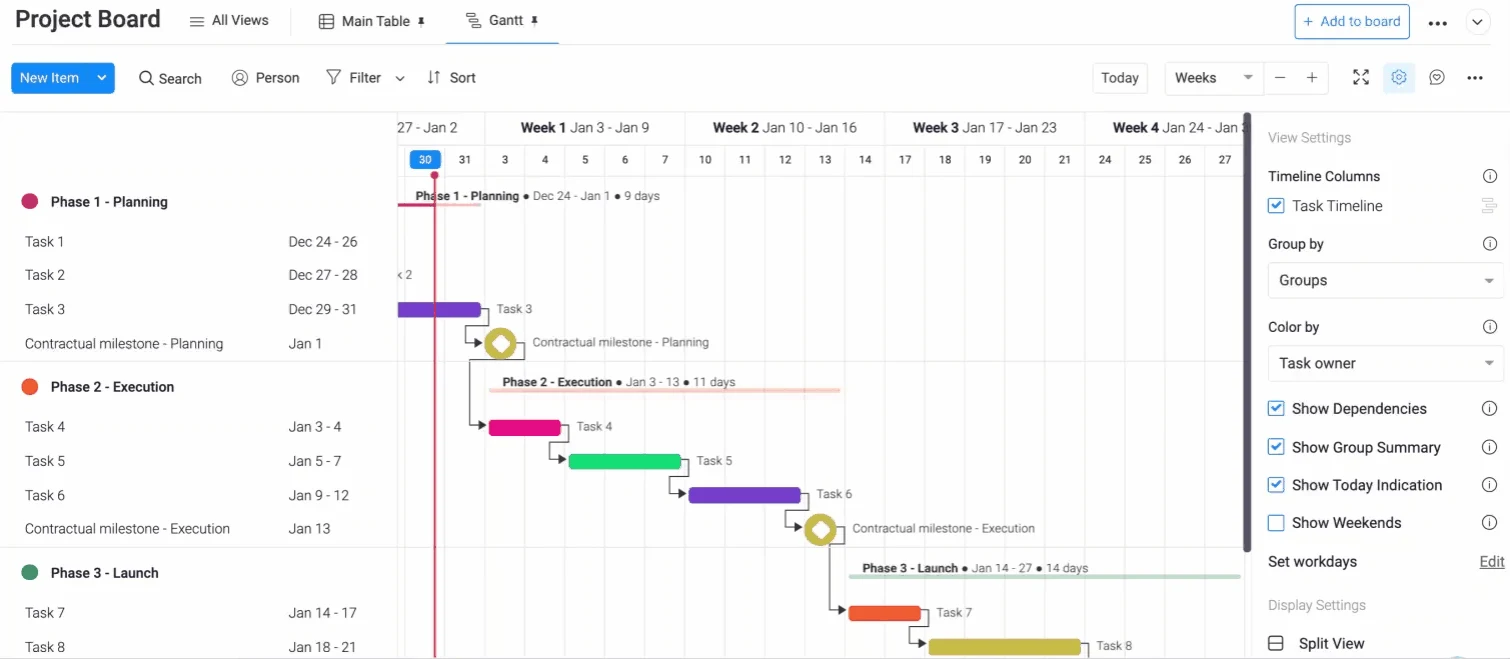
7. Monday.com: Flexible Team Collaboration
Monday.com is one of the world’s most popular work management platforms, used by teams across all industries for project planning, task assignment, progress tracking, and workflow automation. With a dedicated construction use case, pre-built templates, and highly customizable project boards, it has become a preferred choice for construction teams seeking flexibility without the complexity of traditional scheduling tools.
As construction scheduling software, Monday.com offers Gantt-like timelines with drag-and-drop scheduling, task dependencies, critical path visualization, and baseline comparisons. It is not a dedicated CPM tool, lacking slack analysis, cost-loaded scheduling, and advanced resource management. However, for teams prioritizing ease of use and collaboration, it delivers a robust and intuitive scheduling experience backed by one of the industry’s largest and most supported platforms. Users consistently praise Monday.com for its clean interface, rapid onboarding, and flexibility. Commonly cited limitations include performance lags on large boards and key features being locked behind higher-tier plans.

Advantages and Key Features: Highly customizable boards, intuitive drag-and-drop interface, strong collaboration features, automation capabilities, Gantt-like views, and extensive integrations.
Disadvantages and Limitations: Not a dedicated CPM tool, performance issues with very large projects, advanced features are in higher-tier plans, and can become costly with many users.
Pricing: Tiered plans ranging from a free tier for small teams to enterprise solutions; paid plans typically start around $10-$16 per user/month.
Reviews: Celebrated for its user experience and adaptability across various team types.
Verdict: Best Construction Scheduling Software for Flexible Team Collaboration.
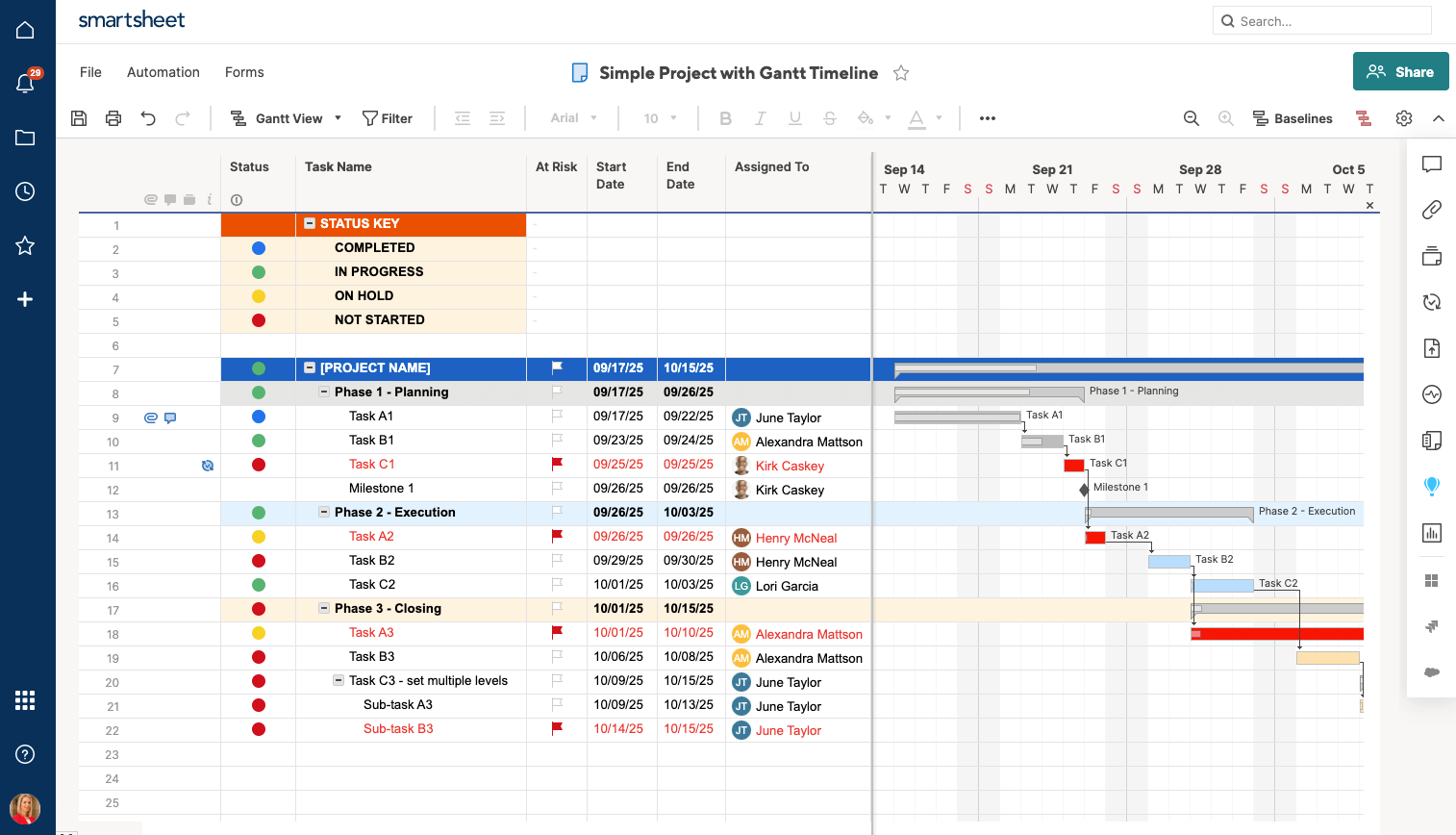
8. Smartsheet: Spreadsheet-based Project Tracking
Smartsheet is a cloud-based work management platform trusted by over 85% of Fortune 500 companies. Inspired by spreadsheets but significantly more powerful, it is used by construction, operations, and IT teams for project planning, task tracking, progress reporting, and workflow automation, including scheduling, budgeting, site checklists, and bid management.
As construction scheduling software, Smartsheet offers intermediate spreadsheet-based scheduling with Gantt charts, dependencies, and baselines. It falls short of professional CPM tools, lacking slack visualization, advanced resource scheduling, and limited construction-specific cost integration. However, for teams migrating from Excel or needing flexible project tracking, it offers a strong entry point with robust automation and collaboration. Users frequently mention a steep learning curve for advanced features, performance slowdowns on large sheets, and complex licensing. Smartsheet integrates with Procore, DocuSign, Google Workspace, and Microsoft 365.
Advantages and Key Features: Familiar spreadsheet-like interface, robust automation, customizable dashboards, strong collaboration, and extensive integration capabilities.
Disadvantages and Limitations: Not a true CPM tool, can be complex for advanced users, performance issues with very large data sets, and pricing can scale quickly.
Pricing: Tiered plans, typically starting around $7-$25 per user/month, with custom enterprise options.
Reviews: Praised for its flexibility and automation, though some find it less intuitive than purpose-built PM tools.
Verdict: Best Construction Scheduling Software for Spreadsheet-based Project Tracking.
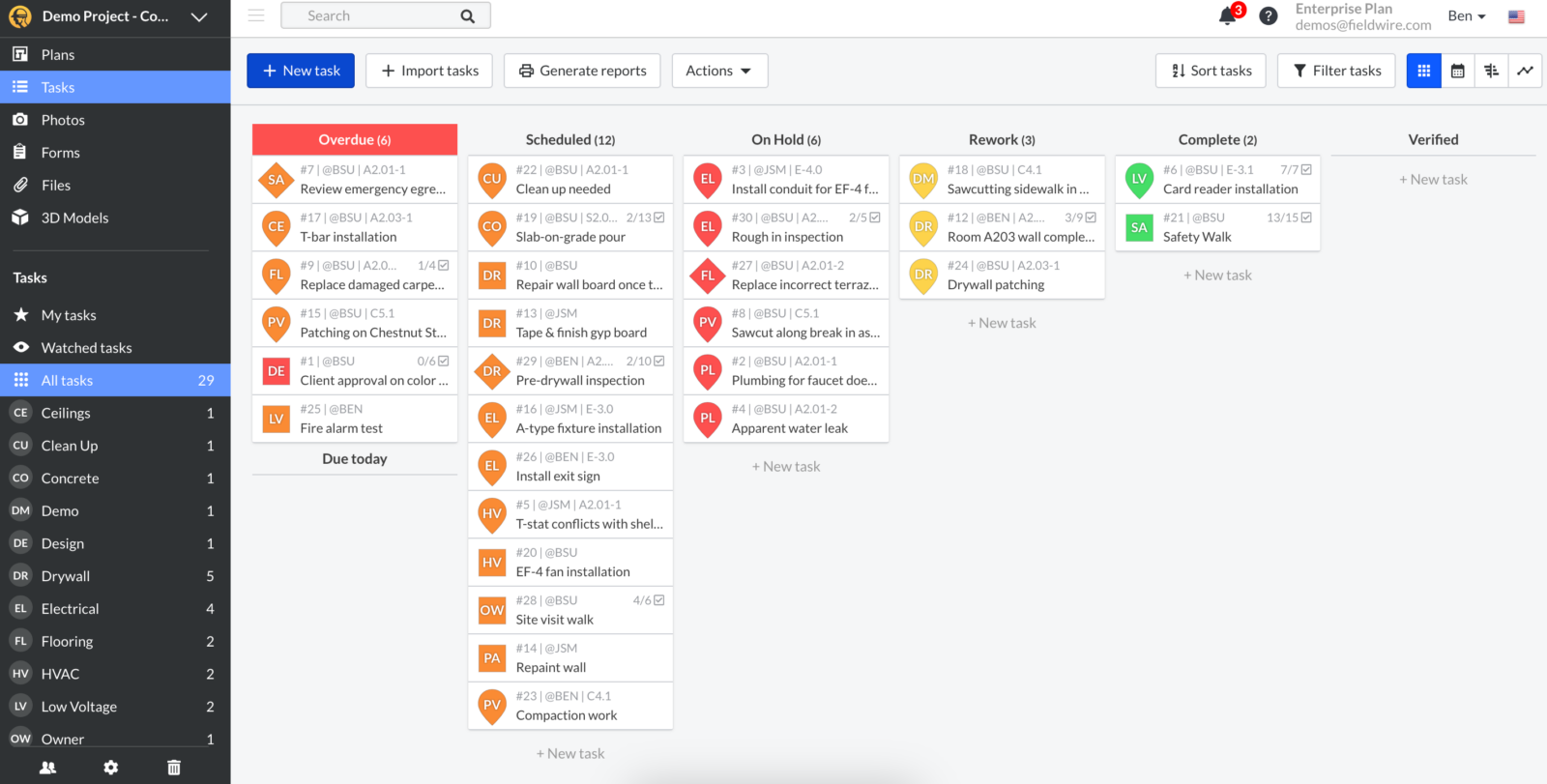
9. Fieldwire: Onsite Coordination Specialist
Fieldwire, now part of Hilti, is a construction field management platform primarily used for task coordination, blueprint viewing, inspections, and site checklists. It is specifically designed to help field teams collaborate around plans, issues, and daily work execution, a function it performs exceptionally well.
As construction scheduling software, Fieldwire is not a true scheduling tool in the traditional sense. It supports task assignment and due dates but lacks CPM logic, Gantt charts, baselines, dependency management, and schedule analysis. Scheduling in Fieldwire is task-centric and operational—excellent for field coordination but not for building or managing a formal construction schedule. Most teams use it in conjunction with a dedicated scheduling tool. Users consistently rate Fieldwire highly for blueprint viewing, real-time markup collaboration, and ease of onboarding. Common concerns include per-user costs when teams exceed five or six individuals and limited reporting depth.
Advantages and Key Features: Excellent blueprint management and markup, real-time task management in the field, punch list creation, inspection forms, and robust mobile access.
Disadvantages and Limitations: Not a comprehensive scheduling tool (lacks Gantt, CPM, baselines), limited resource management, and reporting depth can be basic.
Pricing: Free plan for small teams (up to 5 users, limited projects); paid plans typically range from $39 to $89 per user/month.
Reviews: Highly rated for its field functionality and ease of use, especially for foremen and superintendents.
Verdict: Best Construction Scheduling Software for Onsite Coordination.
10. Workyard: Labor Tracking and Scheduling
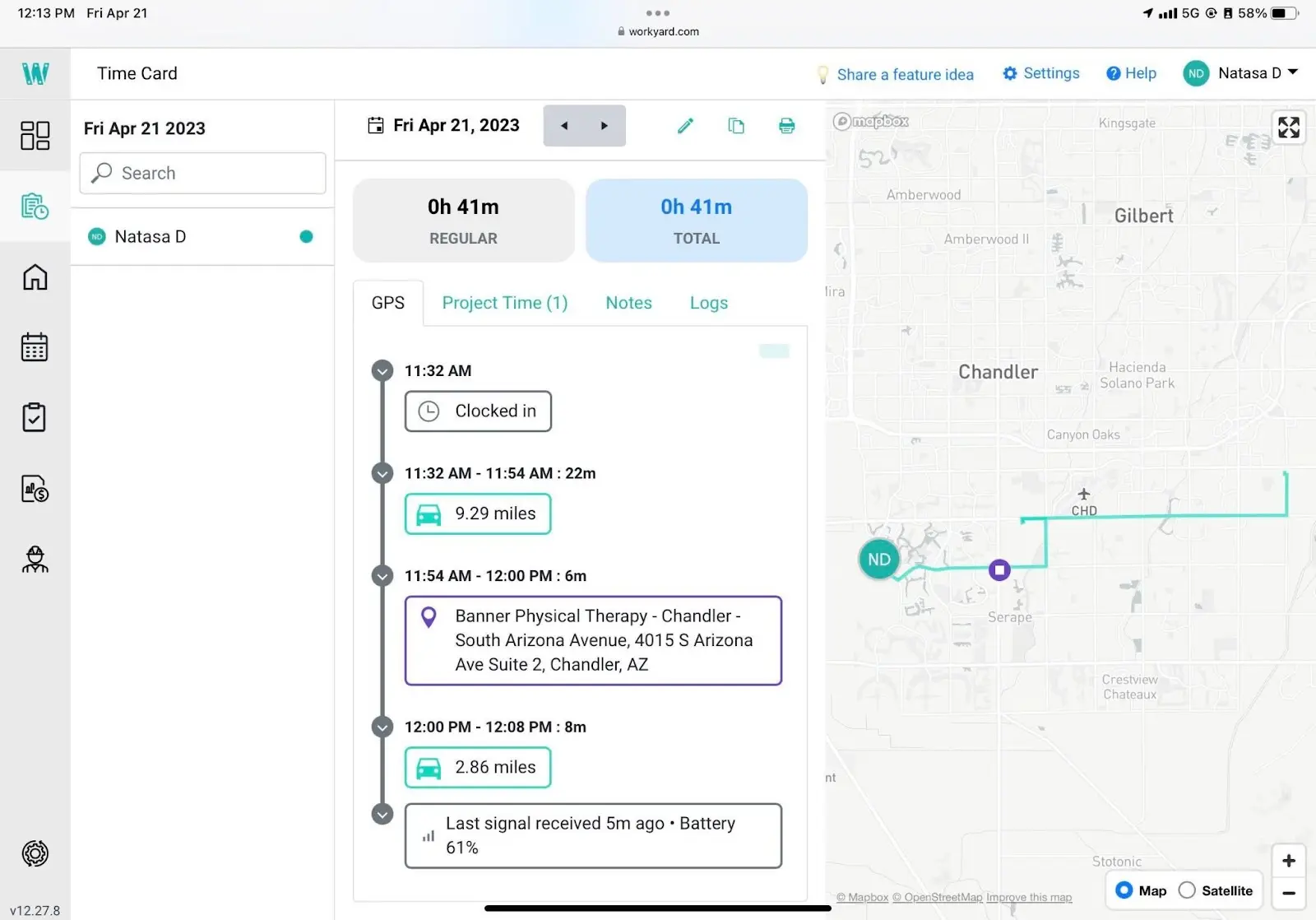
Workyard is a construction workforce management platform focused on crew scheduling, GPS time tracking, and capturing labor cost data. Utilized by contractors to assign work, monitor crew locations in real-time, and connect field time and cost data back to the office, it is designed for the day-to-day operational management of a crew.

As construction scheduling software, Workyard offers basic scheduling tools centered on crew assignment and workforce dispatch. It lacks formal CPM logic, Gantt visualization, baselines, and portfolio scheduling. Its scheduling is limited to field crew planning and calendar views, not formal project schedule development. For contractors needing accurate labor cost tracking and GPS accountability, it fills a real need but does not replace a comprehensive scheduling tool. Users praise Workyard for its GPS accuracy, time tracking, and ease of use. Some note GPS glitches, limited feature depth beyond labor tracking, and that scheduling features focus on crew dispatch rather than detailed project planning.
Advantages and Key Features: Accurate GPS time tracking, simplified crew scheduling and dispatch, labor cost tracking, mobile app for field workers, and compliance features.
Disadvantages and Limitations: Not a traditional project scheduling tool (lacks Gantt, CPM, dependencies), limited integration with broader project management, and basic reporting.
Pricing: Tiered plans, typically starting around $10-$20 per user/month, plus a base fee.
Reviews: Appreciated for its precise labor tracking and streamlined payroll integration.
Verdict: Best Construction Scheduling Software for Labor Tracking.
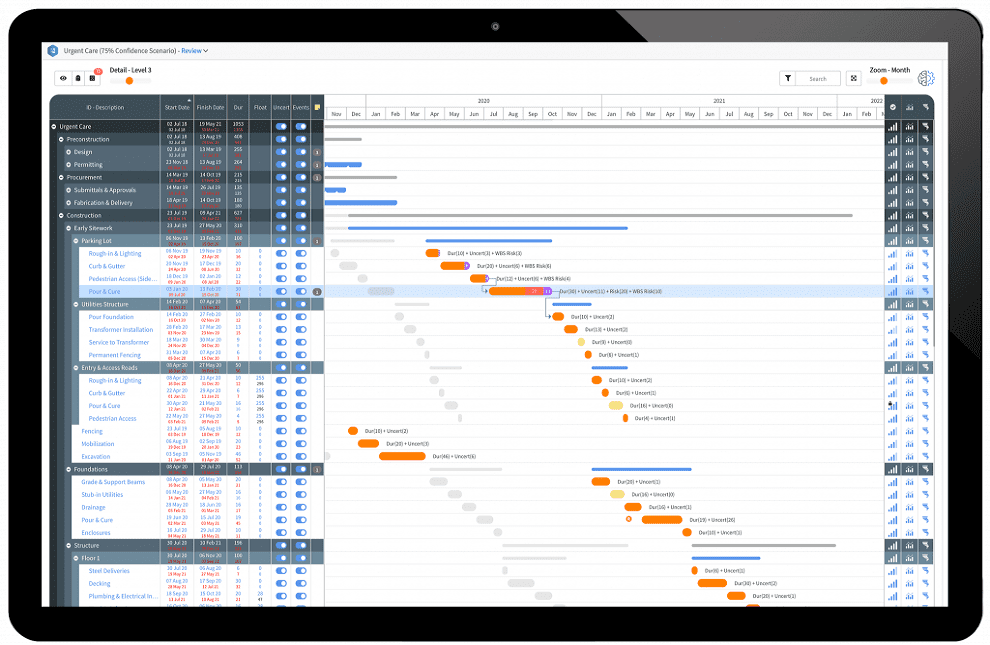
11. InEight: Enterprise Construction Project Controls
InEight is an enterprise construction project controls platform trusted by over 850 companies to manage over $1 trillion in projects worldwide. Primarily designed for large contractors in infrastructure, transportation, energy, nuclear, oil and gas, it focuses on capital planning, cost management, estimating, schedule integration, risk, and performance controls.
As construction scheduling software, InEight is oriented towards control rather than native scheduling. It integrates imported schedules for forecasting, risk analysis, and performance analysis but does not function as a standalone CPM scheduling engine. It lacks native advanced Gantt modeling, full CPM authoring, and manual schedule creation workflows. Teams requiring InEight for cost controls will typically continue to use Primavera P6 or Microsoft Project for actual schedule development. Common feedback highlights high cost, lengthy implementation cycles, and a steep learning curve. InEight is designed for large enterprises; smaller teams often find it excessive when scheduling is their primary need.
Advantages and Key Features: Robust cost controls, integrated estimating, comprehensive risk management, performance tracking, and strong integration with enterprise systems.
Disadvantages and Limitations: Not a native CPM scheduling tool, very high cost, complex implementation, steep learning curve, and designed for large-scale enterprise projects.
Pricing: Custom enterprise pricing.
Reviews: Valued by large organizations for its project control capabilities, but often cited as complex and expensive.
Verdict: Best Construction Scheduling Software for Enterprise Construction Projects.
12. Jobber: For Field Service Contractors
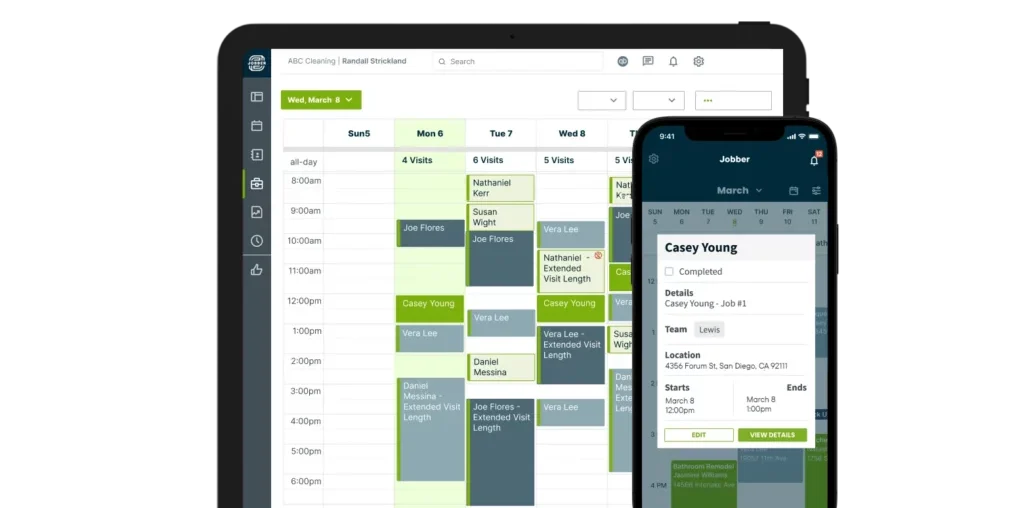
Jobber is a field service management platform used by over 250,000 service businesses, including plumbers, electricians, landscapers, and small construction contractors. It centralizes client communication, quoting, invoicing, scheduling, and basic job planning, making it one of the most efficient tools available for trade and service businesses managing recurring work.

As a construction scheduling tool, Jobber is not designed for advanced project timeline management. Its scheduling module focuses on calendar views and appointment management rather than Gantt charts, critical path analysis, baselines, or heavily resource-loaded schedules. For simple job assignments and crew dispatch, it performs well. For complex, multi-week construction project schedules, it falls short. Users rate Jobber highly for ease of use, client communication, and quoting. Common limitations include scalability issues as businesses grow and limited advanced features for complex projects.
Advantages and Key Features: Excellent for field service scheduling and dispatch, client communication and portal, quoting and invoicing, mobile app for field crews, and payment processing.
Disadvantages and Limitations: Basic scheduling (no Gantt, CPM, baselines), not suitable for complex construction projects, limited resource management, and primarily designed for service-based businesses.
Pricing: Tiered plans, typically ranging from $49 to $299 per month.
Reviews: Highly praised by small service businesses for streamlining operations and customer interactions.
Verdict: Best Construction Scheduling Software for Field Service Contractors.
13. Contractor Foreman: Affordable All-in-One for Small Contractors
Contractor Foreman is an affordable, all-in-one construction management platform for small to mid-sized contractors. Starting from $49/month for the entire company, it combines scheduling, estimating, job costing, time tracking, documents, and client communication, replacing multiple disconnected applications with a single platform.
As construction scheduling software, Contractor Foreman offers basic to intermediate scheduling with Gantt charts, task dependencies, milestones, and progress tracking. It lacks the depth of advanced CPM tools—no slack visualization, robust baselines, or portfolio-level scheduling—but for smaller contractors needing reliable daily scheduling without enterprise pricing, it significantly exceeds expectations. Users consistently rate Contractor Foreman highly for its value, with Capterra and G2 both at 4.5/5. Common feedback notes a busy interface, a learning curve, and performance slowdowns on larger projects.
Advantages and Key Features: Affordable all-in-one solution, includes estimating, job costing, and time cards, good for small to mid-sized contractors, and offers basic Gantt charting.
Disadvantages and Limitations: Can feel cluttered, has a learning curve, performance can slow on larger projects, and lacks advanced CPM features.
Pricing: Tiered plans, typically ranging from $49 to $149 per month for the entire company.
Reviews: Praised for its affordability and comprehensive feature set for its target market.
Verdict: Best Construction Scheduling Software for Small Contractors.
14. Microsoft Planner: Simple Task Planning
Microsoft Planner is a lightweight task management tool included with Microsoft 365 subscriptions. It is primarily used for team task tracking, to-do lists, and simple work planning via boards, buckets, and due dates, rather than formal project timelines. Its tight integration with Teams and Outlook makes it a natural first tool for organizations heavily reliant on Microsoft.
As construction scheduling software, Microsoft Planner falls far short of professional scheduling standards. It lacks CPM logic, Gantt charts, baselines, dependencies, and resource scheduling. For construction teams, it functions only as a task list and a lightweight collaboration aid, not a tool for building, analyzing, or managing construction schedules. That said, for very small teams using Microsoft 365 and needing basic task tracking, the zero additional cost is a compelling factor. Users describe Microsoft Planner as simple, clean, and easy for light collaboration. Common complaints include limited customization, lack of reporting depth, and quickly becoming restrictive as project complexity grows.
Advantages and Key Features: Included with Microsoft 365, easy to use for simple task management, strong integration with Teams and Outlook, and basic Kanban board views.
Disadvantages and Limitations: Not a true scheduling tool (no Gantt, CPM, dependencies, baselines), limited customization, no resource management, and not suitable for complex projects.
Pricing: Included with Microsoft 365 subscriptions.
Reviews: Appreciated for its simplicity and integration within the Microsoft ecosystem for basic task management.
Verdict: Best Construction Scheduling Software for Simple Task Planning.

15. Wrike: For Cross-Functional Teams
Wrike is a cloud-based work management and collaboration platform used across industries for project planning, task management, progress tracking, and workflow automation. With a robust feature set including Gantt charts, dependencies, baselines, and resource management, it is popular among marketing, operations, and professional services teams, and can be adapted for construction scheduling with the right configuration.
As construction scheduling software, Wrike offers general-purpose scheduling rather than construction-grade CPM. While it includes Gantt charts, dependencies, and baselines, it lacks the CPM rigor, slack visualization, advanced resource scheduling, and construction-specific cost integration. For cross-functional construction teams needing robust project tracking and reporting without a steep learning curve, Wrike is a solid option, though dedicated schedulers may find its CPM capabilities too light. Users frequently mention complex setup, notification overload, and a rapidly scaling pricing model. Wrike is consistently highly rated on G2 (4.2/5) and Capterra (4.4/5) for mid-market and enterprise project management.
Advantages and Key Features: Flexible work management, robust Gantt charts and dependencies, resource management, custom workflows, and strong reporting capabilities.
Disadvantages and Limitations: Not purpose-built for construction CPM, can be complex to set up, notification overload, and pricing can escalate quickly.
Pricing: Free plan available; paid plans typically range from $9.80 to $24.80 per user/month, with custom enterprise solutions.
Reviews: Praised for its versatility and collaborative features, though some find it less intuitive for highly specialized workflows.
Verdict: Best Construction Scheduling Software for Cross-Functional Teams.
Types of Construction Scheduling Software
Construction scheduling software varies significantly based on project size, complexity, and user roles. Selecting the appropriate type is contingent upon an organization’s specific workflows, team structure, reporting requirements, and the desired level of detail for their schedules.

- Basic Task Managers: Primarily focused on organizing and tracking individual tasks with due dates and assignments. Lacks advanced features like dependencies or critical path analysis. Ideal for very small projects or personal task management within a larger project.
- Gantt-based Scheduling Tools: Offer visual timelines (Gantt charts) with task durations, dependencies, and milestones. They provide a clear overview of project progress and interdependencies. Suitable for small to medium-sized construction projects requiring a clear visual schedule.
- CPM-focused Scheduling Software: Designed for complex projects, these tools implement the Critical Path Method to identify the longest sequence of tasks that determines the minimum project duration. They offer advanced features like slack analysis, resource leveling, and robust baseline management. Essential for large-scale, high-stakes construction and engineering projects.
- All-in-one Construction Management Platforms: Comprehensive solutions that integrate scheduling with other critical functions like estimating, bidding, document management, financial tracking, and field collaboration. Best for contractors seeking a unified system to manage all aspects of their business.
- Field Management Apps: Mobile-first applications designed for onsite teams to access blueprints, log daily activities, manage punch lists, conduct inspections, and track progress. While they support task execution, they often integrate with more robust scheduling software rather than providing standalone CPM capabilities.
How to Choose the Right Construction Scheduling Software
The decision to adopt a construction scheduling software is a strategic one, and there is no universal "perfect" tool. To make an informed choice, organizations must first conduct a thorough assessment of their specific project scheduling needs before comparing features or vendors.
Key considerations for construction scheduling tools and features include:
- Project Complexity: Assess whether your projects are simple (few tasks, linear flow) or complex (hundreds of tasks, intricate dependencies, multiple stakeholders).
- Team Size and Collaboration Needs: Determine how many users will need access, their roles (field vs. office), and the extent of real-time collaboration required.
- Budget: Establish a realistic budget, considering both upfront costs (if any) and recurring subscription fees. Free or low-cost options might suffice for basic needs, while enterprise solutions require significant investment.
- Integration with Existing Systems: Evaluate how well the new software will integrate with your current accounting, CRM, or other project management tools to ensure data flow and avoid silos.
- Mobile Accessibility: For construction, robust mobile capabilities for field teams are often critical for real-time updates and communication.
- Reporting and Analytics: Consider the depth of reporting required for stakeholders, clients, and internal analysis (e.g., performance dashboards, cost variance reports, earned value management).
- User Experience and Training: A tool, no matter how powerful, is ineffective if teams find it too difficult to use. Prioritize intuitive interfaces and readily available training resources.
- Scalability: Choose a solution that can grow with your company and adapt to increasingly complex projects or expanding operations.
Frequently Asked Questions about Construction Scheduling Software
Choosing software to schedule your construction projects is a significant decision. Here are some of the most frequently asked questions about construction project scheduling software.
What Is the Best Construction Scheduling Software?
ProjectManager is widely considered the best construction project scheduling software. It offers a comprehensive suite of scheduling, resource management, and cost tracking tools tailored for construction teams. Its robust features are backed by a 30-day free trial, allowing users to experience its capabilities firsthand.

How Much Does Construction Scheduling Software Cost?
Construction scheduling software prices vary widely. Basic tools or task managers might be free or cost less than $20 per user per month. Mid-range platforms featuring Gantt charts, collaboration, and basic scheduling typically range from $9 to $30 per user per month. Advanced construction scheduling software with CPM, portfolio management, and enterprise controls usually features custom pricing and can run into thousands of dollars annually, depending on users, modules, and project volume.
**How Does Construction Scheduling Software Work
Related posts: