A Comprehensive Review of Microsoft Project Standard 2024 and Its Place in Modern Project Management

The landscape of professional project management continues to evolve rapidly, balancing the enduring utility of robust desktop applications against the accelerating demand for cloud-first, collaborative platforms. At the center of this industry dialogue is Microsoft Project Standard 2024, a standalone, desktop-based scheduling solution priced at a one-time perpetual cost of $679.99. Designed explicitly for individual project managers, small teams, and organizations requiring strict offline control over complex workflows, the software remains a traditional staple in enterprise operational planning. However, as hybrid work models and real-time team communication redefine efficiency standards, industry analysts and software developers increasingly evaluate how local desktop tools compare to modern cloud-integrated alternatives.
Overview and Core Architecture
Microsoft Project Standard 2024 is engineered to help users organize schedules, allocate resources, and oversee project progress within a localized Windows environment. Operating as part of the broader Microsoft Project suite, the platform delivers structural integrity and precision tracking without requiring internet connectivity or cloud-based infrastructure.
The software’s primary capabilities revolve around traditional project planning elements. Users can construct detailed Gantt charts, manage task lists, establish dependency links, and utilize built-in calendars to map out deliverables. Furthermore, Project Standard includes automated scheduling features that adjust downstream tasks automatically when project parameters change, offering dependable timeline management for single-user scenarios.

Despite its precision in offline scheduling, Project Standard 2024 maintains distinct architectural boundaries. Unlike its counterpart, Microsoft Project Professional, or retired iterations like Project Online, the Standard edition does not integrate natively with Microsoft 365, SharePoint coauthoring environments, or enterprise server frameworks. Consequently, it lacks real-time multi-user editing, kanban boards for agile visualization, and built-in team collaboration tools. These structural limitations position the software as a specialized instrument for offline planning rather than a hub for organization-wide communication.
Historical Context and Product Evolution
To understand the current market position of Microsoft Project Standard 2024, one must examine the broader timeline of Microsoft’s project management ecosystem. Over the past decade, enterprise software has transitioned decisively from on-premise, perpetual-license installations toward software-as-a-service (SaaS) subscription models.
Historically, tools like Microsoft Project served as the undisputed benchmark for construction, engineering, and corporate resource planning. However, the modern enterprise environment has seen a steady migration toward cloud-centric solutions that facilitate remote work, cross-functional visibility, and instant status updates. The retirement of legacy web infrastructure, such as Microsoft Project Online, further underscores a strategic shift by Microsoft toward newer web-based offerings like Planner and Project Plan 3, while preserving traditional desktop software for users who prefer localized, capital-expenditure purchases.
This dichotomy has created a clear divergence in the marketplace. While large enterprises and agile tech teams adopt dynamic, browser-based environments, traditional industries—such as manufacturing, defense contracting, and specialized engineering—frequently maintain a reliance on perpetual desktop licenses to comply with strict data security mandates or offline operational requirements.
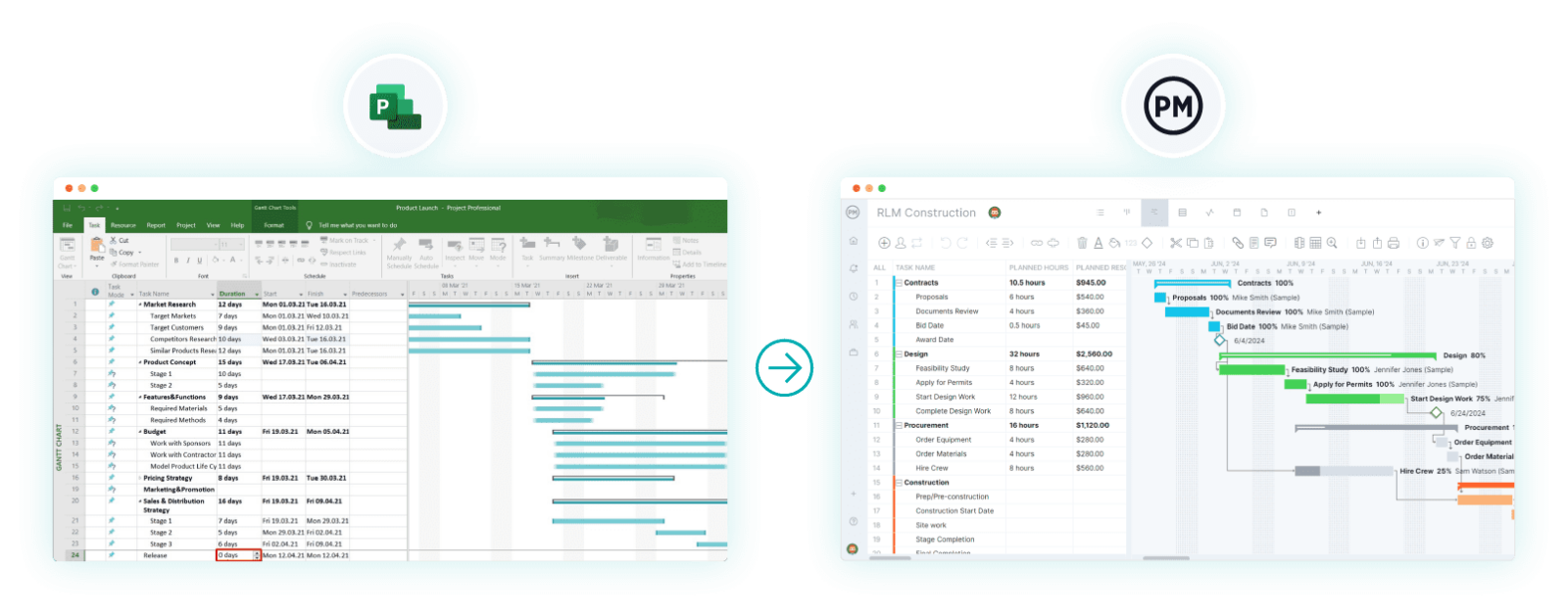
Feature Set, Pricing, and Usability Analysis
Priced at $679.99 for a perpetual single-PC license, Microsoft Project Standard 2024 represents a significant upfront investment. Unlike subscription-based platforms that charge recurring monthly or annual fees per user, the one-time purchase model appeals to organizations seeking predictable, long-term software expenditures without ongoing licensing overhead.
The platform’s feature set is optimized for independent planning and resource management:
- Advanced Gantt Charting: Enables the visual mapping of tasks, milestones, and critical paths.
- Dependency Mapping: Supports finish-to-start, start-to-finish, finish-to-finish, and start-to-start relationships to govern schedule logic.
- Resource Allocation: Provides basic tools to assign personnel and equipment to tasks, helping to identify scheduling bottlenecks.
- Reporting and Cost Tracking: Generates standard status reports and tracks budgetary expenditures against baseline plans.
Despite these functional strengths, user feedback and workflow analysts point out notable constraints. The software is strictly compatible with Windows operating systems, leaving native Mac users without a direct application unless they employ virtual machine workarounds. Additionally, because the application stores data locally in MPP file formats, sharing progress updates requires manual file transfers, email attachments, or third-party file-sharing services, introducing latency into team communications.
Comparative Industry Analysis and Market Alternatives
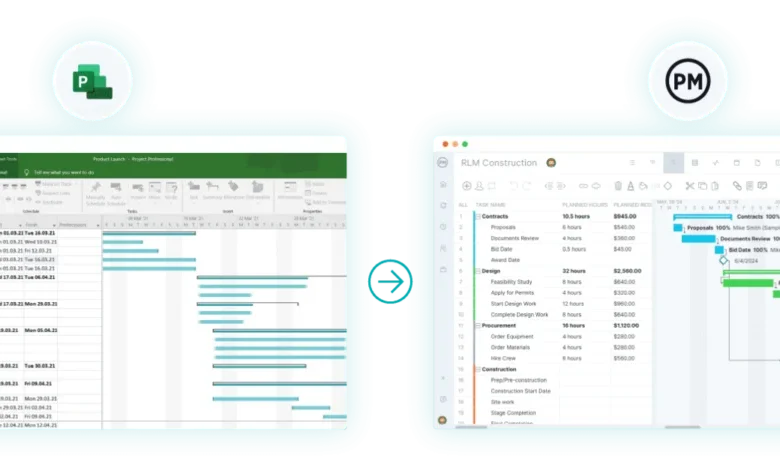
Recognizing the operational constraints of standalone desktop applications, many organizations have turned to alternative platforms that bridge the gap between rigorous scheduling and modern collaboration. Competitors such as ProjectManager have emerged as prominent alternatives by combining traditional scheduling views—including Gantt charts and dependency networks—with real-time cloud capabilities, automated dashboards, and AI-driven project insights.
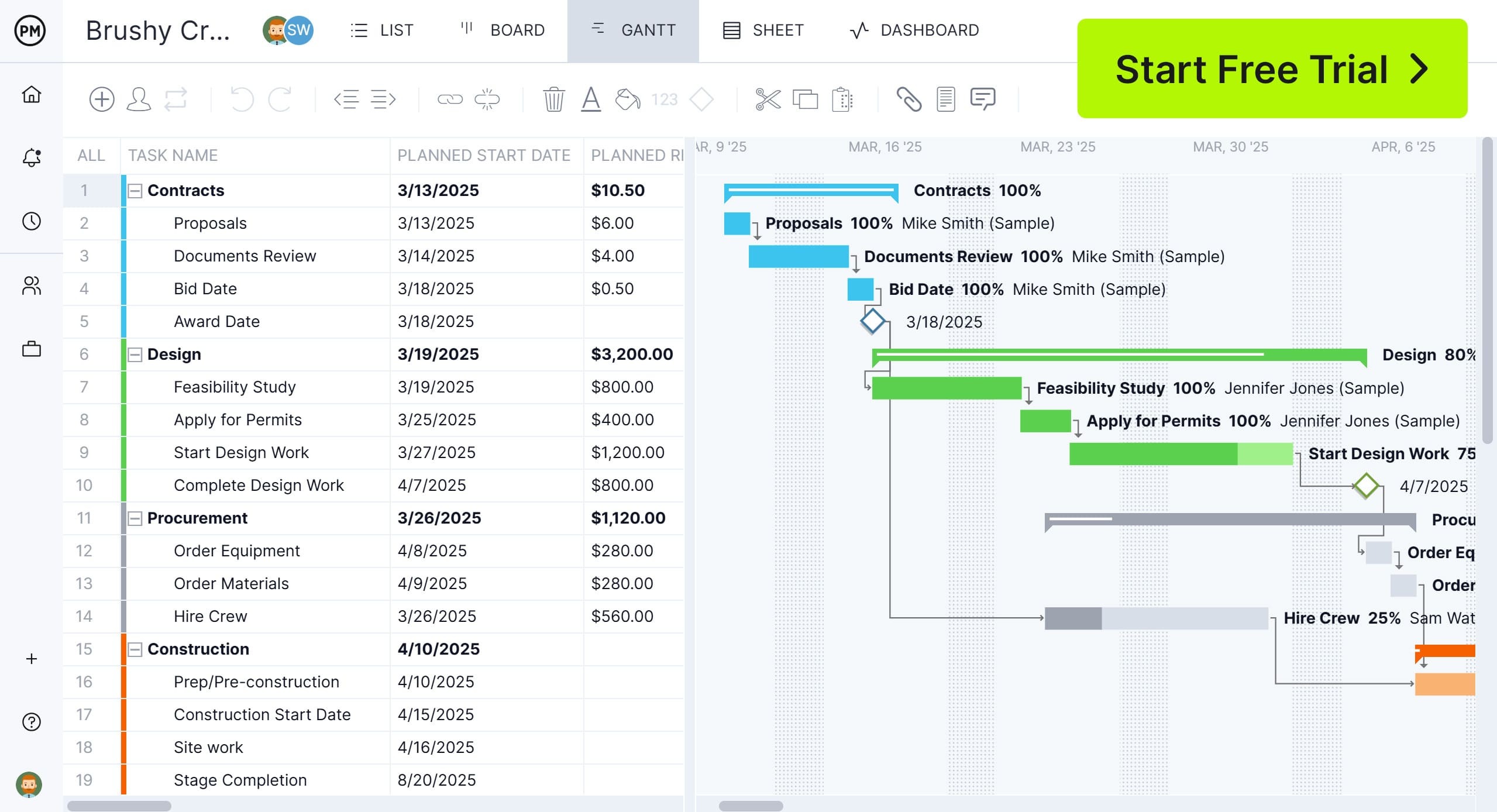
Industry comparisons highlight key operational differences between traditional desktop software and contemporary cloud solutions:
- Collaboration and Accessibility: While Project Standard confines project data to a single desktop installation, cloud platforms allow distributed teams to update statuses, communicate via task-level comments, and access mobile applications from field sites or corporate offices.
- Resource Management: Desktop tools typically rely on manual workload adjustments and static views. In contrast, advanced platforms utilize dynamic workload charts, real-time capacity heat maps, and automated resource leveling to prevent team burnout across multiple concurrent projects.
- Interoperability: Many modern solutions support lossless import and export of Microsoft Project MPP files, allowing organizations to leverage legacy schedules within collaborative online environments without abandoning previous planning data.
Implications for Enterprise IT and Project Leaders
The ongoing viability of Microsoft Project Standard 2024 illustrates a nuanced reality within corporate IT procurement: no single project management tool satisfies every operational requirement.
For solo project planners, specialized contractors, or organizations operating in secure, air-gapped environments where cloud connectivity is prohibited or restricted, Project Standard remains a durable, reliable choice. Its perpetual licensing model avoids recurring subscription fatigue, and its deterministic scheduling engine provides the rigor required for complex engineering and construction timelines.
Conversely, for organizations prioritizing enterprise-wide visibility, remote team alignment, agile workflows, and data-driven artificial intelligence insights, traditional desktop software often requires supplementation by cloud-based collaboration suites. As the boundary between office-bound and remote work continues to blur, project management software vendors face mounting pressure to blend the analytical precision of legacy desktop applications with the seamless agility of the cloud.
Related posts: