ProjectManager vs Asta Powerproject: A Comprehensive Software Comparison for Modern Project Teams

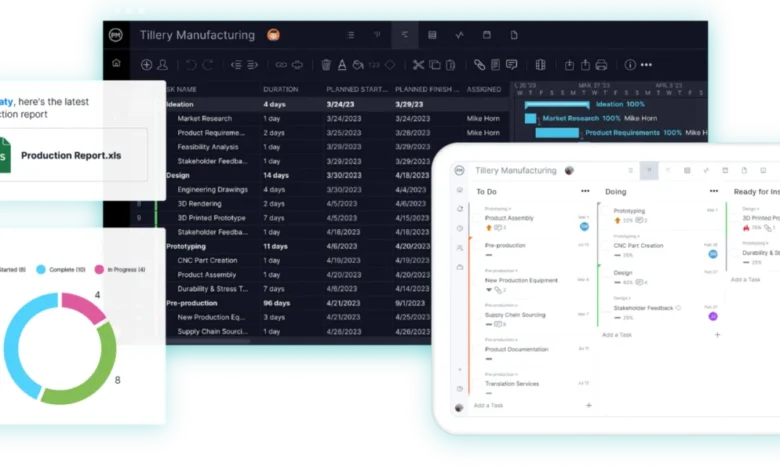
In the rapidly evolving landscape of enterprise project management, selecting the appropriate software tool can mean the difference between a project delivered on time and within budget versus costly overruns and mismanaged resources. A critical decision facing engineering, construction, IT, and professional services organizations is choosing between specialized desktop planning applications and collaborative, cloud-based project management platforms. Two prominent contenders in this space are ProjectManager and Asta Powerproject. While both applications possess the capability to build robust critical path schedules, they are engineered for fundamentally different users, workflows, and organizational structures.
Understanding the distinction between these two platforms requires an in-depth examination of their scheduling engines, resource management capabilities, collaboration frameworks, cost structures, and target user bases. Industry analysts note that as remote and hybrid work models become standard practice, the demand for accessible, real-time data sharing has shifted how organizations evaluate traditional heavy-duty planning tools versus agile cloud solutions.
Core Architectural and Platform Differences
The primary divergence between Asta Powerproject and ProjectManager lies in their architectural foundations and deployment models. Asta Powerproject, developed by Eleco, is a specialized, heavy-duty planning application deeply rooted in the construction, civil engineering, and infrastructure sectors. Traditionally deployed as a Windows desktop application—though SaaS subscription options for Mac environments have emerged—Powerproject is typically operated by dedicated, formally trained planning professionals. It is designed to handle intricate, large-scale programs with thousands of tasks, complex constraints, and rigorous compliance requirements.

In contrast, ProjectManager is a fully cloud-based, multi-tenant project management platform accessible via any standard web browser on both Windows and Mac operating systems, complemented by native iOS and Android mobile applications. Rather than sequestering project plans within the domain of a single expert planner, ProjectManager is intentionally built so that project managers, individual team members, external contractors, and executive stakeholders can collaborate within a single, live workspace concurrently.
Scheduling and Critical Path Methodologies
Both software solutions excel at core scheduling functions, including the calculation of the critical path based on task durations and logic links. Both platforms support all four standard dependency types—finish-to-start, start-to-start, finish-to-finish, and start-to-finish—along with lead and lag times.
However, Asta Powerproject provides a significantly deeper suite of advanced scheduling controls. It accommodates multiple calendars, complex task constraints, advanced what-if scenario modeling, and automated schedule quality checks benchmarked against Defense Contract Management Agency (DCMA) metrics. For major infrastructure projects requiring granular delay analysis and comprehensive float management, Powerproject offers the specialized depth required by expert schedulers.
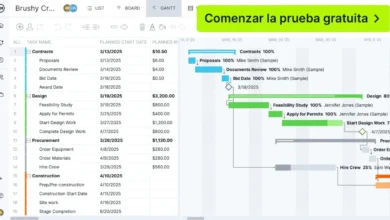
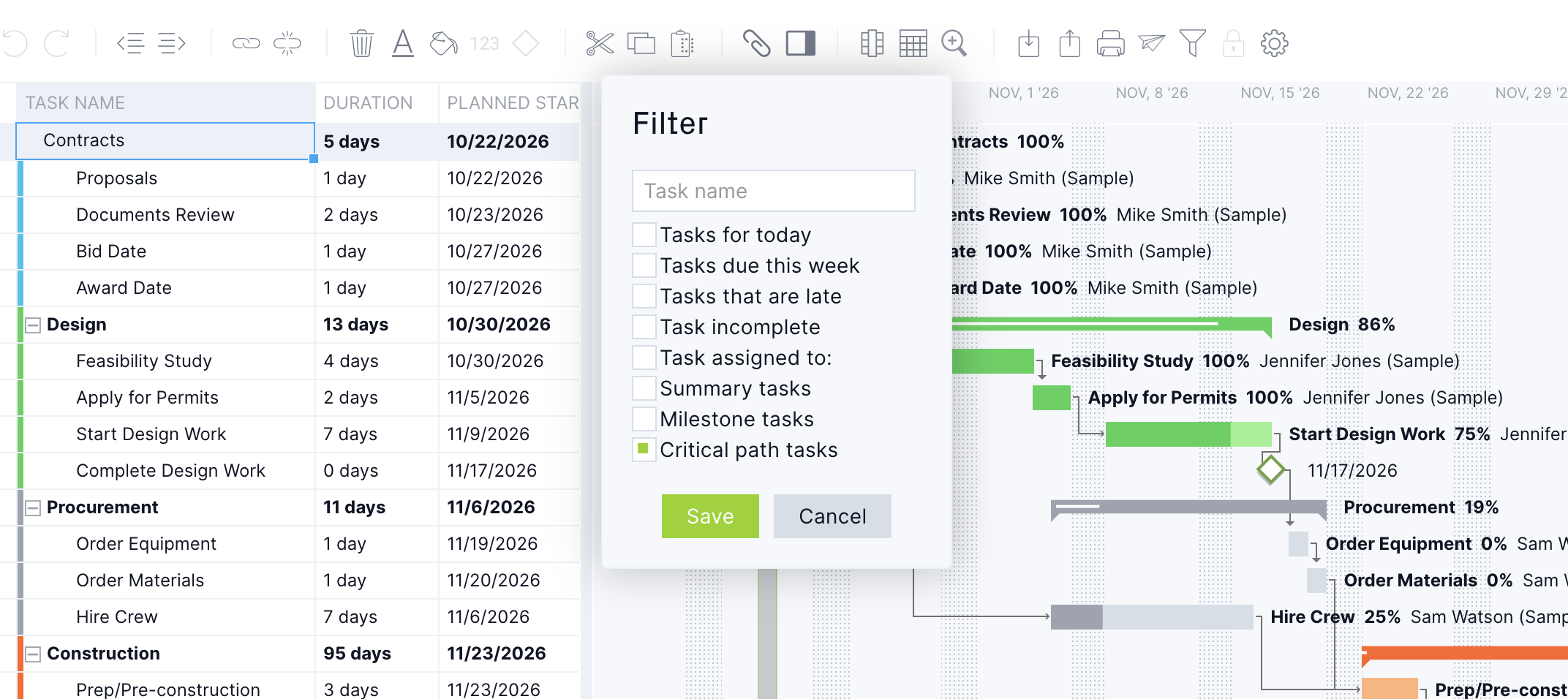
ProjectManager approaches scheduling with an emphasis on speed, accessibility, and intuitive design. Users can establish dependencies directly on the Gantt chart, toggle a critical path filter with a single click, and immediately identify which tasks dictate the project completion date. While it lacks the esoteric modeling depth of Powerproject, it delivers the exact level of scheduling rigor required by the vast majority of commercial, manufacturing, and IT project managers without demanding specialized certification.

Resource Management and Team Allocation
Resource management capabilities represent another critical differentiator in software selection. Asta Powerproject handles resource loading at the individual program level, factoring in specific skill sets, complex shift patterns, overtime rules, and localized work rates. It generates detailed histograms to illustrate resource demand over time. However, scaling this capability to share resource pools across multiple, disparate enterprise programs traditionally requires supplementary licensing through Asta Enterprise.
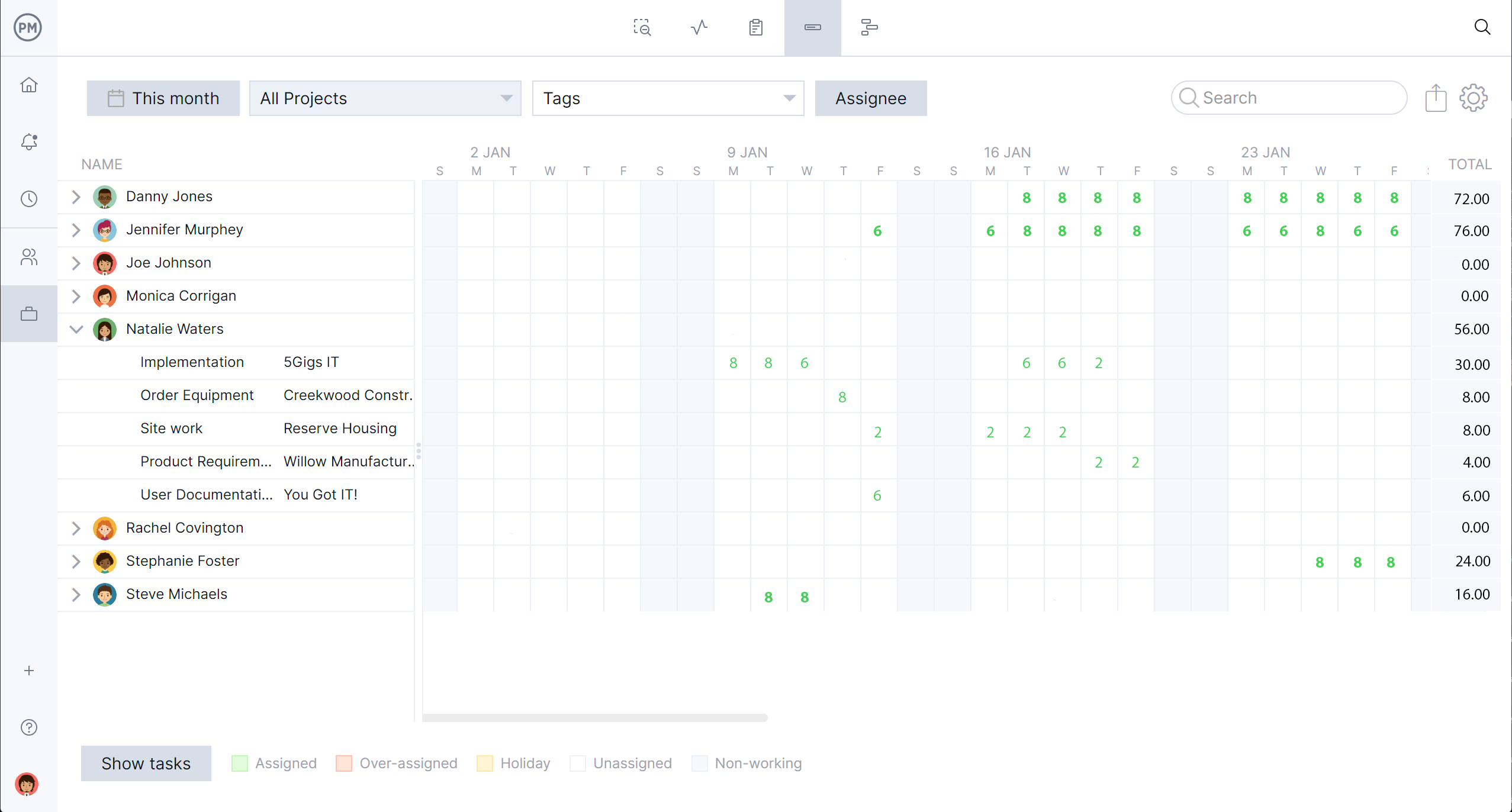
ProjectManager approaches resource allocation through a centralized, macro-level lens. Its dedicated workload management interface consolidates every team member’s assigned hours across all active company projects onto a single, unified visual dashboard. Overallocated days are instantly highlighted in red, empowering managers to reassign tasks, adjust timelines, or level resources dynamically from the same view without navigating nested menus.
Collaboration, Communication, and Stakeholder Access
The operational culture fostered by each tool diverges sharply. Within organizations utilizing Asta Powerproject, workflow segregation is common: a trained planner maintains the master schedule, while other team members view programs via a free desktop viewer, review static PDF exports, or submit progress updates through a separately licensed companion application known as Asta Siteprogress.
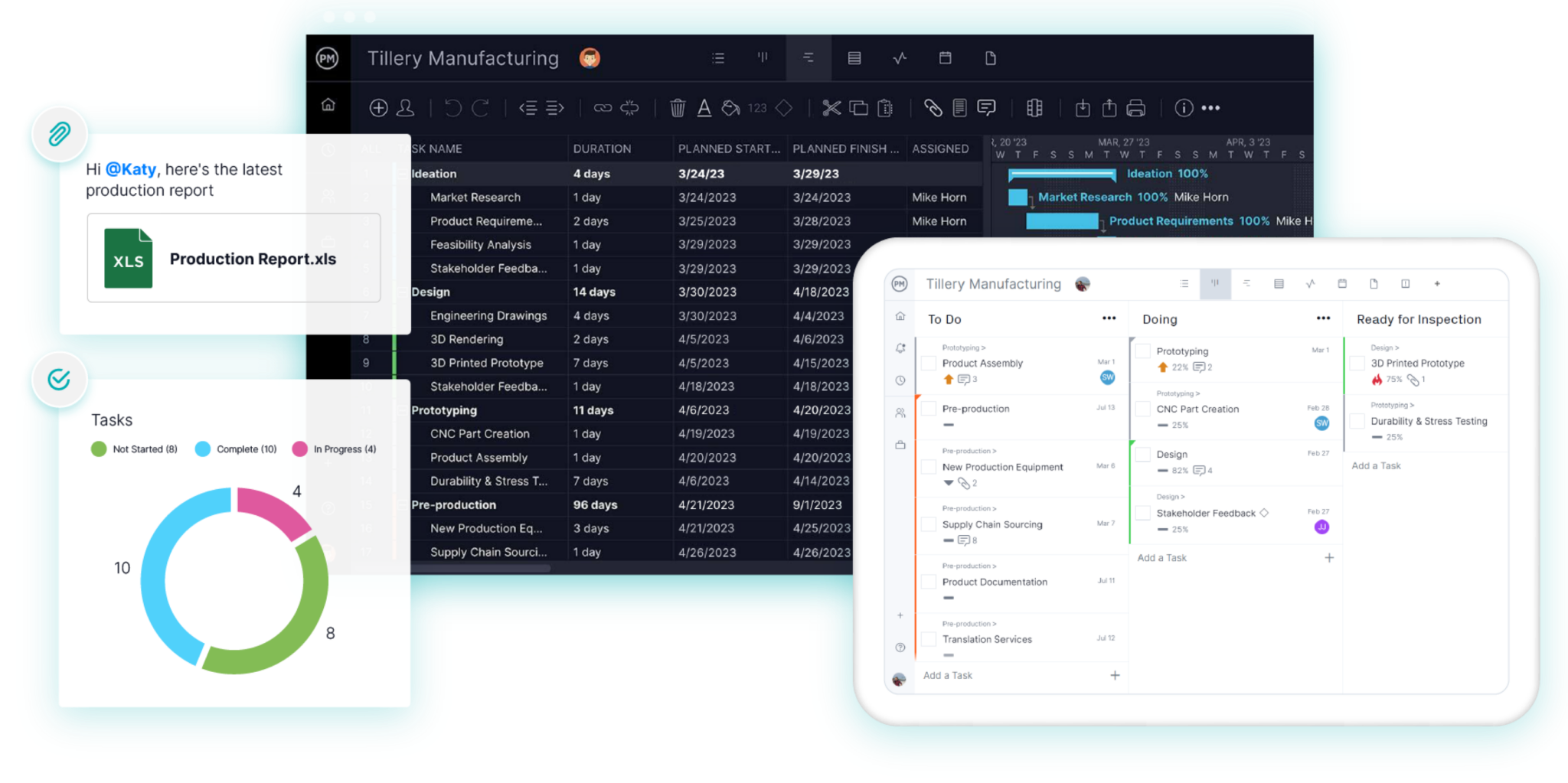
ProjectManager champions democratization and real-time collaboration. Every authorized user operates within the same live, synchronized project environment. When a team member updates a task status, uploads a document, or posts a comment via their browser or mobile device, the changes register instantly for the project manager and all associated stakeholders. This eliminates the latency inherent in traditional batch-update reporting cycles.
Financial Controls, Earned Value Management, and Reporting
For organizations bound by strict government contracting or formal corporate governance frameworks, financial tracking features are paramount. Asta Powerproject incorporates native cost loading and Earned Value Management (EVM) capabilities. This allows project controllers to track budgeted, planned, and actual costs against a time-phased baseline, satisfying stringent audit and project control requirements.
ProjectManager prioritizes real-time visibility and executive dashboards over complex earned value calculations. Project health indicators, portfolio statuses, timesheet data, and variance reports update dynamically as work is completed. Stakeholders can filter and share customized reports in a matter of clicks, facilitating rapid executive decision-making rather than exhaustive retrospective analysis.
File Compatibility and Ecosystem Integration
Interoperability is a major consideration for enterprises collaborating with external partners. Asta Powerproject utilizes native .pp file formats while offering robust import and export capabilities for Primavera P6 (XER and XML formats) as well as Microsoft Project (MPP and XML). This makes Powerproject a seamless fit for large construction consortiums where P6 or Powerproject is mandated as the contractual standard.
ProjectManager supports seamless file exchange with Microsoft Project (MPP and XML) alongside standard spreadsheet formats like Excel and CSV. However, it does not natively open proprietary .pp or Primavera XER files, requiring users to convert files into a compatible format before importing them into the cloud environment.
Cost Analysis and Return on Investment
Pricing structures reflect the differing target audiences and deployment complexities of the two platforms. Asta Powerproject commands a significant enterprise price point, with annual per-user subscriptions typically ranging from $1,320 to $1,675 depending on regional resellers and volume, with concurrent licenses and add-ons such as Enterprise and Siteprogress incurring additional costs. Furthermore, organizations must budget for formal, multi-day user training programs.
ProjectManager operates on a predictable SaaS subscription model, with tiered pricing typically ranging from $15 per user per month for Team editions to $28 per user per month for Business tiers. Comprehensive mobile access, timesheet tracking, and customer support are bundled directly into the subscription, offering a substantially lower total cost of ownership for organizations scaling across dozens or hundreds of team members.
Strategic Guidance: When to Choose Asta Powerproject
Industry consultants recommend deploying Asta Powerproject when an organization meets specific operational criteria:
- The enterprise operates primarily within heavy construction, civil engineering, or large-scale infrastructure development.
- Dedicated, certified planning professionals are employed to build and maintain complex critical path models.
- The project mandates advanced features such as 4D Building Information Modeling (BIM), earned value management, and rigorous DCMA schedule compliance checks.
- Contractual obligations require native file exchange with Primavera P6 or other specialized desktop scheduling tools.
Strategic Guidance: When to Choose ProjectManager
Conversely, ProjectManager represents the optimal strategic choice when:
- The organization manages multiple concurrent projects across diverse industries such as IT, marketing, professional services, and light manufacturing.
- Project managers, team members, and executives require a collaborative, intuitive platform with a minimal learning curve.
- Real-time communication, mobile accessibility, and centralized workload balancing across varied resource pools are operational priorities.
- Executive leadership requires rapid implementation, predictable SaaS pricing, and immediate visibility without the overhead of specialized desktop software.
Bridging the Gap: Hybrid Organizational Models

Recognizing the distinct strengths of both applications, certain mature enterprises implement a hybrid strategy. In this scenario, a central planning department maintains master construction programs within Asta Powerproject to satisfy contractual and EVM requirements, while operational project teams execute day-to-day task tracking, resource management, and team communication within ProjectManager. Organizations adopting this workflow must establish clear governance to designate which platform serves as the authoritative source for official project milestone dates.
Transitioning and Data Migration Pathways
For organizations migrating legacy schedules from Asta Powerproject to ProjectManager, direct file translation of native .pp formats is not supported. The standard migration protocol involves exporting the master program from Powerproject into Microsoft Project XML or MPP format, and subsequently importing that intermediate file into ProjectManager’s environment. Organizations are advised to retain archived .pp files to ensure historical compliance and audit readiness.
As the enterprise software market continues to prioritize agility, transparency, and cloud-native collaboration, the choice between Asta Powerproject and ProjectManager ultimately depends on an organization’s operational DNA. While Powerproject remains an indomitable force for specialized heavy construction planning, ProjectManager offers a scalable, cost-effective, and highly collaborative ecosystem tailored for modern, multi-project environments.
Related posts: