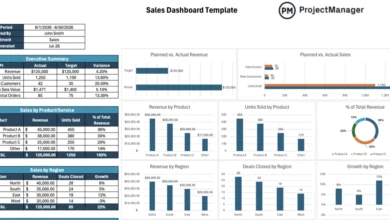
Mastering Project Success: A Comprehensive Guide to Free Time Management Templates and Modern Software Solutions

Time management remains the foundational pillar upon which successful projects are built or broken. Across every industry—from software engineering and construction to marketing and corporate finance—the ability to plan, schedule, monitor, and control operational timelines dictates whether an initiative finishes on budget and within scope or collapses under the weight of inefficiency. Effective resource allocation and precise schedule tracking are essential for maintaining team alignment, boosting productivity, and safeguarding corporate profit margins. While dedicated project management software serves as the gold standard for enterprise-level operations, structured templates offer an accessible, zero-cost entry point for individuals, startups, and small teams striving to optimize their daily workflows.
The Evolution of Time Management in Modern Enterprise Operations

Historically, enterprise time management relied heavily on manual record-keeping, paper calendars, and rudimentary spreadsheets. As global markets accelerated and remote or hybrid work environments became the norm, the margin for scheduling error narrowed significantly. Organizations quickly realized that inefficient time allocation not only delayed product launches but also inflated labor costs through unnecessary overtime and unbillable hours.
To combat these challenges, industry experts developed standardized scheduling frameworks designed to mitigate procrastination, eliminate mental fatigue, and streamline decision-making processes. Research indicates that structured time management significantly reduces workplace stress by providing employees with clear deadlines, transparent daily objectives, and defined prioritization metrics. However, static documentation can occasionally hinder collaborative velocity, prompting a modern shift toward dynamic, cloud-based tracking systems.
Anatomy of an Effective Schedule: The Top Free Templates for Excel

For organizations not yet prepared to invest in enterprise software licenses, Excel-based time management templates provide a robust, highly customizable alternative. These structured worksheets help project leaders map out human capital, track deliverables, and visualize progress across various operational horizons.
-
The Daily Schedule Template
A daily schedule template transforms abstract goals into actionable hourly blocks. By assigning specific time allocations to individual tasks, team members eliminate the cognitive friction of deciding what to work on next. Consistently utilizing a daily schedule cultivates proactive time management, replacing chaotic task-switching with disciplined execution. Furthermore, reviewing completed daily schedules provides invaluable historical data for auditing personal productivity and refining future time estimates. -
The Weekly Schedule Template
Offering a comprehensive bird’s-eye view of the operational week, a weekly schedule template enables managers to balance workloads and anticipate bottlenecks before they escalate into crises. By visualizing upcoming deadlines and meeting commitments early, teams can proactively redistribute tasks. Integrating a weekly schedule review into Monday morning routines is widely recognized as a high-impact habit for improving overall project efficiency.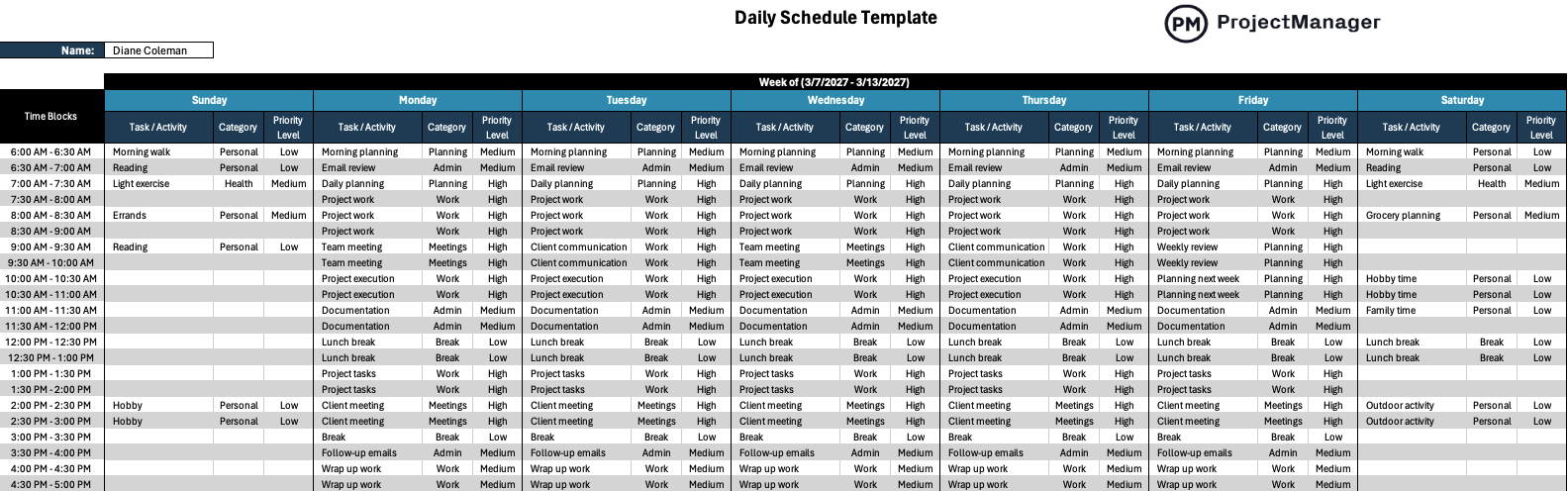
-
The Work Schedule Template
Managing human resources effectively requires a dedicated work schedule template that documents employee locations, working hours, and specific responsibilities. Adaptable for daily, weekly, or monthly intervals, this tool supports variable workloads driven by customer demand. Whether managing full-time, part-time, or shift-based personnel, organizations rely on work schedules to maximize resource utilization and protect critical deadlines. -
The Project Calendar Template
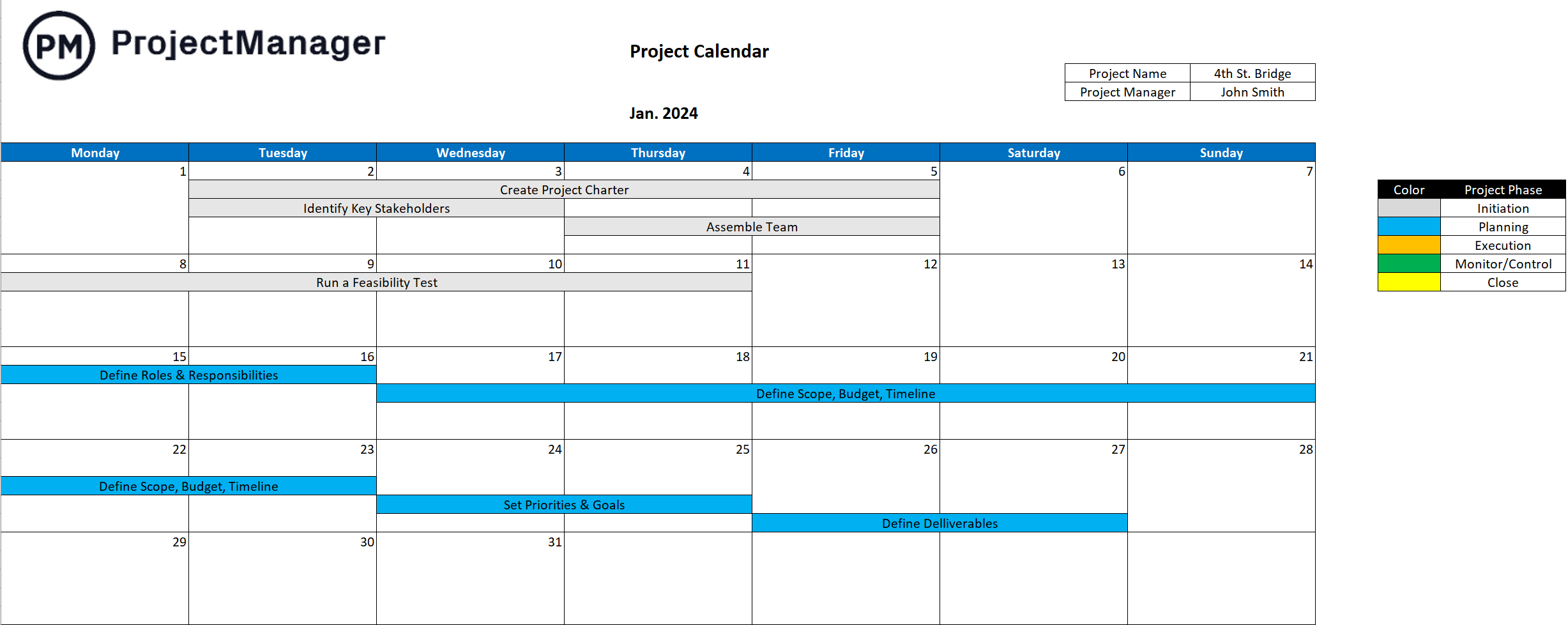
Project calendar templates present monthly grids mapping out major deadlines, team availability, and milestone dates. Functioning simultaneously as a calendar and a to-do list, this tool enhances team communication and workflow transparency. By clearly recording team vacations, public holidays, and scheduled time off (PTO), project managers can prevent devastating scheduling oversights and maintain realistic expectations. -
The Project Timeline Template
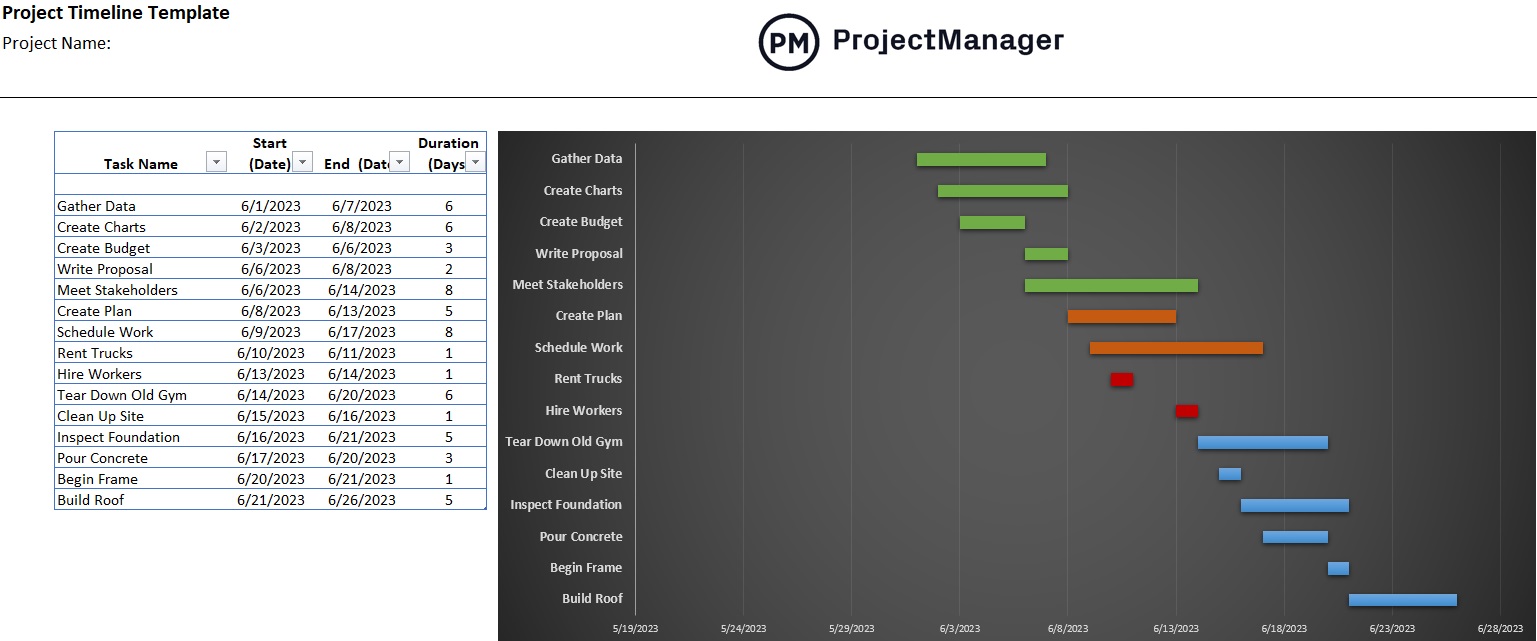
Built primarily around Gantt chart architecture, a project timeline template pairs a data spreadsheet on the left with a visual scheduling bar on the right. This dual-pane design enables managers to sequence tasks, establish dependencies, and identify critical paths. Color-coding taskbars by project phase further enhances readability, allowing stakeholders to grasp complex project trajectories at a glance.
-
The Workload Analysis Template
Workload distribution is critical for preventing burnout and maintaining high output quality. A workload analysis template evaluates the volume of work assigned to each team member, identifying over-allocation risks before they degrade morale. By factoring in operational seasonality and potential workforce disruptions, managers can design strategic plans capable of absorbing unexpected shocks. -
The Meeting Agenda Template
Unstructured meetings remain one of the largest drains on corporate productivity. A meeting agenda template enforces discipline by establishing clear discussion objectives and required preparation materials in advance. Distributing structured agendas ensures meetings start on time, stay focused on key decisions, and conclude with actionable follow-up items. -
The 30-60-90 Day Plan Template
For medium-term initiatives and employee onboarding processes, a 30-60-90 day plan template divides large objectives into three manageable, chronological phases. This phased approach establishes accountability checkpoints, guiding new hires or project teams from initial learning stages to autonomous leadership without requiring constant managerial oversight.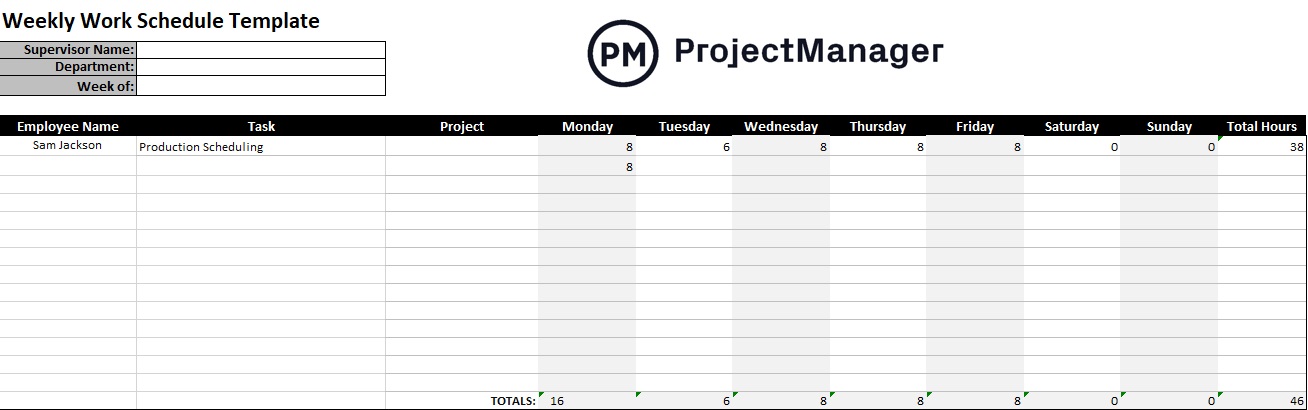
Comparative Analysis: The Pros and Cons of Excel Time Management Worksheets
While Excel templates offer unmatched accessibility and cost-efficiency, they possess inherent operational limitations that organizations eventually outgrow. Understanding these trade-offs is essential for determining when to transition from static spreadsheets to dynamic software solutions.
Pros of Excel Templates:
- Zero financial investment, making them ideal for bootstrapped startups and small teams.
- High customizability, allowing users to modify formulas, formatting, and layouts to suit unique workflows.
- Offline accessibility, enabling users to update documents without requiring an active internet connection.
- Low learning curve for professionals already familiar with spreadsheet software.
Cons of Excel Templates:
- Lack of real-time collaboration, often resulting in conflicting local file versions and version-control errors.
- Manual data entry requirements that pull employees away from core productive tasks.
- Absence of automated alerts, live dashboard integrations, and real-time portfolio reporting.
- Inability to dynamically adjust schedules when dependent tasks shift or resources become unavailable.
Transitioning to Enterprise Project Management Software
As organizations scale, the administrative burden of maintaining manual spreadsheets outweighs their initial cost savings. Enterprise-grade platforms bridge these gaps by centralizing time tracking, resource allocation, and portfolio reporting into a single, cloud-accessible environment. Modern software solutions replace static templates with interactive Gantt charts, secure digital timesheets, and automated payroll integration.
Real-Time Dashboards and Advanced Reporting
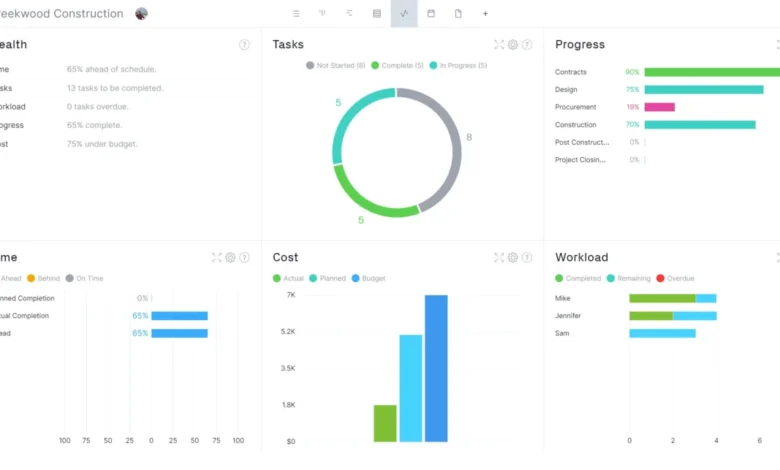
Advanced project management platforms empower executives and project managers to monitor operational health through real-time dashboards. Live data feeds populate visual graphs and charts, displaying instantaneous metrics regarding labor costs, resource utilization, and timeline adherence. Customizable reporting tools allow managers to generate granular timesheet reports for payroll processing while distilling high-level summaries for executive stakeholders. These automated insights drastically reduce administrative overhead and accelerate strategic decision-making.
Optimizing Resource Management and Team Capacity

Resource constraints represent one of the most frequent catalysts for project failure. Modern software suites integrate interactive calendars with intelligent workload charts, giving managers instant visibility into team capacity. If an employee is flagged as over-allocated, managers can reassign tasks directly from the workload view with a simple drag-and-drop action. This proactive balancing act ensures projects progress at maximum efficiency while safeguarding employee well-being and preventing burnout.
Broader Implications and Industry Impact
The ongoing evolution of time management methodologies reflects a broader corporate shift toward data-driven operational transparency. As distributed workforces become permanent fixtures of the global economy, reliance on static, offline scheduling tools is steadily declining. Organizations that adopt integrated, cloud-based project management ecosystems consistently report higher project delivery rates, reduced labor variances, and improved client satisfaction scores. By replacing guesswork with precise time-tracking analytics and structured scheduling frameworks, modern enterprises can successfully navigate complex project lifecycles and secure a distinct competitive advantage in an increasingly demanding marketplace.