Strategic Frameworks for CRM Data Migration: A Comprehensive Guide to Enterprise Digital Transformation

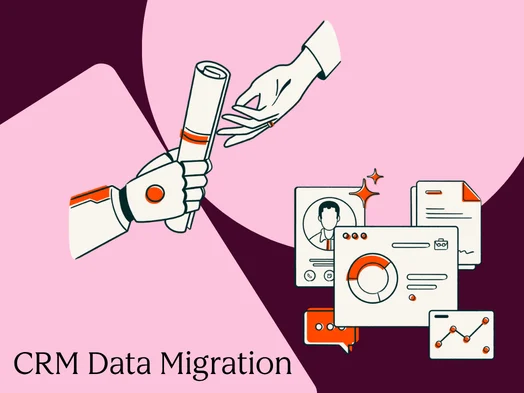
In the contemporary landscape of revenue operations, the Customer Relationship Management (CRM) system serves as the central nervous system of the organization, and the process of CRM data migration—the movement of data, workflows, and assets between platforms—has become a pivotal moment for enterprise stability. Industry analysts suggest that as companies scale, the transition from legacy systems to modern, unified data models is no longer an optional IT upgrade but a strategic necessity to maintain competitive parity. When the data within these systems is compromised, every downstream process, from marketing automation to financial forecasting, is subject to systemic failure.
Successful CRM migrations are rarely defined by the technical transfer of records; rather, they are characterized by structured business change management. Organizations that treat migration as a simple "bulk export and import" often face significant operational debt. Conversely, those that prioritize data hygiene, scope validation, and phased rollouts report higher user adoption rates and more accurate revenue attribution. This report examines the technical, strategic, and economic frameworks required to execute a successful CRM migration.
The Operational Context of CRM Migration
CRM data migration involves the transfer of records, complex relationships, historical interactions, permission structures, and automated workflows. The complexity of this task is often underestimated by executive leadership. Unlike a simple file transfer, a CRM migration must preserve the integrity of interconnected data. For example, a single contact record is frequently associated with a specific company, linked to multiple historical deals, threaded into years of email correspondence, and enrolled in active automation sequences.
The distinction between migration and integration is critical for operational planning. While integration involves the ongoing synchronization of two or more active systems, migration is a finite, phased movement intended to establish a new "single source of truth." In the current market, as businesses move away from fragmented legacy architectures toward platforms like HubSpot’s Smart CRM, the focus has shifted toward reducing data silos and establishing unified data models that support real-time revenue performance management.
Chronology of a Successful Migration: An Eight-Phase Framework
To mitigate risk, enterprise-level migrations follow a rigorous chronological sequence. Industry experts recommend a timeline that allows for at least two to three weeks of planning before any data is moved.
Phase 1: Assessment and Discovery
The initial phase requires a comprehensive audit of the existing data architecture. This includes identifying all object types, such as contacts, companies, deals, and tickets, and documenting the volume of records within each. Stakeholders must define the "freeze window"—the period during which data entry in the legacy system is restricted—and the "rollback trigger," the specific failure point that would necessitate a return to the original system.
Phase 2: Data Cleansing and Normalization
Data cleansing is arguably the most labor-intensive portion of the migration. Statistics indicate that poor data quality costs the global economy trillions of dollars annually in lost productivity. Organizations must establish deduplication rules, such as exact email matching for contacts or domain-level matching for companies. Normalization ensures that phone formats, country codes, and picklist values are standardized before they enter the new environment.
Phase 3: Field Mapping and Schema Alignment
Field mapping aligns the source CRM’s properties with the destination CRM’s data model. This phase often reveals "property gaps," where the new system lacks a direct equivalent for a legacy field. Strategic mapping requires a "Data Dictionary" to document every transformation, ensuring that multi-select fields in the source system are correctly translated into the architecture of the destination.
Phase 4: Sandbox Testing
A sandbox environment is a non-production mirror of the CRM where migration logic can be tested without risk. Experts recommend running the migration in the sandbox at least twice: once to identify mapping gaps and a second time to validate the fixes.
Phase 5: Production Migration
The actual migration is executed in a specific sequence to prevent "orphaned records." The standard protocol dictates that parent objects (companies and accounts) must be migrated before child objects (contacts and deals) to ensure that associations remain intact.
Phase 6: Validation and Audit
Post-migration validation involves record count verification and spot-checking. This phase ensures that the number of records exported from the source matches the number imported into the destination, accounting for any intentional exclusions or deduplications.
-1.png)
Phase 7: Cutover and Go-Live
The cutover is the formal transition where the new CRM becomes the system of record. This involves deactivating legacy integrations and redirecting all live data flows to the new platform.
Phase 8: Hypercare and Stabilization
Hypercare is a designated period (typically 2–4 weeks) of intensive support following the go-live. During this time, a dedicated team monitors for sync errors and provides rapid-response troubleshooting for end-users.
Data Quality and the Economics of Migration
The financial implications of CRM migration are significant. A mid-market migration involving 50,000 to 500,000 records can cost between $20,000 and $150,000 when managed by external systems integrators. However, the "hidden cost" of migration is often found in data cleansing. Industry benchmarks suggest that organizations should budget approximately 30% to 40% of their total project effort specifically for data hygiene.
The "Golden Record" concept is central to this economic calculation. By establishing survivorship rules—determining which data points "survive" when two records are merged—organizations can ensure that their most valuable assets (accurate customer insights) are preserved. For instance, a common survivorship rule is to keep the most recently updated phone number or the email address with the highest engagement rate.
Integration Inventory and Security Protocols
Integrations are often the "silent dependencies" that cause migration failures. Modern revenue teams rely on a stack of tools, including marketing automation, ERP systems, and communication platforms like Slack or Zoom. Before cutover, an organization must conduct an integration inventory to document every API connection and webhook.
Security and permissions remapping are equally vital. Migration presents an opportunity to rationalize the security model. Rather than simply replicating legacy permissions, organizations should map access based on current user roles. This ensures that sensitive financial data or customer PII (Personally Identifiable Information) is only accessible to authorized personnel, maintaining compliance with global standards such as GDPR or CCPA.
Strategic Handling of Historical Data
A common pitfall in CRM migration is the attempt to move every historical activity, including years of automated marketing emails and expired tasks. Data experts suggest that migrating more than 18 months of activity history often results in a "bloated" system that slows down performance without providing actionable insights.
The recommended strategy is to migrate the last 12 to 18 months of high-value data into the live CRM while archiving older records into a read-only data store or warehouse. This approach maintains system speed while ensuring that historical data remains accessible for long-term trend analysis or legal compliance.
Market Analysis and Tool Selection
The choice of migration tools depends on the complexity of the data and the organization’s technical maturity.
- Native Import Tools: These are suitable for smaller datasets (under 25,000 records) with standard object structures.
- iPaaS and Data Sync Platforms: Tools like HubSpot Data Hub provide ongoing synchronization, making them ideal for phased migrations where two systems must coexist temporarily.
- Dedicated Migration Specialized Tools: Platforms such as Trujay or Migrate.io offer automated mapping for common CRM transitions (e.g., Salesforce to HubSpot).
- Custom API Migrations: For enterprise organizations with complex custom objects, a developer-built solution using the CRM’s API is often necessary to handle bespoke data transformations.
Broader Implications for Organizational Growth
The successful execution of a CRM data migration serves as a catalyst for broader digital transformation. It allows organizations to move away from "data debt"—the cumulative cost of disorganized and inaccurate information—and toward a model of "data equity."
Statements from Revenue Operations leaders emphasize that the post-migration period is often when the most significant gains are realized. With a clean data foundation, sales teams can accurately track pipeline velocity, marketing teams can implement more sophisticated segmentation, and executive leadership can rely on dashboards that reflect the true state of the business.
In conclusion, CRM data migration is a high-stakes strategic maneuver. While the technical challenges are formidable, the primary drivers of success are disciplined planning, rigorous validation, and a commitment to data quality. By following a structured framework, enterprises can ensure that their CRM remains a robust engine for growth rather than a liability of legacy misinformation.