In the fast-paced landscape of digital marketing and search engine optimization, website managers and marketers frequently encounter web pages that underperform despite holding significant commercial potential. Whether dealing with a top-tier product page that has steadily dropped in organic rankings, a competitor’s blog post capturing high-intent search volume, or a client landing page failing to convert traffic, diagnosing the root cause requires swift, methodical precision. Historically, identifying these friction points demanded extensive, time-consuming site-wide crawls. However, modern lightweight browser-based solutions have transformed this initial triage phase.

Among these tools, SEOquake—a free Chrome extension developed by Semrush—has emerged as a vital asset for technical and on-page auditing. Without necessitating browser navigation away from the target URL, the utility evaluates technical signals, on-page optimization, link architecture, and core visibility metrics. By adopting a structured, three-minute diagnostic workflow, digital professionals can systematically isolate page-level anomalies, evaluate broader site impacts, and formulate targeted remediation strategies.

Understanding the Anatomy of an On-Page Browser Audit

SEOquake functions as an on-demand diagnostic suite designed to provide immediate transparency regarding a webpage’s search viability. The extension operates through two primary interfaces: a rapid Quick View pop-up for immediate high-level assessment and a comprehensive Full Report panel for deep analytical dives. Throughout these interfaces, findings are systematically color-coded to allow practitioners to prioritize fixes based on severity. Green indicators typically denote healthy implementation, orange highlights potential optimization opportunities or minor technical warnings, and red flags signify critical errors that could severely hinder indexing, crawling, or user experience.

The implementation of color-coded matrices ensures that technical SEO audits do not become bogged down by extraneous data. Instead, auditors can instantly isolate structural vulnerabilities, allowing for an efficient allocation of resources. This methodology is particularly valuable when auditing e-commerce platforms, news organizations, or content-heavy publisher sites where manual inspection of every HTML element is impractical.

Minute One: Initial Triage via the Quick View Pop-Up

The triage phase represents the foundational first minute of the diagnostic process. Within sixty seconds, the primary objective is to answer a singular question: Is there an obvious, critical failure preventing this page from performing?

Upon clicking the SEOquake browser icon on a target page—such as an e-commerce product listing—the user is presented with a pop-up window featuring five distinct tabs. For a rapid assessment, auditors typically focus on three core sections, spending approximately twenty seconds on each: Page Info, Audit, and Content.

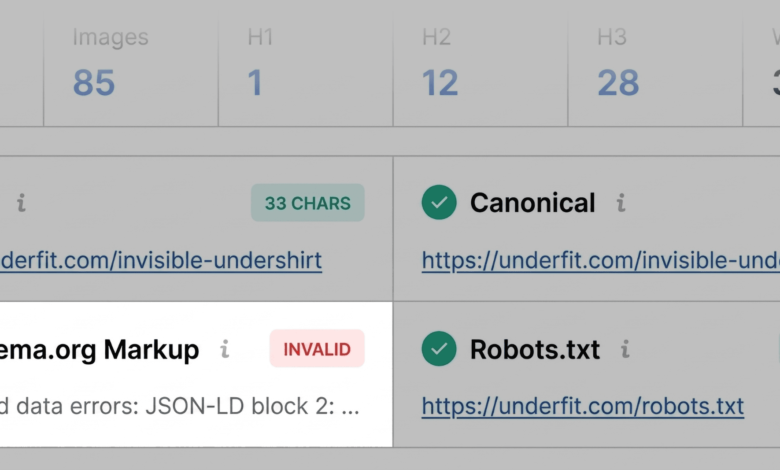
The Page Info tab serves as the primary gateway for assessing core on-page elements, including the title tag, meta description, canonical URL, HTTP status code, and indexability signals. A quick scan highlights whether optimization fundamentals are present. During this initial review, critical structural errors frequently surface. For instance, an invalid JSON-LD Schema.org implementation will frequently be flagged in red. For transactional product pages, broken structured data carries profound implications. Invalid product schema can strip a page of its eligibility for rich search results, removing vital visual indicators such as dynamic pricing, product availability, and aggregate review ratings directly from the search engine results page (SERP). Consequently, identifying schema errors during the first minute dictates the subsequent depth of the audit.

Transitioning to the Audit tab within the Quick View pop-up reveals technical compliance indicators. While green or orange statuses do not inherently represent immediate emergencies, orange warnings require expert interpretation. For example, missing hreflang implementations or localized canonical mismatches may appear as warnings. While acceptable for single-region sites, these orange flags demand careful consideration for international enterprises.

Finally, the Content tab evaluates textual hierarchy and keyword distribution. Heading tag structures (H1 through H6) provide search engine crawlers and emerging artificial intelligence systems with a clear blueprint of document organization. An inverted or erratic heading hierarchy—such as placing the primary H1 deep within the body copy or jumping directly from an H1 to an H4—complicates document parsing. Furthermore, image optimization summaries within this tab frequently reveal whether high-resolution product imagery lacks alternative (alt) text. Given the growing dominance of visual search and accessibility compliance standards, unoptimized media assets represent persistent optimization gaps.

Minutes Two and Three: Deep-Dive Diagnosis Using the Full Report

Once initial triage flags are identified, the evaluation transitions into the diagnostic phase, utilizing the Full Report panel. Accessible via the "View Full Report" link, this interface expands into six specialized panels: Overview, Audit, Keyword Density, Internal Links, External Links, and Semrush data integration.

Within the comprehensive Audit panel, technical metrics regarding crawlability, mobile responsiveness, and sitemap accessibility are dissected. For example, if a preliminary scan suggests an XML sitemap exists but lacks prominent linkage, the full audit confirms the exact nature of the compliance failure. Similarly, cross-referencing schema warnings with integrated validation tools—such as Google’s Rich Results Test—allows auditors to pinpoint exact JSON-LD syntax errors.

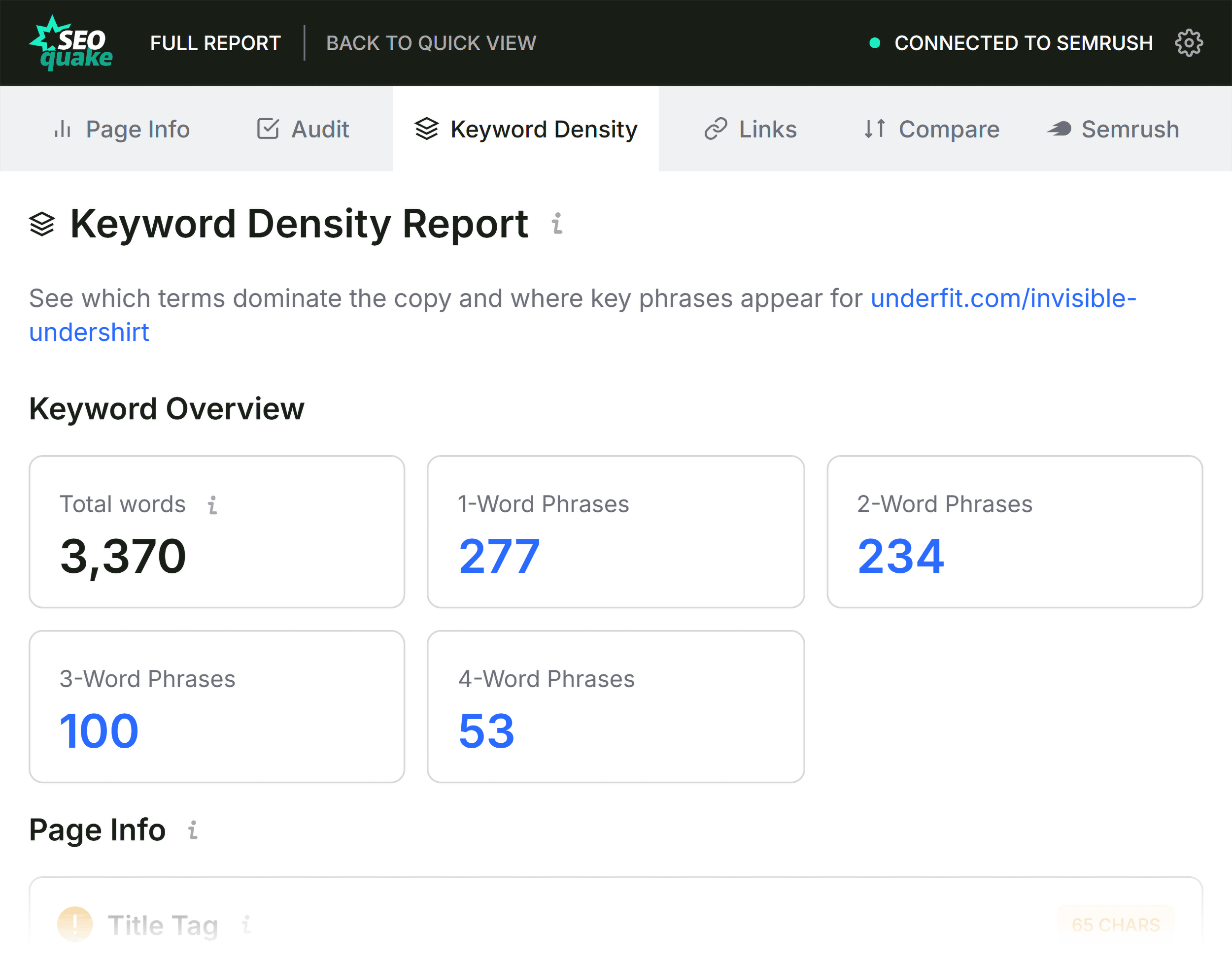
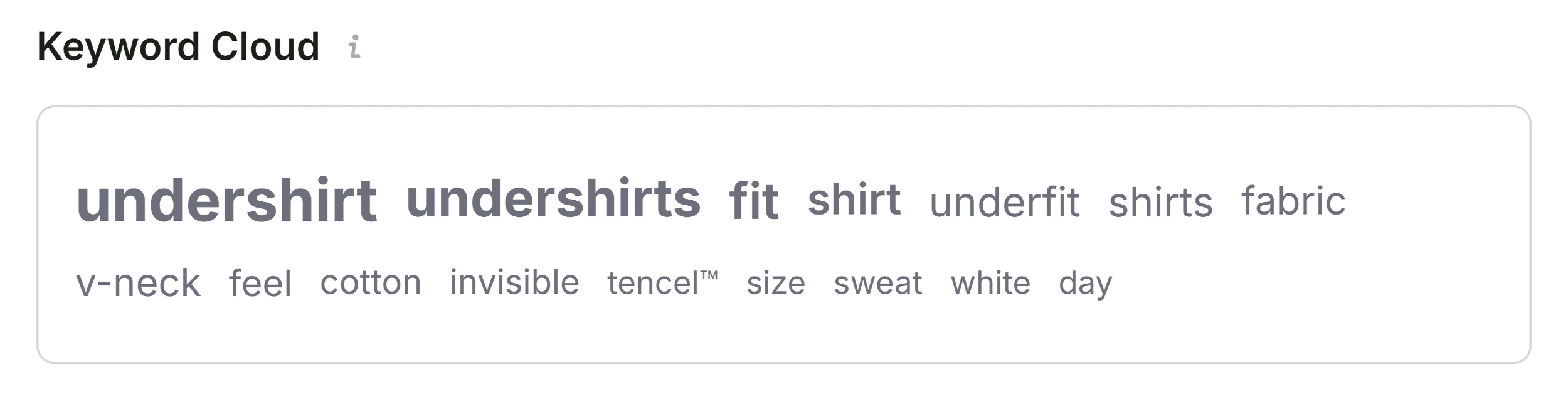
The Keyword Density panel offers further insight into semantic topic coverage and content relevance. By evaluating the Keyword Cloud alongside single-word and multi-word phrase frequency tables, auditors can confirm whether the primary search terms align with the page’s intended commercial intent. While minor discrepancies—such as UI button text or interactive script strings appearing in keyword tables—are common, major gaps in topical depth indicate potential under-optimization compared to top-ranking competitors.

Evaluating Link Architecture and Domain Context

Link health remains a cornerstone of both user experience and search engine discovery. The Links panel inventories all internal and external hyperlinks present on the audited URL, categorizing them by response codes and attribute types (dofollow versus nofollow). Identifying broken external references or unoptimized JavaScript-driven links prevents "link juice" leakage and ensures seamless user navigation.

However, resolving page-level errors requires contextual awareness of the broader domain’s health. The Semrush data integration panel within SEOquake provides this critical macro-level perspective. By pulling domain authority metrics, organic traffic trends, and historical visibility data, auditors can differentiate between isolated page issues and systemic site-wide vulnerabilities.

A weak, underperforming landing page hosted on a domain with immense authority and a robust backlink profile typically points to localized on-page deficiencies—such as outdated copy, poor keyword targeting, or minor technical friction. Conversely, issues such as site-wide XML sitemap omissions, recurring template schema errors, or widespread broken navigation links indicate that localized page fixes will yield limited results without a comprehensive site audit.

Implications and Strategic Remediation
The practical implementation of a standardized three-minute SEOquake audit framework shifts the paradigm of technical SEO from reactive troubleshooting to proactive optimization. By methodically progressing from high-level triage to granular diagnostic reporting, digital marketing professionals can rapidly isolate structural impediments, semantic gaps, and technical compliance failures.
Ultimately, browser-based auditing tools do not replace the necessity of exhaustive technical crawls for enterprise-scale web properties. Instead, they act as an indispensable first responder’s toolkit. By identifying critical vulnerabilities—ranging from invalid product markup to fragmented heading hierarchies—in mere minutes, teams can prioritize development resources, refine content strategies, and steadily reclaim lost organic visibility in an increasingly competitive digital marketplace.