Privacy Concerns Mount as LG Monitors Force Unsolicited Software and Advertisements via Windows Update

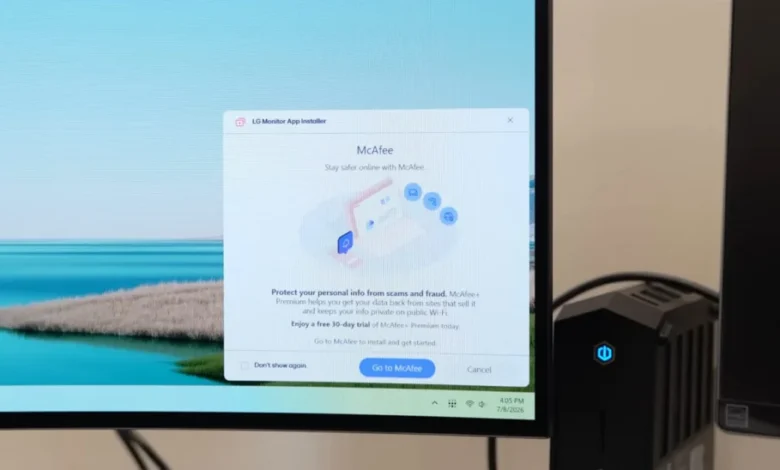
The modern consumer technology landscape is increasingly defined by a shift from one-time hardware sales to recurring revenue models, often driven by data harvesting and advertising. This trend has recently manifested in a controversial manner within the high-end computer hardware sector. Owners of premium LG monitors have begun reporting the unsolicited installation of a program titled "LG Monitor App Installer" on their Windows systems. This software, which appears to be delivered through Windows Update without explicit user consent or a prior notification prompt, has sparked a significant backlash among hardware enthusiasts and privacy advocates alike. The situation is particularly contentious given that LG produces some of the most expensive displays on the market, with high-performance OLED and professional-grade monitors often retailing for well over $1,000. For consumers who have invested such significant sums into hardware, the discovery of forced "bloatware" and intrusive advertisements is being viewed as a breach of trust and a potential security risk.
The Emergence of the LG Monitor App Installer
The controversy gained mainstream attention following an investigation by Steve Burke of Gamers Nexus, who documented the software’s appearance on systems connected to both new and older LG displays. According to reports, the LG Monitor App Installer does not merely provide utility for the display; it serves as a gateway for third-party software and advertisements. Once the application is silently installed, users have reported seeing pop-up advertisements for services such as McAfee antivirus.
The software’s description on the Microsoft Store attempts to frame the utility as a convenience, stating that it allows users to "easily install and use apps supported by your monitor." However, the lack of an opt-in mechanism is the primary point of contention. In many cases, users were unaware the software existed until it began displaying notifications or appearing in their system tray. This practice of "push" installation bypasses the traditional user-driven software lifecycle, where a consumer decides which drivers or utilities are necessary for their workflow.
The Mechanics of Silent Installation via Windows Update
The technical mechanism behind this forced installation involves Microsoft’s "Universal Windows Platform (UWP) device apps" framework. According to Microsoft’s own documentation for hardware developers, Windows is designed to automatically download and install a companion app when a specific device is connected to a PC. This process occurs if the user has not opted out of "Recommended Settings" during the initial Windows installation, is connected to the internet, and is signed into a Microsoft Store account.
Microsoft’s developer guidelines explicitly acknowledge the potential for user dissatisfaction with this feature. A support page for Windows hardware developers states: "The automatic installation feature does not provide a notification to the user when the app is installed. Some users may find this experience confusing and frustrating and give your app a bad rating." Despite this internal recognition of the "frustrating" nature of the feature, the policy remains active, allowing hardware vendors like LG to leverage Windows Update as a delivery vehicle for software that goes beyond basic driver functionality.
For a monitor—a device traditionally considered a "plug-and-play" peripheral—the necessity of a background installer is questionable. While modern monitors do feature complex firmware and features like On-Screen Display (OSD) control via software, these are typically offered as optional downloads (such as LG’s "OnScreen Control" app) rather than forced background processes.
Privacy and Data Collection Concerns
Beyond the annoyance of unsolicited advertisements, the privacy implications of the LG Monitor App Installer are profound. Expert analysis of the software’s permissions and terms of service reveals an expansive reach into the user’s operating system. Once active, the application technically possesses permission to access "all system resources."
The scope of data collection is equally alarming. According to Burke’s findings, the software is authorized to collect a wide array of personal and telemetry data, including:
- Precise geolocation data.
- Device-specific identifiers and hardware configurations.
- Online activity and browsing history.
- Contact lists and user credentials.
- Financial transaction history and more.
The justification for a monitor utility to access a user’s contacts or transaction history is non-existent from a functional standpoint. This has led to accusations that the "App Installer" is essentially a telemetry and data-harvesting tool disguised as a hardware utility. For professional users, including those in the legal, medical, or financial sectors who use high-end LG displays, the presence of such invasive software on a workstation could represent a violation of corporate security policies or data protection regulations like GDPR or CCPA.
A Growing Trend Among Hardware Manufacturers
LG is not the first company to face criticism for using hardware connectivity as a pretext for software installation. The PC industry has seen a steady rise in "software-as-a-service" (SaaS) mentalities being applied to physical goods.
- Razer: Known for its gaming peripherals, Razer’s "Synapse" software has long been criticized for its requirement of an account and its tendency to prompt for installation the moment a mouse or keyboard is plugged in.
- Asus and Gigabyte: Both motherboard manufacturers have utilized features within the BIOS/UEFI (such as Asus’s "Armoury Crate") to automatically inject software into a fresh Windows installation before the user even reaches the desktop.
- Logitech: Users have frequently complained about the "G Hub" software being forced or heavily pushed upon users of their gaming and productivity lines.
The distinction in the LG case is the "stealth" nature of the delivery. While Razer or Asus usually present a prompt (even if it is intrusive), the LG Monitor App Installer has been appearing without any user interaction whatsoever. This marks a significant escalation in how hardware vendors interact with the host operating system.
Financial Context and the Premium Market
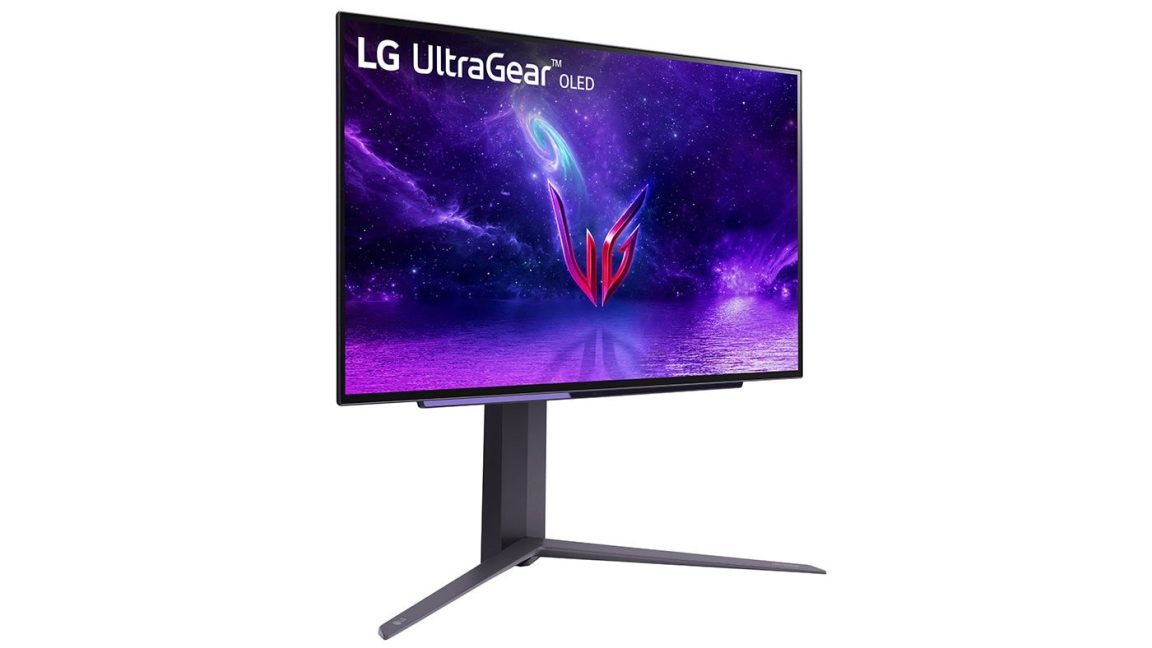
The backlash is intensified by the premium positioning of LG’s monitor lineup. LG is a market leader in OLED technology, with its UltraGear and UltraFine series being staples in the gaming and creative industries. When a consumer pays $1,200 for a 42-inch OLED monitor, there is an implicit expectation that the product is a "clean" experience, free from the monetization tactics usually reserved for budget hardware or "free" software.
The practice of "double-dipping"—selling a high-margin hardware product while simultaneously monetizing the user’s data and desktop real estate—is being viewed as a predatory shift in the consumer-manufacturer relationship. It suggests that the purchase price of the hardware is no longer sufficient for the manufacturer; the user’s ongoing digital life is also being commodified.
Chronology of the Controversy
The timeline of the LG Monitor App Installer issue suggests a slow rollout that has recently accelerated:
- Early Reports (2021-2022): Scattered reports on forums like Reddit indicated that some LG monitor users noticed strange background processes, but these were often dismissed as standard driver components.
- Expansion (Early 2024): A surge in reports began to surface as users of older LG monitors (purchased three or more years ago) started seeing the "LG Monitor App Installer" appear on their systems. This indicated that the push was not limited to new hardware but was being retroactively applied to the existing install base via Windows Update.
- Media Investigation (July 2024): Gamers Nexus released a detailed report highlighting the invasive permissions and the silent installation process, bringing the issue to a wider audience.
- Public Outcry: Following the media coverage, users across social media platforms began sharing screenshots of the installer and the subsequent McAfee ads, leading to widespread calls for a boycott or a change in LG’s software policy.
- LG’s Response: When contacted by major tech outlets like Ars Technica, LG representatives acknowledged the inquiry but failed to provide a detailed explanation or a justification for the software’s behavior prior to publication.
Long-term Implications for Consumer Trust and Security
The forced installation of the LG Monitor App Installer sets a concerning precedent for the future of the "Internet of Things" (IoT) and peripheral connectivity. If a monitor can be used to bypass user consent and install software with "all system resources" permissions, then any USB or DisplayPort-connected device could theoretically do the same.
From a security perspective, this creates a massive "attack surface." Every unsolicited application installed on a system is a potential vulnerability that can be exploited by malicious actors. By forcing software onto users, LG and Microsoft are effectively increasing the security risk of every Windows-based workstation connected to an LG display.
Furthermore, this practice erodes the concept of digital ownership. If a user cannot control what software runs on the machine they built or bought, and if the hardware they purchased acts as a conduit for third-party advertising, the user’s agency is significantly diminished. Industry analysts suggest that if this trend continues without regulatory intervention or significant consumer pushback, the "clean" PC experience may become a thing of the past, replaced by an ecosystem where every component—from the motherboard to the monitor—is constantly vying for data and ad impressions.
As of now, concerned users are advised to check their "Apps & Features" list for the LG Monitor App Installer and monitor their system tray for unfamiliar icons. Disabling the "Automatically download manufacturer’s apps" setting in Windows may prevent future occurrences, though this often requires navigating deep into the system’s "Device Installation Settings." For LG, the challenge will be to reconcile its pursuit of software-based revenue with the growing demand for privacy and transparency from its most loyal, high-spending customers.