TeamGantt Uses Features and Pricing An In-Depth Review of Online Gantt Chart Software Capabilities

The market for collaborative project management software continues to evolve rapidly as organizations seek streamlined methods to balance team workloads, visualize project timelines, and meet strict deadlines. Among the numerous tools available to modern project managers and small businesses, TeamGantt has established a distinct presence. Known primarily for its intuitive, drag-and-drop Gantt chart interface, the platform serves thousands of teams globally. As businesses navigate complex scheduling challenges, understanding the underlying utility, pricing structures, and feature limitations of tools like TeamGantt becomes essential for operational success.
Background and Context of Online Gantt Chart Software
Visual project management tools trace their lineage back to the early 20th century, when Henry Gantt popularized the bar chart as a visual aid for scheduling industrial tasks. Over the decades, these physical charts transitioned into complex desktop software solutions, most notably Microsoft Project, which became the industry standard for enterprise planning. However, traditional desktop applications frequently suffered from steep learning curves, cumbersome installation processes, and poor real-time collaboration capabilities.
In response to these friction points, cloud-based project management platforms emerged in the 2010s. TeamGantt positioned itself as an accessible, web-based alternative tailored specifically for small teams, creative agencies, and construction contractors who required visual scheduling without the complexity of enterprise software. By utilizing a single live Gantt chart that updates in real time, the platform eliminated the need for circulating static spreadsheet documents or fragmented email threads. Over time, the company expanded its offerings beyond basic scheduling to include multi-tier subscription models, mobile applications, and specialized industry editions aimed at construction and general contractors.
Core Functionality and Platform Uses
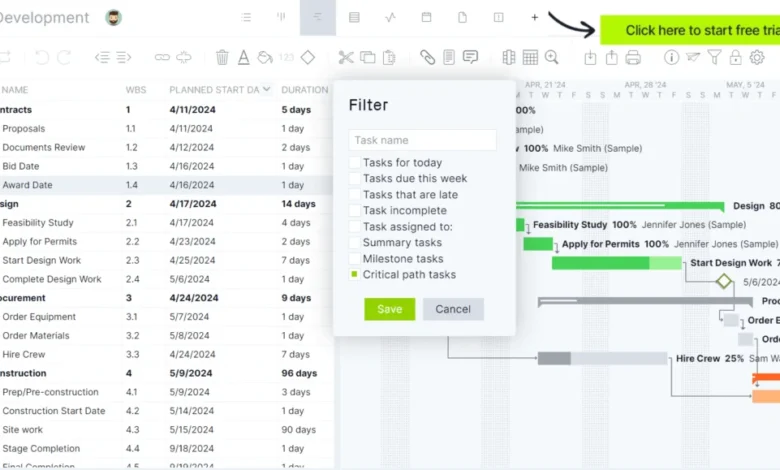
TeamGantt is fundamentally built around a centralized, web-based Gantt chart that operates directly within modern internet browsers on both macOS and Windows operating systems. The core architecture allows project managers to create tasks, establish milestones, set dependencies, and distribute assignments across team members within minutes.
Common use cases for the platform span multiple industries. Marketing agencies utilize the software to track campaign deliverables, graphic design schedules, and client approval gates. Software development teams deploy the tool for sprint planning and product launch roadmaps. Meanwhile, specialized sectors—particularly construction—leverage higher-tier plans for lookahead schedules and material lead-time tracking.
A key utility of the platform is stakeholder communication. Rather than exporting static PDF reports or scheduling lengthy status update meetings, project managers can generate secure, view-only share links. Clients and external stakeholders can monitor project progress, review milestone completions, and observe critical path developments directly through a web browser without requiring a paid user account.
Detailed Feature Breakdown Across Subscription Tiers
TeamGantt structures its feature set across a tiered subscription model, scaling capabilities based on the complexity of the organization. The foundational layers focus primarily on visual planning and basic collaboration, while higher-tier packages introduce advanced resource management, financial tracking, and portfolio-level oversight.
The entry-level paid offerings provide essential Gantt chart functionality, calendar views, list formats, and public sharing capabilities. Users can implement critical path calculations to identify which tasks directly impact the final completion date. However, advanced functionalities—such as complex task dependencies, baseline comparisons, and cross-project workload management—are restricted to the Business tier and above.
For specialized sectors, the platform offers a Builder Edition. This configuration is specifically engineered for construction workflows, incorporating lookahead schedules, material lead-time tracking, a dedicated client portal, and a one-way synchronization tool designed to integrate with Procore, a prominent construction management platform.
Furthermore, the platform integrates with various third-party workplace applications. Integrations with Slack enable users to generate tasks directly from chat messages and receive automated assignment notifications. Additional integrations support Trello via Power-Ups, Zapier for automated workflows, cloud storage providers like Dropbox, and synchronization feeds for Google Calendar, Apple iCloud Calendar, and Microsoft Outlook.

Pricing Models and Account-Based Structures
Unlike many software-as-a-service (SaaS) competitors that charge strictly on a per-user, per-month basis, TeamGantt employs a distinctive account-based pricing strategy for many of its tiers. This approach can offer significant cost advantages for smaller organizations with high numbers of occasional collaborators.
The platform’s current pricing architecture encompasses several distinct tiers:
- Personal Plan: Offered as a free entry point, this tier restricts users to a single manager, one active project, and a maximum of 40 tasks. It serves primarily as a trial environment for individual planning rather than collaborative teamwork.
- Base Plan: Priced at $59 per month (or $589 annually), this tier accommodates one project manager and up to 10 collaborators across a maximum of 5 projects, with each project capped at 150 tasks.
- Business Plan: Starting at $120 per month (or $1,140 annually), this tier supports unlimited managers and collaborators. It includes 5 projects out of the box, with additional projects available at a rate of $24 per month each, up to a maximum limit of 20 projects. Task capacity increases to 500 per project.
- Builder Edition: Starting at $199 per month (or $1,908 annually), this plan removes project caps, supports unlimited users and tasks, and unlocks construction-specific features such as Procore synchronization and financial forecasting.
- Enterprise Plan: Available through custom quotation, this tier is tailored for large organizations requiring dedicated support, advanced security controls, and tailored integrations.
While flat-rate pricing can benefit small teams operating within predictable project boundaries, growing organizations frequently encounter structural limitations as their project counts and task volumes scale. An agency managing five projects may find the Base plan economical; however, expanding to eight active projects necessitates transitioning to the Business tier and incurring incremental project fees.
Comparative Advantages and Disadvantages
An objective analysis of TeamGantt reveals distinct operational strengths alongside notable functional constraints, particularly when evaluated against enterprise-grade competitors.
Advantages:
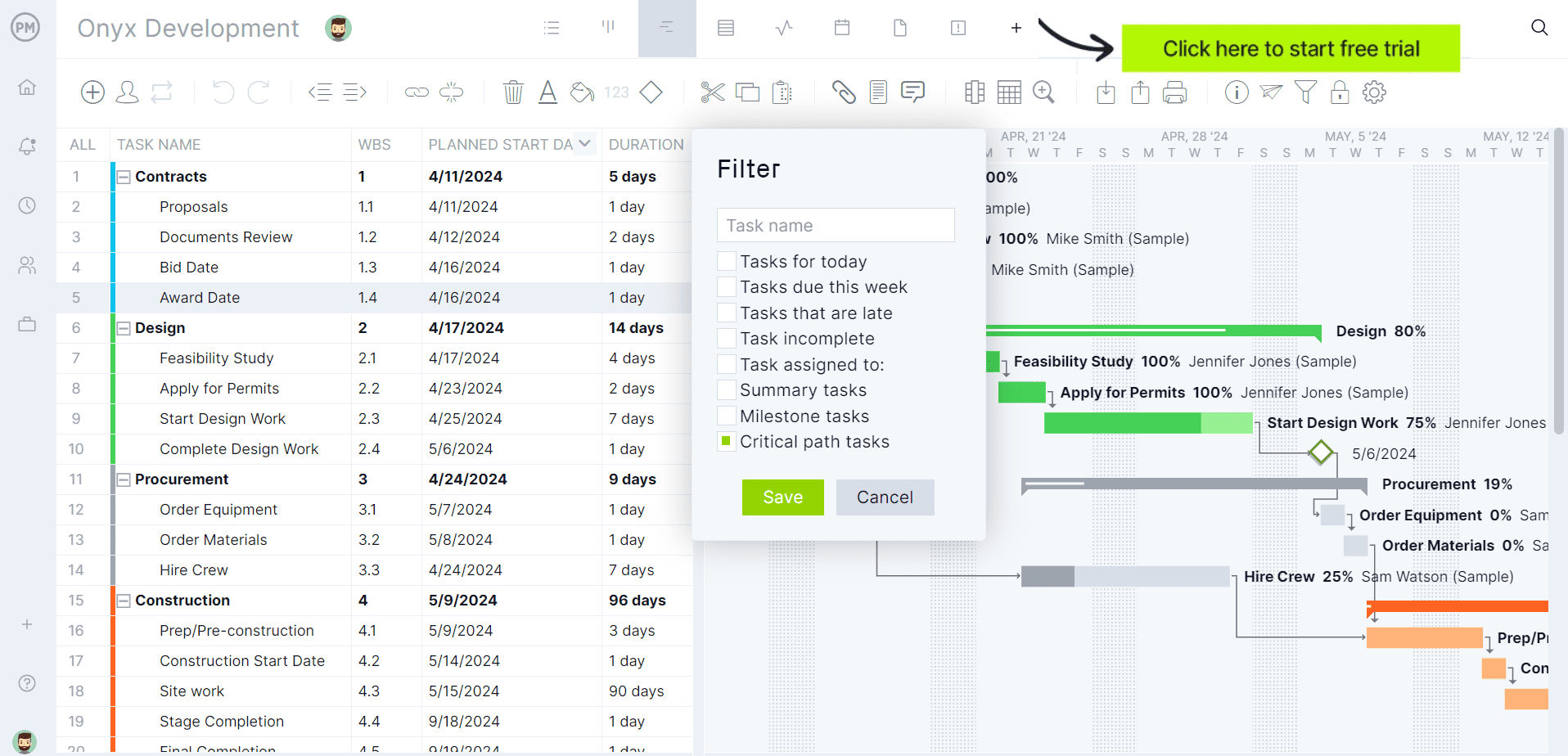
- User-Friendly Interface: The platform boasts a shallow learning curve, enabling non-technical team members to learn drag-and-drop scheduling rapidly.
- Real-Time Collaboration: Live updates ensure that all stakeholders view the most current project schedule simultaneously.
- Flexible External Sharing: View-only share links simplify client communication without compromising internal data security.
- Account-Based Pricing Value: For teams with many collaborators working on a limited number of projects, the pricing model prevents runaway software licensing costs.
Disadvantages:
- Restrictive Project and Task Caps: Subscription tiers enforce rigid limits on the number of active projects and tasks per project, which can artificially constrain growing enterprises.
- Mobile Application Limitations: Official documentation indicates that the iOS mobile application is restricted to a list view, requiring users to rely on desktop browsers for intricate Gantt chart modifications.
- Advanced Feature Gating: Critical management tools—such as workload distribution, time tracking, and baselines—are locked behind higher-tier subscriptions.
- Import/Export Constraints: While the platform supports Microsoft Project MPP file imports, resource assignments do not always transfer seamlessly, requiring manual reassignment post-import.
Broader Implications for the Project Management Software Market
The ongoing evolution of tools like TeamGantt highlights a broader trend within the enterprise software industry: the democratization of complex project management methodologies. Historically, tools capable of generating critical paths and managing intricate dependencies required specialized training and dedicated planning personnel. By wrapping these powerful scheduling concepts in simplified, consumer-grade interfaces, software providers have enabled smaller organizations to professionalize their operations.
However, this accessibility often introduces a scaling dilemma. Organizations frequently adopt lightweight tools during their formative stages, only to outgrow project caps, task limits, and reporting capabilities as their portfolios expand. Consequently, IT and operational leaders must carefully evaluate not only their immediate scheduling needs but also their projected growth trajectories over a three-to-five-year horizon.
When evaluating alternatives—such as ProjectManager, Asana, or Monday.com—decision-makers frequently weigh the trade-off between intuitive design and comprehensive functionality. Platforms that incorporate lossless file imports, robust resource allocation dashboards across multiple portfolios, and integrated timesheets offer greater longevity for scaling enterprises, albeit sometimes at the cost of a steeper initial learning curve.
Ultimately, TeamGantt remains a viable solution for small, collaborative teams seeking visual clarity and rapid onboarding. By aligning software capabilities with precise organizational requirements, businesses can optimize their scheduling workflows, enhance cross-departmental transparency, and successfully deliver complex projects on schedule and within budget.