In the modern operational ecosystem, businesses frequently grapple with a persistent administrative disconnect: the operational life of a project exists within project management software where teams plan tasks and log hours, while its financial life resides in accounting platforms where those same hours and expenses transform into invoices, payroll records, and profit-loss statements. Historically, when these two systems operated in silos, financial administrators were forced to manually re-enter timesheets and receipts into platforms like QuickBooks Online at the end of every month. This manual double-entry approach not only introduced considerable friction and human error into accounting workflows, but it also delayed critical financial visibility, meaning stakeholders could only assess a project’s true profitability well after the work had concluded.
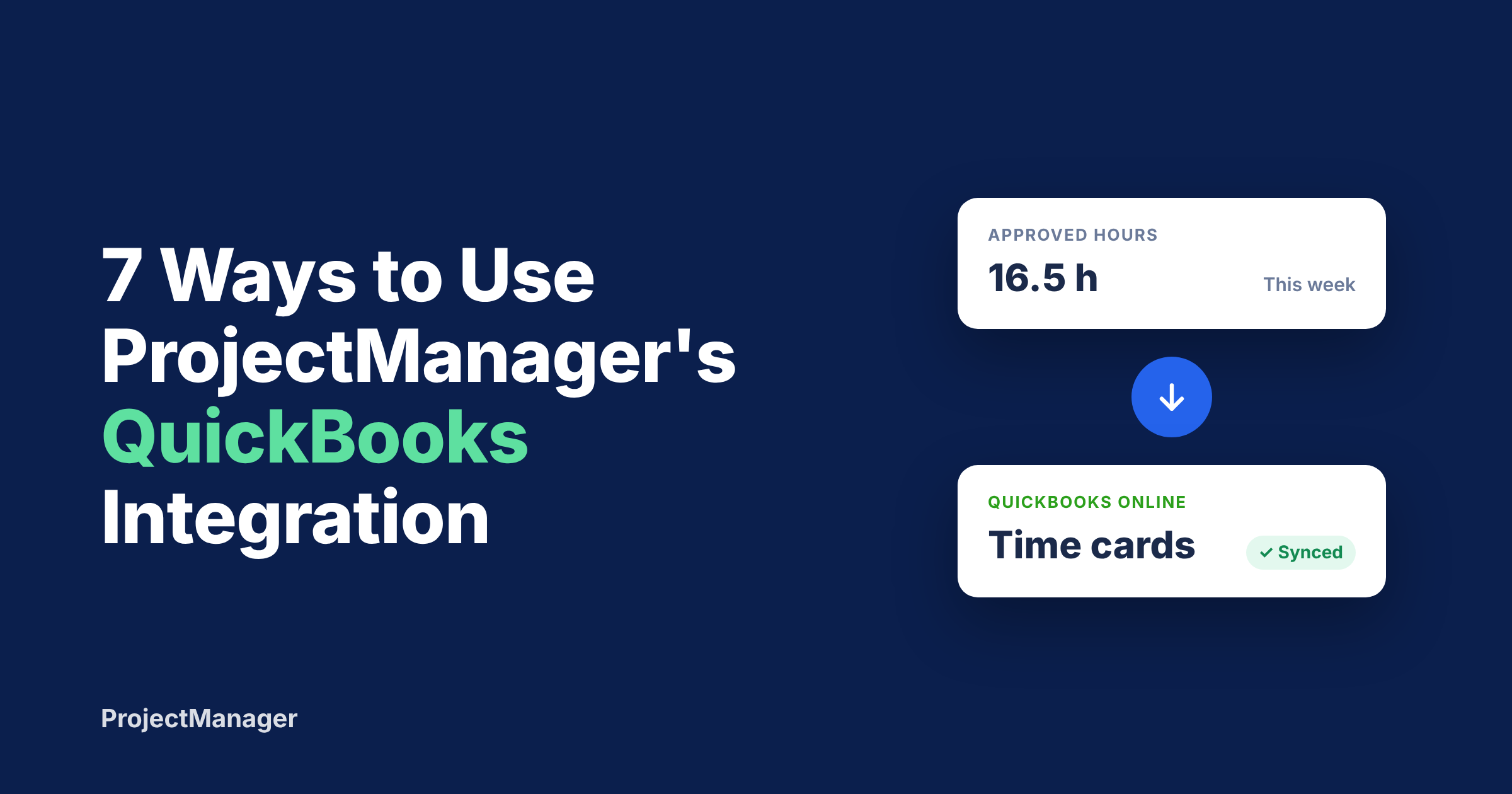
To bridge this operational divide, ProjectManager—an enterprise-grade project and portfolio management software provider—has rolled out a native QuickBooks Online integration designed to automate the synchronization of approved timesheets and actual task costs. By connecting project execution directly with backend accounting data, the integration aims to eliminate month-end scrambles and provide real-time financial tracking across diverse industries, ranging from construction and professional services to nonprofit research and creative agencies.
The Evolution of Project-Accounting Synchronization
The historical friction between operational tracking and financial accounting has long been a bottleneck for growing enterprises. Throughout the evolution of enterprise software, project management tools focused heavily on resource allocation, task dependencies, Gantt charts, and kanban boards, while accounting systems prioritized general ledgers, accounts payable, and tax compliance. Bridging these distinct workflows typically required custom-built application programming interfaces (APIs), third-party middleware, or tedious manual data entry.
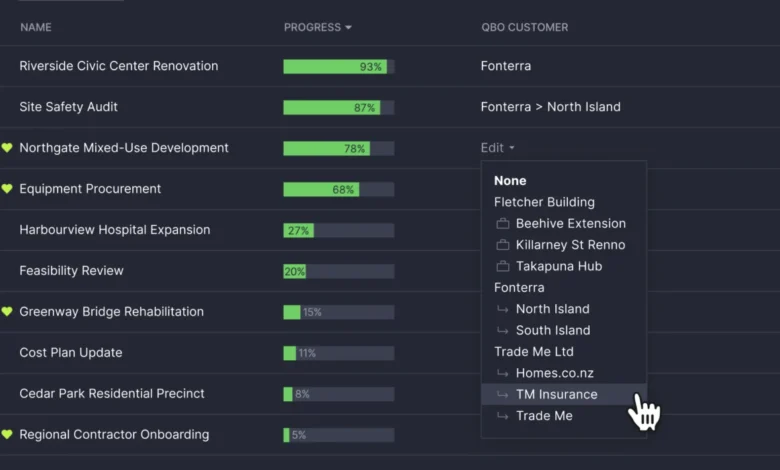
Recognizing that modern organizations demand seamless data flow between operational outputs and financial inputs, software developers have increasingly prioritized native integrations. ProjectManager’s strategic integration with QuickBooks Online represents a continuation of this trend. By automating the transfer of approved hours and direct project expenses, the platform addresses the root cause of financial reconciliation delays. The integration allows businesses to link a specific ProjectManager workspace directly to a QuickBooks Online customer, sub-customer, or project, establishing a continuous pipeline for labor and material expenditures.
Core Mechanics and Synchronization Architecture
Operating on an on-demand or automated schedule—configurable for daily, weekly, or monthly execution—the ProjectManager-QuickBooks integration handles two primary streams of financial data: approved labor hours with associated pay rates, and actual task costs such as equipment rentals, materials, and direct overhead.

The underlying architecture relies on precise employee matching via name or email addresses to ensure time cards are routed to the correct personnel profiles within QuickBooks. Furthermore, the system incorporates a comprehensive Job History log, giving administrative users transparent oversight of every synchronization run. This log uses clear color-coded statuses—green for successful transfers, amber for skipped entries (such as unlinked projects or unmatched employee profiles), and red for errors accompanied by downloadable diagnostic logs.
Designed specifically for organizations utilizing ProjectManager’s Business and Enterprise tiers, the system accommodates both businesses that utilize the formal QuickBooks Projects module and those that map time and expenses directly to standard customer and sub-customer accounts.
Seven Practical Applications Across Industries
While the technical mechanics of the integration are straightforward—transferring approved time and task expenses—its practical utility varies significantly depending on the operational model of the business. Industry leaders have identified seven primary ways organizations are leveraging this automated synchronization to optimize their financial workflows.

-
Streamlining Billing in Professional Services and Consulting
For legal practices, management consultancies, accounting firms, and specialized agencies that bill clients on an hourly basis, unbilled hours represent immediate revenue leakage. Through the integration, consultants log their hours against specific tasks within ProjectManager. Once a manager reviews and approves the timesheet, those hours automatically populate QuickBooks Online as time cards linked to the appropriate client account, complete with pre-established billing rates. This automation allows billing departments to generate accurate client invoices swiftly, eliminating the need to cross-reference disparate spreadsheets. Because the system exclusively transmits approved time, the managerial approval stage serves as a vital quality control checkpoint before invoices are dispatched. -
Enforcing Job Costing in Construction and Field Operations
Construction enterprises traditionally operate on thin profit margins where a small number of untracked equipment rentals or unexpected material purchases can erode profitability entirely. By linking individual construction jobs in ProjectManager to corresponding QuickBooks sub-customers, site managers can record actual costs directly against specific project tasks—such as assigning lumber expenditures to framing phases or excavator rentals to site preparation. The integration subsequently posts each expenditure to QuickBooks as an expense tagged specifically to that job. Combined with crew hours captured via timesheets, this mechanism delivers real-time labor and material cost metrics to the finance department without requiring duplicate data entry of physical receipts. -
Monitoring Agency Retainers in Marketing and Creative Firms
Marketing agencies, design studios, and digital consultancies frequently sell monthly service retainers, yet struggle to monitor whether teams are over-servicing accounts. When copywriters, graphic designers, and strategic planners log their hours against client initiatives in ProjectManager, approved times automatically flow into QuickBooks under the respective client profiles. Establishing a weekly synchronization schedule empowers financial controllers to evaluate retainer utilization before the billing cycle closes, rather than discovering overages post-facto. This empirical data provides agencies with verifiable metrics when renegotiating scope or pricing structures with clients who consistently exceed their contracted hour allocations. -
Simplifying Payroll Preparation for Hourly and Field Workforces
Field service providers, event production companies, and technical installation crews frequently deploy hourly workforces across multiple dispersed job sites. Workers can record their hours directly through the ProjectManager mobile application, allowing field supervisors to approve timesheets remotely. Once validated, these hours flow seamlessly into QuickBooks as structured time cards matched accurately to each employee. This workflow eradicates the administrative burden of collecting paper timesheets, deciphering handwritten notes, or reconciling text messages at the close of a pay period, establishing a single, verifiable audit trail for payroll processing.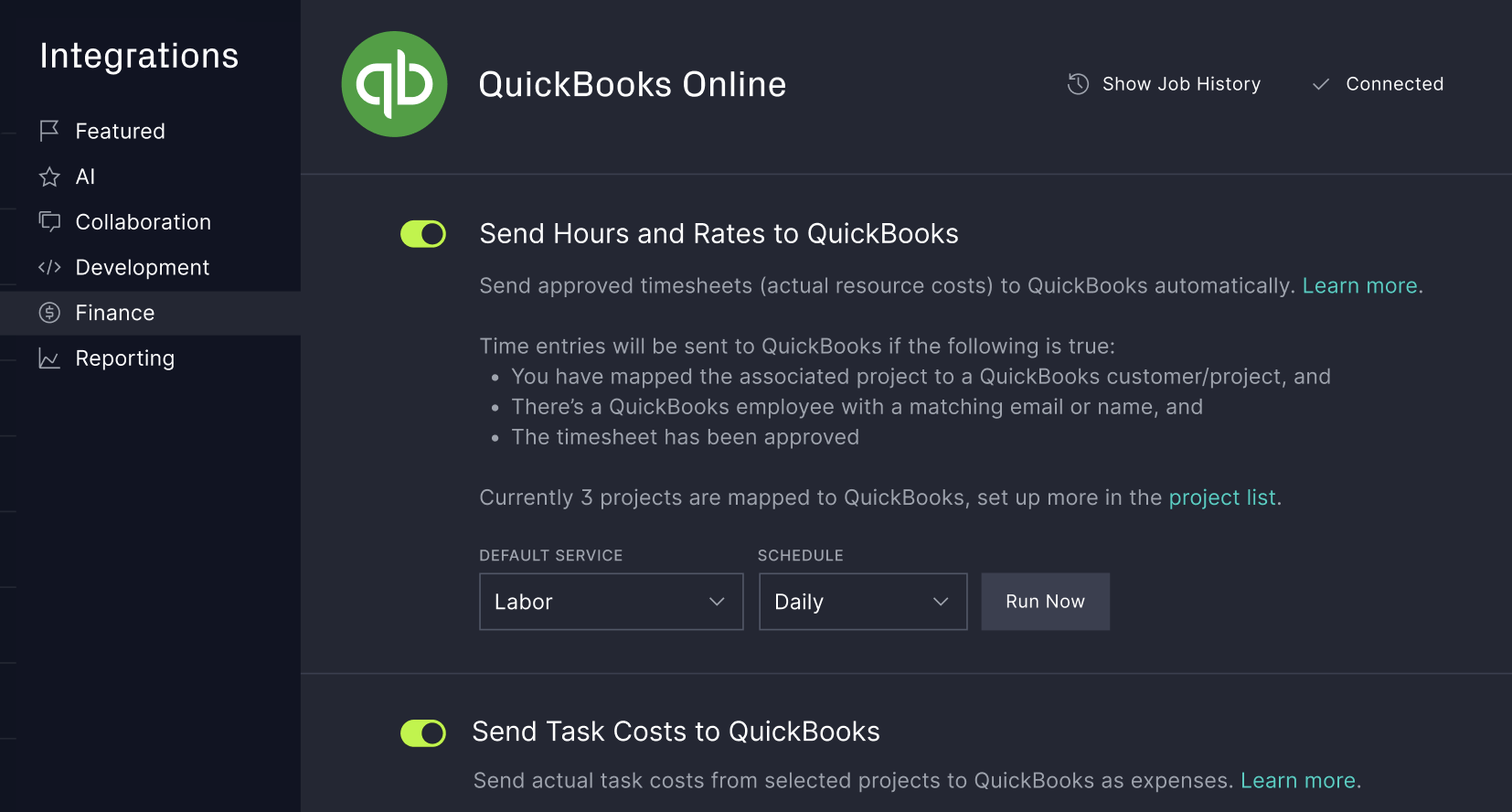
-
Safeguarding Profit Margins on Fixed-Bid IT and Software Contracts
Under fixed-price contracts, revenue is predetermined upon contract execution, meaning ultimate project profitability relies entirely on cost containment. Information technology service providers, software implementation teams, and engineering consultants utilize the integration to link fixed-bid projects directly to QuickBooks customer profiles, synchronizing labor and direct expenses on a recurring daily or weekly basis. Financial controllers can then contrast ongoing operational expenditures against total contract values while implementation is actively underway. If a system migration or software deployment begins exhausting allocated budgets prematurely, project managers receive early indicators, allowing them to adjust project scope, reallocate personnel, or initiate change-order discussions with clients. -
Ensuring Compliance in Nonprofit Grant Management and Research
Nonprofit organizations and academic research groups face stringent reporting requirements, often needing to demonstrate to governing bodies and grantors precisely how allocated funds were expended. By configuring each grant or institutional program as a QuickBooks sub-customer and pairing it with a corresponding ProjectManager workspace, organizations can record staff hours and direct program costs against specific tasks. Approved labor and material expenditures route automatically to the correct grant ledger, ensuring that financial reports submitted to funding sources originate from accurate, real-time data rather than retrospective estimations. This granular tracking also simplifies preparation for external audits by maintaining detailed task-level records within ProjectManager that reconcile directly with top-level totals in QuickBooks. -
Accelerating Month-End Close for Project Management Offices (PMOs)
For enterprise-level PMOs and operations directors overseeing dozens of concurrent initiatives, month-end financial close processes are frequently complicated by fragmented software tooling. By establishing a scheduled monthly synchronization, approved labor and expenses across every mapped project post automatically to QuickBooks on the first day of the month. The integrated Job History log simplifies reconciliation by providing clear success, warning, and error diagnostics. This capability transforms the traditional multi-day accounting scavenger hunt into a streamlined administrative review.
Setup, Requirements, and Technical FAQ
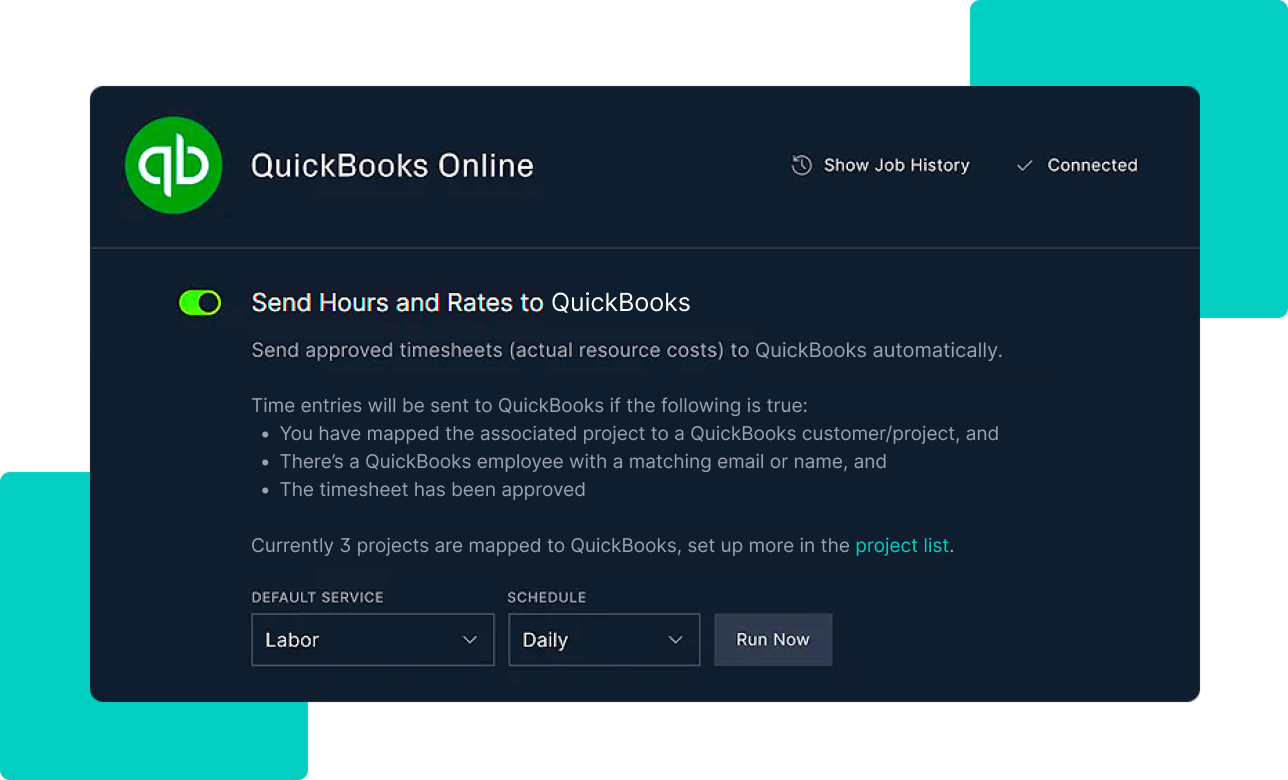
Implementing the QuickBooks integration requires administrative privileges on both platforms, specifically demanding that the user act as a QuickBooks Online administrator and hold a Global Administrator role within ProjectManager. Successful deployment relies on data hygiene standards, such as ensuring that employee names and email addresses match identically across both systems, and verifying that every tracked task features a designated assignee.
Addressing common technical inquiries regarding the integration, software developers have clarified several structural parameters:
- Platform Compatibility: The integration is engineered exclusively for QuickBooks Online and does not currently support QuickBooks Desktop editions.
- Data Directionality: Synchronization operates unidirectionally—from ProjectManager to QuickBooks Online. ProjectManager accesses QuickBooks solely to pull customer, account, and project lists for mapping purposes, ensuring that all operational modifications are executed within ProjectManager to prevent duplicate entries.
- Timing and Scheduling: Users can trigger syncs manually on demand or establish automated schedules, including nightly runs at 11:30 PM, weekly runs on Sunday evenings, or monthly executions on the first day of the month.
- Plan Availability: The feature is included as a native capability within ProjectManager’s Business and Enterprise subscription tiers.
Broader Industry Implications
The integration of advanced project management platforms with core accounting software reflects a broader shift toward holistic enterprise resource optimization. As organizations face mounting economic pressures to maximize operational efficiency and maintain tight control over profit margins, the elimination of administrative silos between operational teams and financial controllers is no longer viewed as an optional luxury.
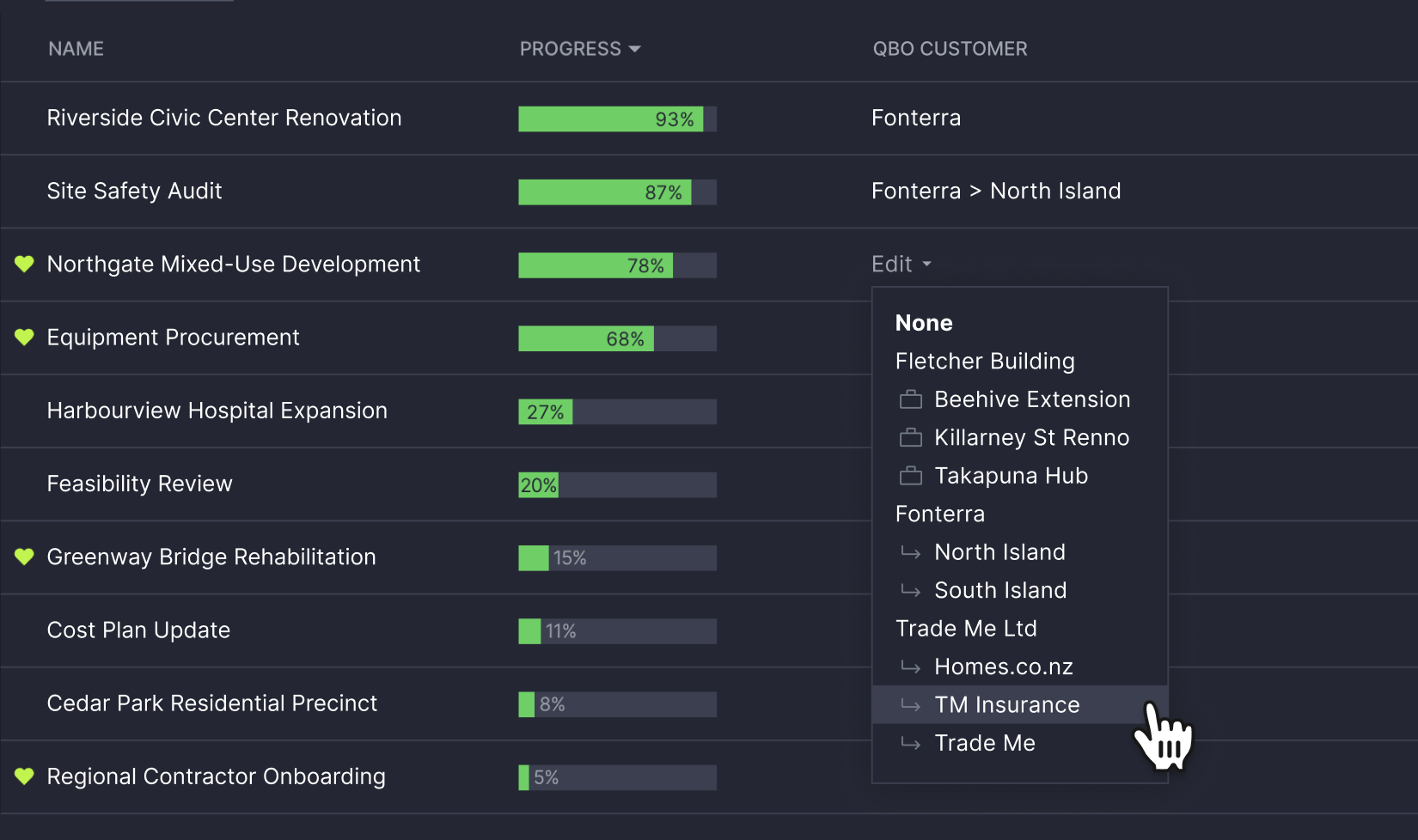
By bridging the gap between task execution and financial ledger entries, tools like ProjectManager’s QuickBooks integration signal a future where real-time financial visibility is embedded directly into day-to-day project workflows. This convergence empowers businesses across industries to transition from reactive financial auditing to proactive fiscal management, safeguarding profitability from the initial planning phase through final project delivery.