As the architectural, engineering, and construction (AEC) industries continue to embrace device diversity, macOS adoption among project managers, general contractors, and schedulers has reached an all-time high. Yet, a persistent bottleneck remains for professionals working within enterprise ecosystems: Oracle’s Primavera P6 Professional—the gold standard for heavy civil and commercial construction scheduling—still lacks a native macOS version. For project professionals deeply entrenched in the Apple ecosystem, this hardware limitation forces a critical operational decision: deploy complex virtualization workarounds or transition to specialized, cross-platform and native scheduling alternatives.
This comprehensive analysis examines the technical realities of running Primavera P6 on a Mac in 2026, details the available software workarounds, and evaluates the top industry alternatives designed to bridge the gap between macOS hardware and enterprise-grade critical path method (CPM) scheduling.
The Core Dilemma: Why Primavera P6 Lacks Native macOS Support
Oracle’s Primavera P6 is divided into two primary offerings: P6 Professional Project Management, a robust Windows desktop application, and P6 Enterprise Project Portfolio Management (EPPM), a web-based enterprise solution. Because P6 Professional relies heavily on a Windows desktop architecture, it cannot be installed directly onto macOS.

Compounding this issue is the industry’s strict reliance on the proprietary .XER and .XML file formats. Many project owners, state departments of transportation, and federal agencies mandate that contractors submit their baseline and updated construction schedules specifically in the .XER format. Consequently, Mac-using schedulers cannot simply abandon Primavera P6 if their contractual obligations explicitly demand native P6 deliverables.
For organizations not bound by strict .XER submittal mandates, however, the market offers sophisticated alternatives that eliminate the need to run Windows emulators entirely.
Technical Workarounds: Running Primavera P6 on Apple Hardware
For professionals who are legally or contractually bound to use P6 Professional, several workarounds exist to bridge the gap between macOS and Oracle’s Windows-only software. However, each approach carries distinct performance trade-offs, licensing requirements, and technical hurdles.
1. Virtual Machines (Parallels Desktop, VMware Fusion, and VirtualBox)
Virtualization software allows Mac users to run a localized instance of Windows 11 inside a virtual window alongside native macOS applications.

- Apple Silicon Compatibility: On modern M-series Macs (M1, M2, M3, and M4 chips), virtual machines run the specialized Arm-architecture version of Windows 11. Schedulers must verify Oracle’s officially tested configurations to ensure their specific release of P6 Professional supports Windows on Arm.
- Resource Allocation: Heavy, complex CPM schedules containing thousands of activities require substantial RAM and processing power. Running P6 inside an emulated environment on a lower-tier Mac can result in sluggish performance and memory bottlenecks.
- Cost: While VMware Fusion Pro has been available free of charge for personal, educational, and commercial use since late 2024, Parallels Desktop operates on a paid subscription model, and users must still acquire a valid Windows 11 license and a P6 license.
2. Boot Camp (Intel-Based Macs Only)
For firms still operating older Intel-based Mac hardware, Apple’s native Boot Camp utility allows users to partition their hard drives and install Windows natively. This grants P6 Professional direct access to bare-metal hardware performance, running identically to a traditional PC. The primary drawback is workflow friction: users must completely restart their machine every time they need to transition between macOS and Windows. Furthermore, Boot Camp is entirely unsupported on Apple Silicon hardware.
3. Enterprise Web Access via P6 EPPM
If an organization utilizes Primavera P6 EPPM, the browser-based enterprise edition, users can bypass local installation entirely. Schedulers can access the software directly through standard web browsers on macOS. Success here depends entirely on Oracle’s browser compatibility matrix for the specific P6 release and requires internal administrative provisioning.
4. Remote Desktop and Cloud Virtualization
Utilizing Microsoft’s Windows App (formerly Microsoft Remote Desktop) allows a Mac user to remotely connect to an office-based Windows PC or a cloud-hosted virtual machine running P6 Professional. Because the heavy processing occurs on the remote host, Apple Silicon compatibility issues are eliminated. However, high latency or unstable internet connections can severely disrupt real-time scheduling adjustments.
Industry Alternatives for Mac-Centric Construction Teams
When contractual obligations do not strictly mandate .XER file submissions, project teams can drastically improve productivity by adopting software engineered for modern web browsers or native macOS environments. Below is a comparative analysis of the leading alternatives in 2026.
| Tool | Best For | Mac Access | .XER Import/Export | .MPP Support | Critical Path | Baselines | Starting Price |
|---|---|---|---|---|---|---|---|
| ProjectManager | Mixed Mac/PC teams wanting browser-based CPM scheduling | Browser; iOS & Android apps | No | Full .MPP import/export | Yes | Yes, with variance reports | $15/user/month |
| OmniPlan | Individual schedulers requiring a native Mac app and offline work | Native macOS, iPad, & iPhone apps | Not documented | Import/Export (Pro tier) | Yes | Unlimited | $199.99 (One-time) |
| Procore | General contractors needing to view .XER files inside a construction platform | Browser; iOS app | Imports .XER (Read-only) | Imports .MPP (Read-only) | Yes | Snapshot versioning | By Quote (Volume-based) |
| Merlin Project | Apple-exclusive offices desiring native design and seamless iCloud sync | Native macOS, iPad, & iPhone apps | Not documented | Opens .MPP; Exports XML | Yes | Dynamic baseline | $22.99/month |
| Smartsheet | Teams preferring spreadsheet-based task tracking and dashboards | Browser; Mobile apps | No | Direct .MPP import | Yes (Pro+) | Single sheet baseline | $9/member/month |
In-Depth Review of Top Alternatives
1. ProjectManager: Best for Mixed Mac and PC Teams
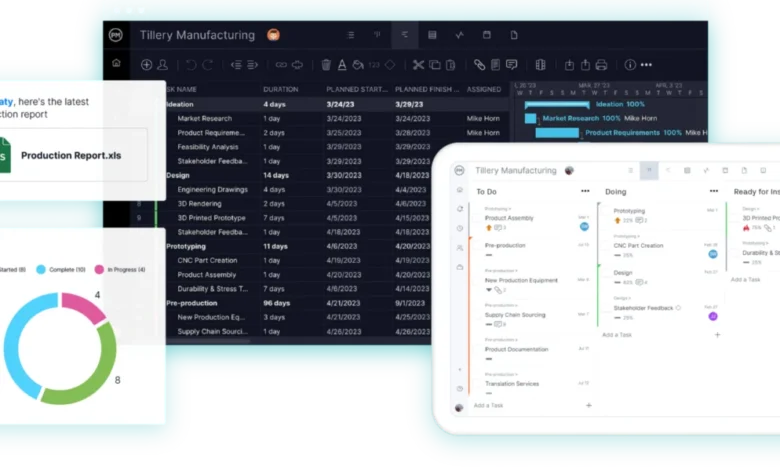
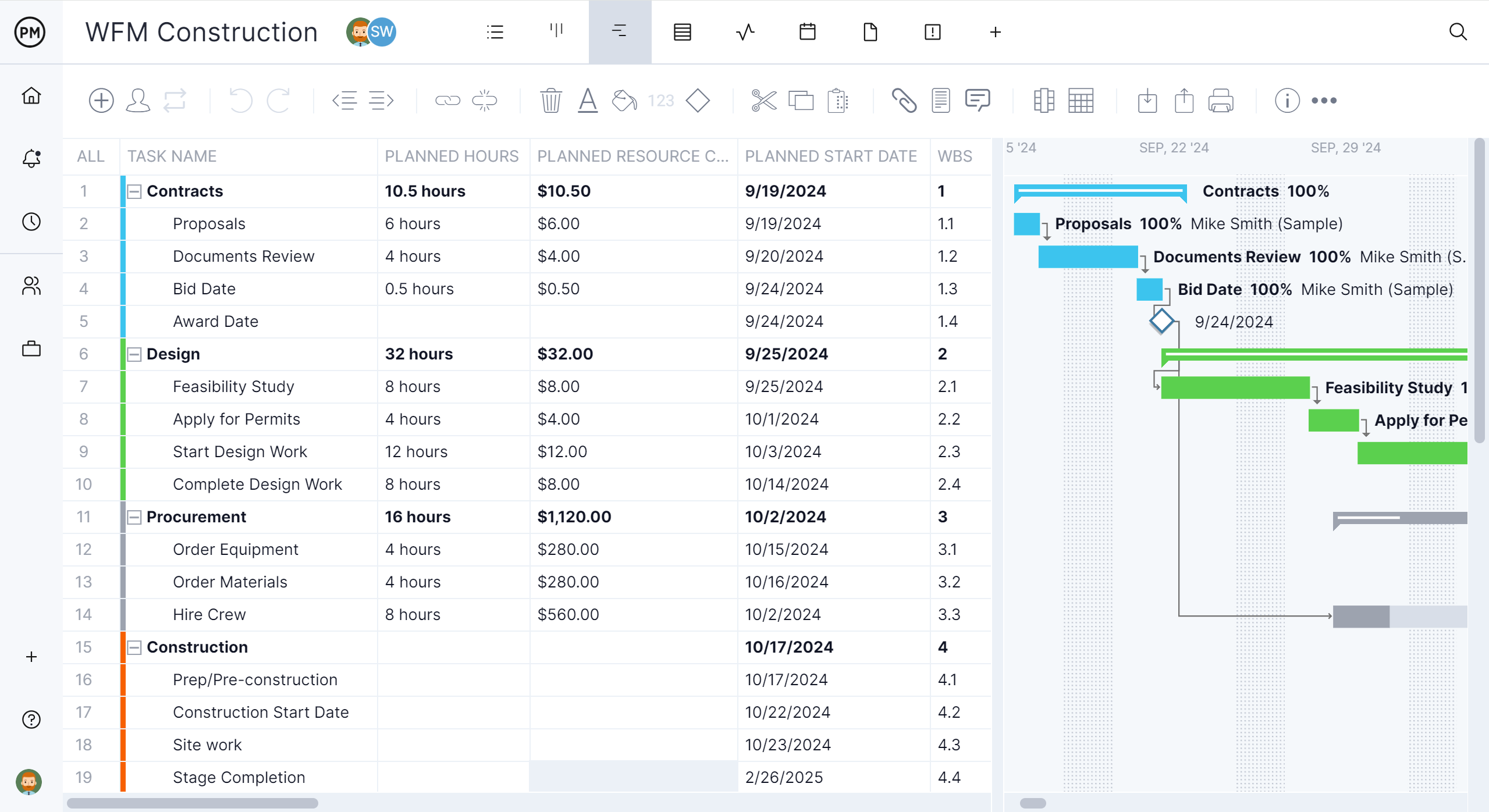
ProjectManager has established itself as a premier browser-based project management platform for construction and engineering firms operating in hybrid hardware environments. Running natively within any modern browser on macOS, Windows, and Linux, it eliminates the need for virtualization.
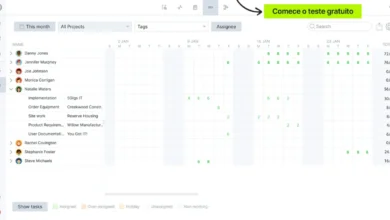
- Core Capabilities: Features a robust Gantt chart engine supporting all four dependency types (Finish-to-Start, Start-to-Start, Finish-to-Finish, Start-to-Finish) along with lead and lag times. A dedicated critical path filter highlights high-risk activities driving the project completion date.
- Collaboration & Resource Management: Mixed teams can collaborate in real-time. Office staff on Windows PCs and field superintendents using iPhones or iPads can update task statuses instantly. Advanced resource workload features track crew hours across multiple projects simultaneously.
- File Compatibility: While ProjectManager does not import or export native .XER files, it provides seamless lossless import and export functionality for Microsoft Project (.MPP) files and Excel spreadsheets.
2. OmniPlan: Best Native macOS Application for Power Schedulers
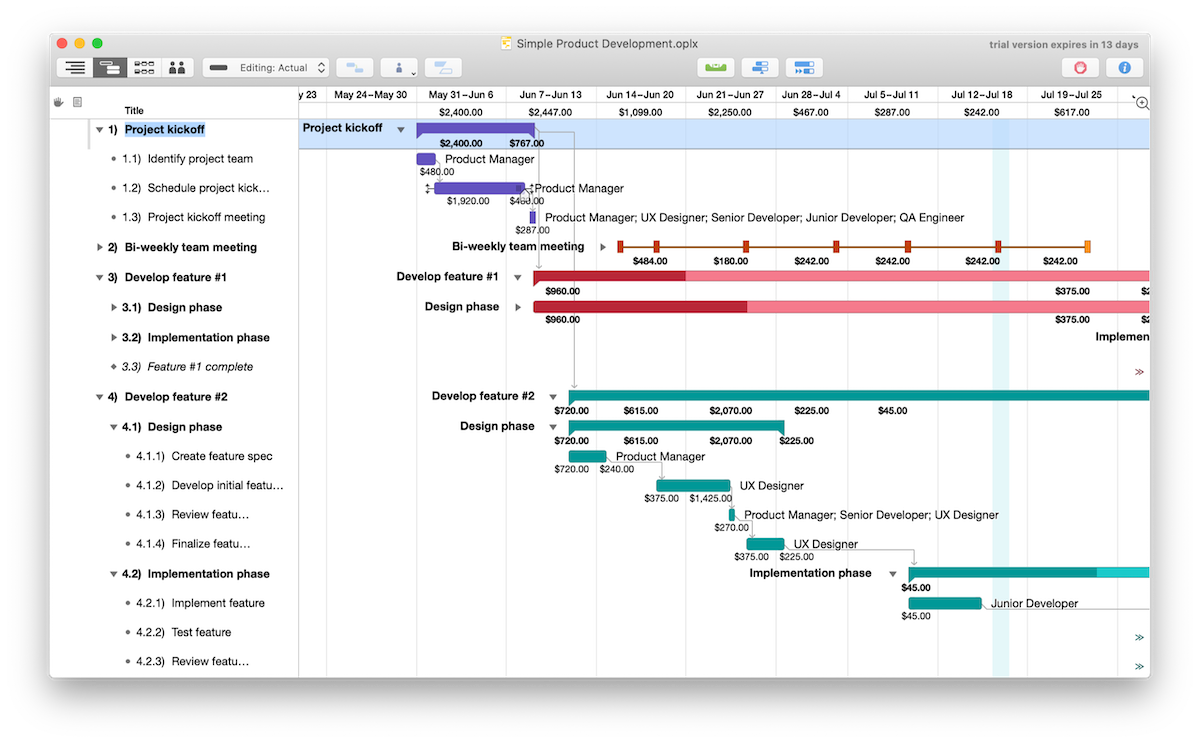
Developed by The Omni Group, OmniPlan is widely regarded as the most powerful native project planning and CPM scheduling application built exclusively for Apple devices.
- Performance: Operating locally on macOS, iPadOS, and iOS, OmniPlan delivers rapid performance and fully offline capabilities. It calculates critical paths, handles complex resource leveling, and supports unlimited baselines.
- Advanced Analytics: The Pro edition incorporates Monte Carlo simulations to calculate schedule risk probabilities, providing deeper analytical foresight than standard Gantt charts.
- Limitations: It lacks a native Windows version, meaning colleagues on PCs cannot natively open OmniPlan native files, though the Pro version supports Microsoft Project export protocols.
3. Procore: Best for Enterprise General Contractors Managing Submittals
Procore is a dominant construction management ecosystem that handles financial tracking, document control, quality, safety, and field execution.
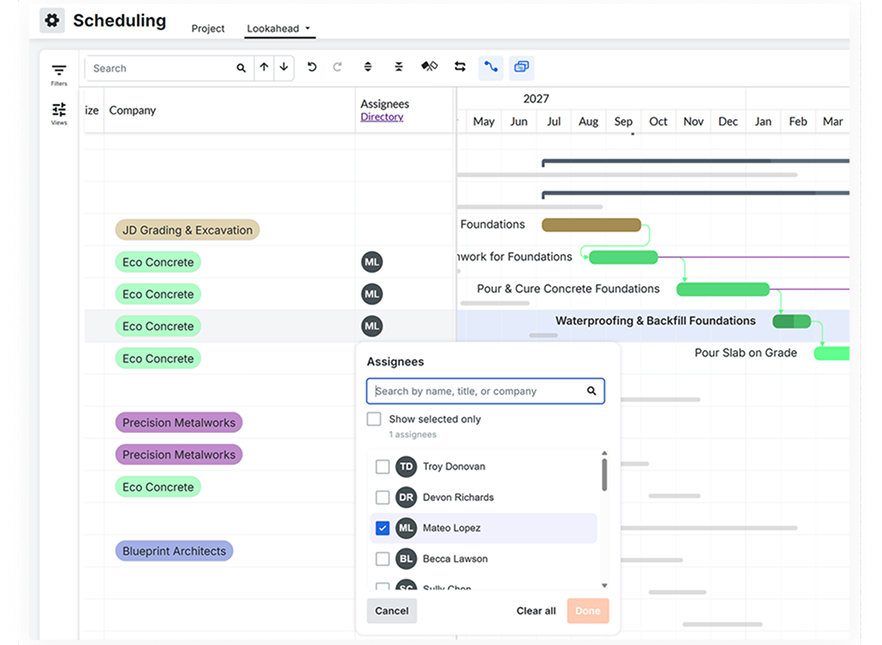
- The .XER Solution: Unlike most Mac-compatible tools, Procore allows general contractors to import owner-supplied .XER and .MPP files directly into the platform as read-only schedules. This enables project teams on MacBooks to review, inspect, and reference master schedules without launching a Windows virtual machine.
- Procore Scheduling: Built directly into the platform, Procore’s native scheduling module empowers teams to build collaborative look-ahead schedules, track critical paths, and maintain automated historical snapshots of schedule revisions. Pricing is scaled dynamically based on annual construction volume.
4. Merlin Project: Best Ecosystem Choice for Apple-Exclusive Organizations
Created by ProjectWizards, Merlin Project is a native Apple application designed from the ground up for macOS, iPadOS, and iOS.
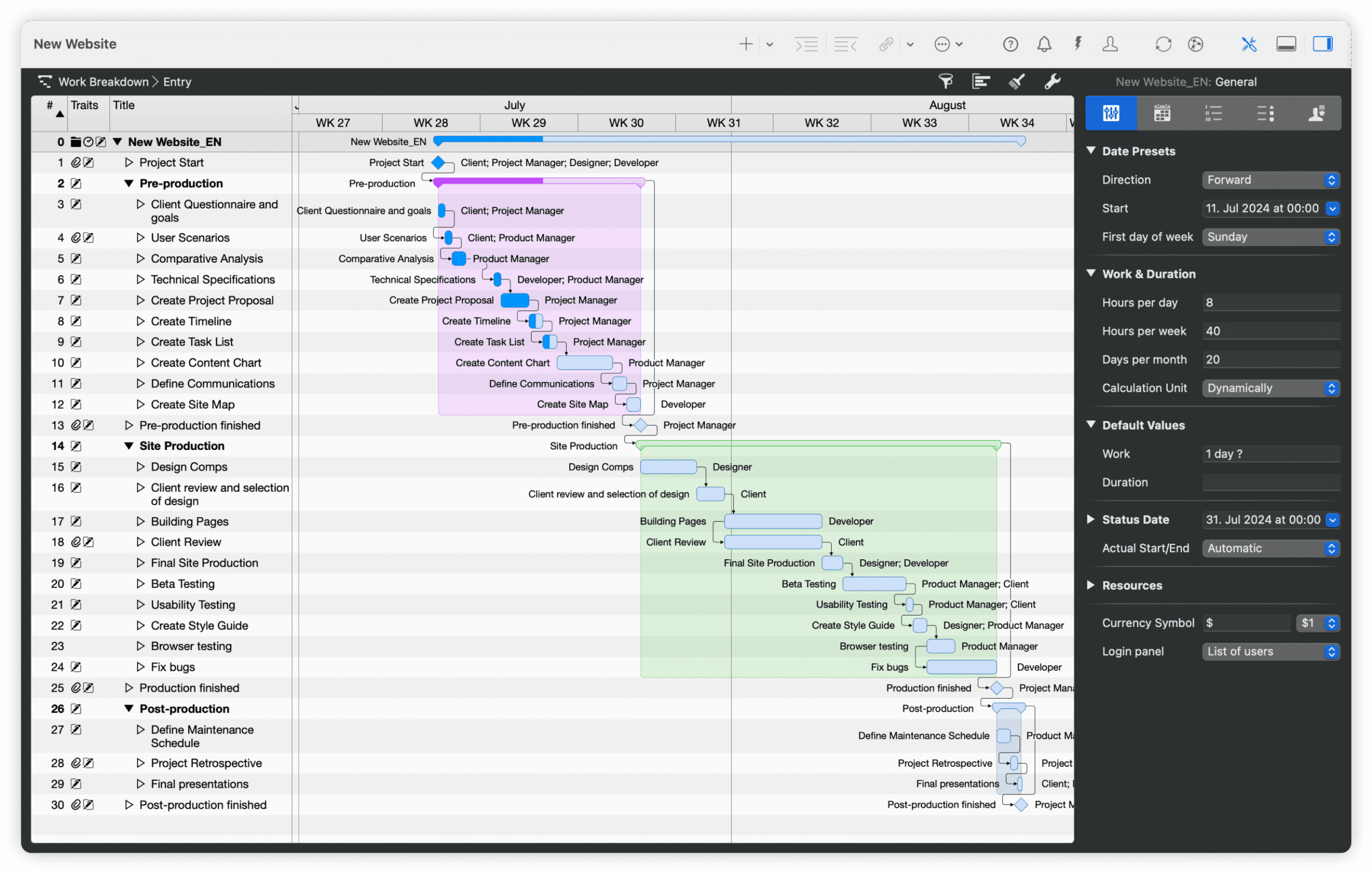
- Dynamic Workflows: Merlin Project features a unique dynamic baseline system, allowing managers to compare current schedule performance against any historical date without manually creating formal baseline snapshots beforehand.
- Ecosystem Sync: Files synchronize effortlessly across devices via iCloud Drive or Dropbox, supporting real-time collaborative multi-user edits and free read-only viewing access for external stakeholders.
5. Smartsheet: Best for Spreadsheet-Driven Teams
Smartsheet offers a flexible, grid-based work management environment accessible via any browser.
- Scheduling Mechanics: Its advanced Gantt view supports dependency links, lag times, and critical path highlighting (available on Pro tiers and above).
- Integration: Smartsheet easily imports Microsoft Project (.MPP) files, making it an attractive option for organizations transitioning away from traditional desktop software toward cloud-based collaborative tracking.
Strategic Implications for Project Executives
The absence of native macOS support for Primavera P6 Professional forces IT and operations leaders to carefully weigh workflow efficiency against contractual compliance. Organizations bound strictly to public sector or heavy industrial contracts requiring verified .XER deliverable audits must maintain access to P6—either via dedicated Windows workstations, cloud-hosted remote virtual machines, or integrated platforms like Procore.

Conversely, commercial contractors, trade specialists, and project management consultants operating within flexible private sectors can dramatically reduce overhead, licensing friction, and hardware maintenance by migrating to modern, browser-based platforms like ProjectManager or native Apple tools like OmniPlan.
By accurately assessing contractual demands, file exchange requirements, and team hardware distributions, construction executives can successfully eliminate technical roadblocks and optimize project scheduling efficiency across both macOS and Windows environments.